|
OOMA OFFICE — PROFILE |
|
|
Service Type |
Cloud-Based VoIP Phone System |
|
Best For |
Small to mid-sized businesses |
|
Plans Available |
Essentials, Pro, Pro Plus, Enterprise |
|
Starting Price |
$19.95 per user/month |
|
Free Trial |
30-day free trial available |
|
Contract |
No long-term contracts required |
|
Supported Devices |
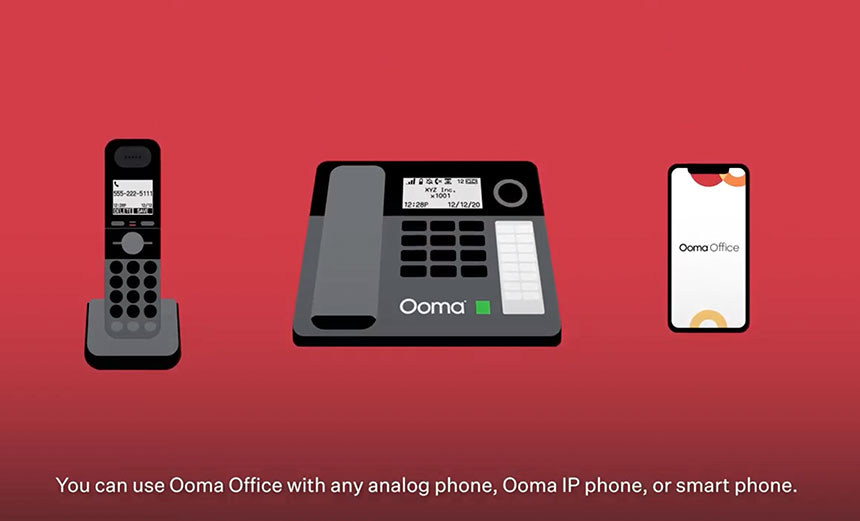
Desk phones, mobile app, desktop app (Pro+) |
|
Call Coverage |
US, Canada, Mexico, Puerto Rico (unlimited) |
|
Icon Polls Rating |
3.5 / 5.0 |
Our Verdict
Ooma Office has been around long enough to earn a reputation, and that reputation is mostly solid. It works. It does not reinvent the wheel, and it does not try to. After spending considerable time reviewing the platform across its different plans in 2026, our team at Icon Polls found a service that does the basics quite well, charges a fair monthly rate, and comes with enough features to satisfy most small business owners who just need their phones to work without drama.
That said, Ooma is not without its cracks. Customer support has taken a noticeable hit in recent months, the mobile app still lags behind what competitors are offering, and the hidden fees that show up on your first invoice have become something of a recurring complaint across user forums. A 3.5 out of 5 feels right for where this product stands today. Solid, but not exceptional.
|
ICON POLLS RATINGS BREAKDOWN |
||
|
Category |
Score |
Stars |
|
Ease of Setup |
4.0 / 5.0 |
★★★★☆ |
|
Call Quality |
3.5 / 5.0 |
★★★½☆ |
|
Mobile App |
3.5 / 5.0 |
★★★½☆ |
|
Customer Service |
3.0 / 5.0 |
★★★☆☆ |
|
Value for Money |
4.0 / 5.0 |
★★★★☆ |
|
Feature Range |
3.5 / 5.0 |
★★★½☆ |
|
Overall Rating |
3.5 / 5.0 |
★★★½☆ |
Ooma Office Plans and Pricing in 2026
Ooma Office currently offers four service tiers: Essentials, Pro, Pro Plus, and Enterprise. The Essentials plan starts at $19.95 per user per month and covers the fundamentals, including unlimited calling within the US, Canada, Mexico, and Puerto Rico, a virtual receptionist, voicemail, call forwarding, and basic call management. It is designed for sole traders and micro businesses, and it shows. Desktop calling and SMS are not included at this tier, which feels like a gap in 2026.
The Pro plan at $24.95 per user per month adds call recording, a desktop app, video conferencing, and robocall blocking. This is where most small teams will land, and honestly it is the sweet spot of the lineup. Pro Plus comes in at $29.95 per user per month and brings in call queuing, CRM integrations, and call screening, which are features that make more sense for teams managing higher call volumes or running customer-facing operations.
The Enterprise plan carries custom pricing and is built around Microsoft Teams integration, SIP trunking, and dedicated support. Pricing for this tier requires a direct conversation with Ooma's sales team.
One thing worth flagging: several users across review platforms have noted that taxes and regulatory fees added to their monthly bill brought the real cost notably higher than what was advertised. It is not a dealbreaker, but it is worth asking Ooma upfront what the all-in cost will look like before committing.
The Ooma Office App
The Ooma Office mobile app is available on both iOS and Android and lets users make and receive business calls from their personal phones using their business number. You can access voicemail, manage call settings, send messages on Pro plans, and flip active calls between your desk phone and mobile device without dropping the connection. That last feature is genuinely useful for people who move around during the day.
Where the app falls short is consistency. A number of users have flagged connectivity hiccups, missed push notifications, and a feature set that feels slimmer than what is available on the desktop version. The desktop app, which is included with Pro and Pro Plus plans, offers a smoother experience overall. For a product that markets itself heavily on mobility and remote work flexibility, the mobile app could use more attention.
The app does allow extension management, contact lookup, and integration with your calendar on higher-tier plans. For basic call handling on the go, it gets the job done. For power users expecting a full-featured softphone experience, it will feel like a step down.
Ooma Office Login and Admin Portal
Logging into Ooma Office is straightforward. Users access the platform through the Ooma Office Manager, a web-based admin portal that handles everything from extension setup and call routing to billing and usage monitoring. The interface is clean and does not require IT knowledge to navigate. Most settings are self-explanatory, and the layout has been refined enough over the years that new users can generally find what they need without digging through documentation.
Admins can log in from any browser and make system-wide changes in real time. Adding a new user, updating the virtual receptionist script, or checking call logs can all be done in a few clicks. There is also a mobile login option through the app, though admin functions are more limited there. Overall the login and management experience is one of Ooma's stronger points, and it is a genuine advantage over older business phone systems that require on-site hardware configuration.
Ooma Office Phones and Hardware
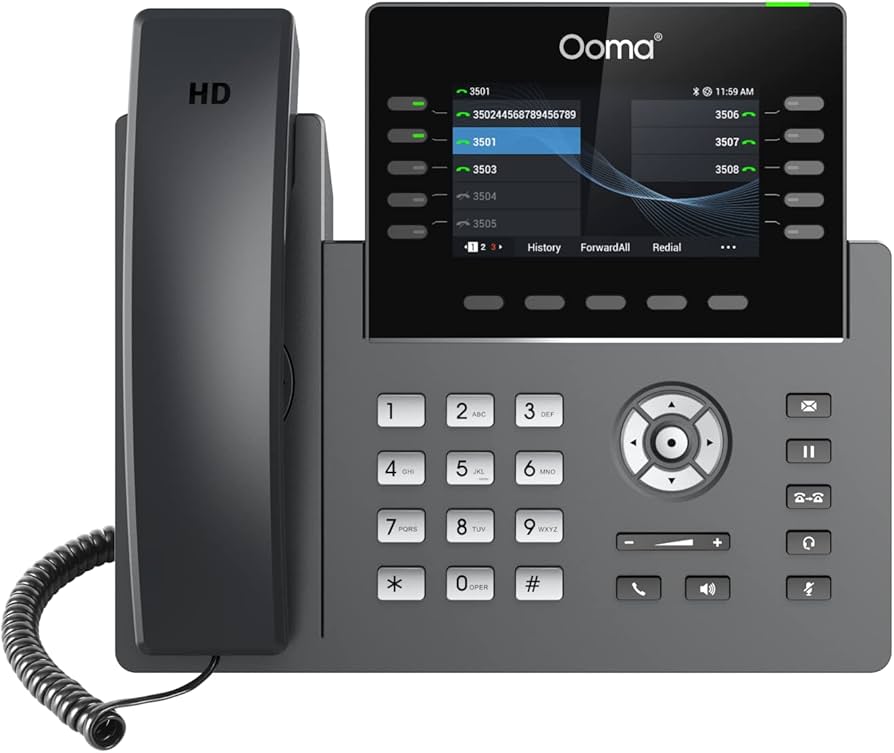
Ooma is compatible with a range of IP desk phones, and the company sells its own lineup of Ooma-branded handsets. These include standard desk phones and conference room units. If you already own compatible third-party IP phones, Ooma generally supports those too, though it is worth checking compatibility before assuming.
Physical phones are sold separately and are not bundled into the monthly subscription. Ooma's own desk phones typically start around the $100 range for basic models, with conference units running higher. The hardware is not flashy, but it is reliable and easy to provision within the Ooma system.
For businesses that want a fully software-based setup, the desktop app on Pro and Pro Plus plans means you may not need physical phones at all. This is a cost-effective route for remote teams or startups that do not want to invest in hardware upfront. Ooma also supports overhead paging systems, which makes it a practical fit for retail environments and warehouses.
Ooma Customer Service: The Good and the Not So Good
Customer support is arguably the most mixed aspect of the Ooma Office experience right now. The company offers support via phone and live chat through the Office Manager portal, with a chatbot available for quick queries. Enterprise customers have access to dedicated support and white glove onboarding, which is a meaningful upgrade if your business depends heavily on uninterrupted communication.
For standard plan users, experiences vary widely. Some report fast, helpful interactions where issues are resolved in a single call. Others describe reaching out multiple times without any response, and at least a few users have shared stories of being transferred between departments or being given conflicting information about billing. One independent review outlet noted that when they reached back out to Ooma in early 2026 for follow-up assistance, they received no response after three separate attempts.
The knowledge base on Ooma's website is reasonably thorough and covers most common setup and troubleshooting questions. For self-sufficient users, this can reduce how often you need to contact support directly. But for a product marketed as business-grade, the inconsistency in live support quality is something the company needs to address.
User Experience: What It Actually Feels Like Day to Day
Setting up Ooma Office for the first time is genuinely fast. The company claims you can be up and running in about 15 minutes, and that is not far off in practice, provided your internet connection is stable and you are working with compatible devices. The virtual receptionist is easy to configure, call routing rules are intuitive, and the web portal puts controls in plain sight without burying them in sub-menus.
Call quality is generally clear. Most users find day-to-day call reliability to be good, with issues typically tied to internet stability on the user's end rather than Ooma's infrastructure. The voicemail transcription feature is a convenient touch that saves time when you come back to a backlog of missed calls.
Where the experience gets frustrating is in the finer details. Adding an extra phone number costs $9.95 per month. Directory assistance calls are $0.99 each. Texting limits on Pro and Pro Plus plans can become restrictive for teams that rely heavily on SMS. And as several users have pointed out, the jump from advertised pricing to real billing figures can be jarring when taxes and regulatory fees are factored in. None of these are hidden in the fine print exactly, but they are not front and center either.
For a small business that needs a professional phone system without the overhead of managing on-site hardware, Ooma Office delivers real value. It works reliably in most use cases, the interface is accessible, and the no-contract approach removes a lot of the risk. Just go in with clear expectations about what each plan includes and what the full monthly cost will actually look like.
Frequently Asked Questions About Ooma Office (2026)
1. How much does Ooma Office cost in 2026?
Ooma Office plans currently start at $19.95 per user per month for the Essentials tier. The Pro plan is $24.95 and the Pro Plus plan is $29.95 per user per month. All plans are billed monthly with no annual pricing discount available. Enterprise pricing is custom and requires contacting Ooma's sales team. Keep in mind that taxes, regulatory fees, and optional add-ons will increase the amount on your actual invoice.
2. Is there a free trial for Ooma Office?
Yes, Ooma Office offers a 30-day free trial. However, some users have noted that activating the trial requires an upfront activation fee of around $55, which is non-refundable. This fee has drawn criticism from users who expected a no-strings trial. It is worth clarifying the full terms with Ooma before signing up.
3. Does Ooma Office have a mobile app?
Yes. Ooma Office has a mobile app for both iOS and Android devices. It allows you to make and receive business calls using your business number, access voicemail, view contacts, and flip active calls between your mobile and desk phone. Messaging features are available on Pro and Pro Plus plans. The app works well for basic call handling, though some users report occasional notification delays and connectivity issues.
4. How do I log into Ooma Office?
You can log into your Ooma Office account through the Ooma Office Manager portal via any standard web browser. Admin users have full access to system settings, call routing, user management, and billing from the portal. Regular users can also log in through the mobile or desktop app to manage their personal settings and handle calls.
5. What phones work with Ooma Office?
Ooma Office is compatible with Ooma-branded IP desk phones, which are sold separately, as well as a range of third-party IP phones. The platform also supports a fully software-based setup through the desktop and mobile apps if you prefer not to invest in physical hardware. Overhead paging equipment is supported for businesses like retail stores that need in-store announcement capabilities.
6. How is Ooma's customer service in 2026?
Customer service quality is inconsistent based on current user feedback. Support is available via phone and live chat through the Office Manager portal. Initial responses from the support team are often quick and helpful, but follow-up experiences vary. Enterprise customers receive a dedicated support team, which significantly improves the experience at that tier. For standard plan users, the self-service knowledge base on Ooma's website is a solid first stop for common issues.
7. Can I use Ooma Office for remote or hybrid teams?
Yes, Ooma Office is reasonably well suited for remote and hybrid setups. The mobile app allows team members to take business calls from anywhere, and the desktop app on Pro and Pro Plus plans adds further flexibility. Call forwarding, extension management, and the virtual receptionist can all be configured to support distributed teams. That said, businesses with large remote teams may find the feature set a bit lean compared to platforms built specifically for distributed work.
8. Does Ooma Office include SMS or text messaging?
Text messaging is not included on the Essentials plan. Pro plan users get up to 250 messages per month, while Pro Plus users receive up to 1,000 messages monthly. These limits apply to all inbound, outbound, and internal messages combined. Exceeding the cap costs $0.0095 per additional message. For businesses that rely heavily on texting for client communication, these limits may feel restrictive.
9. Is Ooma Office good for small businesses?
For most small businesses, yes. The no-contract model, straightforward setup, and competitive monthly pricing make it a practical option. It is particularly well suited to businesses with physical locations that want a professional phone system without managing on-site hardware. Businesses expecting to scale quickly or needing advanced integrations and unlimited messaging may eventually find Ooma's feature ceiling too low.
10. What integrations does Ooma Office support in 2026?
As of 2026, Ooma Office supports around 18 third-party integrations. These include popular CRM platforms such as Salesforce, HubSpot, Zoho, Freshdesk, and Clio, as well as Google Workspace, Microsoft 365, QuickBooks Online, Square, and Zapier. CRM integrations are limited to Pro Plus and Enterprise plans. While the integration list has grown, it remains narrower than what some competitor platforms offer.
Thoughts from Icon Polls
Ooma Office is not the most feature-rich VoIP service on the market in 2026, and it has some real rough edges when it comes to customer support and billing transparency. But it does what it promises for the majority of small businesses: it gets your phones working quickly, keeps monthly costs predictable, and removes the need for on-site phone infrastructure.
Our rating of 3.5 out of 5 reflects a product that has genuine strengths but has not kept pace with competitors in a few important areas. If you are a small business looking for a dependable base-level phone system and you are not planning to rely heavily on texting or advanced integrations, Ooma Office is a reasonable choice. Just get the full pricing picture before you sign up.