|
Databox MCP at a Glance |
|
|---|---|
|
Product name |
Databox MCP (Model Context Protocol Server) |
|
Parent company |
Databox, Inc. (founded 2012) |
|
Category |
Conversational analytics, AI data connector, business intelligence |
|
What it does |
Connects your Databox business data to AI assistants so you can ask questions in plain language |
|
Server URL |
https://mcp.databox.com/mcp |
|
Supported AI clients |
Claude Desktop, Claude Web, Cursor, n8n, Gemini CLI, and any MCP-compatible tool |
|
Number of tools |
15 tools across accounts, data sources, datasets, metrics, and AI analysis |
|
Integrations |
Works across 120 plus existing Databox integrations |
|
Cost of the MCP |
No extra charge for existing Databox users |
|
Setup time |
Roughly under a minute for the basic connection |
|
Security |
OAuth 2.0, JWT validation, API keys, HTTPS, scope based access |
|
GitHub repo |
github.com/databox/databox-mcp (public, Python) |
|
Best for |
Marketing teams, agencies, founders, and analysts who already use Databox |
|
ICON POLLS rating |
3.5 out of 5 |
What is Databox MCP?
Databox has been around since 2012, and for most of that time people knew it as a dashboard and reporting platform. You connect your marketing, sales and finance tools, and Databox pulls everything into one place so you can build boards, set goals and watch trends.
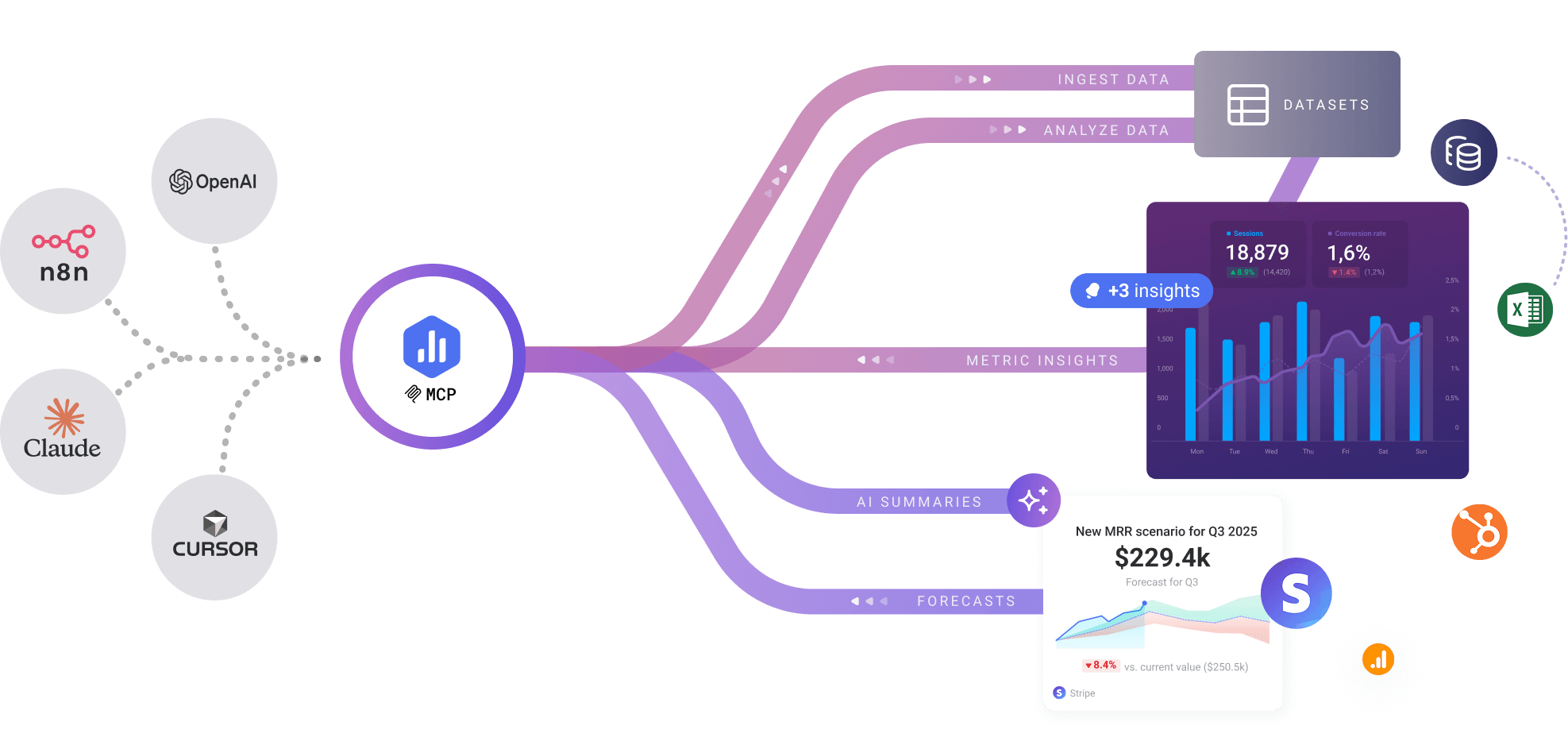
Databox MCP is the newer layer on top of that. MCP stands for Model Context Protocol, an open standard that lets AI assistants plug into outside data sources in a structured way. So Databox MCP is a server that exposes your business metrics to AI tools. Their tagline sums it up neatly: chat with your data, anywhere.
In plain terms, instead of clicking into a dashboard to read your conversion rate, you ask your AI assistant a question like why did revenue dip last week, and Databox does the actual math behind the scenes and hands back a real answer. The selling point the company keeps repeating is that the AI never guesses at your numbers. It writes a query, a proper query engine runs it against your data, and only then does the AI explain the result in words.
Databox MCP login and setup
There is no separate Databox MCP account to create. The login is your existing Databox login, which keeps things simple. The connection happens inside whatever AI client you use, and the server address is the same in every case: https://mcp.databox.com/mcp.
Connecting through Claude
For Claude on the web or desktop, you open Settings, go to Connectors, choose Add Custom Connector, paste the server URL, and then run through the authorization flow. That flow is where your Databox login and permissions come into play, so the AI only ever sees data you have actually granted it.
Connecting through other clients
Claude Desktop config file: add a small mcpServers block pointing to the URL, which suits people who like editing JSON.
Cursor: drop the same URL into Cursor's MCP settings.
n8n: use an HTTP Request node aimed at the server and build your automation around it.
Gemini CLI and other MCP compatible tools: same idea, same URL.
In our testing the connection itself was quick. The friction, when it happened, was on the authorization step rather than the technical setup. If your Databox permissions are not arranged the way you expect, that is where you notice it. For an existing Databox admin it really is close to a one minute job.
Databox MCP on GitHub
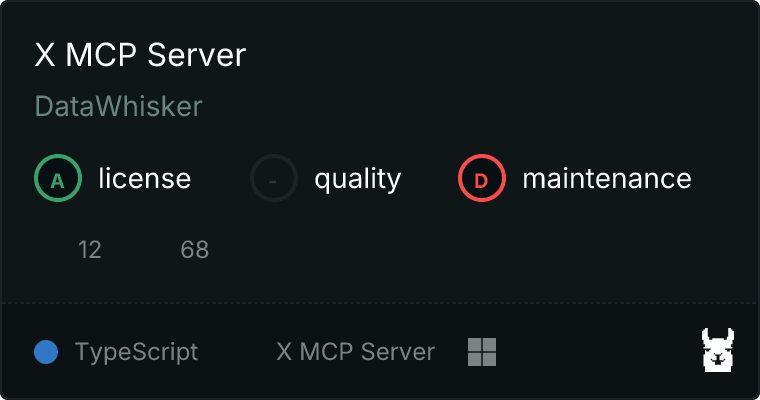
The project lives publicly at github.com/databox/databox-mcp, and it is worth a look before you commit. The repository is built in Python and carries the same line as everywhere else, chat with your data anywhere.
The README is the most useful part. It is genuinely well written for a developer audience, with copy and paste setup blocks for each client, a full list of the 15 available tools with their parameters, and a clear explanation of the three layer architecture the company uses to keep answers accurate. That architecture is a data platform that stores structured datasets, a query engine that runs the actual calculations, and a semantic layer that understands what your business metrics mean.
One thing to be honest about: at the time of our review the repo was young. The star and fork counts were low, there were only a handful of commits, and no tagged releases yet. That is not a red flag on its own, because the heavy lifting happens on Databox servers rather than in this code, but it does mean the public project is more of a documentation and reference hub than a thriving open source community. If you are hoping to file issues and get fast community answers, temper that expectation for now.
Databox MCP pricing
Here is the part that trips people up, so let us be clear. The MCP itself does not cost anything on top of your Databox subscription. Databox describes it as included for existing users, and we found nothing to contradict that. There is no separate MCP license, seat fee or usage meter that we could see.
The real cost is Databox itself, and that is where the value question lives. Databox restructured its plans heading into 2026, and the picture across reliable sources looks roughly like this:
Free tier: aimed at individuals and small teams, generally including 3 data sources, a small number of dashboards, a few users and daily data sync. Enough to try the platform and run the MCP on a light setup.
Pro or Professional: commonly listed around 159 dollars per month, unlocking unlimited dashboards, unlimited users, hourly sync, longer history and the reporting and goals features.
Growth and Premium: higher tiers that climb into the several hundred dollars per month range, aimed at agencies and larger teams needing more sources and automation.
A detail that surprises new buyers is the per data source pricing. The headline plan includes only a few sources, and each extra source adds a monthly fee, in the region of 5 to 7 dollars depending on billing cycle. A data source is counted per account or property, so connecting Google Analytics across three websites counts as three sources, not one. That can push a modest looking plan up in a hurry.
Our take: the MCP being free is great, but you are really paying for Databox. For a team already invested in the platform, the MCP adds real value at no cost. For someone shopping purely for an AI to data connector, the platform price tag is the thing to weigh, and cheaper connector only options exist if dashboards are not what you need.
Datasets and how the data actually flows
Datasets are at the heart of how Databox MCP works, so they deserve their own section. The MCP exposes 15 tools, and a good chunk of them are about creating, listing, filling and querying datasets.
You can push new data into Databox straight from your AI tool. The ingest tool takes structured records, and you can define a dataset schema with column names and types such as text, number or datetime, plus primary keys. Once data is in, you can list datasets, check ingestion history, and inspect individual ingestion events to see record counts. There are also merged datasets, which combine several sources into one, useful for cross channel reporting.
The querying side is where it gets interesting. The load metric tool pulls a metric over a date range with optional breakdowns and time series grouping, so you can get something like daily sessions for last month split by traffic source. The headline tool, though, is ask Genie. Genie is Databox's own AI analyst, and through the MCP your assistant can hand it a plain language question against a dataset and get back a calculated answer, with threading so you can ask follow ups.
In practice this works well when your data is clean and structured the way Databox expects. When we fed it tidy datasets, the answers were accurate and the breakdowns matched what the dashboards showed. The learning curve is in the schema rules and knowing which tool to reach for. It rewards a bit of upfront thought about how your data is organized, and it can be unforgiving if your records are messy. So we landed at 3.5 here: powerful and reliable, with a setup that asks for some care.
User experience
Day to day, the experience is pleasant once you are past the initial connection. Asking a question and getting a number that matches your dashboard, without opening the dashboard, is the kind of small convenience that adds up fast. The fact that the AI cannot fabricate numbers, because the query engine does the calculation, builds real trust over time. We were not second guessing the figures.
Where the experience wobbles is at the edges. First time users who are not Databox veterans can get stuck on permissions and on understanding what a data source even is in this context. The documentation beyond the GitHub README is still thin, so when something does not behave, you are often working it out yourself or emailing support. And because everything depends on your underlying data being well organized, a messy Databox account leads to a frustrating MCP experience that is not really the tool's fault.
We also liked that it is not locked to one assistant. Working across Claude, Cursor, n8n and Gemini CLI through a single standard means you are not betting on one vendor, and you can move your setup if a better model shows up. That flexibility is a genuine strength.
Pros and cons
What we liked
No extra cost on top of an existing Databox plan.
Very fast setup for current Databox users, often under a minute.
Answers are calculated by a real query engine, not guessed by the AI.
Works across many AI clients through one open standard, so no lock in.
Clear, developer friendly README and a sensible three layer design.
Strong security model with OAuth, scoped permissions and audit trails.
What gave us pause
Only makes sense if you are already paying for Databox, which is not cheap.
Per data source fees can quietly inflate the real monthly cost.
Documentation outside GitHub is still light, and the repo is young.
Dataset schema rules have a learning curve and punish messy data.
Not a fit for anyone who just wants a low cost data connector without dashboards.
Frequently asked questions about Databox MCP in 2026
1. Is Databox MCP free to use?
The MCP server itself does not cost anything extra. It is included for existing Databox users. What you pay for is the Databox subscription underneath it, which ranges from a limited free tier to paid plans that start around 159 dollars per month and climb from there.
2. How do I log in to Databox MCP?
There is no separate MCP account. You connect using your existing Databox login through the authorization flow inside your AI client. In Claude, for example, you go to Settings, then Connectors, add a custom connector with the URL https://mcp.databox.com/mcp, and complete the sign in.
3. Which AI tools work with Databox MCP?
It supports Claude on web and desktop, Cursor, n8n, Gemini CLI, and in principle any tool that speaks the Model Context Protocol. The same server URL works across all of them, and the company says it keeps adding new integrations.
4. Where can I find Databox MCP on GitHub?
The public repository is at github.com/databox/databox-mcp. It is a Python project with a detailed README covering setup for each client, the full list of 15 tools, and an explanation of how the system keeps answers accurate. The repo is fairly new, so it reads more like official documentation than a busy community project right now.
5. Is my data safe with Databox MCP?
Databox uses OAuth 2.0, JWT token validation and API keys, with encrypted HTTPS connections and scope based access. Your data stays inside your Databox account under the governance you already have, and the AI can only reach data you explicitly grant. There are also audit trails and per account data isolation.
6. Can I push my own data into Databox through the MCP?
Yes. You can create a dataset with a defined schema and primary keys, then use the ingest tool to push records straight from your AI tool. You can also check ingestion history and inspect individual ingestion events to confirm record counts.
7. What is the difference between Genie and Databox MCP?
Genie is the AI assistant that lives inside Databox for answering questions without leaving the platform. The MCP is the connection that takes your data out to other AI tools like Claude or Cursor. They overlap, because the MCP can call Genie through the ask Genie tool, but the simplest way to think about it is Genie for inside the product and MCP for the wider AI ecosystem.
8. Do I need to know SQL or coding to use Databox MCP?
No. The whole point is that you ask questions in plain language and the engine handles the queries. Some understanding of how your datasets are structured helps, and developers can go deeper with the API, but everyday use does not require writing any SQL.
9. How long does Databox MCP take to set up?
For an existing Databox user, the basic connection is usually under a minute. The only thing that slows people down is sorting out permissions or understanding how data sources are counted, especially for first timers who are new to the platform.
10. Is Databox MCP worth it in 2026?
For teams already on Databox, yes, since it adds clear value at no extra cost. For everyone else, the question is really whether Databox the platform is worth it for your needs, because the MCP only matters once you are inside that ecosystem.