
Quick Verdict
Arc Browser remains one of the most genuinely thoughtful redesigns of what a web browser can be. The vertical sidebar, Spaces for organized context-switching, the command bar, split view, and the aesthetic polish that makes it feel more like a creative tool than a utility still hold up and still impress people seeing them for the first time in 2026. The browser works, it is free, it accepts Chrome extensions, it runs on Chromium so sites render correctly, and for Mac users in particular the experience is genuinely excellent. But the 2.8 rating reflects the reality of what Arc is in May 2026, not what it was in 2023 at its peak excitement. The Browser Company stopped active development in May 2025. Atlassian acquired the company for $610 million in October 2025, and the entire team shifted to building Dia, a new AI-first browser. Arc receives only security updates now. There is no roadmap. There is no public commitment to long-term support beyond maintenance. Linux support was never delivered despite years of user requests. Android users get Arc Search, which is a separate mobile browser app and not a full-feature mobile counterpart to the desktop Arc experience. The Windows version lags meaningfully behind macOS in feature polish. And the platform has no answer for what happens in two years if Atlassian decides the maintenance overhead is not worth continuing. Arc is a beautiful browser in quiet decline. Using it today means accepting a product that will not improve.
At a Glance: Icon Polls Ratings
Here is how Arc Browser scored across the areas we evaluated in our 2026 research:
|
Category |
Stars |
Score |
|
Core macOS Browser Experience |
★★★★★ |
4.5/5 |
|
UI Design and Workspace Innovation |
★★★★★ |
4.5/5 |
|
Windows Version Polish |
★★★☆☆ |
3/5 |
|
Android and Mobile Coverage |
★★★☆☆ |
2.5/5 |
|
Linux Availability |
★☆☆☆☆ |
1/5 |
|
Active Development and Roadmap |
★☆☆☆☆ |
1/5 |
|
Long-Term Platform Reliability |
★★☆☆☆ |
1.5/5 |
|
Overall |
★★★☆☆ |
2.8/5 |
What Is Arc Browser?
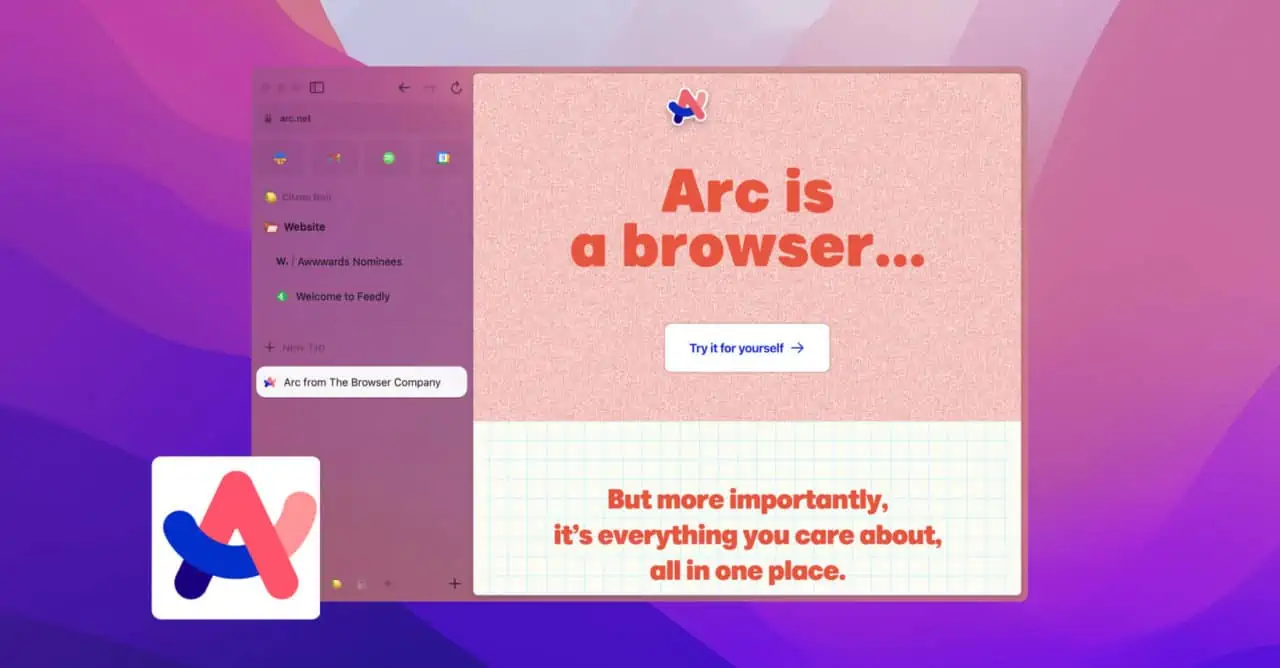
Arc is a web browser developed by The Browser Company, a startup founded by Josh Miller and Harsh Agrawal. It launched publicly on July 25, 2023 for macOS after a period of invite-only beta access. The browser is built on Chromium and uses the Blink rendering engine, meaning websites render exactly as they do in Google Chrome, but the entire interface design is a radical departure from what users expect from a browser.
The founding philosophy behind Arc was that browsers had not fundamentally changed in decades. Chrome, Edge, Firefox, and Safari all share the same basic architecture: a horizontal tab bar at the top of the window, a URL bar, and the rendered page filling the rest of the space. Arc discarded that template entirely. Tabs move to a collapsible left sidebar. Bookmarks and pinned sites live in the sidebar with them. The URL bar disappears until you need it. The page gets the full screen.
At its peak in 2024, Arc was one of the most talked-about browsers in developer and productivity communities. Product Hunt reviews described it as a fundamental rethinking of how a modern browser should work. The combination of Spaces, the command bar, built-in note-taking through Easels, split view, and the ability to give each Space its own theme and identity created a browser that felt less like a utility and more like a workspace people could make their own.
The 2025 and 2026 situation is materially different. In May 2025, The Browser Company announced it was shifting active development away from Arc to focus on Dia, a new AI-first browser. Atlassian, the company behind Jira, Confluence, and Trello, announced the acquisition of The Browser Company for $610 million on September 4, 2025 and completed the deal on October 21, 2025. The Wikipedia entry for Arc Browser, verified in May 2026, confirms that in 2025 a blog post announced Arc would be sunset and no longer be actively developed. The final version released was 1.97.0 on macOS and 1.56.0 on Windows, both dated May 29, 2025.
Arc in 2026 is a functioning browser in security-update-only maintenance mode. It still works. It still syncs. It still runs Chrome extensions. It still has every feature it shipped with in May 2025. But it is not getting new features, and the team that built it is building something else.
Downloading Arc Browser
Downloading Arc is straightforward. Go to arc.net in any browser and click the download button. The site detects your operating system and serves the correct installer. On macOS, a standard DMG installs Arc to your Applications folder with a drag-and-drop. On Windows, an installer handles the setup. On iOS, Arc and Arc Search are available from the App Store. On Android, Arc Search is available from the Google Play Store.
No account is required to download the browser. Creating an account and signing in is required to enable sync across devices, which is one of Arc's more practically useful features for users who move between a desktop and a phone. The free account creation takes about two minutes and requires only an email address.
The download size is moderate, in line with other Chromium-based browsers. Installation is fast and the browser is ready to use almost immediately after installation completes. First-time setup offers an import of bookmarks and saved passwords from your previous browser, which Arc handles through the standard Chromium import mechanism covering Chrome, Edge, Firefox, and Safari.
One important note for Android users searching for Arc Browser: there are two different Android apps that come up in search results. The first is Arc Search, made by The Browser Company, which is the mobile browser companion to the Arc desktop experience and is the relevant download. The second is ARC Browser (all caps), which is a completely different application for retro gaming ROM management and has nothing to do with the web browser. The gaming app was last updated January 26, 2026 and costs $7.99. Searching specifically for Arc Search by The Browser Company on the Play Store avoids the confusion.
Arc on Android: What Arc Search Actually Is
Android users searching for Arc Browser in 2026 will find Arc Search, the mobile browser that The Browser Company launched on Android in open beta in October 2024 and moved to general availability in November 2024. Arc Search is available from the Google Play Store and is free to download. By May 2026, the app was still receiving updates, with a May 7, 2026 release note documenting anti-spoofing security improvements.
It is important to be clear about what Arc Search is and is not. It is not a mobile port of the Arc desktop browser. It does not have the same vertical sidebar, Spaces, command bar, Easels, or workspace customization that define the Arc desktop experience. Arc Search is a mobile-native browser that incorporates some of Arc's design sensibility and introduced the Browse for Me feature, which uses AI to read a page and generate an organized answer instead of showing the full website. It was built as a different product from the start, designed around mobile use patterns rather than as a companion to the desktop Arc experience.
The feature set at general availability included Browse for Me, ad blocking, auto-archiving of old tabs, voice search, home screen widgets, landscape mode support, and Browse for Me in multiple languages. Tab syncing between Arc desktop and Arc Search on Android was listed as coming but not available at the Android launch, and its status in 2026 reflects the overall development slowdown.
For Android users who came across Arc through the desktop browser's reputation and are hoping to find the same experience on their phone, the honest assessment is that Arc Search delivers a different product. The AI browsing features are interesting and the design is cleaner than many mobile browsers. But it is not Arc in a meaningful sense for users whose interest was specifically in the Spaces and sidebar workflow.
Arc on Linux: The Platform That Was Never Built
Linux availability is the most consistently requested and most consistently deferred feature in Arc's history. As of May 2026, Arc is not available on Linux. It was never available on Linux. Multiple posts from The Browser Company over the years acknowledged the Linux community's requests, and some early communications suggested Linux was being considered for a future release. That future never arrived.
The efficient.app review from April 2026 confirms the situation plainly: if you are a Linux user, Arc is not yet available, and with the development team now focused on Dia, the likelihood of a Linux version of Arc arriving has moved from unlikely to effectively impossible. Dia's platform roadmap as of May 2026 did not include a Linux announcement.
For Linux users who have read positive coverage of Arc and wondered how to try it, the options are limited. Running Arc through compatibility layers like Wine is not officially supported and produces an unreliable experience. The only practical path to Arc on Linux is running a macOS or Windows virtual machine, which is a meaningful infrastructure investment just to test a browser. For most Linux users, this is not a worthwhile trade-off.
There is no APK file for Arc Browser for the desktop experience on Linux. The APK files that appear in searches for Arc Browser on Linux or Android are either the Arc Search Android application or the unrelated ARC Browser gaming app. There is no desktop Linux Arc APK.
The Desktop Experience: What Arc Still Does Exceptionally Well
Despite the maintenance mode situation, Arc's core desktop experience on macOS is genuinely one of the best available in 2026, and that assessment is based on what the browser does rather than where it is going. The features that made Arc distinctive are all present and functional. They work as well as they ever did. For users who are evaluating Arc in 2026 as a daily driver on macOS and are comfortable with the no-new-features reality, the product is compelling.
The Sidebar and Tab Management
The left sidebar replaces the horizontal tab bar entirely. Pinned tabs, which Arc calls Favorites, live at the top of the sidebar and do not disappear when clicked. They stay open and load instantly. Below Favorites are Today tabs, which are the regular browsing tabs that accumulate during a session. By default, Arc archives Today tabs after 24 hours, which eliminates the chronic tab hoarding that characterizes most people's Chrome experience without requiring manual tab management. Pinned tabs are permanent. Today tabs expire. The rule is simple and it works.
Tabs can be organized into folders within the sidebar through drag and drop. Multiple tabs related to the same project or task group together visually and collapse out of sight when not needed. The organizational clarity this creates for users who open many tabs throughout the day is one of the features that long-term Arc users describe as the hardest to give up when switching to another browser.
Spaces and Profiles
Spaces are distinct browser environments within the same window. A Work space has its own pinned tabs, folders, theme, and browsing history. A Personal space has different tabs and a different visual identity. Switching between Spaces is instant, and the sidebar shows clearly which Space is active. Each Space can also have its own Profile, which separates login sessions. A Work space logged into the work Gmail account and a Personal space logged into a personal Gmail account means there is never a risk of accidentally sharing the wrong account or having one session contaminate another. The Product Hunt reviewer who described Spaces as providing intelligent context switching captures the experience accurately.
Command Bar and Keyboard Navigation
The command bar in Arc, accessed with Command+T on Mac, replaces the traditional URL bar as the primary navigation interface. Typing in the command bar searches your history, open tabs, bookmarks, and the web simultaneously, presenting the most likely destination first. Navigating between frequently visited sites involves typing a few characters of the site name rather than clicking through a tab bar or typing full URLs. For keyboard-oriented users, the command bar genuinely changes how navigation feels.
Split View and Easels
Split view allows two web pages to appear side by side within a single Arc window, which is useful for comparing two pages, referencing documentation while writing code, or following a recipe while looking something else up. The feature is built into Arc natively rather than requiring an extension. Easels are collaborative whiteboards built into Arc where users can annotate web pages, embed content from any URL, add notes, and share the result with others via a public link. Both features eliminate reasons to leave the browser for an external tool and contributed significantly to Arc's reputation as thinking-person's productivity software.
Arc on Windows: Available but Not Equal
Arc for Windows launched publicly in 2024 and is available from arc.net for download. Over 200,000 users were reported to have adopted the Windows version within the first months of release. The experience is functional and includes the core Arc features including Spaces, the sidebar, the command bar, and split view.
The honest assessment of Arc on Windows in 2026 is that it lags behind the macOS version in polish and feature parity. Multiple reviews and user reports describe the Windows experience as feeling like it is catching up rather than fully formed. The development team's focus shifted to Dia before the Windows version had fully reached feature and stability parity with the Mac version, and the result is a Windows Arc that works but does not feel as native or as refined as Arc on the Mac.
The efficient.app review specifically notes that the development focus moved to Dia and it sounds like Arc Browser on Windows has gotten put on the backburner in terms of feature-parity with the macOS version. For Windows users evaluating Arc as a daily driver, this context matters. The browser is usable and has Arc's distinctive organizational features. It is not the same experience as Arc on the Mac, and with no active development, the gap is not going to close.
Is Arc Still Free in 2026?
Yes. Arc Browser remains completely free for individual users in 2026. There is no subscription, no premium tier, no paid upgrade, and no limit on features for free users. Every feature in Arc, including Spaces, split view, the command bar, Easels, sync, and everything else, is available to every user at no charge. The thesoftwarefeatures.com review confirms this: Arc is completely free for individual users in 2026. No publicly available paid tiers or subscriptions exist.
When Arc was in active development, The Browser Company discussed a potential future where team and enterprise features would be monetized. That business model rationale does not apply in the same way to a browser in maintenance mode whose team has moved to a different product. The free status in 2026 is simply a description of what was left behind when development paused.
Arc Search on Android is also free to download and use from the Google Play Store. There is no in-app purchase or subscription required for the mobile browser.
The Maintenance Mode Reality and What It Means for Users
Being direct about what maintenance mode means for Arc users in 2026 is the most useful thing this review can do, because the language around it is sometimes softened in ways that obscure the practical implications.
Maintenance mode means: the browser receives security patches when Chromium security vulnerabilities are identified and patched. It does not receive new features. It does not have a public roadmap. The team that built it is not working on it. There is no public commitment to a timeline for continued maintenance. And there is no public commitment to what happens if and when Atlassian decides the maintenance overhead is not worth the cost.
The SupaSidebar guide, which is among the most detailed analyses of Arc's 2025 to 2026 trajectory, states this plainly: Arc gets security updates only. No new features, no roadmap, no public commitment to long-term support. The last versions, 1.97.0 on macOS and 1.56.0 on Windows, were both released on May 29, 2025.
For users evaluating whether to make Arc their primary browser in 2026, this means committing to a browser that will look and work exactly as it does today for the foreseeable future, with the possibility that at some point the security updates stop and the browser becomes a security risk to continue using. This is not imminent. Chromium-based browsers have a reasonably long maintenance tail even when the team behind a fork stops updating them. But it is the trajectory, and users deserve to understand it.
The practical guidance that experienced Arc users in community forums give is this: Arc is an excellent browser to use right now if you accept that you are using a finished product. It will not improve. If you are the kind of user who expects your primary software to grow and adapt to your needs, Arc no longer does that. If you are comfortable with a browser that does what it does extremely well and simply continues doing it, Arc is still one of the best options on macOS.
Dia: What Happened to the Arc Team
Understanding Arc in 2026 fully requires knowing what the team is building instead. Dia is an AI-first browser built by The Browser Company team, now operating under Atlassian. It launched publicly on macOS on October 9, 2025. Dia is described as focused on knowledge work, with features including page summarization, automation through Dia agents that act on your behalf, and an AI layer integrated throughout the browsing experience.
Dia does not inherit Arc's visual design or organizational philosophy in any direct way. It is a fundamentally different product. The techglimmer.io analysis from April 2026 describes Dia as taking everything Arc taught them and rebuilding it with AI at the core, though the practical experience of Dia users suggests it is more accurate to say Dia is a new product informed by lessons from Arc rather than Arc with AI added.
For Arc users wondering whether Dia is the natural successor they should migrate to, the honest answer is that Dia serves a different use case with a different design philosophy. Dia Pro, the paid tier for advanced AI features, is available. The free tier covers everyday browsing. Windows availability for Dia had not been confirmed as of May 2026. Users who valued Arc specifically for its organizational system, Spaces, and sidebar will not find a direct equivalent in Dia as it currently exists.
Pros and Cons
What Arc Still Gets Right in 2026
The vertical sidebar and tab management system is among the best browser organizational experiences available and remains fully functional with no degradation since development paused
Spaces with separate themes, pinned tabs, and account profiles enable genuine context separation between work and personal browsing that no major browser replicates as cleanly
The command bar navigation is faster and more productive for keyboard-oriented users than any combination of traditional URL bar and tab bar interaction
Split view and Easels eliminate the need for extension-based workarounds for common productivity workflows
Chromium foundation means all Chrome extensions work, all websites render correctly, and the performance baseline is competitive with any Chromium-based browser
Completely free with no subscriptions, no paid tiers, and no feature limitations for individual users
Arc Search on Android has been receiving updates as recently as May 7, 2026 and provides a functional mobile browser with AI features
macOS experience is polished with smooth animations and a design quality that feels genuinely premium compared to utilitarian alternatives
The Documented Problems That Define Arc in 2026
Active development stopped in May 2025 and Arc is in security-update-only maintenance mode with no roadmap and no public commitment to long-term support
The Browser Company was acquired by Atlassian for $610 million in October 2025, and the team shifted entirely to building Dia, a separate AI-first browser
Linux support was never delivered despite years of user requests and is not coming given the pivot to Dia
Arc Search on Android is a different product from the desktop Arc experience and does not provide the Spaces, sidebar, or organizational features that define Arc desktop
Windows version lags behind macOS in feature polish and parity, and the gap is not being closed with the team now focused elsewhere
The long-term maintenance horizon is uncertain: there is no public commitment to how long security updates will continue under Atlassian ownership
No native mobile browser for Android that matches the desktop Arc workflow exists, making the ecosystem incomplete for users who want continuity between desktop and mobile
Users who invested in learning Arc's organizational system are building habits around a browser that will not evolve to meet changing needs
Frequently Asked Questions About Arc Browser (2026)
1. Is Arc Browser still being developed in 2026?
No. Arc Browser entered maintenance mode in May 2025. The Browser Company stopped active feature development at that point and shifted the team's focus entirely to Dia, a new AI-first browser. Atlassian announced the acquisition of The Browser Company for $610 million on September 4, 2025 and completed the acquisition on October 21, 2025. The last versions of Arc released were 1.97.0 on macOS and 1.56.0 on Windows, both dated May 29, 2025. Arc continues to receive security updates in 2026 to address Chromium security vulnerabilities, but no new features are being added, there is no public roadmap, and there is no public commitment to how long security updates will continue. The browser works and is stable. It is not growing. Users evaluating Arc as a daily driver should understand they are adopting a finished product rather than one that will continue to evolve.
2. Is there an Arc Browser for Android?
Arc Search is available for Android from the Google Play Store and is the mobile browser made by The Browser Company for Android users. It is free to download. Arc Search is not a mobile port of the Arc desktop browser. It does not have the vertical sidebar, Spaces, command bar, or Easels that define the Arc desktop experience. It is a mobile-native browser with AI features including Browse for Me, ad blocking, auto-archiving tabs, voice search, and home screen widgets. The app was still receiving updates in May 2026 with security improvements documented in the May 7, 2026 release notes. When searching for Arc Browser on Google Play or when looking for an Arc APK, be aware that there is a separate unrelated application also called ARC Browser that is a retro gaming ROM manager. The gaming app has no connection to The Browser Company. Search specifically for Arc Search by The Browser Company to find the correct app.
3. How do I download Arc Browser?
Download Arc Browser by going to arc.net in any web browser. The site detects your operating system and shows the appropriate download button. On macOS, the download is a DMG file. Drag the Arc application to your Applications folder to install. On Windows, the download is an installer that handles the setup process. Arc is not available for Linux as a desktop browser. On iOS, search for Arc or Arc Search in the App Store. On Android, search for Arc Search by The Browser Company in the Google Play Store. Do not search for an APK download from third-party sites, as Arc is a proprietary browser and unofficial APK files from external sources are not verified and may be modified. The official download at arc.net and the official app store listings are the only legitimate download sources.
4. Is Arc Browser available on Linux?
No. Arc Browser is not available on Linux and has never been available on Linux. Linux support was frequently requested by the community during Arc's active development period and was acknowledged by the team as something being considered, but it was never built. With The Browser Company having shifted its focus to Dia and Arc in security-update-only maintenance mode, a Linux version of Arc will not be released. There is no Arc APK or package for Linux desktops. Dia, the team's new AI-first browser, also did not have a Linux announcement as of May 2026. Linux users who want a Chromium-based browser with some organizational features similar to Arc may want to look at browsers like Vivaldi, which is available on Linux and offers sidebar-based tab management.
5. Is Arc Browser free?
Yes. Arc Browser is completely free for individual users in 2026. There is no subscription fee, no premium tier, no paid upgrade, and no feature limitation for free users. Every feature in Arc, including Spaces, split view, the command bar, Easels, sync, and all productivity tools, is available without any payment. Arc Search on Android is also free to download and use. When Arc was in active development, The Browser Company discussed the possibility of future paid team or enterprise tiers. That monetization path was never implemented, and with Arc now in maintenance mode, there are no plans to introduce paid tiers. Arc being free in 2026 is a description of a finished product rather than a business model choice currently being made.
6. Is Arc Browser safe to use in 2026?
Arc is broadly safe to use in 2026 because it continues to receive Chromium security updates that patch known vulnerabilities. The browser's security foundation is the same as any Chromium-based browser. The relevant concern about Arc's safety comes from the maintenance mode status: there will be a point in the future when security updates stop, and at that point continuing to use Arc becomes riskier. That point has not arrived as of May 2026. Security updates were still being applied. The practical safety advice for Arc users is to monitor whether Arc is still receiving updates over time, and to plan a transition to an actively developed browser before updates stop entirely. For privacy, Arc's data practices are comparable to other Chromium-based browsers. It uses Google as the default search engine and has Google's standard telemetry by default, which can be changed in settings. Privacy-focused users can configure Arc to use alternative search engines and reduce telemetry in the same way as with Chrome.
7. What is the difference between Arc and Arc Search?
Arc is the desktop browser available for macOS and Windows, with the vertical sidebar, Spaces, command bar, Easels, split view, and the workspace organizational system that made the browser famous. Arc Search is the mobile browser for iOS and Android that The Browser Company built separately for mobile users. Arc Search is not a mobile port of Arc. It shares some visual design language and was built by the same team, but it does not have Spaces, the sidebar, or the organizational features of the desktop version. Arc Search focuses on AI-powered browsing on mobile with Browse for Me, which reads web pages and presents organized summaries instead of the raw page. For mobile users who want Arc's organization features on their phone, neither Arc Search nor any other application fully replicates the desktop Arc experience on mobile. Arc Search is a well-designed mobile browser on its own terms but serves a different purpose.
8. Does Arc support Chrome extensions?
Yes. Arc is built on Chromium and supports Chrome extensions from the Chrome Web Store. You can install any Chrome extension in Arc the same way you would in Google Chrome. The full Chrome Web Store catalog is available, including ad blockers like uBlock Origin, password managers like Bitwarden, developer tools, productivity extensions, and everything else in the Chrome extension ecosystem. Arc's own built-in features like split view, sidebar tabs, and the command bar reduce the need for some categories of extensions that Chrome users typically install separately, but there is no restriction on using additional extensions alongside Arc's native capabilities. Extension support works on both the macOS and Windows versions of Arc.
9. What happened to The Browser Company?
The Browser Company was acquired by Atlassian, the Australian enterprise software company behind Jira, Confluence, Trello, and other productivity tools, for $610 million. Atlassian announced the acquisition on September 4, 2025 and completed it on October 21, 2025. The team behind Arc had already shifted focus in May 2025 from Arc to building Dia, a new AI-first browser. Dia launched publicly on macOS on October 9, 2025, shortly before the Atlassian acquisition closed. The founders Josh Miller and Harsh Agrawal and the broader team are now working on Dia under Atlassian ownership. Arc continues to operate as a separate product in maintenance mode with security updates, but the creative team, the product vision, and the investment are now behind Dia rather than Arc. The acquisition price of $610 million reflects Atlassian's interest in the team and Dia's AI browser vision rather than a bet on Arc continuing as a standalone product.
10. Should I switch away from Arc Browser in 2026?
Whether to switch away from Arc depends on what you value most from your browser. If you are a macOS user who loves Arc's organizational system, finds the Spaces and sidebar genuinely improve your daily workflow, and are comfortable using a browser that will not add new features, there is no technical reason you must switch right now. Arc works well. It receives security updates. The experience it provides today is the same one it has always provided. If you are concerned about long-term support, are bothered by using software with no roadmap, or want a browser that will improve over time, planning a migration to an actively developed browser is the sensible choice. For Windows users who were hoping Arc would reach full macOS parity, that outcome is not coming. For Linux users who were waiting for Arc, it is not coming. For Android users who hoped for a full Arc mobile experience, Arc Search is what exists. The honest summary is that Arc is a browser you can continue using today with eyes open about what it is in 2026. It is not a browser to recommend to someone setting up their digital workflow for the next three years.
Icon polls Verdict
Arc Browser earns a 2.8 out of 5 from Icon Polls in 2026. Scoring a browser that is simultaneously one of the most thoughtfully designed products in its category and one that has formally entered sunset territory is genuinely difficult, and the 2.8 reflects both of those things honestly.
If this were purely a review of Arc at its peak in 2024, the rating would be significantly higher. The vertical sidebar, Spaces, command bar, split view, and the design philosophy underlying all of them represent a genuine creative achievement in browser design. They changed how a meaningful community of productive people thought about what a browser should be, and the Product Hunt reviews still pouring in from people who tried Arc for the first time in 2026 and found it revelatory are not mistaken.
The 2.8 is the rating for Arc as a product decision in May 2026. A browser with no active development, no roadmap, no public commitment to long-term support, no Linux version, no full Android experience, and a development team that moved to a different product is not a browser we can recommend without significant caveats. For macOS users who are currently using Arc and are happy, our guidance is to keep monitoring the security update situation and have a migration plan. For users evaluating browsers in 2026 for a new setup or a team recommendation, Arc is not the right answer even though it remains the most beautiful answer that ever existed.
The story of Arc is that great design is not enough. A browser needs organizational backing, a long-term development commitment, and a path to sustainability. Arc had brilliant design and a committed team. The sustainability piece never came together, and the product is now what it is. It remains worth experiencing if you are curious and you have a Mac. It is not worth building your workflow around in 2026.











