Quick Verdict
Figma in 2026 is the dominant tool in collaborative product design and it earned that position through years of genuinely being better than what came before it. Real-time collaboration in the browser changed how design teams work, and no competitor has fully replicated that combination of quality and accessibility. The AI additions, including Figma Make for prompt-to-prototype generation, Dev Mode code export, the image editing suite, and the MCP server for AI agent integration, are among the most mature AI features in any design tool. Figma has 13 million active users and crossed $1.1 billion in annualized revenue. The case for Figma as a category leader is real. The reasons this review rates it 3.0 and not higher are equally real. The March 2025 pricing restructure bundled every product into unified seats, eliminated the ability to buy individual tools, and effectively forced a 33 percent price increase on Professional teams. AI credit enforcement began March 18, 2026, adding a new unpredictable cost layer for teams using AI features heavily. The jump from Professional at $15 per month to Organization at $55 per month, a 267 percent increase, for features like SSO that many mid-size companies require, is a steep and badly structured gap. CFOs consistently underestimate Figma invoices by an average of 27 percent in independent audits. The failed $20 billion Adobe acquisition in 2023 left Figma independent, which most in the community celebrated, but it also left the company under significant pressure to generate revenue growth, and that pressure shows in the pricing direction.
At a Glance: Icon Polls Ratings
Here is how Figma scored across the areas we evaluated in our 2026 research:
|
Category |
Stars |
Score |
|
Real-Time Collaboration and Core Design |
★★★★★ |
5/5 |
|
AI Features and Figma Make |
★★★★☆ |
4/5 |
|
Dev Mode and Developer Handoff |
★★★★★ |
4.5/5 |
|
Free Plan for Individuals |
★★★☆☆ |
3/5 |
|
Pricing Transparency and Fairness |
★★☆☆☆ |
2/5 |
|
Cost Predictability with AI Credits |
★★☆☆☆ |
2/5 |
|
Non-Designer Accessibility |
★★★☆☆ |
2.5/5 |
|
Overall |
★★★☆☆ |
3/5 |
What Is Figma?
Figma is a browser-based collaborative design platform used by product, UX, and UI design teams across the world. It was founded in 2012 by Dylan Field and Evan Wallace, launched publicly in 2016, and grew to become the industry-standard tool for designing digital products over the following years, displacing Sketch and effectively ending Adobe XD's relevance. Today Figma has approximately 13 million active users and reached $1.1 billion in annualized revenue as of early 2026.
The core of what made Figma different when it launched was the browser-first, multiplayer approach to design files. Where Sketch was a Mac-only desktop application where one designer worked alone on a file at a time, Figma opened the same file to multiple editors simultaneously, in a browser, on any operating system. This sounds like a small thing until you have experienced a design review where the designer, the product manager, and the developer are all in the same file at the same time, making annotations and changes together in real time without email chains or versioning confusion. That experience is what built Figma's user base.
In September 2022, Adobe announced it would acquire Figma for $20 billion, a figure that reflected Figma's dominance and the threat it posed to Adobe's design software business. The deal was blocked by the UK's Competition and Markets Authority and European antitrust regulators in December 2023. Adobe paid Figma a $1 billion termination fee as part of the collapse. Figma emerged from the process independent, capitalized with that settlement, and under significant investor pressure to accelerate its own revenue growth without a parent company backstop.
The years since have seen that pressure manifest in pricing changes, the aggressive expansion of the product suite, and the heavy investment in AI features that create both new value and new variable costs. Figma in 2026 is a more capable product than it was in 2022. It is also a more expensive and complex one. Understanding the difference between those two facts is what this review is for.
The Figma App: Downloading and Accessing Figma
Figma runs in the browser at figma.com and does not require any download to use. Opening a browser, navigating to figma.com, and signing in gives you access to the full design environment. This is still one of Figma's most practically important properties: stakeholders, clients, developers, and team members who are not designers can be invited to view or comment on files with nothing more than a browser tab. No software installation, no operating system requirement, no license to acquire.
For designers who prefer a dedicated window, the Figma desktop app is available for download on macOS and Windows. The May 2026 update to the desktop app specifically improved file navigation: links now open directly in the desktop app on macOS rather than routing through the browser, recent files are searchable by name from the tab overflow menu, and files and prototypes preload in the background so they are ready when you navigate to them. These are quality-of-life improvements that reduce the friction of the desktop experience without changing anything fundamental about how design work happens.
The Figma mobile app for iOS and Android exists primarily as a viewing and presentation tool. You can browse your files, present prototypes to stakeholders, and leave comments, but the full design editing experience is desktop and browser territory. Mobile as a viewer-and-presenter tool is appropriate given the nature of design work, and it fills a genuine use case for presenting interactive prototypes in client meetings or reviewing designs between desk sessions.
Figma Mirror, a companion app for iOS and Android, lets you preview designs on a real device screen while working on them in Figma on a desktop. For designing mobile interfaces where accurate rendering on a real screen is important, Mirror is the workflow that replaces the earlier practice of exporting PNGs and viewing them on a phone.
Login and Account Creation
Creating a Figma account is done at figma.com using an email address and password, or through Google sign-in. The process takes under two minutes and the free Starter plan is available immediately with no credit card required. Education accounts for students and educators with verified .edu email addresses or school documentation receive the Professional plan at no cost, which is one of Figma's most consistently praised policies.
Team management is handled through the Figma dashboard, which is where admins control which users have which types of seats. The seat type system introduced in the March 2025 restructure defines what each team member can do: Full seats for designers who edit and export code, Dev seats for developers using Dev Mode, Collab seats for contributors who comment and participate in FigJam but do not design, and View-only access for stakeholders. Understanding which seat type applies to each person before adding them to an account is important for cost management, since several documented cases of invoice surprise are explained by people being auto-elevated from viewer to editor after an accidental edit click.
The automatic elevation issue deserves specific mention because it appears in enough independent reports to be a documented pattern rather than an isolated incident. An audit of 18 design teams in 2025 found that Figma invoices were underestimated by an average of 27 percent by CFOs surveyed, with the primary cause being product managers and stakeholders added for comment access who were never removed and were automatically switched to editor mode after an accidental click. For organizations where budget predictability matters, actively auditing seat types and setting up admin approval workflows for seat upgrades is an operational requirement, not an optional best practice.
The admin approval workflow itself is documented with a specific limit: when a user requests a seat upgrade, they receive temporary access for up to three days while admins review. If the admin does not respond within three days, access expires. If approved, the new seat is prorated from the approval date through the rest of the billing period. For teams that rely on async communication, a three-day response window for seat approvals is tight and will occasionally create access disruptions for legitimate work needs.
The Free Plan: What It Actually Includes
Figma's Starter plan, which is the current name for the free tier, allows unlimited personal draft files, three team files, three FigJam files, and unlimited collaborators with view-only access. The version history is 30 days rather than unlimited. All core design features are available on the free plan including the canvas, layers, grids, vectors, components, constraints, and prototype connections.
For an individual designer working alone on personal projects or a student learning the tool, the Starter plan is functional and genuine. The three-file cap on team files is where the limitation becomes real for any collaborative professional use. A team working on a product with multiple screens, a design system file, and an archive file will hit the cap immediately. The distinction between unlimited personal drafts and the three-team-file cap means solo work is essentially unrestricted, but the moment a second person needs to access the file in a shared space, the three-file limit applies.
AI features on the free plan have their own separate credit allocation and are subject to the monthly limits that Figma began enforcing on March 18, 2026. Free plan users receive a baseline of AI credits that is sufficient for light experimentation with AI tools, but anyone planning to use Figma Make, the image editing suite, or other AI-heavy workflows regularly will either hit the limit or need to purchase additional credits.
For students, educators, and early-career designers evaluating the tool, the free plan does what it is supposed to do. For any professional or team use, it is a trial experience rather than a sustainable working environment.
Figma Pricing in 2026: Plans, Costs, and What to Watch
Figma's March 2025 pricing restructure replaced the previous per-product seat model with unified seat types and bundled all tools into a single seat purchase. You can no longer buy standalone access to just Design or just FigJam. Here is the current plan structure as of May 2026:
|
Plan |
Price |
Key Features |
|
Starter |
$0/month |
3 team files, 3 FigJam files, 30-day version history, all core design features. Unlimited personal drafts and viewers. |
|
Professional |
$15/editor/month (annual), $20 monthly |
Unlimited files, unlimited version history, shared libraries, branching, private projects, all core features and AI tools. Full seat includes Design, FigJam, Slides, and Dev Mode access. |
|
Organization |
$55/editor/month (annual only) |
Everything in Professional plus SSO and SAML, centralized asset management, shared fonts, advanced analytics, guest permissions, admin controls. Annual billing required. No monthly option. |
|
Enterprise |
$90/editor/month (annual only) |
Everything in Organization plus dedicated support, custom security controls, SCIM provisioning, advanced audit logs, custom agreements. Annual billing required. |
AI add-on: $10/seat/month ($8 annual) for additional AI credits beyond what is included in each seat. AI credit subscription packages: 5,000 credits for $120/month, 7,500 for $180/month, 10,000 for $240/month. Pay-as-you-go AI credits also available at approximately $0.03/credit by Q2 2026. Education accounts: Professional plan free with verified student or educator email. Prices sourced from resend.com/pricing, Costbench, and Figma's official pricing page, verified May 2026.
The Pricing Problems Worth Knowing
The 267 percent price jump from Professional ($15 per month) to Organization ($55 per month) is the most consistently noted structural complaint in independent pricing analyses. The Organization plan is required for SSO, which is a security feature that most mid-size and larger companies mandate for corporate software. There is no mid-tier option between Professional and Organization, meaning a 20-person design team that needs SSO pays $55 per head rather than $15, adding $800 per month to their design software budget for a single feature. Sketch at $12 per editor per month represents a 20 percent discount at the Professional equivalent level, though its Mac-only requirement and weaker collaboration are meaningful tradeoffs.
The forced annual billing on Organization and Enterprise creates a commitment problem for teams that want to pilot Figma at the higher tier before locking in. The practical workaround is to start on the monthly Professional plan and upgrade, but this requires planning ahead rather than evaluating at the tier you actually need.
The AI credit enforcement starting March 18, 2026 added a variable cost layer that did not previously exist. Before enforcement, Figma AI features had soft limits that were rarely hit in practice. After March 18, teams that had built workflows around AI-heavy tasks like rapid Figma Make prototyping started hitting credit limits and either needed to purchase additional credit packages or change their workflows. The disruption was documented enough that the AI Agent Square review specifically noted that March 2026 credit limit enforcement disrupted some existing workflows as one of Figma's limitations.
The Figma Product Suite in 2026
Figma in 2026 is not a single design tool. It is a suite of interconnected products built on the same canvas and collaboration infrastructure. Understanding the suite is important for evaluating what you are paying for.
Figma Design
The core design tool remains the foundation of everything. In 2026 it includes advanced prototyping with variables and conditional logic (if/else statements in prototype interactions), auto-layout, component libraries and design systems, branching for parallel design exploration and merging, version history, and all the vector editing and frame management tools that professional UI and product design requires. The core design experience is where Figma has the largest lead over competitors and where the 5.0 rating in the category is fully earned.
Figma Make and AI Generation
Figma Make is the AI-powered prototyping tool that transforms written instructions into interactive prototypes inside Figma. Instead of manually connecting frames and configuring transitions, a designer describes the desired behavior in natural language and Figma generates working interaction logic. Voice-to-text input was added in May 2026, allowing designers to dictate prompts directly in the Make chat interface, with cleaned text ready for review before submitting. Question cards were also added, presenting structured tradeoff options in chat before Make proceeds, which gives designers more deliberate control over the generation direction.
The honest assessment of Figma Make is that it accelerates prototyping for known patterns and familiar flows significantly, and produces results that still require human review before being useful for production decisions. The LogRocket review from April 2026 makes the key caveat explicit: most outputs still need human review for accessibility, semantics, and production readiness. This is not a failure of the feature. AI-assisted prototyping that produces a starting point for iteration in minutes rather than hours is genuinely valuable. It is not a replacement for designer judgment, and teams that expect to generate finished, production-ready designs from prompts will be disappointed.
Dev Mode and the MCP Server
Dev Mode is Figma's developer handoff tool, giving engineers a dedicated view of design files with code properties, measurements, and annotations alongside AI-generated code snippets in CSS, React, iOS Swift, and Android Kotlin. For teams where design to development handoff has historically involved engineers manually translating visual designs into code by guessing spacing values and writing flexbox from scratch, Dev Mode's generated code starting points are a real productivity improvement. The Figma MCP server allows AI coding agents to retrieve design system context, component properties, and design specifications to generate code that is aligned with the actual component library rather than generic output.
Starting in May 2026, teams can co-design with AI agents directly on the Figma canvas using components from the actual design system. The use_figma MCP tool lets agents create or edit designs on the canvas. The create_new_file capability allows agents to generate designs inside new Figma files. These capabilities represent a genuine expansion of what AI-assisted design means, though they are most immediately useful for product teams that have already invested in well-maintained design systems and have both designer and developer access to Figma.
FigJam, Slides, Buzz, and Draw
FigJam is the online whiteboard product for workshops, retrospectives, brainstorming, and diagramming. It ships with stamps, voting, timers, music, and the ability to embed prototypes and code blocks directly in the whiteboard space, which makes it useful for planning sessions where design, code context, and stakeholder input need to coexist. FigJam is included in all paid seats as part of the bundled suite introduced in 2025.
Figma Slides is a presentation tool built on the Figma canvas, allowing design and presentation content to coexist in the same environment. Figma Buzz is a content creation tool for visual assets at scale, currently in beta and available on all seats. Figma Draw is the digital illustration layer that was updated in April and May 2026 with text-on-path tools, auto layout in Draw without switching modes, and more expressive brush and texture controls. These products expand Figma's use cases but are secondary to the core design and development workflow for most teams evaluating the platform.
Figma Sites is a beta product that allows interactive prototypes to be published as real websites. It is available on Full seats and represents Figma's first step into the web publishing territory that tools like Framer and Webflow occupy. The Sites beta is too early to evaluate comprehensively, but the direction confirms Figma's ambition to extend from design tool to broader product development platform.
User Experience: Who Figma Works Best For in 2026
The Figma user experience in 2026 is split between the design and product team context where it remains genuinely excellent, and the broader organizational context where its pricing model creates friction that the product quality does not fully compensate for.
For a product design team at a tech company, Figma is where design lives and the experience reflects years of optimization for that specific workflow. The multiplayer canvas, the component library, the prototype sharing, the Dev Mode handoff, and the AI features that accelerate iteration within familiar design patterns all work in a coherent and well-considered way. Designers who have used Figma for years describe the workflow as natural in a way that picking up a competing tool does not replicate even when the competing tool's feature list looks comparable on paper.
For non-designers, the accessibility story is weaker. Canva is the honest benchmark for what accessible design-adjacent tools look like for non-designers. Figma is not that. The learning curve for understanding components, auto layout, constraints, and the layer structure is meaningful, and the interface presupposes familiarity with design concepts that marketing managers, founders, and content creators typically do not have. Teams that expect Figma to serve both professional designers and non-technical contributors in the same workflow will find the non-designer experience awkward and prone to accidental edits that affect shared components.
For developers, the Dev Mode experience has improved substantially with AI code generation and MCP integration, but it still requires an active engagement with the design file rather than a passive pickup of exported assets. Developers who work closely with designers and maintain that relationship benefit most from Dev Mode. Developers who receive designs asynchronously and need to extract specifications quickly will find Dev Mode useful but not transformative without an established design system to anchor the generated code.
The international team experience benefits from the browser-based approach more than almost any other use case. A design team spread across London, Lagos, and Seoul can genuinely work in the same file simultaneously without any infrastructure beyond a browser. This is not a common capability and it remains one of Figma's most defensible advantages.
Pros and Cons
What Figma Gets Right in 2026
Real-time multiplayer collaboration on the same design file from any operating system through a browser remains the most genuinely differentiated capability in the market
Dev Mode with AI-generated CSS, React, Swift, and Kotlin code reduces the designer-to-developer translation work that has historically caused accuracy loss and back-and-forth
The MCP server integration and use_figma tool allow AI coding agents to generate code aligned with actual design system components, a workflow that did not exist two years ago
Figma Make provides genuinely faster prototyping for known patterns through natural language instructions, with the voice-to-text addition in May 2026 reducing the prompt typing overhead
The image editing suite covering Remove Background, Expand Image, Vectorize, and Boost Resolution eliminates many reasons to context-switch to dedicated image tools during a design session
Education accounts at the Professional tier are free for verified students and educators, which is a meaningful commitment to design education that sustains the platform's talent pipeline
13 million active users and $1.1 billion in annualized revenue demonstrate genuine product-market fit that is not matched by any direct competitor
The bundled suite now includes FigJam, Slides, Buzz, and Draw in every paid seat, so teams that previously paid for multiple separate tools get more scope per seat
Figma Sites beta represents a genuine expansion into web publishing that could reduce reliance on separate handoff-to-developer workflows for simpler web products
Where Figma Creates Real Problems
The 267 percent price jump from Professional ($15) to Organization ($55) for SSO access represents a structural pricing gap that forces mid-size companies into a disproportionate cost increase for a single enterprise security feature
AI credit enforcement starting March 18, 2026 disrupted existing workflows for teams that had built habits around AI-heavy features, adding unpredictable variable costs to a previously subscription-predictable budget
CFO and finance teams consistently underestimate Figma invoices by an average of 27 percent due to automatic seat elevation when viewers accidentally click into edit mode
Forced annual billing on Organization and Enterprise plans removes the ability to pilot those tiers before committing, creating purchasing friction for new enterprise customers
The ability to purchase individual Figma tools separately was removed in the March 2025 restructure. Teams that need only one product in the suite now pay for the full bundle
AI image generation quality is not competitive with dedicated tools like Midjourney or Adobe Firefly for photorealistic or complex composition work
Non-designer accessibility is significantly behind Canva, making Figma a poor choice for organizations expecting it to serve both professional designers and marketing or content teams
The AI copyright controversy around training data, which generated significant community backlash before Figma paused certain programs and updated its policies, created a trust deficit that some teams have not fully resolved
How Figma Compares to Alternatives
Figma vs Sketch: Sketch at $12 per editor per month is cheaper and has maintained a loyal user base among Mac-focused design teams. Its plugin ecosystem is strong and the tool is fast on macOS for solo work. The critical gaps are real-time multiplayer collaboration and cross-platform access: Sketch is Mac-only and does not have browser-based collab. For teams where collaboration across operating systems, locations, or stakeholder groups matters, Sketch cannot match Figma's capability. For Mac-only solo designers or small teams on tight budgets, Sketch is a reasonable alternative at a lower price point.
Figma vs Adobe XD: Adobe XD entered maintenance mode in 2024. Adobe is not actively developing new features for XD and has directed users toward other tools in the Creative Cloud ecosystem including Illustrator and Photoshop for design work. For any team considering Adobe XD as a new tool or an alternative to Figma, the answer is no. XD is effectively discontinued.
Figma vs Canva: Canva and Figma serve fundamentally different use cases. Canva is for non-designers who need to create visual content quickly using templates. Figma is for professional designers building product interfaces. The comparison comes up primarily in organizations that want a single tool for both use cases. Canva Pro at $15 per month individual is more accessible and more appropriate for marketing teams, social media managers, and content creators. Figma is more appropriate for product design and development. Using both for their respective audiences is typically the right answer rather than forcing either to cover the other's territory.
Figma vs Penpot: Penpot is a free, open-source design tool with real-time collaboration, browser-based access, and an actively developing feature set. For teams with strong technical infrastructure, privacy requirements that rule out cloud-hosted SaaS, or genuine commitment to open-source tooling, Penpot is a legitimate and increasingly capable alternative. The feature depth and design system capabilities still lag Figma meaningfully, and the ecosystem of plugins, community resources, and design system libraries is much smaller. For teams evaluating Figma's pricing direction and looking for an exit, Penpot is the most realistic alternative in 2026.
Frequently Asked Questions About Figma (2026)
1. What is Figma and what is it used for?
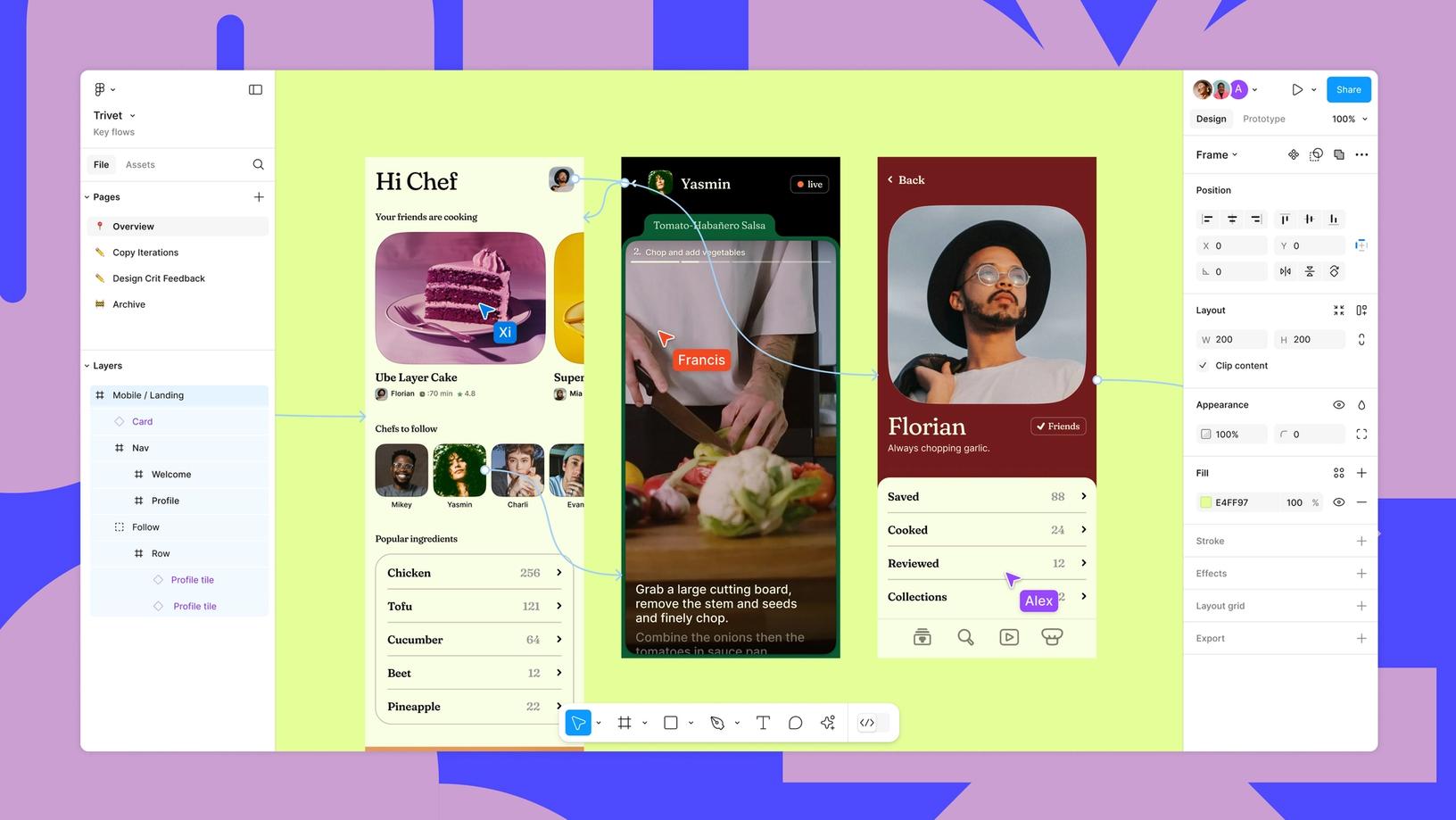
Figma is a browser-based collaborative design platform used primarily for product design, UX and UI design, prototyping, and design-to-developer handoff. It allows multiple people to work in the same design file simultaneously in real time, from any operating system, without installing any software. It is the industry-standard tool for designing digital products including mobile apps, web applications, and software interfaces. In 2026, Figma has expanded significantly beyond core design to include FigJam (online whiteboard and brainstorming), Figma Slides (presentation), Figma Buzz (brand content creation), Figma Draw (digital illustration), Figma Make (AI-powered prototyping from natural language), Dev Mode (developer handoff with AI-generated code), and Figma Sites (web publishing, currently in beta). Figma has approximately 13 million active users and crossed $1.1 billion in annualized revenue in early 2026. It is used by companies including Google, Microsoft, Airbnb, Uber, and thousands of product teams worldwide.
2. Is Figma free to use?
Yes, Figma has a free Starter plan with no credit card required. The Starter plan includes unlimited personal draft files, three team files, three FigJam files, 30-day version history, all core design features, and unlimited viewers. The free plan is sufficient for individual designers learning the tool, students, and solo practitioners working on personal projects. For any professional collaborative use, the three-team-file cap quickly becomes a constraint, and the Professional plan at $15 per editor per month (annual billing) or $20 per month (monthly billing) is the practical starting point for teams. Education accounts for verified students and educators receive the Professional plan at no cost through Figma's education program, which requires a .edu email address or school documentation. Figma also provides a free Figma Community where designers share files, templates, and plugins that all Figma users can access regardless of plan.
3. How do I log in to Figma?
Log in to Figma at figma.com by clicking Sign In in the top right corner. You can sign in using your email address and password, or through Google authentication if you connected your Google account during signup. The Figma desktop app on macOS and Windows uses the same credentials and stays logged in between sessions. If you forget your password, the Forgot Password link on the sign-in page sends a reset email to your registered address. For teams using the Organization or Enterprise plan with SSO configured, team members log in through their company identity provider (Okta, Azure AD, Google Workspace, and similar), which is the reason SSO is a significant selling point for organizations managing dozens of design tool accounts centrally. If you are being added to a team workspace, an admin sends you an invitation by email and you join through the link in that email, associating your new or existing account with the correct team space.
4. How do I download Figma?
Figma does not require a download for the full design experience. You can access Figma entirely through a browser at figma.com, which is one of its most practical advantages. If you prefer a dedicated desktop application, the Figma desktop app is available for macOS and Windows from figma.com/downloads. The May 2026 desktop app update improved the experience specifically: on macOS, links now open directly in the app without routing through the browser, files preload in the background for faster navigation, and recent files are searchable by name. The Figma mobile app for iOS and Android is available from the App Store and Google Play and provides viewing, commenting, and prototype presentation capabilities. Figma Mirror, also available for iOS and Android, enables live device preview of designs while editing on desktop, which is specifically useful for mobile interface design where accurate device rendering matters.
5. What are Figma's pricing plans in 2026?
Figma has four plans as of May 2026. The Starter plan is free with three team files and 30-day version history. The Professional plan is $15 per editor per month on annual billing or $20 per month on monthly billing, providing unlimited files, unlimited version history, shared libraries, branching, and all bundled tools including FigJam, Slides, Buzz, and Dev Mode access. Organization costs $55 per editor per month and is annual billing only, adding SSO, centralized asset management, shared fonts, and advanced admin controls. Enterprise is $90 per editor per month and annual only, adding dedicated support, SCIM provisioning, and custom agreements. AI features beyond the included credit allocation can be purchased separately: an AI add-on at $10 per seat per month provides additional shared credits, and subscription packages of 5,000 to 10,000 credits per month are available at $120 to $240 per month. Pay-as-you-go AI credit billing was scheduled for Q2 2026. The critical pricing gap to understand is the 267 percent jump from Professional to Organization, which is triggered by SSO requirements that many companies have as a security standard.
6. What are Figma AI credits and how do they work?
Figma AI credits are the currency for AI-powered features on the platform. Every paid seat includes a monthly allocation of AI credits, and using features like Figma Make (prompt-to-prototype), image generation (Make an image), image editing (Remove Background, Expand Image, Vectorize, Boost Resolution), and other AI tools consumes credits from that allocation. Starting March 18, 2026, Figma began enforcing the monthly credit limits per seat, which means teams that had been using AI features freely without hitting limits may have their AI features throttled when the monthly allocation runs out. When credits run out, AI features become unavailable until the next billing cycle unless additional credits are purchased. Teams can purchase additional credits through the AI add-on ($10 per seat per month), subscription packages, or starting in Q2 2026, pay-as-you-go billing at approximately $0.03 per credit. The credit system is designed to align the cost of AI compute with actual usage, but it adds a variable cost layer to what was previously a predictable flat subscription, and teams with AI-heavy workflows need to monitor usage and budget accordingly.
7. What is Figma Make?
Figma Make is Figma's AI-powered prototyping feature that generates interactive design flows from natural language descriptions. Instead of manually connecting frames and configuring each transition and interaction individually, designers describe the desired behavior in text, and Figma Make generates working prototype logic inside the design file. Voice-to-text input was added in May 2026, allowing designers to dictate prompts directly in the Make chat interface. The generated prototypes serve as a starting point for iteration rather than finished, production-ready designs. Real-world assessments from LogRocket's April 2026 review note that most Make outputs still require human review for accessibility, semantics, and production readiness. Figma Make uses AI credits, so heavier use of complex prompt workflows will consume more credits faster. For rapid prototyping of familiar patterns, onboarding flows, and interface interactions, Make genuinely accelerates the early stages of the design process. It does not replace designer judgment on what the right experience should be, but it reduces the mechanical labor of implementing a known idea.
8. Is Figma good for beginners and non-designers?
Figma is approachable for beginners who intend to learn design, and genuinely challenging for non-designers who want to use it for casual creative work. The distinction matters. Students and early-career designers who commit time to learning Figma through tutorials, documentation, and practice can reach productive proficiency in weeks. The community of templates, educational resources, and YouTube tutorials supporting Figma is the largest of any design tool. For professional designers with experience in other tools, the Figma learning curve is short. For non-designers who need to create visual content without significant tool investment, Figma is the wrong choice. The layer structure, component system, auto-layout rules, and constraint system presuppose design-adjacent thinking that most marketers, founders, and content managers do not have. Canva is genuinely more accessible for that use case. The risk in organizations that use Figma for professional design is that non-designer team members invited to comment on files accidentally trigger seat elevation to editor, adding unexpected costs as documented in the 27 percent invoice underestimation pattern.
9. What happened with the failed Adobe acquisition of Figma?
In September 2022, Adobe announced it would acquire Figma for $20 billion, which would have been Adobe's largest acquisition ever and reflected the threat Figma posed to Adobe's design software business. The deal faced significant regulatory scrutiny from competition authorities. The UK's Competition and Markets Authority and European antitrust regulators determined the acquisition would harm competition in the design software market, blocking the deal. In December 2023, Adobe and Figma jointly announced they were abandoning the acquisition. Under the terms of the original agreement, Adobe paid Figma a $1 billion termination fee. Figma emerged independent and significantly capitalized by that settlement. The community reaction was predominantly positive, as many designers had concerns about how Adobe's ownership would affect Figma's pricing, development direction, and independence. Since the acquisition collapse, Figma has pursued its own IPO preparation and accelerated its AI feature development, funded in part by the Adobe settlement. The pricing increases and AI credit enforcement that have generated user frustration are also partly explained by the pressure to demonstrate independent revenue growth before a public market listing.
10. How does Figma's Dev Mode work for developers?
Dev Mode is Figma's dedicated developer-facing view of design files, accessed by toggling to Dev Mode from the normal Figma canvas. In Dev Mode, developers see the design file with precise measurements, spacing values, color codes, and typography specifications for every element, without the clutter of the design editing tools. AI-generated code snippets in CSS, React, iOS Swift, and Android Kotlin are available for selected layers, providing a starting point that aligns with the actual design specification rather than requiring the developer to manually translate visual designs into code. The Figma MCP server extends this further by allowing AI coding agents, including Claude, GitHub Copilot, and Cursor integrations, to access design system context and generate code that references actual components rather than generic implementations. Annotations added by designers in the file appear in Dev Mode to communicate intent, interaction specs, and any design decisions that are not obvious from the visual alone. Dev Mode requires either a Dev seat or a Full seat for access. It does not require a separate product purchase since the March 2025 bundling change included Dev Mode in all paid seat types.
Icon polls Verdict
Figma earns a 3.0 out of 5 from Icon Polls in 2026. That score is the honest composite of two very different assessments held simultaneously.
On the product side, Figma is genuinely the best collaborative design tool available. Real-time multiplayer design in a browser with full version history, a world-class component system, prototyping that has become genuinely sophisticated, Dev Mode that meaningfully reduces designer-to-developer translation work, and AI features that accelerate the design process in specific and practical ways: all of this is real. No competitor has replicated it at the same quality level. The 5.0 in Real-Time Collaboration and the 4.5 in Dev Mode are not marketing characterizations. They reflect what the product actually does.
On the business side, the picture is more complicated and is where the rating lands at 3.0 rather than higher. A 267 percent price increase to access SSO with no mid-tier option is a structural choice that extracts revenue from mid-size companies disproportionate to the cost of the feature. AI credit enforcement in March 2026 that disrupted existing workflows without adequate transition planning reflected a company under revenue pressure moving faster than its user base could adapt. The 27 percent invoice underestimation pattern documented in independent audits reflects product design choices that make cost management difficult for finance and operations teams. And the forced bundling that removes the option to buy individual products represents a reduction in choice that benefits Figma's revenue more than its customers.
The practical recommendation: if you are a product design team or design organization evaluating Figma as your primary design infrastructure, it remains the right choice for most contexts. Enter the purchase with full understanding of how AI credits work and a plan for monitoring usage after March 2026. Audit your seat types quarterly and establish an admin approval workflow for seat upgrades to avoid invoice surprises. Compare the Organization plan cost against your actual SSO requirement versus staying on Professional. And if you are outside the design and development team context, evaluate whether Figma is the right tool for your use case rather than the most recognized name in the category.











