|
Product name |
Google Antigravity |
|
Developer |
|
|
Category |
Agentic development platform / agent-first IDE |
|
First released |
November 2025, launched alongside Gemini 3 |
|
Latest version |
Antigravity 2.0, released May 2026 at Google I/O as a standalone desktop app |
|
Built on |
A heavily modified fork of Visual Studio Code |
|
Platforms |
Windows 10 and 11 (x64 and ARM64), macOS, and Linux |
|
Supported models |
Gemini 3.1 Pro, Gemini 3.5 Flash, Claude Sonnet 4.6, Claude Opus 4.6, GPT-OSS-120B |
|
Sign in |
Personal Gmail account, no credit card required for the free tier |
|
Pricing |
Free preview tier with rate limits, Pro at 20 dollars a month, Ultra at 249.99 dollars a month |
|
Website |
antigravity.google |
|
ICON POLLS rating |
2.9 / 5 |
What Is Google Antigravity?
Antigravity is Google's attempt to move past the autocomplete era of coding tools. Instead of a chatbot tucked into a sidebar, it gives AI agents their own space to plan, write, run, and check code on your behalf. The pitch is that you stop babysitting suggestions one line at a time and start handing off whole tasks.
There are two ways to work. The Editor View is a familiar code editor with tab completion and inline commands, very close to what you get in Cursor or with GitHub Copilot. The Manager View, which Google calls Mission Control, is a command center where you can fire off several agents at once and let them run across your editor, terminal, and a built in browser. Agents produce what Google calls artifacts, things like task lists, plans, and screenshots, so you can verify their work rather than taking it on faith.
On paper this is impressive, and the benchmark numbers back it up. Antigravity scored about 76 percent on SWE-bench Verified, a test of how well an agent resolves real GitHub issues. For context, that is miles ahead of where agentic coding sat just two years ago.
The Extension Question
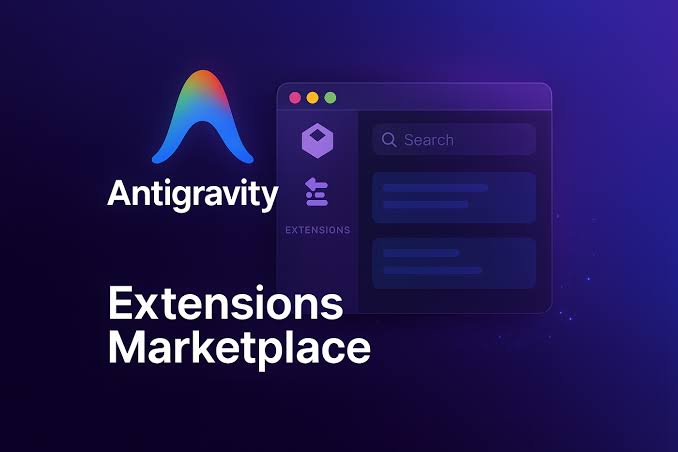
This is where a lot of confusion shows up in search, so let us clear it up. People mean two different things when they type Google Antigravity extension.
The first is VS Code extensions. Because Antigravity is a fork of Visual Studio Code, most of your existing extensions, themes, and keybindings carry straight over. If you already have a VS Code setup, you will feel at home in minutes. The exception is anything very niche or deeply customized, which can occasionally misbehave on the fork.
The second is the idea of running Antigravity, or rather Gemini, as an extension inside your existing editor. Google does ship a Gemini extension for VS Code, but in our testing and in much of the developer chatter we read, it was the weakest part of the whole ecosystem and not a substitute for the real app. If you want the agent experience, you install Antigravity itself, you do not bolt it on as a plugin.
Where Antigravity really extends itself is through MCP, the Model Context Protocol. Support for MCP servers means agents can plug into outside tools and services such as GitHub, databases, and APIs. That is the modern version of an extension marketplace, and it is far more powerful than a list of editor plugins.
Login and Account Setup
Getting in is simple in theory. You download the app from antigravity.google, open it, and sign in with a personal Gmail account. There is no credit card and no Workspace requirement for the free tier, and you land in your first project within a couple of minutes.
In practice, login is also one of the most common pain points. A chunk of users run into a message saying their current account is not eligible and asking them to try a different personal Google account. Workspace and school accounts are frequently refused, so a personal Gmail is your safest bet. People in regions with restricted Google access have reported extra trouble, and a small cottage industry of community login helper tools has popped up to deal with it. We would not recommend those third party tools, since Google's terms do not look kindly on them and there are reports of accounts being flagged.
Our advice is plain: use a clean personal Gmail, sign in through the official browser flow, and if you get the eligibility error, try a second personal account before reaching for any workaround.
Features Review: What It Actually Does Well
When Antigravity is on form, it is genuinely good. Here is what stood out in our testing.
Parallel agents. The Manager View lets you run several agents at the same time, each chipping away at a different task. For feature design, backend wiring, and exploratory work, this is the headline feature and it works.
Built in browser. A bundled Chrome lets agents open your app, click around, and verify the front end visually. For UI work this closes a loop that most rivals leave open.
Model choice. You can switch between Gemini 3.1 Pro, Gemini 3.5 Flash, Claude Sonnet 4.6, Claude Opus 4.6, and an open OpenAI variant, even mid conversation, all covered by your plan with no separate license. Different tasks suit different models, and being able to swap is a real advantage.
Artifacts and verification. Plans, task lists, and screenshots give you something concrete to review, and you can leave comments on them the way you would on a shared document.
Low cost to try. Point it at an existing project and you have a working setup fast, for free, which lowers the risk of giving it a shot.
Reviewers across the community echoed this. Many called it excellent for planning implementations, explaining code, and exploring ideas, and several founders praised the parallel agents for shipping features quickly.
GitHub Integration
Antigravity does not bake GitHub in as a built in button. Instead you connect it through the GitHub MCP server, which is the recommended route and the one we used.
The flow goes like this. You generate a Personal Access Token inside GitHub, which acts like a scoped password that tells GitHub this tool may act for you. Inside Antigravity you open the agent panel, go to the MCP Servers store, search for GitHub, paste your token, and click connect. A green indicator confirms the connection. From that point you can drive real work with plain language.
In practice that means you can give the agent a single prompt such as build a small React app, write a README, create a public repository, and push it with an initial commit message, and watch it carry the whole thing out. When it works, it feels like the future. Just remember that GitHub only shows your token once, so store it somewhere safe, and scope the token tightly so an agent cannot do more than you intend.
The Real Experience: Where It Lost Us
This is the part that pulled our score down, and it is the part Google needs to fix.
The launch period was a honeymoon. Early users raved about near perfect context retention and sharp problem solving. Then, from late January 2026, the mood turned. A loud part of the developer community started describing what they called a lobotomy effect, claiming the high reasoning models felt throttled, with shorter memory and more hallucinations than at launch. One widely shared thread declared the tool a 20 dollar paperweight. Analysts pointed to likely causes such as compute throttling and heavier quantization as millions of users piled on, which can strip the nuance out of complex coding tasks.
Pricing has been the other sore point. Google changed it several times, free tier limits were cut more than once, and the credit system is harder to predict than the simple monthly plans rivals offer. Plenty of people reported burning through credits with little warning. Heavy users can hit the ceiling within a few hours on the free tier.
There are rough edges too. Long sessions with several agents and browser automation can push memory usage into the 5 to 6 gigabyte range, so a low RAM laptop will struggle. The artifacts panel gets noisy fast. And the autonomy that makes Antigravity exciting also makes it nerve wracking, because agents act in parallel without always asking first, and the audit trail is still messy. We would not put it anywhere near a regulated or compliance sensitive codebase yet.
Then there is Antigravity 2.0, released in May 2026. It is a full rebuild as a standalone desktop app with no link to the 1.x version, and it leans hard into multi agent orchestration through Mission Control. It is a bolder product, but it also stripped out parts of the older editor workflow that some users relied on, which is worth knowing before you commit.
Pros and Cons
What we liked
Powerful parallel agents and a genuinely useful built in browser.
Free to start, with no credit card and access to top tier models.
Easy model switching, including Claude and Gemini, all on one plan.
Familiar VS Code base, so most extensions and settings carry over.
What held it back
Reported drop in model quality after the launch period.
Confusing, shifting pricing and shrinking free limits.
Login eligibility errors and regional access headaches.
Memory leaks on long sessions and a noisy interface.
Too much unsupervised autonomy for sensitive or production work.
ICON POLLS Verdict: 2.9 / 5
Google Antigravity is one of the most interesting tools we have reviewed this year, and also one of the most uneven. The vision is right, the parallel agents are real, and the price of entry is hard to argue with. But a tool you cannot fully trust on your important work is hard to score highly, and the post launch quality complaints, the messy pricing, and the login friction kept pulling us back to earth.
If you are a hobbyist, a tinkerer, or someone shipping side projects, it is well worth installing for free and learning the workflow. If you are running production critical or compliance sensitive code, we would wait until it leaves preview and the rough edges settle. That balance, real promise weighed against real frustration, is exactly why we landed on 2.9 out of 5. If Google steadies the model quality and simplifies the pricing, this score has plenty of room to climb by the end of 2026.
Frequently Asked Questions
1. Is Google Antigravity free?
Yes. There is a free preview tier that needs only a personal Gmail and no credit card, and it gives you access to every supported model. The catch is that it is rate limited, and those limits have been trimmed since launch, so heavy users hit the ceiling quickly and tend to move to the Pro plan at 20 dollars a month or Ultra at 249.99 dollars a month.
2. What platforms does Antigravity run on?
It runs on Windows 10 and 11 in both x64 and ARM64 builds, on macOS, and on Linux. Antigravity 2.0 ships as a standalone desktop app you download and install locally.
3. Which AI models does Antigravity support?
At the time of writing it supports Gemini 3.1 Pro and Gemini 3.5 Flash, Anthropic's Claude Sonnet 4.6 and Claude Opus 4.6, and an open OpenAI variant, GPT-OSS-120B. You can switch between them, even in the middle of a task, all under one plan.
4. Why does Antigravity say my account is not eligible?
This usually happens when you try to sign in with a Workspace, school, or business Google account, or from a region with restricted Google access. Antigravity expects a personal Gmail. The fix is normally to sign in with a clean personal Google account, and if one account is refused, to try a second.
5. How do I connect Antigravity to GitHub?
You connect through the GitHub MCP server. Generate a Personal Access Token in GitHub, open the MCP Servers store inside Antigravity's agent panel, search for GitHub, paste the token, and connect. After that you can ask an agent to create repositories, write commits, and push code from a single prompt.
6. Is Antigravity just a Cursor clone?
Not quite. Both are VS Code forks, but they optimize for different things. Cursor is built around supervised pair programming where you accept each suggestion. Antigravity is built around multiple agents working in parallel with more autonomy. If you want tight control, Cursor fits better. If you want to hand off whole tasks and ship faster, Antigravity is the more ambitious choice.
7. Is Antigravity safe to use for production or sensitive code?
We would be cautious. The agents act independently and in parallel, the audit trail is still rough, and there have been reliability complaints since launch. For experiments and side projects it is fine. For production critical or compliance sensitive work, we suggest waiting until it leaves preview and scoping agent permissions tightly if you do use it.
8. What is the lobotomy effect people keep mentioning?
It is the community nickname for a perceived drop in model quality that many users reported from late January 2026. The complaint is that the high reasoning models started feeling throttled, with shorter memory and more hallucinations than during the launch month. Suggested causes include compute throttling and heavier model quantization as user numbers grew.
9. What changed in Antigravity 2.0?
Released in May 2026 at Google I/O, version 2.0 is a complete rebuild as a standalone desktop app with no ties to the 1.x version. It shifts the focus from assisted coding toward multi agent orchestration through Mission Control, and it removed parts of the older editor experience, so it is not a simple upgrade.
10. Does Antigravity support MCP servers?
Yes. MCP, the Model Context Protocol, lets agents connect to outside tools and services like GitHub, databases, and APIs. It is the main way you extend what Antigravity can reach beyond your local machine.











