Quick Verdict
OneSignal is one of the most widely used customer engagement platforms in the world, sending billions of messages a day across push notifications, email, SMS, and in-app messaging for more than a million businesses. On paper, and for a great many users, it works well: the dashboard is clean and approachable for non-technical marketers, the free tier is genuinely generous compared to most competitors, and setup for a simple push notification campaign can be done in minutes. That core strength is real, and it is why OneSignal still has a large and largely satisfied user base. Our 2.5 rating exists because, when you look closely at how OneSignal performs for the developers who actually have to implement and maintain it, and for users who push past the basics, the experience becomes noticeably more uneven than the polished marketing and the headline review scores suggest. The Flutter SDK in particular has a long, ongoing trail of open bugs, deprecated methods still referenced in setup guides, and documentation that lags behind the current version, which leaves mobile developers debugging integration issues that should not exist in a mature product. The dashboard, while easy for basic tasks, becomes confusing once you try advanced segmentation or rely on its reporting, with users reporting inaccurate numbers and a learning curve that contradicts the easy-to-use reputation. Customer support is inconsistent, with as many complaints about slow or unhelpful responses as there are compliments. Pricing has a steep, frequently criticized jump from the free tier to the first paid plan, which surprises growing apps right when they need the platform most. And occasional service outages, while not constant, are a real risk for a tool whose entire job is timely delivery. OneSignal is not a bad product, but the gap between its smooth marketing surface and the rougher experience underneath, especially for developers and growing businesses, is wide enough that a careful, honest assessment lands at the midpoint rather than higher.
At a Glance: Icon Polls Ratings
Here is how OneSignal scored across the areas we evaluated in our 2026 research:
|
Category |
Stars |
Score |
|
Ease of Use (Basic Tasks) |
★★★★☆ |
4/5 |
|
Free Tier Generosity |
★★★★☆ |
3.5/5 |
|
Flutter and Mobile SDK Quality |
★★☆☆☆ |
2/5 |
|
Documentation Accuracy |
★★☆☆☆ |
2/5 |
|
Dashboard and Reporting Reliability |
★★★☆☆ |
2.5/5 |
|
Pricing Transparency |
★★☆☆☆ |
2/5 |
|
Customer Support Consistency |
★★☆☆☆ |
2/5 |
|
Overall |
★★★☆☆ |
2.5/5 |
What Is OneSignal?
OneSignal is a customer engagement platform that lets businesses send push notifications, email, SMS, and in-app messages to their users from a single dashboard. It is one of the most widely adopted tools in its category, used by more than a million businesses and handling billions of messages every day, and it markets itself as the way to democratize mobile-centric customer engagement, no matter the size of a company. The core idea is to let marketers and product teams reach users on the channel and at the moment that matters, whether that is a push notification when an order ships, an email re-engagement campaign, or an in-app message tied to a specific behavior.
The platform supports a wide range of channels and platforms, including push notifications for iOS, Android, Windows, macOS, and web browsers, along with email, SMS, in-app messaging, Apple's Live Activities, and other channels through webhooks. It provides SDKs for common languages and frameworks, including JavaScript, Java, Swift, Kotlin, React Native, Unity, and Flutter, which is meant to make integration straightforward regardless of what a development team is building with. On top of the messaging itself, OneSignal offers audience segmentation, A/B testing, automation triggered by user behavior or scheduled events, and real-time analytics on delivery and engagement.
OneSignal positions itself as fast and easy for developers to set up while remaining accessible enough that marketers can send messages without needing additional developer time for every campaign, and it backs this with an open API for teams that want deeper customization. This dual audience, developers who integrate the SDK and marketers who run campaigns from the dashboard, is central to how OneSignal is built and used, and it is also where the experience starts to diverge depending on which side of that line you sit on, which is a theme that runs throughout this review.
The honest starting point for this review is that OneSignal has a large, often satisfied user base, and the basic experience of sending notifications is genuinely well regarded. Our 2.5 rating does not dispute that many users are happy with the core functionality. It reflects a more critical look at how the platform performs once you move past the basics into mobile SDK integration, advanced configuration, documentation accuracy, pricing transitions, and support, where the experience becomes considerably less smooth, and where a fair number of real, documented user complaints point to genuine and persistent friction.
The App, Login, and Getting Started
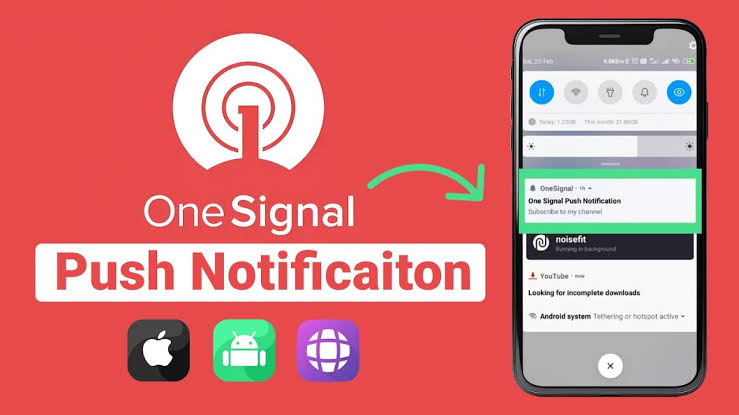
Using OneSignal starts with creating an account and signing in at the OneSignal dashboard, which is a web-based application rather than something you install on your own computer. From there, you create an app within OneSignal corresponding to your website, mobile app, or both, and connect it through the relevant SDK or integration. The login and account setup process itself is straightforward and is not where most user friction occurs; the dashboard login works as expected, and getting your first account created is quick.
Once signed in, the dashboard is where the actual configuration happens: setting up your push notification credentials for iOS and Android, configuring email and SMS sending if you use those channels, defining audience segments, and building out automated message flows. For a straightforward push notification setup on a single platform, many users describe getting up and running with their first notification within minutes, which reflects the genuinely low barrier to entry for the basic use case. The dashboard's no-code approach to creating and managing notifications is one of OneSignal's most consistently praised qualities, especially among non-technical users.
The friction begins to appear as your setup gets more complex. Connecting OneSignal correctly to a mobile app requires configuring platform-specific credentials, such as Apple Push Notification service certificates for iOS and Firebase Cloud Messaging keys for Android, and getting these wrong or out of date is a common source of notifications silently failing to arrive, with no obvious error pointing you to the cause. This is not unique to OneSignal, since push notification setup is inherently fiddly at the platform level, but it does mean that the easy, minutes-long setup experience that the marketing emphasizes mostly applies to the simplest cases, and real-world setups, particularly on mobile, often involve more troubleshooting than the onboarding experience suggests.
For account-level issues beyond initial setup, such as billing questions, account recovery, or platform credential problems that are not resolved by the documentation, users are directed to OneSignal's support channels rather than the SDK-specific community trackers. This split between account support and SDK support is sensible in principle, but in practice it means that a developer fighting a Flutter integration bug and a marketer with a billing question are often routed to very different resources with very different responsiveness, which we cover in more detail in the support section.
Notifications: Push, Email, SMS, and In-App
Notifications are the core of what OneSignal does, and the breadth of channels it supports is genuinely one of its strengths. Push notifications work across iOS, Android, Windows, macOS, and the web, which means a single platform can cover the majority of where a business needs to reach its users without stitching together separate tools for mobile and web push. Email is handled through a visual composer with drag-and-drop blocks for text, images, GIFs, and buttons, along with free customizable templates, so building a reasonably polished campaign does not require design or coding skill. SMS and in-app messaging round out the channel set, and in-app messages in particular show up immediately within the app without needing an app store submission, which is valuable for fast-moving product and marketing teams.
The targeting and automation capabilities layered on top of these channels are sophisticated on paper. You can segment audiences by attributes like location, app version, or behavior, trigger messages automatically based on user actions or schedules, and run A/B tests to compare message variants on a smaller audience before committing to a full send. Real-time analytics track delivery rates, open rates, and broader engagement, which gives marketing and product teams a way to measure whether their messaging strategy is actually working rather than sending blind.
In practice, the targeting and reporting do not always live up to their billing. Multiple users report limitations in targeting specific users precisely, occasional technical challenges when trying to use the more advanced options, and inaccurate reporting that undermines confidence in the analytics you are meant to rely on for decisions. When the entire value of a customer engagement platform rests on knowing whether your messages are actually reaching and engaging users, inaccurate reporting is a serious issue rather than a minor inconvenience, because it can lead a team to draw the wrong conclusions about what is working.
Delivery reliability, the most fundamental thing a notification platform has to get right, is generally solid but not flawless. The infrastructure is built for scale and most users describe consistent performance, but occasional service outages and delivery delays are mentioned in user feedback, often in the same breath as users praising overall reliability, which suggests these are real but intermittent issues rather than a constant problem. For a platform whose entire purpose is timely delivery, even occasional outages are worth weighing seriously, particularly for transactional or time-sensitive notifications where a delay defeats the purpose of the message.
Flutter and Mobile SDK Integration
Flutter integration is one of the most searched and most genuinely problematic aspects of using OneSignal in 2026, and it deserves direct, honest treatment. OneSignal provides an official Flutter plugin intended to make integrating push notifications, email, SMS, and in-app messages into a Flutter app straightforward, and the basic happy path of following the setup guide does work for many developers. The trouble is what happens when you go beyond the simplest case, which a meaningful number of developers do.
The Flutter SDK's issue tracker shows a long, ongoing pattern of open bugs and questions, spanning everything from platform-specific edge cases to fundamental registration failures. Developers have reported errors during push and email registration that prevent notifications from arriving at all, with cryptic error messages that do not clearly point to the underlying cause. There are also reports of the SDK referencing deprecated native methods in its own warnings, for example flagging that an application delegate method has been deprecated while the setup documentation itself had not been fully updated to reflect the change, which leaves developers following instructions that are already out of date by the time they read them.
OneSignal's broader SDK transition to its newer, user-centric APIs has added its own complications. The company has been explicit that the newer SDK versions may not yet be at full feature parity with the previous generation, and recommends that developers migrating an existing app use phased rollout capabilities to avoid unexpected issues or edge cases. That is a reasonable and transparent caution from OneSignal, but it also means that developers integrating or migrating in 2026 are working with a platform that, by its own admission, has not fully completed an architectural transition, and that uncertainty translates into real implementation risk for any team relying on the SDK behaving consistently.
The practical consequence for mobile development teams is that Flutter integration with OneSignal should not be assumed to be a quick, drop-in task, despite how it is often marketed. Budgeting real time for testing push registration thoroughly, watching closely for deprecation warnings in your build logs, and checking the SDK's issue tracker for known problems relevant to your specific setup before you start is sound practice. For a platform that prides itself on being fast and easy for developers, the actual mobile SDK experience, particularly on Flutter, has a rougher edge than the broader brand reputation suggests, and it is one of the more concrete, well-documented reasons behind this review's rating.
Documentation
Documentation is meant to be the thing that makes a developer platform usable without constant support tickets, and OneSignal's documentation is extensive, covering setup guides, SDK references, API endpoints, and best-practice guides for things like notification timing and opt-in strategy. Many reviewers do credit OneSignal with comprehensive documentation as a genuine strength, and for straightforward, common integrations, the guides are generally sufficient to get a working setup.
The problem that shows up consistently, particularly around the mobile SDKs, is that the documentation does not always keep pace with the product. There are documented cases of setup guides referencing deprecated methods well after those methods stopped being recommended, and of migration guidance lagging behind the actual state of SDK feature parity. For a developer following the official guide step by step, discovering partway through that a referenced method is deprecated, or that a documented behavior does not match what the current SDK version actually does, is a frustrating and time-costly experience, and it undermines trust in the documentation as a reliable source rather than a starting point you have to independently verify.
There is also a gap between the depth of documentation for common, well-trodden paths and the depth available for edge cases, advanced configuration, and less common platform combinations. Users report occasional technical challenges with advanced options that are not always thoroughly addressed in the written guides, which pushes them toward community forums, support tickets, or trial and error. For a platform serving over a million businesses with widely varying technical needs, having documentation that is excellent for the basics but thinner and occasionally stale at the edges is a real limitation, especially for teams without in-house expertise who are relying on the documentation to be a complete and current source of truth.
The fair summary on documentation is that it is genuinely extensive and a real asset for the most common use cases, which is why it is not rated at the very bottom of our assessment, but the accuracy and currency gaps that show up specifically around SDK changes and migrations are a real and recurring problem that experienced users have learned to work around rather than something newcomers should expect to be problem-free.
OneSignal Pricing in 2026
OneSignal's pricing model includes a free tier and several paid tiers that scale with audience size and feature needs. Here is the general structure as found in our 2026 research:
|
Plan |
Price |
What You Get |
|
Free |
$0 |
Genuinely useful for its category, with unlimited push notifications and basic segmentation included where many competitors lock these behind a paywall. Good for small apps and early-stage projects. |
|
Growth |
Starting around $9/month, usage-based |
The first paid tier, scaling with subscriber count and adding more advanced features. This is where the pricing jump most commonly catches users off guard. |
|
Professional / Higher tiers |
Higher usage-based pricing |
Expanded features, higher audience limits, and more advanced segmentation and automation for growing businesses. |
|
Enterprise |
Custom |
Tailored pricing for large-scale usage, with priority support, advanced security, and dedicated account management. |
Pricing reflects 2026 research. Plans scale primarily with the size of your subscriber base and the channels and features you use. The free tier serves as an implicit free trial, but there is no traditional time-limited free trial of the paid tiers. Confirm current pricing and usage thresholds on the official site, since usage-based pricing changes as your audience grows.
The Pricing Jump That Catches Growing Apps Off Guard
The free tier is a genuine strength of OneSignal's pricing, and it is worth crediting clearly: it includes unlimited push notifications and basic segmentation that many competing platforms reserve for paid plans, which means a small or early-stage app can run real, meaningful campaigns without paying anything. This generosity is one of the more consistently praised aspects of OneSignal across user reviews, and it is genuinely a competitive advantage in its category.
The recurring complaint, raised specifically and repeatedly in user feedback, is the size of the jump from the free tier to the first paid plan. Users describe a big jump between the free version and the next tier, with one reviewer suggesting OneSignal needs a mid-cost plan to bridge the gap for small and medium businesses that have outgrown free but are not ready for the next tier's pricing. This is a particularly awkward problem because it hits exactly the businesses that are succeeding: an app that is growing its user base, which is the situation where you most want to keep using your engagement platform without interruption, is also the situation where you are most likely to hit the free tier's limits and face a pricing step that feels disproportionate to the growth you have actually achieved.
Because pricing is usage-based and scales with subscriber count, predicting your future costs as your app grows requires some care, and the lack of a clearly telegraphed mid-tier option means many growing businesses end up either over-paying for a tier with more capability than they currently need, or delaying an upgrade past the point where the free tier's limitations are genuinely holding back their messaging strategy. The practical advice is to model your expected subscriber growth against the published pricing thresholds before you need to upgrade, so the jump does not arrive as a surprise at an inconvenient moment, and to negotiate or ask about intermediate options if the standard tiers do not fit your specific stage.
Customer Support
Support quality is one of the more inconsistent aspects of the OneSignal experience, and the inconsistency itself, more than any single failure, is the issue. OneSignal offers comprehensive documentation, community forums, and email support, with priority support available on higher-tier plans, and a meaningful number of users describe the support team positively, citing helpfulness and responsiveness when they have needed it. These positive experiences are real and worth acknowledging.
Set against that are equally real and specific complaints. Users describe slow customer support as something the OneSignal team could work on, and the AI-assisted help that the platform offers has been criticized for giving misinformation, with one detailed account describing how a specific question, when its wording happened to overlap with an unrelated topic, led the AI assistant to provide a confusing or incorrect answer rather than addressing the actual question asked. For a support channel meant to resolve problems faster, an AI assistant that introduces its own confusion is counterproductive, and it adds an extra layer of friction for users who already have a problem they are trying to solve.
The pattern that emerges from looking across many user accounts is that support quality appears to vary by the nature of the issue and possibly by plan tier, with priority support on higher tiers presumably faring better, though this is not something every user can access. For users on the free tier or lower paid tiers, who are also disproportionately likely to be the smaller businesses and individual developers without in-house technical teams, support inconsistency is a more significant risk, because they have fewer alternative resources to fall back on when documentation and self-service options do not resolve their issue.
The honest takeaway on support is to treat it as a real but uncertain resource rather than a dependable safety net. For straightforward issues that documentation covers well, the self-service experience is generally fine. For more complex problems, particularly mobile SDK issues or anything involving the AI-assisted help, expect that you may need to be persistent, seek out the community-maintained issue trackers for known SDK problems, or escalate directly, since a single support interaction is not reliably going to resolve a non-trivial issue on the first attempt.
User Experience: Easy at the Surface, Rougher Underneath
The overall user experience with OneSignal is best understood as two different experiences depending on what you are doing and who you are. For a marketer running straightforward push and email campaigns from the dashboard, sending to a segmented audience and reading basic engagement metrics, the experience is genuinely good. The interface is clean, the learning curve for these tasks is minimal, and the breadth of channels in one platform is a real convenience. Many of the most positive reviews come from exactly this kind of user, and their satisfaction is real and should not be dismissed just because other users have had a rougher time.
For a developer integrating the platform into a mobile app, particularly with Flutter, or for anyone trying to use advanced segmentation, rely heavily on the analytics, or navigate a pricing transition as their app grows, the experience becomes noticeably more frictional. SDK bugs and documentation that lags behind the product, a dashboard that some users describe as confusing once you move past the basics, reporting that is not always accurate, an awkward pricing jump at exactly the moment of growth, and support that is inconsistent rather than uniformly reliable, all combine to make this side of the OneSignal experience considerably less smooth than the polished surface suggests.
This split is the central fact about OneSignal in 2026. It is not that the platform is broken or that its many positive reviews are wrong; the basic functionality genuinely works for a large number of users, and the free tier's generosity is a real competitive strength. It is that the platform's reputation for being fast and easy is most true for the simplest use cases, and becomes progressively less true as your needs become more technical, more advanced, or more dependent on accurate reporting and reliable support, which is exactly the direction a growing business naturally moves as it matures past the basics.
The fair conclusion is that whether OneSignal is a good choice for you depends heavily on which side of that split you expect to be on. If your needs are simple push and email campaigns and you do not need deep mobile SDK customization or perfectly accurate advanced analytics, you are likely to have a good experience and may wonder why this review is not more glowing. If you are a development team integrating deeply, especially on Flutter, or a growing business about to hit the free-to-paid pricing transition, you should go in with realistic expectations about the friction you may encounter, budget extra time for SDK troubleshooting, and not assume that support will resolve every issue quickly. That honest, conditional picture is what a 2.5 rating is meant to convey.
Pros and Cons
What OneSignal Gets Right
Supports a broad range of channels, including push notifications across iOS, Android, Windows, macOS, and web, plus email, SMS, and in-app messaging, all from one platform
The free tier is genuinely generous compared to many competitors, including unlimited push notifications and basic segmentation that other platforms lock behind a paywall
The dashboard is clean and approachable for non-technical marketers, with a no-code interface for creating and managing notifications
Setup for straightforward push and email campaigns is fast, often described as a matter of minutes for the basic case
Extensive documentation and SDK support across many languages and frameworks, including JavaScript, Java, Swift, Kotlin, React Native, Unity, and Flutter
In-app messaging shows up instantly without needing an app store submission, useful for fast iteration
Built for scale, capable of handling millions of messages and over a million businesses, with billions of messages sent daily
Real-time analytics and A/B testing give teams a way to measure and optimize their messaging when the reporting is accurate
Where OneSignal Falls Short
The Flutter SDK has a long, ongoing pattern of open bugs, registration failures, and deprecated methods still referenced in setup guidance, making mobile integration more troublesome than advertised
Documentation, while extensive, does not always keep pace with SDK changes, leaving developers following guidance that is already out of date
The newer, user-centric SDK versions are not yet at full feature parity with previous versions by OneSignal's own admission, adding real implementation risk during migration
The dashboard becomes confusing for advanced segmentation and configuration, despite being easy for basic tasks
Reporting and analytics are described by some users as inaccurate, undermining confidence in the data meant to guide messaging decisions
Occasional service outages and delivery delays are reported, which is a meaningful concern for a platform whose core job is timely delivery
There is a steep, frequently criticized pricing jump from the free tier to the first paid plan, hitting growing apps at an awkward stage
Customer support is inconsistent, with real complaints about slow response times and an AI assistant that has been reported to give misinformation
Frequently Asked Questions About OneSignal (2026)
1. What is OneSignal and what does it do?
OneSignal is a customer engagement platform that lets businesses send push notifications, email, SMS, and in-app messages to their users from a single dashboard. It supports push notifications across iOS, Android, Windows, macOS, and web browsers, and is used by more than a million businesses to send billions of messages daily. The platform provides SDKs for common languages and frameworks including JavaScript, Java, Swift, Kotlin, React Native, Unity, and Flutter, which is meant to make integration straightforward across different types of apps and websites. Beyond simply sending messages, OneSignal offers audience segmentation by attributes like location or behavior, automation triggered by user actions or schedules, A/B testing to compare message variants, and real-time analytics on delivery and engagement. It is designed to serve two audiences at once: developers who integrate the SDK into an app or site, and marketers who use the no-code dashboard to build and send campaigns without needing developer support for every message. In short, OneSignal is infrastructure for reaching users across multiple channels, with the goal of improving retention and engagement without requiring a business to build that messaging infrastructure itself.
2. Is OneSignal free, and how generous is the free tier?
OneSignal has a free tier, and it is genuinely one of the more generous free offerings in its category. It includes unlimited push notifications and basic audience segmentation, both of which many competing platforms restrict to paid plans, which means a small or early-stage app can run real, meaningful messaging campaigns without paying anything. The free tier effectively serves as OneSignal's free trial, since there is no separate time-limited trial of the paid tiers. The honest caveat is what happens after you outgrow it: users consistently describe a steep jump in price from the free tier to the first paid plan, which can feel disproportionate, especially for small and medium businesses that have grown but are not yet large enough to comfortably absorb the next tier's cost. So the free tier itself is a real strength, but it is worth going in aware that the transition to paid, when it comes, has been a frequent point of frustration, and modeling your expected growth against the published pricing thresholds in advance is a sensible precaution.
3. How do I log in to OneSignal and get started?
You log in to OneSignal through its web-based dashboard, which you access by creating an account at the OneSignal website. There is nothing to install on your computer to manage your account; the dashboard runs entirely in the browser. Once logged in, you create an app within OneSignal that corresponds to your website or mobile app, and then connect it using the relevant SDK or integration for your platform. For a simple push notification setup on a single platform, many users report being able to send their first notification within minutes of starting, which reflects a genuinely low barrier to entry for basic use cases. The login and account creation process itself is straightforward and is not a common source of complaints. Where things get more involved is in connecting OneSignal correctly to a mobile app, which requires configuring platform-specific credentials such as Apple Push Notification service certificates for iOS and Firebase Cloud Messaging keys for Android. Getting these wrong is a common cause of notifications silently failing, so budgeting some extra time for credential setup and testing, beyond just the dashboard login, is realistic advice for anyone integrating on mobile.
4. Does OneSignal work well with Flutter?
OneSignal does provide an official Flutter plugin, and the basic setup path works for many developers, but Flutter integration is one of the more genuinely problematic areas of using OneSignal in 2026 and deserves a direct answer. The Flutter SDK's public issue tracker shows an ongoing pattern of open bugs and unresolved questions, including registration failures that prevent notifications from arriving and warnings about deprecated native methods that the setup documentation has not always been fully updated to reflect. OneSignal's broader shift to newer, user-centric SDK APIs has added further complexity, since the company has been explicit that these newer versions may not yet have full feature parity with the previous generation, and recommends a phased rollout for apps migrating from an older integration to avoid unexpected issues. The practical implication is that Flutter developers should not treat OneSignal integration as a guaranteed quick, drop-in task. It is sensible to budget real testing time for push registration specifically, watch your build logs closely for deprecation warnings, and check the SDK's issue tracker for problems relevant to your exact setup before assuming the documented steps alone will get you a fully working integration.
5. Is OneSignal's documentation good?
OneSignal's documentation is extensive, covering setup guides, SDK references, API endpoints, and best-practice guidance, and for common, well-trodden integration paths it is generally good enough to get a working setup without outside help. Many reviewers cite the documentation as a genuine strength of the platform. The recurring problem is currency rather than coverage: the documentation does not always keep pace with changes to the product, particularly around the mobile SDKs. There are documented instances of setup guides referencing methods that have since been deprecated, and of migration guidance lagging behind the actual state of feature parity between SDK versions. For a developer following the official guide and discovering partway through that a referenced method no longer applies, or that documented behavior does not match the current SDK, this is a real and time-costly frustration. There is also a noticeable gap between how well the documentation covers common cases versus advanced configuration and edge cases, where users report having to rely more on trial and error or community forums. The fair summary is that the documentation is a genuine asset for standard use cases and a less reliable guide once you are doing anything more specialized or working through an SDK migration.
6. Why are my OneSignal notifications not arriving?
If your OneSignal notifications are not arriving, the most common causes relate to platform-specific credential configuration rather than a fundamental OneSignal failure, though both are possible. On the credential side, push notifications depend on correctly configured Apple Push Notification service certificates for iOS or Firebase Cloud Messaging keys for Android, and an expired, mismatched, or incorrectly entered credential is a frequent and somewhat silent cause of notifications failing to deliver, since the failure does not always surface with a clear, actionable error message. On the SDK side, particularly for Flutter integrations, registration errors during setup, sometimes related to required parameters not being correctly passed or to deprecated methods still being referenced, have been documented as causing notifications to silently fail to reach a device even though the send appears to succeed from the dashboard. Less commonly, occasional service-level delivery delays or outages have been reported by users, though these appear to be intermittent rather than constant. If you are troubleshooting, start by re-verifying your platform credentials are current and correctly entered, check your SDK's build logs for any deprecation warnings, confirm the user is actually subscribed and has notifications enabled at the device level, and check OneSignal's own status information and your SDK's issue tracker for any known, currently active problems.
7. How much does OneSignal cost in 2026?
OneSignal uses a tiered, usage-based pricing model. The free tier costs nothing and includes unlimited push notifications along with basic audience segmentation, which is more generous than many competitors offer for free. The first paid tier, often referred to as a Growth-level plan, starts at a modest published rate but scales based on your subscriber count and the features you use, and this is the tier where users most commonly report being surprised by the size of the jump from free. Higher tiers expand audience limits and add more advanced segmentation, automation, and reporting capabilities, with pricing scaling further as your usage grows. Enterprise pricing is custom and includes priority support and dedicated account management for large-scale users. Because pricing is usage-based rather than a single flat number, the amount you will actually pay depends heavily on your subscriber count and which channels and features you use, so the best way to budget is to model your expected growth against the current published thresholds before you need to upgrade, rather than assuming the lowest published price will apply once your audience grows. Checking the official pricing page directly before committing is recommended, since usage-based costs shift as a business scales.
8. Is OneSignal good for small businesses and indie developers?
OneSignal can be a good fit for small businesses and indie developers, particularly in the early stage, largely because of its genuinely generous free tier, which includes unlimited push notifications and basic segmentation without cost. For a small app or an early-stage product that needs to send meaningful engagement messaging without a marketing budget, this is a real advantage over competitors that gate basic features behind a paywall. The dashboard's no-code design also means a solo founder or small team without dedicated marketing or engineering resources can still run reasonably effective campaigns. The caveats that small businesses and indie developers should weigh are the ones that show up throughout this review: if you are building on Flutter, expect some real integration friction and budget time for it; support can be inconsistent, and a small team without alternative technical resources may feel that more acutely than a larger company with in-house expertise; and the jump in price once you outgrow the free tier has specifically and repeatedly been flagged as awkward for small and medium businesses. The realistic picture is that OneSignal is a strong starting point for a small business or indie developer's free-tier needs, but it is worth planning ahead for the pricing transition and Flutter-specific friction rather than assuming the platform will scale frictionlessly alongside your growth.
9. What are the most common complaints about OneSignal?
The most common and most consistently documented complaints about OneSignal cluster around a few specific areas. The Flutter and mobile SDK experience draws frequent complaints, with an ongoing pattern of open bugs, registration failures, and documentation that references deprecated methods. Pricing is another recurring theme, specifically the size of the jump from the free tier to the first paid plan, which users describe as disproportionate for small and medium businesses. The dashboard, while praised for basic ease of use, draws complaints about becoming confusing once you move into advanced segmentation and configuration, and some users specifically describe the reporting and analytics as inaccurate, which undermines trust in the data the platform is meant to provide. Customer support inconsistency is a frequent complaint, including slow response times and, more specifically, an AI-assisted help feature that has been reported to give misinformation when a user's question wording overlaps with an unrelated topic. Occasional service outages and delivery delays are also mentioned, though these appear intermittent rather than constant. None of these complaints suggest the platform is fundamentally broken, since a large number of users remain satisfied with the basic functionality, but they are real, specific, and recurring enough across independent sources that any prospective user, especially a developer or a growing business, should weigh them seriously rather than relying solely on the platform's polished marketing impression.
10. Is OneSignal worth it in 2026?
Whether OneSignal is worth it in 2026 depends heavily on what you need from it and which side of its split experience you are likely to land on. If your needs are straightforward, sending push and email campaigns to a segmented audience from a no-code dashboard, and you are starting on the free tier, OneSignal is genuinely worth trying, since the core functionality works well for this case and the free tier's generosity is a real and rare advantage in its category. If you are a development team integrating deeply into a mobile app, particularly using Flutter, or a growing business approaching the free-to-paid pricing transition, or a team that depends heavily on precise, trustworthy analytics, OneSignal is worth it only with realistic expectations and some advance planning. Budget real time for SDK troubleshooting rather than assuming a quick integration, model your expected subscriber growth against the pricing tiers before you need to upgrade so the cost jump does not catch you off guard, and do not assume customer support will resolve every issue quickly on the first attempt. OneSignal is not a platform we can recommend without qualification, given the genuine and well-documented friction in its mobile SDKs, documentation currency, reporting accuracy, pricing transition, and support consistency. But it is also not a platform to avoid outright, since its basic functionality, breadth of channels, and free tier are real strengths that a large number of satisfied users can attest to. Go in with clear eyes about which experience you are likely to have, and OneSignal can serve you reasonably well.
Icon polls Verdict
OneSignal earns a 2.5 out of 5 from Icon Polls in 2026. This is a mixed, midpoint rating for a widely used platform whose basic functionality genuinely works for many users, but whose experience becomes considerably rougher once you move past the simplest use cases into mobile SDK integration, advanced configuration, pricing transitions, and support.
The strengths are real and worth crediting clearly. OneSignal supports an unusually broad range of channels in one platform, its free tier is genuinely more generous than most competitors, the dashboard is approachable for non-technical users handling basic campaigns, and the platform operates at genuine scale, serving over a million businesses and billions of messages daily. For a marketer running straightforward campaigns, or a small app on the free tier, the experience these users have is often a good one, and their satisfaction, reflected in many positive reviews, is not in dispute.
The weaknesses are equally real and are what hold the rating to the midpoint. The Flutter SDK has a persistent, well-documented pattern of bugs and out-of-date documentation that makes mobile integration more troublesome than advertised. The dashboard and its reporting become less reliable as you move into advanced use, with users specifically flagging inaccurate analytics. The jump in price from free to the first paid tier is a frequent and specific complaint that lands at exactly the moment a growing business most needs the platform to scale smoothly with it. And customer support is inconsistent enough, including a flawed AI assistant, that it cannot be relied upon as a dependable safety net for non-trivial problems.
The practical guidance from Icon Polls: if your needs are simple and you are starting on the free tier, OneSignal is a reasonable and even strong choice, and you should feel comfortable trying it. If you are integrating on Flutter, building a growing business that will soon outgrow the free tier, or depending heavily on precise analytics and responsive support, go in with realistic expectations, budget extra time for SDK troubleshooting, model your pricing trajectory in advance, and do not assume every support interaction will resolve quickly. OneSignal is a capable platform with real, well-earned strengths and equally real, well-documented friction, and a 2.5 is the honest reflection of that split rather than a verdict that the platform does not work.











