
Quick Verdict
Resend is the email API that developers who have spent time fighting with SendGrid, Mailgun, or Mandrill tend to discover and immediately recommend to everyone they know. The founding frustration was real, the product that came out of it is genuinely better designed than its predecessors, and for a specific audience, specifically JavaScript and React teams building transactional email into SaaS products, it is probably the cleanest starting point available today. The React Email integration, where you write email templates as React components rather than wrestling with table-based HTML, is the kind of workflow improvement that changes how development teams actually think about building email. The API is clean, the documentation is clear, and setup from zero to first sent email takes under 30 minutes. For that audience, the praise is deserved. The 3.0 rating reflects the broader picture. Resend doubled several Scale tier prices in October 2024 without clear advance notice and has made other material product changes without public announcements, which matters for teams building long-lived integrations. Email delivery delays of over a minute are documented in G2 reviews. Log retention on the Free plan is one day and on Pro it is three days, which makes debugging deliverability issues genuinely difficult. The 100 email per day free tier cap blocks bursty workloads even when monthly volume is far below 3,000. Non-JavaScript teams get fewer official examples. And for anyone with marketing automation, visual template builders, or non-technical email needs, Resend is not the right tool. It is a focused product with real strengths and specific gaps that anyone evaluating it for production use needs to understand before signing up.
At a Glance: Icon Polls Ratings
Here is how Resend scored across the areas we evaluated in our 2026 research:
|
Category |
Stars |
Score |
|
Developer Experience and API Design |
★★★★★ |
4.5/5 |
|
React Email Integration |
★★★★★ |
5/5 |
|
Documentation and Onboarding |
★★★★☆ |
4/5 |
|
Free Plan Value and Limits |
★★★☆☆ |
2.5/5 |
|
Pricing Transparency and History |
★★☆☆☆ |
2/5 |
|
Log Retention and Debugging Tools |
★★★☆☆ |
2.5/5 |
|
Support Quality by Tier |
★★★☆☆ |
2.5/5 |
|
Overall |
★★★☆☆ |
3/5 |
What Is Resend?
Resend is a developer-first email delivery platform founded in 2023 by Zeno Rocha, a developer who built it out of genuine frustration with the state of email infrastructure tooling. The founding story is the kind that resonates immediately with engineers who have worked in the space: existing providers like SendGrid, Mailgun, and Mandrill had complex dashboards built for an earlier era, authentication headaches, documentation that required days to work through, and APIs that felt like they were designed by committee rather than by people who actually used them. Rocha set out to build what he wished existed.
The result is an email API that positions itself as the modern alternative for engineering teams building transactional and product email. At its core, Resend provides a clean REST API, official SDKs for Node.js, Python, Go, Ruby, PHP, Java, and others, SMTP relay for teams that prefer that approach, inbound email routing through webhooks, and a dashboard that surfaces delivery events clearly rather than burying them in legacy enterprise UI patterns. The platform also created and maintains React Email, an open-source framework for building email templates as React components that has become genuinely popular across the JavaScript ecosystem independently of Resend itself.
The platform is cloud-based and accessed entirely through a browser at resend.com for the dashboard, or through API and SDK integration in your codebase. There is no downloadable desktop application. The product is designed as infrastructure that runs in the background of your application, not as an email client or marketing tool you interact with directly on a daily basis.
Resend is headquartered in San Francisco and is venture-backed. The platform has grown rapidly since launch, driven primarily by word-of-mouth among developers, Product Hunt attention, and its association with the React Email open-source project. The combination of those factors has made it the default recommendation in many JavaScript developer communities for teams standing up new projects who need transactional email. Whether it is the right choice for established teams or teams outside the JavaScript ecosystem is a different question, and one this review addresses directly.
Signing Up and Logging In to Resend
Creating a Resend account starts at resend.com. Sign up using an email address and password, or through GitHub OAuth, which is the faster path for developers already signed in to GitHub in their browser. The GitHub sign-in makes particular sense for Resend given that its primary user base is developers who typically have GitHub accounts and prefer not to create yet another separate credential. Google sign-in is also available as a third authentication option.
After account creation, the onboarding flow asks you to verify your first sending domain. This involves adding DNS records (SPF, DKIM, and optionally DMARC) to your domain registrar, then clicking Verify in the Resend dashboard once the records have propagated. DNS verification is the standard way email platforms authenticate custom sending domains, and Resend's implementation of it is described by G2 reviewers as straightforward compared to alternatives. The DNS configuration instructions in the dashboard are clear and include the exact records you need to add. That said, DNS propagation can take anywhere from a few minutes to 24 hours depending on your registrar and TTL settings, which means the onboarding is not instantaneous even when you do everything correctly.
Once your domain is verified, the next step is generating an API key, which takes about 30 seconds from the dashboard. You copy the key, add it to your application as an environment variable, install the Resend SDK for your language, and you can send your first email. The complete setup process from zero account to first sent email is consistently described as taking between 20 and 30 minutes in both official documentation and independent reviews. Mailflow Authority's 2026 review confirms setup took 30 minutes including DNS verification. A Product Hunt reviewer who switched from another provider specifically noted that DNS verification was seamless and took less time than expected.
Daily logins after the initial setup are rarely needed for most developers, since Resend is infrastructure that runs inside your application rather than a dashboard you open every day. The dashboard becomes relevant when you want to check delivery events, review email logs, manage API keys, add new domains, or update plan settings. The login experience for those sessions is straightforward, and the dashboard itself is one of the more praised aspects of Resend in independent reviews, described as clean, modern, and immediately understandable compared to the legacy interfaces of older email providers.
The Email API and Core Technical Features
API Design and SDK Quality
Resend's API design is frequently cited as its most distinctive strength by developers who have used alternatives. The REST API follows modern conventions with predictable response shapes, clear error messages with specific feedback rather than generic status codes, and idempotency key support for preventing duplicate sends when retrying failed requests. TypeScript support is described as first-class throughout the SDK. The SDK handles errors as return values rather than thrown exceptions, which aligns with modern async/await patterns in a way that makes error handling code cleaner.
The hello world for Resend is approximately five lines of code. Compare that to Amazon SES, which requires AWS Signature Version 4 authentication and multiple IAM policy configurations before you can send a single email. For developers evaluating how much setup friction they are accepting when choosing an email provider, this difference is meaningful. The Courier.com technical comparison from February 2026, which asked an AI agent to evaluate each provider's API design objectively, concluded that Resend would be selected for a new integration based on its API surface having the least friction to implement correctly.
Official SDK documentation exists for Node.js, Python, Go, Ruby, PHP, and Java. A consistent criticism from the Product Hunt and G2 review record is that the JavaScript and TypeScript examples are significantly more complete than those for other languages. One Product Hunt reviewer building with Python and FastAPI described needing to figure out several things by trial and error due to the JS-heavy documentation. For Python teams, Go teams, and teams working outside the JavaScript ecosystem, the documentation gap creates additional setup overhead that is not present for JavaScript users.
React Email Integration
React Email is an open-source framework created and maintained by the Resend team that allows email templates to be built as React components rather than as raw HTML with table-based layouts. For developers already working in a React or Next.js codebase, this means email templates live in the same repository as application code, use the same component system, share design tokens and UI components, and can be tested and previewed using familiar developer tooling. The workflow eliminates the context switch between application development and email template development that has historically made maintaining email templates painful.
A G2 reviewer who adopted Resend specifically for React Email describes the consistent developer experience as reducing errors and speeding up iteration, and notes the real-time webhooks and analytics as making deliverability monitoring straightforward. React Email is genuinely popular independently of Resend, with significant GitHub stars and adoption in the JavaScript community as a standalone template solution. That the team behind Resend created and maintains it gives Resend users tight integration that is difficult for competitors to replicate without adopting the same framework.
For teams not using React or JavaScript, the React Email advantage does not apply. If you are building email templates in a Python application, a Ruby on Rails codebase, or any non-JavaScript stack, you will use Resend's API to send HTML or plain text emails built with whatever templating system you already use. Resend works in those contexts, but it does not offer a workflow improvement equivalent to React Email. The platform's differentiation in those cases rests on API cleanliness and documentation rather than the template workflow.
Deliverability Infrastructure
Resend uses shared IP pools on Free and Pro plans, with carefully maintained pools designed to protect sender reputation. Dedicated IPs are available as a paid add-on at $30 per month for Scale tier customers sending more than 500 emails per day, which gives high-volume senders control over their own sender reputation rather than sharing with other Resend customers. The platform supports multi-region sending through servers in the United States, Europe (Ireland), and other locations, routing emails through infrastructure geographically close to the recipient to improve performance. One South American user quoted on Resend's own website specifically describes multi-region as a game-changer for their use case.
Domain authentication setup covers SPF, DKIM, and DMARC, all three of the main email authentication standards. Resend verifies these before allowing sending from a custom domain, which provides a foundational layer of deliverability protection. Bounce and complaint events are automatically processed, and suppression lists prevent repeated attempts to email addresses that have bounced or unsubscribed. A deliverability insights dashboard shows reputation metrics and overall sending health, though the depth of analytics here is less than dedicated deliverability monitoring tools.
Documented email delivery delays are the most significant deliverability concern raised in independent reviews. Multiple G2 reviewers describe experiencing delays of over a minute for some emails. Sender.net's independent review from February 2026 specifically notes this: significant delays when sending emails, with some Resend reviews claiming confirmation messages can take over a minute to arrive. For transactional emails like password resets, magic links, or time-sensitive notifications, a one-minute delivery delay is a meaningful problem that affects user experience. Whether this represents a systemic platform issue or isolated incidents is not clear from available information, but the pattern appears consistently enough to warrant flagging for teams where email delivery speed is critical.
Webhooks and Event Logging
Resend provides webhook support for real-time delivery event notifications. Every significant email event, delivery confirmation, opens, clicks, bounces, spam complaints, and unsubscribes, can trigger a webhook to a URL of your choice. The Free plan includes one webhook endpoint. Pro and Scale plans support up to ten endpoints. All plans have access to every event type with signed webhook payloads for security verification.
The event logging dashboard shows what happened to each email after sending. For developers used to older platforms that provided little visibility into post-send events, this transparency is genuinely valuable. One Product Hunt reviewer who switched from a previous provider specifically noted that the logs actually show you what happened to each email, which sounds basic but was not always the case before. The limitation is log retention: Free plan logs are kept for one day. Pro plan logs are kept for three days. Scale and Enterprise have 30-day retention. For debugging a deliverability issue that happened last week, three days of retention on Pro is not sufficient. If you need longer historical data without upgrading to Scale, you need to pipe webhook events into your own logging system, which adds infrastructure overhead that teams should plan for before going to production.
Resend Pricing: Free Plan, Pro, Scale and What to Watch For
Resend separates its pricing into two distinct product tracks: Transactional Email and Marketing Email. These are different subscriptions with different billing, different quotas, and different plan structures. Teams that need both pay for both separately. Here is the current transactional pricing as of May 2026:
|
Plan |
Monthly Price |
Email Limit |
Key Features |
|
Free |
$0 |
3,000/month, 100/day cap |
1 webhook endpoint, 1 domain, 1-day log retention, 1 API key. Good for development, staging, and low-volume production. |
|
Pro (50k) |
$20/month |
50,000/month, no daily cap |
10 domains, 3-day log retention, 10 API keys, 10 webhook endpoints. No dedicated IP option. |
|
Pro (100k) |
$35/month |
100,000/month, no daily cap |
Same as Pro 50k but higher monthly volume. |
|
Scale |
$90 to $1,150/month |
100k to 2.5M/month |
1,000 domains, 30-day log retention, Slack support channel, dedicated IP option ($30/month add-on for 500+ emails/day). Six volume sub-tiers. |
|
Enterprise |
Custom (sales) |
Custom |
Custom retention, SLAs, named support contacts, priority response, flexible configuration. |
Marketing Email is a separate subscription billed by contact count: $40/month for 5,000 contacts up to $650/month for 150,000 contacts. Transactional and Marketing are separate products with separate quotas. Dedicated IP is a $30/month add-on available on Scale only. Prices verified April 30, 2026 from resend.com/pricing and TierGauge.
The October 2024 Price Increase and What It Means
The most significant pricing concern documented in independent analysis of Resend is the October 2024 Scale tier price increase, where several sub-tiers roughly doubled without advance communication. The most cited example is the 200,000 email per month tier moving from $80 to $160 overnight. Some existing customers were grandfathered at legacy pricing. New signups pay current rates. The Nuntly pricing analysis from April 2026 specifically flags this: Resend doubled several Scale tier prices in October 2024. Budget for continued increases.
The same analysis notes that Resend also raised data retention periods across plans without a public announcement. That particular change was user-friendly in its outcome (better retention). The pattern is what matters: material product changes shipped without communication create risk for teams that have built SLAs, cost models, or customer commitments on top of the previous terms. For teams building long-lived integrations on Resend infrastructure, this history of unannounced changes should factor into the vendor risk evaluation alongside the technical quality of the product.
The one pricing behavior that is specifically designed to protect teams from surprise billing is the overage policy: when you hit your monthly quota, Resend pauses sending and notifies you rather than automatically charging for overage. This contrasts positively with platforms that silently run up overage charges. For cost-predictability focused teams, this pause-at-limit model is meaningfully better than automatic overages. The caveat is that paused sending in a production application has its own consequences: users not receiving password resets or transaction confirmations until someone manually upgrades the plan.
The Free Plan Reality
The 3,000 emails per month free tier is genuinely useful for development environments, staging, and low-volume early-stage production. The 100 email per day cap is the constraint that most frequently creates problems in practice. A production application sending fewer than 3,000 emails per month can still exceed 100 per day during a traffic spike, an email blast to active users, or an automated workflow that triggers many emails in a short period. When the daily cap is hit, sending pauses until the next day. TierGauge's April 2026 analysis specifically flags this: daily 100-email cap can block bursty workloads even when monthly volume is well under 3,000.
The one-day log retention on Free is the other practical limitation that matters for production use. Diagnosing deliverability issues requires being able to look back at what happened to recent emails. A 24-hour window is too short to catch problems that manifest over multiple days. Teams who want to use the Free plan in production and maintain meaningful logging visibility need to pipe webhook events into their own storage system from day one, which adds infrastructure work that erases some of the simplicity that makes Resend appealing.
The Resend App and Dashboard Experience
Resend's web dashboard at resend.com is the control plane for everything the platform manages: API keys, domains, webhooks, delivery event logs, and plan settings. The design is consistently praised as one of Resend's strongest attributes. Where older email infrastructure dashboards feel like enterprise software from a decade ago, Resend's dashboard feels current. It loads quickly, surfaces relevant information without clutter, and makes the most commonly needed actions easy to find.
The delivery event view is the most practically valuable part of the dashboard for developers debugging email issues. You can see exactly what happened to each email after it was sent: whether it was delivered, opened, clicked, bounced, or caught by a spam filter. This event trail is what allows you to diagnose problems without guessing. The same information is available through webhooks programmatically, but the dashboard gives you a human-readable view that is particularly useful during initial setup and debugging.
The email sandbox environment is a feature that deserves specific mention for development workflows. Resend provides a sandbox mode that allows you to simulate events and test your email integration without the risk of accidentally sending real emails to real people. For teams building in a shared development environment where real email addresses might be in the test database, sandbox mode eliminates the category of accidental email incidents that have happened to most engineering teams at least once.
There is no native mobile app for Resend, which is appropriate given its nature as developer infrastructure rather than a consumer product. Dashboard access on mobile through a browser is functional but not optimized for small screens. For the occasional check of delivery status or log review on a phone, it works. For the primary configuration work of setting up domains, API keys, and webhooks, desktop is the expected environment.
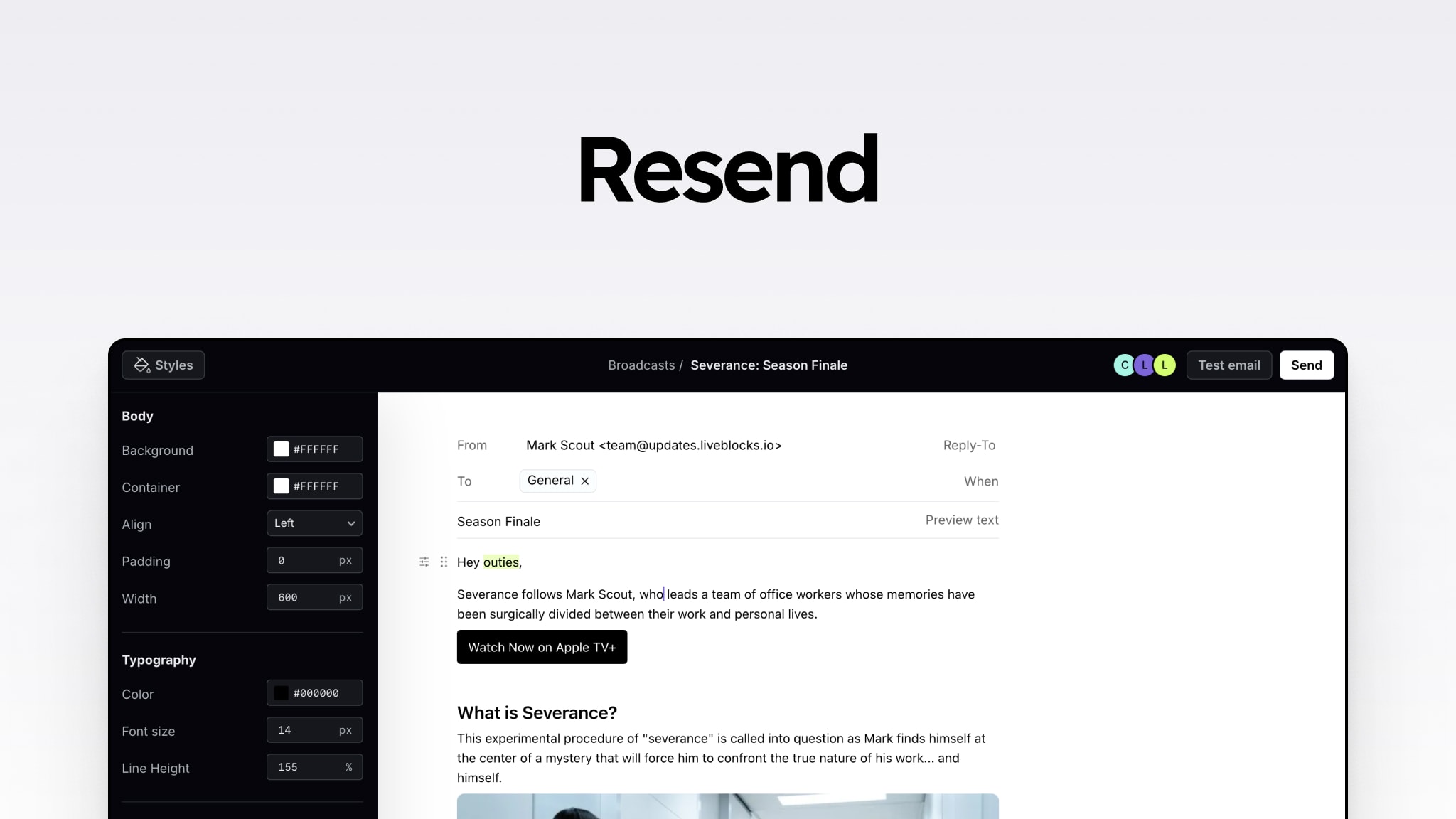
Broadcast emails, which are the marketing-focused bulk sends to your audience, have their own section in the dashboard with a visual email editor. This editor is explicitly positioned as the tool for non-developer team members to compose, format, and send broadcasts without requiring HTML knowledge. The broadcast product is distinct from the transactional API and is billed separately under the Marketing Email pricing track.
Who Resend Is Actually Built For and Who It Is Not
The most honest assessment of Resend is that it is excellent for a specific audience and genuinely the wrong choice for others. Being clear about which side of that line you are on is more useful than a generic recommendation.
Resend is the strongest fit for early-stage and growth-stage SaaS companies and developer tools where the engineering team owns email as part of the product infrastructure. If your team is building in Next.js or React, values code-centric workflows, wants email templates that live in your repository and use your design system, and needs clean API integration rather than a marketing platform, Resend's combination of React Email and its API is probably the best available option for your use case. The Product Hunt testimonials from founders using it for onboarding emails, watchlist alerts, payment confirmations, and support notifications are representative of the genuine use case it serves well.
Resend is a weaker fit for teams whose email needs are primarily marketing-driven rather than product-driven. If you need visual automation builders, complex drip campaign workflows, A/B testing at the campaign level, detailed subscriber segmentation, or integrations with CRM and marketing platforms, Resend's marketing email product is a relatively thin offering compared to dedicated marketing platforms like Mailchimp, Brevo, or Klaviyo. The transactional API is not designed to be a campaign management tool.
For teams with strict enterprise compliance requirements, HIPAA, EU data residency, or financial services regulatory needs, the current Resend infrastructure has limitations. The Sender.net review specifically notes that Resend is not the strongest fit for organizations with strict enterprise compliance requirements despite its SOC 2 certification. Account data and logs remain in the US even when emails are sent from European infrastructure, which affects EU data residency compliance for some use cases. Enterprise customers can discuss custom arrangements, but this requires direct engagement with Resend's sales team.
For high-volume senders above 200,000 emails per month where cost efficiency is the primary concern, Amazon SES remains significantly cheaper per email with more engineering overhead required to operate it. Teams with the engineering capacity to manage SES directly and a volume that makes the cost difference meaningful should factor SES into their evaluation, even if the developer experience comparison clearly favors Resend.
Pros and Cons
What Resend Gets Right
The API design is genuinely better than legacy alternatives. Clean REST conventions, typed error responses, predictable response shapes, and idempotency keys make integration and error handling cleaner than SendGrid, Mailgun, or Mandrill
React Email integration is unique and genuinely valuable for JavaScript teams. Email templates as React components that share your design system and live in your repository represents a workflow improvement that competitors have not replicated
Setup from zero to first sent email is consistently described as taking 20 to 30 minutes including DNS verification, which is faster than most alternatives
The dashboard is clean, modern, and surfaces delivery event data clearly, making it one of the better developer-facing dashboards in the email infrastructure space
No surprise billing on overage. When you hit your monthly quota, Resend pauses sending and notifies you rather than automatically charging for excess usage
Multi-region sending routes emails through infrastructure geographically close to recipients, which matters for latency on transactional emails to global user bases
The sandbox environment for testing email integration without sending real emails is a practical development workflow feature
Webhook support with signed payloads across all event types is available on all plans, including Free, which is more generous than some competitors
The free tier includes 3,000 emails per month, genuinely useful for development and low-volume production
Support is technically sharp on API-level questions, webhook debugging, and deliverability troubleshooting for developers who encounter specific problems
Where Resend Has Real Limitations
Multiple G2 reviewers document email delivery delays of over one minute, which is a meaningful problem for time-sensitive transactional emails like magic links, password resets, and payment confirmations
Log retention is one day on Free and three days on Pro. Debugging deliverability issues that occurred last week requires either upgrading to Scale ($90/month minimum) or maintaining your own event storage through webhooks from day one
The 100 email per day cap on the Free plan blocks bursty workloads even when monthly volume is well below 3,000, creating production issues for applications with variable sending patterns
Resend doubled several Scale tier prices in October 2024 without advance notice, and has made other material product changes without public announcements, which matters for teams making long-term infrastructure decisions
Dedicated IP addresses are only available on Scale and above at $30 per month add-on, locked behind a $90 per month minimum plan, meaning Pro plan users have no control over their sender IP reputation
Documentation and code examples are significantly more complete for JavaScript and TypeScript than for Python, Go, Ruby, and other languages, creating a genuinely worse onboarding experience for non-JavaScript teams
Marketing email is a completely separate product and subscription from transactional email. Teams that need both pay two bills and manage two quotas
No phone support on any tier. Slack support channels are Scale only. Pro and Free users have ticket-only support with no guaranteed response time
Strict prohibition on cold email and unsolicited bulk email is enforced. Teams whose use cases touch that boundary will find accounts suspended without warning
How Resend Compares to Alternatives
Resend vs SendGrid: SendGrid is the established player with more integrations, marketing and transactional email in one platform, and sub-user management for enterprise organizations. The tradeoff is an interface and API design that multiple reviewers describe as feeling dated. SendGrid's free tier has been discontinued for new signups. Pro at $19.95 per month for 50,000 emails is fractionally cheaper than Resend's $20. For teams that need marketing automation alongside transactional email in a single platform, SendGrid's integration has genuine value. For teams that want a modern developer experience without the legacy overhead, Resend is the better starting point.
Resend vs Postmark: Postmark has a longer track record, higher proven deliverability for mission-critical transactional email, and 45-day message retention at a price that makes it accessible to smaller teams. The API is clean though it uses PascalCase property naming that creates friction compared to Resend's camelCase. Postmark costs $55 per month for 50,000 emails compared to Resend's $20, a meaningful difference at lower volumes. The Mailflow Authority 2026 analysis summarizes it clearly: for mature products where deliverability is the primary concern, Postmark. For new projects with developer-first teams who value the React Email workflow, Resend.
Resend vs Amazon SES: Amazon SES is significantly cheaper per email at scale, free for the first 62,000 emails per month sent from EC2, and $0.10 per 1,000 thereafter. The tradeoff is substantial: AWS Signature Version 4 authentication instead of a simple API key, IAM policy configuration before you send a single email, and manual responsibility for bounce handling and suppression list management. For teams already on AWS infrastructure with engineering capacity to manage the overhead, SES is the economical choice at high volume. For teams that want infrastructure that works without becoming an email specialist, Resend is substantially easier to operate.
Frequently Asked Questions About Resend (2026)
1. What is Resend and what does it do?
Resend is a developer-first email delivery platform launched in 2023 by Zeno Rocha. It provides an API and SDKs for sending transactional emails programmatically from web applications and services. Transactional emails are system-generated messages triggered by user actions or application events: password reset emails, magic links, welcome emails, payment confirmations, account notifications, and similar operational messages. Resend handles the underlying email infrastructure, IP reputation management, domain authentication, delivery event tracking, and bounce processing so that development teams can send reliable, deliverable emails without building or managing email infrastructure themselves. The platform is accessible at resend.com. It also creates and maintains React Email, an open-source framework for building email templates as React components that is widely used across the JavaScript developer community.
2. Is Resend free to use?
Yes, Resend has a permanent free tier. The Free plan allows up to 3,000 transactional emails per month at no cost, along with unlimited marketing emails to up to 1,000 contacts. The free tier includes one webhook endpoint, one domain, one API key, and one-day log retention. No credit card is required to start. The most significant free tier constraint for production use is the 100-email-per-day cap. Even if your monthly total is well below 3,000 emails, hitting 100 sends in a single day pauses sending until the following day. For applications with variable email volume or ones that trigger batch notifications, this daily cap creates production disruptions. Log retention of just one day also limits the usefulness of the free tier for debugging issues after the fact. The first paid tier, Pro at $20 per month, removes the daily cap and extends domain support, which is the appropriate upgrade for any production application with more than minimal email volume.
3. How do I sign up for Resend?
Sign up for Resend at resend.com by clicking Get Started or Start for Free. You can register with an email address and password, through GitHub OAuth, or through Google sign-in. GitHub sign-in is the fastest path for most developers and avoids creating a separate password. After account creation, the onboarding flow guides you through adding a sending domain. You add DNS records (SPF, DKIM, and optionally DMARC) to your domain at your registrar, then click Verify in the Resend dashboard. DNS propagation typically takes a few minutes but can take up to 24 hours. Once verified, generate an API key from the dashboard, install the Resend SDK for your language (npm install resend for JavaScript, pip install resend for Python, and so on), add the API key to your environment, and you can send your first email. The full process from zero account to first sent email is described by reviewers as taking between 20 and 30 minutes.
4. How do I log in to Resend?
Log in to Resend at resend.com by clicking Log In in the top right corner. Use your email address and password, or the GitHub or Google sign-in option you selected during account creation. Two-factor authentication can be configured from account settings for additional security, which is worth enabling given that your Resend API keys have the ability to send emails from your verified domain. If you forget your password, the Forgot Password link on the login screen sends a reset email to your registered address. For team members being added to an existing Resend workspace, the workspace owner sends an invitation by email and the invited user creates their account or connects an existing account through the invitation link. Organization or workspace accounts are available to manage team access, API key permissions, and domain settings across multiple team members from a single administrative account.
5. What are Resend's pricing plans in 2026?
Resend's transactional email pricing has four tiers as of May 2026. Free allows 3,000 emails per month with a 100 per day cap, one domain, one API key, and one webhook endpoint, at no cost. Pro starts at $20 per month for 50,000 emails and goes up to $35 per month for 100,000, with no daily cap, 10 domains, 10 API keys, 10 webhook endpoints, and three-day log retention. Scale runs from $90 per month for 100,000 emails to $1,150 per month for 2.5 million emails, adding Slack support access, 1,000 domains, 30-day log retention, and the option to add a dedicated IP for $30 extra per month. Enterprise is custom pricing for volumes above 2.5 million or organizations with specific compliance, retention, or support requirements. Marketing email (for broadcast campaigns to your audience) is a separate product billed by contact count, starting at $40 per month for 5,000 contacts. Teams using both transactional and marketing email pay two separate subscriptions. Resend doubled some Scale tier prices in October 2024, so budget evaluations should account for possible future changes.
6. Does Resend have an app or desktop software?
Resend does not have a downloadable desktop application or a native mobile app. The product is a web-based platform accessed at resend.com through any modern browser. The dashboard runs in the browser on desktop and mobile, though it is optimized for desktop use rather than mobile. The developer workflow primarily involves integrating Resend's API or SDK into your application codebase using your regular development environment and tooling. Once integrated, most developers interact with the Resend dashboard occasionally for tasks like checking delivery logs, adding new sending domains, managing API keys, or reviewing plan usage rather than as a daily interface they open like an email client. There is no desktop application to install and no standalone mobile app to download. Resend is infrastructure, not a consumer tool, and the product is designed accordingly.
7. How does Resend handle email deliverability?
Resend manages deliverability through several mechanisms. Domain authentication using SPF, DKIM, and DMARC records is required before you can send from a custom domain, which is the foundation of strong deliverability. Carefully maintained shared IP pools handle email delivery on Free and Pro plans, with the platform monitoring the reputation of those pools across all customers. Dedicated IPs are available for Scale plan customers sending more than 500 emails per day, giving high-volume senders control over their own sender reputation. Multi-region sending infrastructure routes emails through servers geographically close to recipients to improve delivery speed. Bounce and complaint events are automatically processed, and suppression lists prevent repeated sends to addresses that have permanently bounced or unsubscribed. A deliverability insights dashboard provides reputation monitoring metrics. The documented concern in independent reviews is delivery delays of over one minute for some sends, which appears in multiple G2 accounts. For time-sensitive transactional emails where delivery speed is critical, this documented pattern warrants direct evaluation before committing Resend to production use cases where a one-minute delay creates meaningful user experience problems.
8. Can Resend be used for marketing emails and newsletters?
Yes, but marketing email in Resend is a completely separate product from the transactional email API, with its own pricing, its own subscription, and its own quotas. The marketing email product includes broadcast email sending to your audience, a visual email editor for composing campaigns, audience and contact management, and analytics on opens and clicks for broadcast sends. It is priced per contact rather than per email sent, starting at $40 per month for 5,000 contacts. If you need both transactional (API-driven product emails) and marketing (broadcast campaigns) from the same platform, you pay two separate Resend subscriptions. It is worth evaluating whether a dedicated marketing platform like Mailchimp, Brevo, or Klaviyo would better serve the marketing use case alongside Resend's transactional API, particularly if your marketing needs include complex automation workflows, detailed subscriber segmentation, or CRM integration that Resend's marketing product does not prioritize.
9. What languages and frameworks does Resend support?
Resend provides official SDKs for Node.js and TypeScript, Python, Go, Ruby, PHP, and Java. The REST API can be called from any language that can make HTTP requests regardless of whether an official SDK exists. SMTP relay is also available for teams that prefer that sending method. The documented gap in reviewer feedback is that JavaScript and TypeScript documentation and code examples are significantly more comprehensive than examples for other languages. Python and FastAPI users in particular have noted needing to figure out some things by trial and error due to the JS-heavy documentation. The React Email template framework, which is the product's standout feature for developer experience, is specifically a JavaScript and TypeScript tool. Non-JavaScript teams use Resend's standard API to send emails built with their existing templating systems, which works but does not provide the same workflow improvement as React Email does for JavaScript teams.
10. How does Resend compare to SendGrid in 2026?
Resend and SendGrid serve overlapping audiences but with meaningfully different design philosophies. SendGrid, acquired by Twilio in 2019, is a more established platform with broader integrations, sub-user management for enterprise accounts, and both transactional and marketing email in a single billing relationship. Its free tier has been discontinued for new signups. At 50,000 emails per month, SendGrid Essentials is $19.95 compared to Resend Pro at $20, essentially equal. The key difference that drives developer preference toward Resend is the interface and API experience. Multiple reviewers in 2026 describe SendGrid's dashboard as feeling like stepping back in time compared to Resend's clean, modern design. Resend's API design is also consistently rated as cleaner and easier to implement. For teams that value developer experience and are building on JavaScript stacks, Resend is the stronger choice. For teams that need marketing automation and transactional email consolidated in one platform, or that have existing SendGrid investments and integrations, the case for switching is less clear.
Icon polls Verdict
Resend earns a 3.0 out of 5 from Icon Polls in 2026. That score is a composite of what is genuinely excellent about the product and what is genuinely problematic, and both deserve to be stated without softening either side.
The developer experience, specifically the API design, the React Email workflow, the clean dashboard, the sandbox environment, and the 20-minute setup time, represents a real and meaningful improvement over the legacy email infrastructure the platform was built to replace. The testimonials from developers who switched from SendGrid and Mailgun and describe the experience as refreshing are not marketing copy. They reflect a product that was built by someone who was frustrated by the alternatives and succeeded at building something better.
The 3.0 and not a higher score reflects a set of concerns that matter for production use. Email delivery delays documented at over one minute are a problem for time-sensitive transactional emails. Log retention of one to three days on the plans where most users live is too short for meaningful debugging without additional infrastructure. The 100 email per day cap creates production issues on a plan that nominally allows 3,000 monthly emails. Doubling Scale prices without announcement is a pattern that warrants including in vendor risk assessments. And for non-JavaScript teams, the documentation gap creates an onboarding experience that does not match the marketing promise.
The right audience for Resend in 2026 is JavaScript and React teams building transactional email into SaaS or developer products who want the cleanest API-to-inbox workflow available today. If that is you, start with the free tier and test whether delivery speeds are acceptable for your use case in your target markets before committing the production application. If you are a Python team, a marketing-first organization, a high-volume sender evaluating SES, or a team with strict compliance requirements, there are stronger alternatives for your specific situation.











