Quick Verdict
Slack in 2026 is in the middle of the most consequential transformation since its founding. On March 31, 2026, Salesforce unveiled what it described as the biggest overhaul of Slack since the $27.7 billion acquisition: more than 30 new AI features centered on a dramatically upgraded Slackbot that now functions as a full agentic system. Meeting intelligence that listens across Zoom, Google Meet, and Slack Huddles. A native lightweight CRM built directly into channels. Model Context Protocol connectivity so Slackbot can coordinate with external tools. Reusable AI skills users can define and deploy. These are not superficial feature additions. They represent a genuine attempt to turn Slack from a communication hub into what Salesforce calls an agentic operating system for enterprise work. For teams already inside the Salesforce ecosystem, the integration depth is something no other platform can match. For everyone else, Slack in 2026 is still the most capable team communication platform available with 2,600 integrations and a refinement level that comes from a decade of iteration. The 3.8 rating reflects genuine strengths alongside documented limitations: notification overload is consistently cited by G2 and Trustpilot reviewers as a productivity drain, the free plan's 90-day message history limit is a real constraint for small teams who discover its implications too late, the Pro plan at $7.25 per user per month represents a significant step up from free, customer support responsiveness on non-Enterprise tiers is documented as slow, and the pricing for growing teams adds up faster than organizations anticipate. Slack is excellent software with real cost and focus management challenges that every potential user should understand before committing.
At a Glance: Icon Polls Ratings
Here is how Slack scored across the areas we evaluated in our 2026 research:
|
Category |
Stars |
Score |
|
Core Messaging and Channels |
★★★★★ |
4.5/5 |
|
Integration Ecosystem |
★★★★★ |
5/5 |
|
AI Features (Slackbot 2026) |
★★★★☆ |
4/5 |
|
Free Plan Value |
★★★☆☆ |
3/5 |
|
Pricing Transparency and Value |
★★★☆☆ |
3/5 |
|
Notification Management |
★★★☆☆ |
2.5/5 |
|
Customer Support Quality |
★★★☆☆ |
2.5/5 |
|
Overall |
★★★★☆ |
3.8/5 |
What Is Slack?
Slack is a business communication and collaboration platform first launched in August 2013 by Stewart Butterfield, Eric Costello, Cal Henderson, and Serguei Mourachov. It was built by the company Tiny Speck, which had been working on an online game called Glitch, and the internal communication tool the team built for themselves turned out to be more valuable than the game. Slack launched publicly, grew faster than almost any enterprise software in history, and was acquired by Salesforce in July 2021 for $27.7 billion.
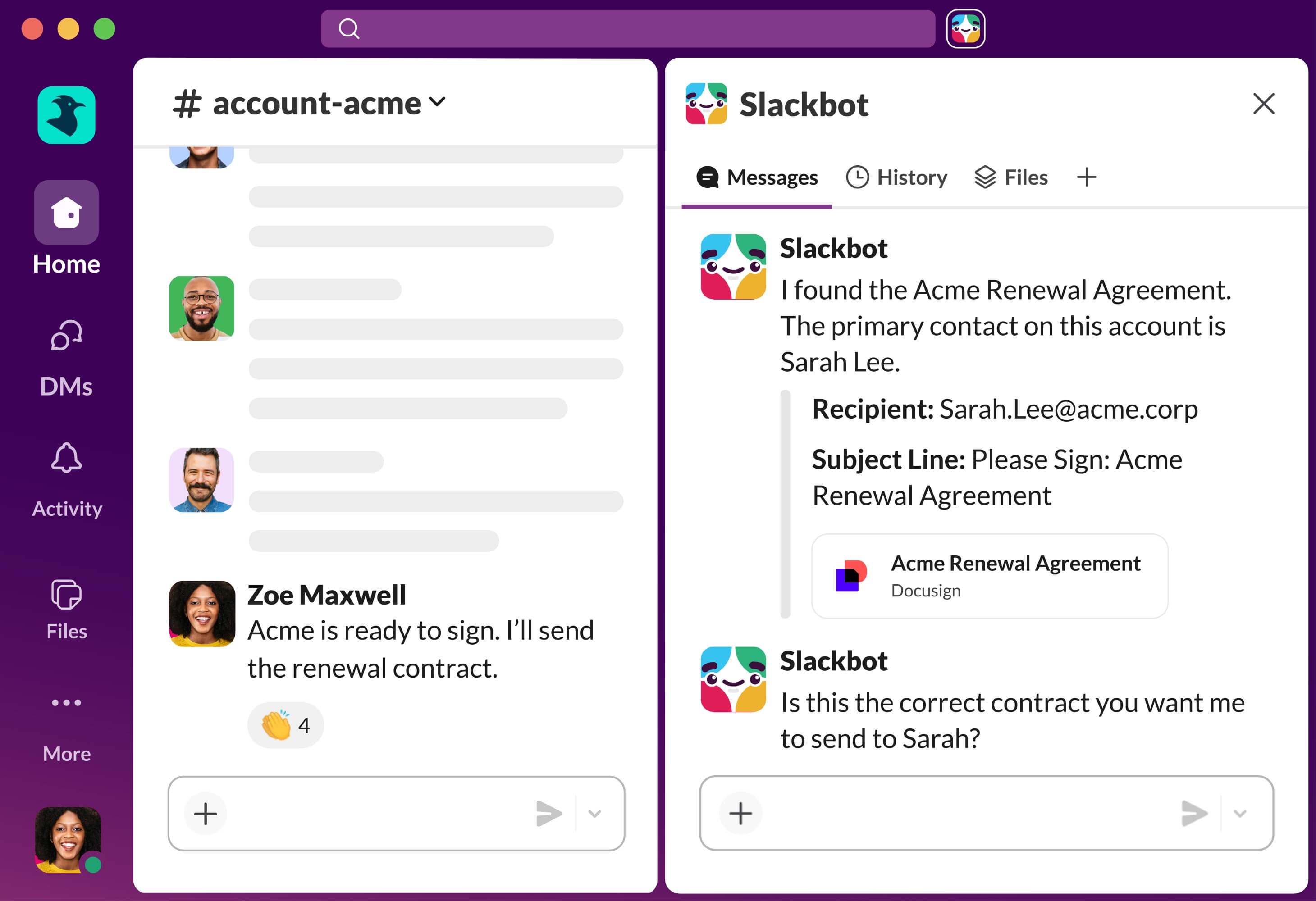
The platform organizes workplace communication into channels, which are topic-focused spaces where teams post updates, share files, and have threaded conversations. Direct messages handle one-on-one and small-group communication. Huddles provide lightweight audio and video calls without scheduling a formal meeting. The Workflow Builder automates routine tasks. And in 2026, Slackbot has become a fully agentic AI assistant capable of acting across the entire workspace and connected tools.
Salesforce CEO Marc Benioff said during the March 2026 launch event that the five years since the acquisition had been an incredible journey and had delivered two and a half times revenue growth. He noted that approximately one million businesses run on Slack. Those numbers reflect an installed base that is genuinely enormous by enterprise software standards, and the product's ten-year refinement shows in the reliability and consistency of the day-to-day experience.
The 2026 strategic direction, as communicated at the March 31 event, is to position Slack as an agentic operating system: not just a place where work gets discussed, but the interface through which AI agents execute enterprise workflows. The MCP client functionality means Slackbot can now coordinate with external services beyond Salesforce itself. Meeting intelligence means conversations that happen in video calls feed directly into Slack's knowledge base. The native lightweight CRM means companies can manage early-stage customer data without leaving the channel where the relationship is being discussed. Whether this vision lands commercially will define what Slack looks like by 2028.
Downloading and Installing Slack
Slack is available as a free download from slack.com for Windows, macOS, and Linux. Desktop apps for all three operating systems are available from the Downloads page without any account required to get the installer. Installation follows the standard process for each platform: an installer on Windows, a DMG on macOS, and DEB or RPM packages for Linux distributions.
On Windows, the Slack desktop app installs to the user's local AppData folder rather than Program Files by default, which means it does not require administrator permissions to install. This is practical for corporate environments where users do not have admin rights on their machines. The Windows app receives regular updates automatically when the application is running. A machine-wide installer is also available for IT administrators who want to deploy Slack across a fleet of Windows machines through group policy or an MDM solution.
The mobile apps for iOS and Android are free downloads from the App Store and Google Play respectively. Slack is also accessible through any modern web browser at app.slack.com without any download required, which is useful for guest access, for users on managed devices with restrictions on software installation, and for quick access from a machine where Slack is not installed.
The download itself takes only a few minutes. Slack is not a large application. The Windows installer is under 100MB and the installation completes quickly. The first time the app opens, it prompts for sign-in to an existing workspace or the creation of a new one. There is no configuration wizard or setup process that requires significant time before the application is usable.
Signing Up and Logging In
Creating a new Slack workspace starts at slack.com by clicking Get Started or Try Slack Free. The process asks for your work email address, sends a confirmation code to that email, and then prompts you to create a workspace name. The setup takes about three minutes from landing on the homepage to your first workspace being ready. No credit card is required for the free plan.
Joining an existing workspace requires an invitation from a workspace admin, which arrives by email with a link to join. Clicking the link and creating a Slack account or signing in with an existing one completes the join process. Google and Apple sign-in are supported as authentication options alongside email and password. Enterprise teams often configure SAML-based single sign-on through their identity provider, which means employees log in to Slack through their company's SSO portal rather than creating separate credentials.
Two-factor authentication is available on all plans and is strongly recommended given the volume and sensitivity of business communication that passes through Slack. The app supports authenticator apps and SMS as second factors. For Enterprise Grid customers, security policies including mandatory two-factor authentication can be enforced at the workspace level.
A notable aspect of Slack's login experience is the email magic link, which sends a one-time sign-in link to your email address as an alternative to password entry. For users who frequently switch between devices or who prefer not to manage a Slack-specific password, the magic link removes friction from the sign-in process. The link expires quickly for security but arrives within seconds on most email services.
The Free Plan: What You Get and What You Lose
Slack's free plan is genuinely useful for small teams and represents a real working product rather than a feature-stripped preview. The free plan provides unlimited messaging within a workspace, one-on-one Huddle calls, ten third-party app integrations, and basic Salesforce integration for connected Salesforce customers. This is a meaningful starting point for teams with simple needs.
The constraint that affects free teams most significantly is the 90-day message history limit. Messages older than 90 days are hidden from search and browsing on the free plan and are permanently deleted after one year. For teams who use Slack as an institutional knowledge base, meaning they search old conversations to find decisions made months ago, this limit can cause real problems that they often do not discover until the moment they need information that has disappeared. The flat.social review is clear about this: messages older than 90 days are hidden from search and browsing and eventually permanently deleted after one year. Messages within the one-year window will reappear if you upgrade, but you cannot access them on the free plan.
The ten-app integration limit on the free plan is the second most significant constraint for growing teams. Many teams naturally accumulate more than ten integrations as they connect Slack to their project management tool, their code repository, their customer support platform, their calendar, and several other services. Hitting the ten-integration ceiling means choosing which connections to keep, which is a frustrating optimization exercise for teams that need everything they have connected.
Huddles on the free plan are limited to one-on-one calls. Group Huddles with screen sharing, which are one of Slack's most useful features for quick collaborative work, require a paid plan. Free users who need group calls must use an external video tool, which partially undermines the value proposition of having everything in Slack.
Starting in April 2026, Slackbot AI features became available to free and Pro users through a limited trial experience, which is a meaningful improvement over the previous situation where AI features were entirely restricted to paid tiers. The ongoing access to Slackbot will require Business+ or Enterprise+, or will extend to Salesforce CRM customers who connect their accounts.
Slack Pricing in 2026: Plans, Costs, and What to Know
Slack's pricing structure in 2026 has four tiers. Here is the current pricing as verified from multiple independent sources in May 2026:
|
Plan |
Price |
Key Features and Limits |
|
Free |
$0/month |
Unlimited messaging. 90-day message history. 10 app integrations. 1:1 Huddle calls only. Basic Salesforce integration. Limited Slackbot trial from April 2026. |
|
Pro |
$7.25/user/month (annual), $8.75 monthly |
Unlimited message history. Unlimited app integrations. Group Huddles with screen sharing (up to 50 participants). Full Slack Connect. Custom user groups. Workflow Builder. Slack AI included. 24/7 support (standard response times). |
|
Business+ |
$12.50-$15/user/month (annual) |
Everything in Pro plus SAML-based SSO. Data exports for compliance. 4-hour guaranteed support SLA. Advanced admin controls. Salesforce workflow automations and advanced features. Full advanced AI and Salesforce features. |
|
Enterprise+ |
Custom (contact sales) |
Multiple connected workspaces. Enterprise Key Management. HIPAA-compliant messaging. Data residency controls. Dedicated support. Agentforce integration. Unlimited workspaces for global enterprise deployments. |
Annual billing prices apply. Monthly billing runs approximately 20% higher. Vendr's deal dataset shows buyers pay a median of $4,200 per year across Slack contracts. Nonprofit and educational institution discounts available. Enterprise pricing negotiated with sales team.
How the Costs Add Up
The per-user monthly pricing sounds manageable in isolation, but teams consistently report that Slack costs more than they budgeted. The pumble.com review notes that the Pro plan at $8.75 per user per month on monthly billing is on the pricier side and many businesses do not find the high-end pricing justified. For a team of 20 people on Pro at annual billing, the cost is $1,740 per year. At 50 people it is $4,350. The userjot.com pricing guide flags a specific pricing trap worth knowing: there is a minimum of three users required on paid plans, meaning tiny teams cannot optimize to a single-seat paid plan.
The transition from Pro to Business+ represents a price jump of roughly 72 percent per seat at the published rates. For organizations that need SAML SSO, which many IT departments require as a security standard, Business+ is mandatory. The same situation that applies to other platforms we have reviewed, where SSO is gated behind a price tier substantially above the standard offering, applies here. A team that needs SSO does not have a mid-tier option.
Vendr's purchasing data showing a median contract value of $4,200 per year reflects that most buyers do negotiate from list price, particularly on annual commitments and for teams above a certain size. Enterprise buyers almost always receive pricing below the published Business+ rate. The published rates are best understood as a ceiling rather than a floor for teams that go through a sales conversation.
Slack on Windows: The Desktop Experience
Slack's Windows desktop application is one of the more polished desktop communication apps available on the platform. The interface renders at native resolution with proper Windows font rendering, system notification integration that works with Windows focus assist and notification center, and keyboard shortcuts that align with Windows conventions. The application loads reasonably quickly on modern hardware and does not consume excessive memory during normal use.
The February 2026 update introduced split view to the Slack desktop app, which the vantagepoint.io review of the February release described as long-awaited. Split view allows two conversations, channels, or threads to be visible side by side within a single Slack window. For users who frequently need to reference one conversation while responding to another, or who monitor multiple channels simultaneously, split view removes the need to constantly toggle between views. This is a more significant quality-of-life improvement than it sounds for people who live in Slack throughout the workday.
The Windows app also benefits from the notification management improvements that Slack has rolled out over recent releases. Focus mode, notification schedules, and the ability to set specific channels as high-priority while muting others give Windows users meaningful control over when and how Slack interrupts them. The challenge, which is documented in the user experience section of this review, is that the default notification settings for a new Slack workspace generate a high volume of interruptions, and most users need to spend time configuring notification preferences before the experience becomes manageable.
Slack for Windows runs on the Electron framework, which means it is essentially a web application packaged as a desktop app. This architectural choice has historically been the source of criticism about Slack's memory consumption compared to native applications. On machines with 8GB of RAM or less, Slack can consume a noticeable portion of available memory when running alongside other Electron-based applications. On machines with 16GB or more, this is rarely a practical issue during normal workday use.
Core Communication Features
Channels and Threads
Channels are the fundamental organizing unit of Slack, and ten years of product iteration have made them genuinely well-designed for how teams actually communicate. Public channels are searchable and joinable by anyone in the workspace. Private channels restrict membership to invited participants. Channels can be organized with custom sections in the sidebar, archived when a project ends, and migrated to Slack Connect for collaboration with external organizations.
Threaded replies keep the response to a specific message contained without cluttering the main channel feed. The thread system remains one of Slack's most important features for managing the signal-to-noise ratio in active channels. Marking an important message in a thread as a channel update allows it to also appear in the main feed, which solves the problem of critical decisions getting buried in a thread only visible to the people who clicked into it.
Huddles
Huddles are Slack's informal audio and video call feature, designed to replicate the experience of turning to a colleague for a quick question without the overhead of scheduling a meeting. Starting a Huddle takes a single click. Other channel members see you are in a Huddle and can join. On paid plans, Huddles support up to 50 participants with screen sharing. The real-time collaboration canvas inside a Huddle allows participants to share a scratchpad-style workspace alongside the audio, which is useful for Huddles that need to reference or create shared content without switching to a separate tool.
Slack Connect
Slack Connect allows teams to communicate with external organizations directly through shared channels, eliminating the email back-and-forth with vendors, clients, and partners that would otherwise be necessary. A shared channel appears in both organizations' Slack workspaces and is indistinguishable from internal channels in its communication experience. For organizations whose workflows involve regular collaboration with external parties, Slack Connect is one of the features that most clearly demonstrates value over alternatives that lack an equivalent capability.
Workflow Builder
Workflow Builder is Slack's no-code automation tool for building routine processes inside the workspace. Common uses include new employee onboarding sequences that send resources and introductions automatically, daily standup reminders that collect updates through structured form responses, request workflows that route approvals through the appropriate people, and automated notifications from connected systems. The February 2026 update added six additional Salesforce Flow actions, bringing the total to eleven Slack-native actions in Salesforce Flow Builder and completing parity with legacy Connected App-based actions.
Slackbot and AI Features in 2026
The March 31, 2026 update represents the most substantial expansion of Slack's AI capabilities since the Salesforce acquisition. The eWeek coverage describes it as the biggest overhaul of Slack since the $27.7 billion deal. Here is what the new Slackbot capabilities specifically deliver.
Meeting Intelligence
Slackbot now listens to meetings on Zoom, Google Meet, or Slack Huddles through desktop audio capture. At the end of a meeting, it provides a summary of decisions made and a list of action items. Because it is integrated with Salesforce, it can log those action items directly into a CRM record without any manual data entry. For sales teams who spend significant time in customer calls and then separately update Salesforce with what was discussed, this closes a workflow gap that has historically been one of the most friction-laden parts of CRM adoption. The TNW review describes this as transforming Slackbot from a conversational assistant into an agentic system that can transcribe meetings across any video platform.
Native Lightweight CRM
Slack now includes a native CRM built directly into the chat interface. Slackbot reads channels, identifies deal mentions and new contact introductions, and updates CRM records automatically. The framing from Salesforce is a start simple approach: companies can manage early customer relationships in Slack using this lightweight CRM and eventually move to the full Salesforce suite as they grow, without migrating data. This is a genuine attempt to compete for early-stage companies that currently manage customer relationships in spreadsheets or simple tools before they graduate to a full CRM.
MCP Client and Custom AI Skills
Slackbot now functions as a Model Context Protocol client, which means it can connect to and coordinate with external services and tools beyond the Salesforce ecosystem. The upgraded Slackbot also introduces reusable AI skills that users can define and deploy across business contexts. A skill defined once, such as create a budget for an upcoming event that pulls relevant data from channels and connected apps, can be reused by any team member with access. This moves Slackbot from a question-and-answer assistant to a programmable agent that can be customized for specific organizational workflows. Slackbot runs on Anthropic's Claude.
AI Exclusion Controls
The February 2026 update also introduced granular AI exclusion controls, allowing admins to specify which channels or message types are excluded from AI processing. For organizations handling sensitive communications, legally privileged conversations, or regulated information, this control addresses the compliance concern that blanket AI processing of all workspace content would otherwise create. This is a meaningful governance feature that reflects Slack's understanding that enterprise customers need more than capability: they need controllability.
User Experience: The Real Day-to-Day Picture
Slack is genuinely well-designed for team communication and the accumulated refinement of a decade shows in the small details of how the app behaves. Messages send instantly, search is fast and accurate, the mobile and desktop experiences are consistent, and the integration ecosystem of 2,600-plus apps means there is almost certainly a Slack integration for any tool a team uses.
The most honest thing to say about the Slack user experience in 2026 is that it is excellent and it is also a potential productivity drain, and both of those things are true simultaneously. The G2 reviews collected in the costbench.com analysis state the problem plainly: notification overload is easy to feel constantly on. Between channels, threads, DMs, and mentions, notifications can pile up fast and become distracting if not managed carefully. Another reviewer writes that too many notifications can get overwhelming and important messages sometimes get lost in busy channels. These are not complaints about software quality. They are descriptions of what happens when a team adopts Slack without establishing communication norms.
The social dynamics of Slack create pressure that the software alone cannot resolve. When everyone in a team is active in a shared workspace, the expectation of near-instantaneous response to messages becomes embedded in workplace culture whether or not it was explicitly agreed to. Researchers studying always-on communication found that workers feel a constant obligation to respond quickly, which fragments attention and reduces the kind of deep focus that productive work requires. Slack, by design, makes communication extremely low-friction. The consequence is that communication volume increases and the interruption rate increases with it.
The teams that describe Slack working well for them are those that have made deliberate decisions about communication norms: which channels get checked at which times, when Do Not Disturb is expected, which communications are truly urgent versus which can wait until someone's next natural break. These norms require organizational management, not software configuration, and they are the prerequisite for the Slack experience that the reviews at the positive end of the spectrum describe.
Customer support is the other documented experience gap. Trustpilot reviews describe support tickets open for seven or more days without a reply, and the response from Slack being you're out of luck if you need help. A Business+ customer with 30 users describes sending multiple emails about a bug and getting no response. The Business+ plan guarantees a four-hour response SLA, which is better than the free and Pro tiers where no response time is guaranteed. But even with Business+, the experience of reaching meaningful technical support rather than a first-contact response does not consistently match what enterprise customers expect.
Pros and Cons
What Slack Gets Right in 2026
The core messaging, channel, and thread system is the most refined team communication interface available after a decade of iteration based on how millions of teams actually work
2,600-plus third-party integrations mean Slack connects to virtually every tool in a modern technology stack, creating a centralized information hub that reduces context-switching across applications
The March 2026 Slackbot update with 30 new AI features represents the most ambitious enterprise AI assistant upgrade of any communication platform in the first half of the year
Meeting intelligence that transcribes and summarizes calls from Zoom, Google Meet, and Slack Huddles, with automatic CRM logging through Salesforce, closes a workflow gap that has frustrated sales teams for years
MCP client functionality means Slackbot can coordinate with external tools and services, making it extensible beyond the Salesforce ecosystem
Slack Connect enables seamless collaboration with external organizations through shared channels, eliminating email chains with vendors, clients, and partners
Huddles provide instant audio and video calls without scheduling overhead, with up to 50 participants and screen sharing on paid plans
Granular AI exclusion controls in February 2026 give enterprise admins compliance-appropriate governance over which content is processed by AI
Split view on desktop, added in February 2026, enables side-by-side channel viewing that was a long-requested productivity improvement
From summer 2026, Slack will be automatically bundled with every new Salesforce customer, which means the Salesforce ecosystem investment reinforces Slack's enterprise position
Where Slack Creates Real Problems
Notification overload is consistently the most cited frustration across G2 and Trustpilot reviews, with multiple reviewers describing the feeling of being constantly on and important messages getting lost in notification volume
The 90-day message history limit on the free plan is a real data loss risk for teams who do not discover the limitation until they need to retrieve messages that have already disappeared
The pricing jump from Pro ($7.25/user monthly) to Business+ ($12.50-$15/user monthly) for SAML SSO access is a steep increase for a security feature that many organizations require
Customer support response times on non-Enterprise tiers are documented as slow, with Trustpilot reviews citing tickets open for more than seven days without response on Business+ accounts
The total cost for growing teams accumulates faster than organizations often budget for, particularly when transitioning from the free plan or when headcount increases
The advanced AI features including full Slackbot access are restricted to Business+ and Enterprise+ subscribers, making the most significant 2026 updates inaccessible to the majority of small teams
Slack's Electron-based desktop application consumes more memory than native applications, which affects performance on machines with limited RAM
The notification volume creates organizational behavior challenges that require deliberate communication norm-setting that many teams do not address, leading to the always-on anxiety documented in independent research
Frequently Asked Questions About Slack (2026)
1. What is Slack and what is it used for?
Slack is a business communication and collaboration platform used by teams and organizations to manage internal communication, file sharing, project coordination, and increasingly in 2026, AI-assisted workflow automation. It organizes workplace communication into channels, which are persistent topic-focused spaces, alongside direct messages for private conversations and Huddles for informal voice and video calls. Teams use Slack to replace email for internal communication, to centralize updates from connected tools like GitHub, Jira, Google Drive, and Salesforce, to run automated workflows through Workflow Builder, and starting in 2026 to deploy Slackbot as an agentic AI assistant that can transcribe meetings, update CRM records, and execute tasks across connected tools. Approximately one million businesses use Slack globally according to Salesforce CEO Marc Benioff, making it one of the most widely adopted enterprise communication platforms in the world.
2. How do I download Slack on Windows?
Download Slack for Windows from slack.com/downloads/windows. The page provides an installer that downloads quickly and installs without requiring administrator permissions, since Slack installs to the user profile directory rather than Program Files by default. Run the installer and Slack opens automatically when the installation completes. Sign in to an existing workspace or create a new one from the welcome screen. The Windows app updates automatically when new versions are released while the app is running. For IT administrators deploying Slack across an organization, a machine-wide Windows installer is also available from the Slack downloads page and can be deployed through group policy or an MDM solution. Slack is also available through the Windows App Store for organizations that manage software through that channel.
3. How do I sign up for Slack?
Sign up for a new Slack workspace at slack.com by clicking Get Started or Try Slack Free. Enter your work email address, receive a confirmation code sent to that address, enter the code, then provide a workspace name and your name. The workspace is ready within about three minutes of starting the process. No credit card is required for the free plan. To join an existing Slack workspace, you need an invitation from a workspace admin. The invitation arrives by email with a link. Click the link, create a Slack account or sign in with an existing one or through Google or Apple authentication, and the join process completes. You do not need a separate signup process for each workspace you belong to. The same Slack account can be a member of multiple workspaces, which appear as separate entries in the sidebar or switcher.
4. Is Slack free?
Yes, Slack has a free plan that is a genuine working product rather than a time-limited trial. The free plan provides unlimited messaging, ten third-party app integrations, one-on-one Huddle calls, and basic Salesforce integration. From April 2026, a limited Slackbot AI trial is also available on the free plan. The significant limitations of the free plan are the 90-day message history, which means messages older than three months are hidden and eventually permanently deleted after one year, and the ten-app integration ceiling. For small teams with simple communication needs and no compliance requirements around message retention, the free plan is genuinely adequate as a long-term solution. For teams that search old conversations regularly or need more than ten integrations, upgrading to Pro at $7.25 per user per month on annual billing is typically necessary.
5. What are Slack's pricing plans in 2026?
Slack has four pricing tiers in 2026. The Free plan provides the essentials with the 90-day message history and ten-integration limits. Pro at $7.25 per user per month on annual billing (or $8.75 monthly) provides unlimited message history, unlimited integrations, group Huddles with screen sharing, full Slack Connect, Workflow Builder, and Slack AI features. Business+ at $12.50 to $15 per user per month on annual billing adds SAML-based SSO, data exports for compliance, a four-hour guaranteed support SLA, and advanced Salesforce features including workflow automations and Sales Home. Enterprise+ is custom-priced and designed for large organizations requiring multiple connected workspaces, HIPAA-compliant messaging, Enterprise Key Management, and data residency controls. Annual billing saves approximately 20 percent versus monthly billing across all paid tiers. Nonprofit and educational institution discounts are available. Buyers who go through a sales conversation typically receive pricing below the published list rates, with Vendr's data showing a median contract value of $4,200 per year across deals.
6. What are the new Slack AI features in 2026?
On March 31, 2026, Salesforce unveiled more than 30 new AI features for Slack centered on an upgraded Slackbot. The most significant capabilities are: Meeting Intelligence, which listens to meetings on Zoom, Google Meet, or Slack Huddles through desktop audio and produces summaries and action items after the meeting ends, with automatic logging to Salesforce CRM; a native lightweight CRM built into channels, where Slackbot identifies deal mentions and contact introductions and updates records automatically; MCP client functionality, which allows Slackbot to connect to and coordinate with external tools and services beyond Salesforce; and reusable AI Skills that users can define and deploy for recurring workflow tasks. These features run on Anthropic's Claude and are currently available on Business+ and Enterprise+ plans, with a limited trial version rolling out to free and Pro users from April 2026. From summer 2026, every new Salesforce customer will have Slack automatically provisioned and AI-enabled from day one.
7. How do I manage notifications in Slack to avoid being overwhelmed?
Notification overload is documented in multiple G2 and Trustpilot reviews as one of Slack's most common complaints. Managing it effectively requires active configuration rather than accepting defaults. The most impactful settings to configure are: notification schedule, which restricts when Slack sends notifications to your defined work hours; Do Not Disturb, which silences notifications during focus periods or outside work hours; channel-specific notifications, where you set high-priority channels to always notify you and mute or set low-priority channels to only notify you when mentioned; and keyword notifications, which alert you only when specific terms relevant to you appear. At the organizational level, the most effective intervention is establishing team norms about expected response times, which channels are monitored urgently versus at natural breaks, and what qualifies as an at-mention versus a post to a general channel. The software controls help but the cultural norms are the larger determining factor in whether Slack creates focus or fragments it.
8. What is the Slack free plan's 90-day message history limit?
On Slack's free plan, messages are fully accessible and searchable for 90 days from when they were sent. After 90 days, those messages are hidden from the workspace's search results and conversation view. After one year from when the messages were originally sent, they are permanently deleted from Slack's servers. Messages that have been hidden (between 90 days and one year old) will reappear if the workspace upgrades to a paid plan before the one-year deletion date. Messages that have been permanently deleted are not recoverable. This limitation is one of the most important things to understand before committing a team to Slack's free plan. If your team frequently needs to reference decisions, context, or information from more than three months ago, the free plan is not appropriate. Upgrading to Pro provides unlimited message history for all messages from that point forward, and recovers access to messages that were hidden but not yet permanently deleted.
9. Is Slack secure and private?
Slack is secure for business communication at the technical level, with AES-256 encryption for data at rest and TLS 1.2 for data in transit. Business+ adds SAML-based SSO for centralized authentication management. Enterprise+ adds Enterprise Key Management, which allows organizations to use their own encryption keys rather than Slack's, and HIPAA-compliant messaging for healthcare organizations. Slack does not train generative AI models on customer data, which it states explicitly in its privacy principles. The February 2026 AI exclusion controls allow admins to specify which channels or content types are excluded from AI processing entirely. For organizations in regulated industries, Enterprise+ with HIPAA compliance and data residency controls is the appropriate tier. For most business teams, Slack's security is adequate, and the main considerations are configuring SSO, two-factor authentication, and reviewing which app integrations are approved for connection to the workspace.
10. What is Slackbot in 2026 and how is it different from before?
Slackbot in 2026 is fundamentally different from the rule-based chatbot of prior years. The January 2026 update gave it initial agentic capabilities including drafting emails, scheduling meetings, and searching through inboxes. The March 31, 2026 update expanded this into a full agentic system with more than 30 new capabilities. The new Slackbot can listen to and summarize video calls from any platform, log action items from meetings directly into Salesforce, monitor channels to identify and update CRM records automatically, execute tasks through external tools via MCP connectivity, and run custom reusable AI skills that teams define for their specific workflows. It operates on Anthropic's Claude. The TechCrunch description of this as transforming Slackbot from a conversational assistant into an agentic system reflects the significance of the change. Previous Slackbot responded to commands when addressed directly. Current Slackbot monitors context, takes initiative, and executes multi-step workflows across connected systems. Full Slackbot access is on Business+ and Enterprise+ plans, with a limited trial available to Free and Pro users from April 2026.
Icon polls Verdict
Slack earns a 3.8 out of 5 from Icon Polls in 2026. The rating reflects a platform that is genuinely excellent at its core function and is in the middle of the most ambitious AI transformation of any enterprise communication tool currently shipping.
The March 31, 2026 updates are real and significant. Meeting intelligence that closes the loop between video calls and CRM data, a native lightweight CRM built into channels, MCP connectivity that makes Slackbot a genuinely extensible agent, and the summer 2026 bundling with every new Salesforce customer describe a product trajectory that reinforces Slack's position for Salesforce ecosystem teams for years to come. For teams in that ecosystem, or for organizations evaluating an enterprise communication platform with serious AI ambitions, Slack is the strongest option available.
The 3.8 rather than 4.0 or higher reflects the documented friction that sits alongside all of that strength. Notification overload is not a new complaint, it has been present in Slack reviews for years, and the platform's fundamental design as a persistent always-available communication channel creates the conditions for it regardless of what notification controls are available. The free plan's 90-day limit is a genuine gotcha that teams discover at the wrong moment. Customer support on non-Enterprise tiers is documented as slow in ways that do not match the investment teams make in the platform. And the pricing structure adds up faster than teams budget for, with the Business+ jump for SSO being a recurring theme in procurement conversations.
The practical recommendation from Icon Polls: try the free plan with the 90-day limit fully understood. Configure notification preferences before inviting the whole team, establish communication norms about response expectations before Slack culture becomes always-on, and run the math on the actual annual cost for your team size and required features before committing. Slack is excellent software that works best for organizations that use it deliberately. Used without intent, it can create as many productivity problems as it solves.