
|
Company |
Lightspeed Commerce Inc. |
|
Founded |
2005, Montreal, Canada |
|
Type |
Cloud-based POS and Commerce Platform |
|
Industries Served |
Retail, Restaurants, Golf, Hospitality |
|
Locations Supported |
Over 100 countries, 165,000+ business locations |
|
Starting Price (Retail) |
$89/month (annual billing) |
|
Free Trial |
14-day free trial available |
|
App Platforms |
iOS (iPad), Android, Mac, Windows (web-based) |
|
Icon Polls Overall Rating |
4/5 |
Our Verdict on Lightspeed in 2026
Lightspeed has built a strong reputation over the past two decades, and in 2026, it continues to be one of the most feature-rich point-of-sale platforms available for retail and hospitality businesses. We spent time going through its plans, testing its interface, and reading through thousands of verified user reviews to put together this honest assessment. What we found is a system that genuinely delivers on the operational side but comes at a cost that not every business will be comfortable with.
If you run a mid-sized retail store, a multi-location restaurant, or any business that needs serious inventory depth and smart reporting, Lightspeed is hard to argue against. But if you are just starting out or running a small single-register shop, the pricing may feel steep before you have fully grown into the features. That tension is at the heart of every Lightspeed review, and it is worth addressing upfront.
Icon Polls Ratings Breakdown
|
Category |
Icon Polls Rating |
|
POS System and Core Features |
4/5 |
|
Mobile App Experience |
4/5 |
|
Inventory Management |
4.5/5 |
|
User Experience and Ease of Use |
3.8/5 |
|
Customer Support |
3.5/5 |
|
Value for Money |
3.5/5 |
|
Integrations and Add-ons |
4/5 |
|
Overall Score |
4/5 |
What Is Lightspeed?
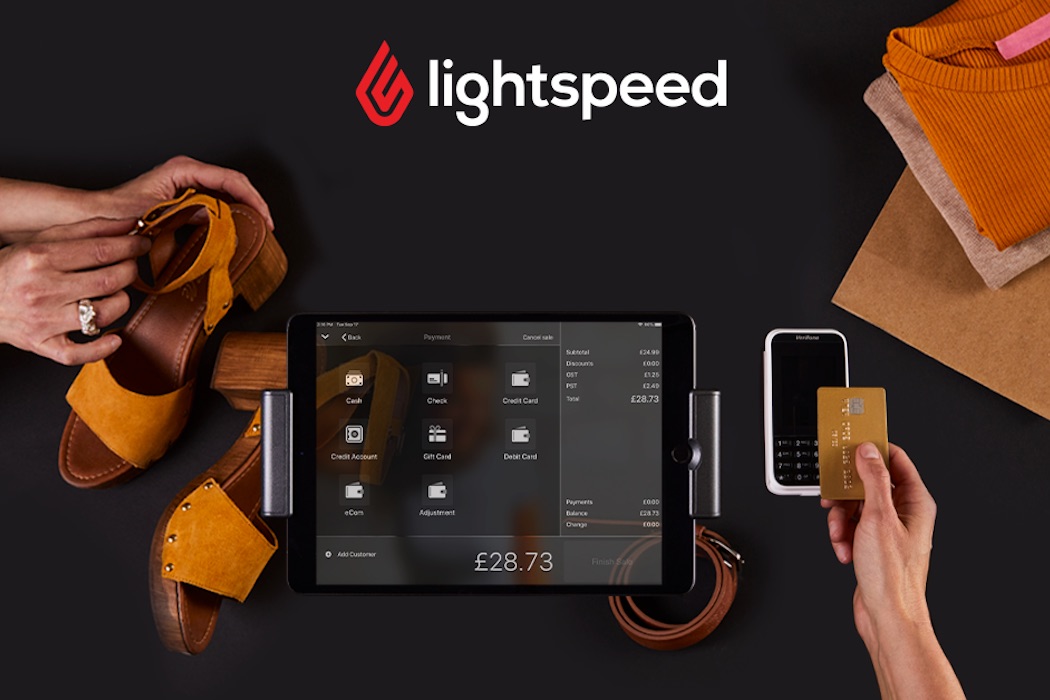
Lightspeed Commerce, trading on both the NYSE and TSX under the ticker LSPD, is a Montreal-based technology company that started back in 2005. The company set out to build modern point-of-sale software for retailers and restaurants that did not want to deal with clunky legacy systems. Over the years it grew through a mix of organic development and acquisitions, picking up platforms like ShopKeep, Vend, and NuORDER along the way.
Today, Lightspeed powers over 165,000 business locations across more than 100 countries and processes upwards of $90 billion in transactions annually. Its platform covers retail, restaurant, golf, and hospitality businesses, and in January 2026, the company announced a fresh wave of product updates including Lightspeed AI, an intelligence layer that lets merchants ask natural-language questions and get real-time business insights without navigating complex dashboards.
Lightspeed POS Review: Is the Point-of-Sale System Worth It?
The core of Lightspeed is its point-of-sale software, and this is where the platform genuinely shines. The POS interface is clean and well-organized. During testing, we found that navigating from one area to another took very few clicks, and the overall layout makes sense even for staff who are not particularly tech-savvy. Multiple business owners and managers confirmed in their reviews that cashiers tend to pick up the system in around five minutes, which is a meaningful metric for any operator managing staff turnover.
What sets Lightspeed apart from simpler POS competitors is the depth of what sits underneath that clean surface. Inventory management is particularly strong. The platform comes preloaded with catalogs containing over 8 million items, which saves retailers enormous time when setting up products. You can create product variants, generate unlimited barcode labels, track stock in real time across multiple locations, and automate low-stock alerts. For businesses with large or complex inventories, this is genuinely useful functionality rather than marketing noise.
Reporting is another area where Lightspeed earns its price tag. The platform includes over 50 built-in reports covering sales performance, staff activity, inventory turnover, and customer behavior. The Core and Plus plans unlock more advanced analytics, and for businesses that want to dig into margin trends or multi-location comparisons, these tools make data-driven decisions genuinely accessible.
The POS system also supports omnichannel selling, meaning your in-store and online operations pull from the same inventory and customer data. You can build an ecommerce storefront using Lightspeed's built-in tools, and everything syncs in real time. This works well for small and mid-sized retailers who want a consistent brand experience without managing two separate systems.
Pricing Plans for Lightspeed Retail POS
Lightspeed Retail runs on three main plans. All prices listed are for monthly billing. Annual billing reduces the cost.
• Basic: $109 per month. Covers the core retail POS, integrated payments, inventory management, supplier catalog access, onboarding options, and 24/7 chat support.
• Core: $179 per month. Adds in-store loyalty, advanced reporting, accounting and ecommerce integrations, the built-in Lightspeed eCommerce storefront, and the Mobile Scanner App.
• Plus: $339 per month. Unlocks custom reporting, API access, forecasting, custom workflows, custom user roles, and 24/7 phone support.
For restaurant businesses, pricing starts at around $69 per month for the entry plan, with Essential sitting at approximately $189 per month and Premium around $399 per month. Hardware is not included in any plan and must be purchased separately.
One thing that consistently comes up in user feedback is that most businesses quickly outgrow the Basic plan. The reporting and inventory limitations at that tier mean the Core plan tends to be the realistic starting point for any serious operation. That puts your effective entry cost closer to $179 per month, which is higher than what Square or some other competitors charge for comparable plans.
Lightspeed App Review: How Does It Hold Up on Mobile?
Lightspeed has put real effort into its mobile experience. The flagship Lightspeed Scanner app was updated in January 2026 with Android support for contactless payments, which was a feature previously limited to iOS users. Lightspeed Payments customers in the US, Canada, Australia, the UK, Ireland, Belgium, and the Netherlands now have full flexibility to process transactions directly from an Android device without needing to be at a fixed terminal. This is a practical improvement that acknowledges how much retail work actually happens on the floor rather than behind a counter.
The Lightspeed Live app gives owners and managers a real-time view of sales data from anywhere. If you are off-site and want to check how the store is performing, the app pulls live figures from your POS without any delay. It is a straightforward tool but genuinely useful for business owners who are not always in the building.
The Mobile Scanner App, included in Core and Plus plans, turns any iOS or Android device into a handheld inventory management tool. Staff can count products, track inventory movement, and fulfill orders directly from their phone. For stockrooms or warehouses attached to retail operations, this removes the need for a separate dedicated scanning device.
In terms of general app stability and polish, most users report a positive experience on iOS, which is where Lightspeed has the strongest track record. The primary POS interface is designed for iPad and performs well on that platform. Android compatibility has improved notably in recent months, but a handful of users still report minor sync delays and occasional connectivity hiccups, particularly in high-traffic environments. Nothing critical, but worth knowing if your operation runs entirely on Android hardware.

Lightspeed User Experience: What It Actually Feels Like to Use
The user experience with Lightspeed is genuinely good at the front end but has a few rough edges once you go deeper. The main selling floor interface is clean, logically organized, and responds quickly. Adding a customer profile is easy, product searches are fast, and checkout flows without friction for standard transactions. Most staff-level tasks are straightforward enough that minimal training is needed.
Where it gets more complicated is in back-end management tasks. Adding products with multiple variants requires filling out fairly detailed forms, and some users describe this process as more tedious than it should be given how intuitive everything else feels. Multi-location inventory management, while powerful, can feel fragmented at times, with some users reporting that toggling between store locations to make adjustments adds unnecessary steps to what should be a simple workflow.
The 2026 AI update is one of the more meaningful changes Lightspeed has made to the user experience in recent years. The conversational assistant inside Lightspeed Retail and Lightspeed Restaurant lets users ask plain-language questions and get usable answers from their data. Rather than building a custom report or navigating multiple menu layers to find a specific metric, you can ask a question and get a direct response. For non-technical users, this significantly lowers the barrier to getting value out of the platform's deep reporting capabilities.
Onboarding is a genuine strength here. Every plan comes with a dedicated account manager, which is uncommon at most price points in the POS market. The implementation process typically runs four to six weeks and includes an initial consultation, data migration from any existing system, and staff training. For businesses switching from another POS, this structured process removes a lot of the uncertainty that typically makes migrations painful.
Pros and Cons
What We Liked
• One of the most complete inventory management systems available in its category, with preloaded catalogs covering over 8 million items.
• Strong multi-location support with unified reporting and centralized stock management.
• Dedicated account manager included at all plan levels, which is a rare perk in this market.
• New Lightspeed AI assistant makes complex data accessible without technical knowledge.
• Android contactless payments now available through the Scanner app as of January 2026.
• 14-day free trial with access to all features.
• Solid omnichannel integration syncing in-store and online sales in real time.
• Over 50 built-in reports with advanced analytics available on higher plans.
What Could Be Better
• Pricing is notably higher than many competitors, especially once you factor in hardware and add-ons.
• Using a third-party payment processor outside of Lightspeed Payments can cost up to an extra $400 per month, which severely limits flexibility.
• Some customer support experiences reported online describe long wait times and inconsistent resolution quality.
• Multi-location inventory editing can feel fragmented, requiring users to toggle between store views for adjustments.
• Back-end tasks like adding product variants are more involved than comparable actions on simpler POS platforms.
Final Verdict: Should You Use Lightspeed in 2026?
After going through everything Lightspeed offers, the Icon Polls team lands on a 4 out of 5 rating. This is not a platform trying to be everything to everyone, and it does not pretend to be. It is built for retail and hospitality businesses that have real operational complexity, whether that means managing thousands of SKUs, running multiple locations, or needing the kind of reporting depth that turns raw sales data into actionable strategy.
Related Articles
-
 OpenTag Wants to Be Your Slack Coworker. Is a Three-Person YC Startup Ready for That? (2026)
-
 Valentine Online Still Sends Cards. Should You Still Use It? A 2026 Review
-
 Your Booking Button Is Your Front Door: 10 Melbourne Web Agencies for Hospitality (2026)
-
 Hetzner Got Pricier in June. Is It Still the Developer's Bargain? (2026 Review)
-
 Can a Multiplayer AI Code Editor Survive Shelving Its Own IDE? Dropstone 3 Review (2026)
-
 Chime Review (2026): A Bank in Your Pocket That Isn't Actually a Bank





