|
Profile item |
Details |
|
Product name |
Opal by Google Labs, often searched as Opal 2.0 in 2026 |
|
Category |
No-code AI mini-app builder and workflow tool |
|
Developer |
Google Labs |
|
Main use |
Create, edit, publish, and share AI mini-apps using natural language and visual workflows |
|
Access style |
Web-based tool, best used on desktop for editing |
|
Download status |
No standard mobile app download is required for the core builder |
|
Available countries |
Expanded from early limited access to more than 160 countries and regions |
|
Veo3 connection |
Useful for creators interested in video workflows, but access depends on the models and tools available to the user's account |
|
Best for |
Prototypes, internal tools, content workflows, research helpers, and fast MVP testing |
|
ICON POLLS rating |
3.2 out of 5 |
Opal 2.0 by Google Labs is one of the AI tools people are watching closely in 2026, especially users who want to build small AI apps without learning code. The official product is Opal by Google Labs, but many users now search it as Opal 2.0 because they are looking for the newer, improved version of the tool after its wider rollout.
ICON POLLS reviewed Opal as a practical no-code AI mini-app builder, not as a full software development platform. That distinction matters. Opal is useful when you want to turn a simple idea into a working mini-app, connect prompts and model steps, test a workflow, or share a lightweight tool. It is less convincing when users expect it to behave like a mature app builder with deep custom design, strong mobile editing, complex backend logic, and predictable production reliability.
Our rating for Opal 2.0 by Google Labs in 2026 is 3.2 out of 5. It is promising, easy to understand, and clearly useful for early prototypes. Still, it feels experimental in places, and some users will hit limits when they try to build serious products or advanced video workflows.
Download
The first thing many users search is whether Opal 2.0 has a download. In our review, Opal is best understood as a web-based Google Labs tool. Users do not need a normal app store download to build with the core Opal editor. The usual route is to open Opal in a browser, sign in with a Google account, and start from a prompt, template, or blank workflow.
This is good for quick access because there is no heavy installation. It is also frustrating for users who expect a dedicated Android, iPhone, Windows, or Mac app. The editor is better on desktop because the visual workflow can feel too tight on a small mobile screen. Mobile can still be useful for viewing or using a shared Opal app, but desktop is the better choice for building.
Available countries
Opal started as a limited experiment, then moved into a wider rollout. By 2026, Google Labs had expanded Opal to more than 160 countries and regions. That is a big improvement from the early stage, when many users outside the first launch areas could not access it.
Availability can still depend on account region, age requirements, workplace restrictions, and Google Labs access rules. For example, a user may be in a supported country but still see limits if their Google account is managed by a school, company, or region-specific policy. For most ordinary users, the broad 2026 rollout makes Opal much easier to try than it was during the first public beta.
App
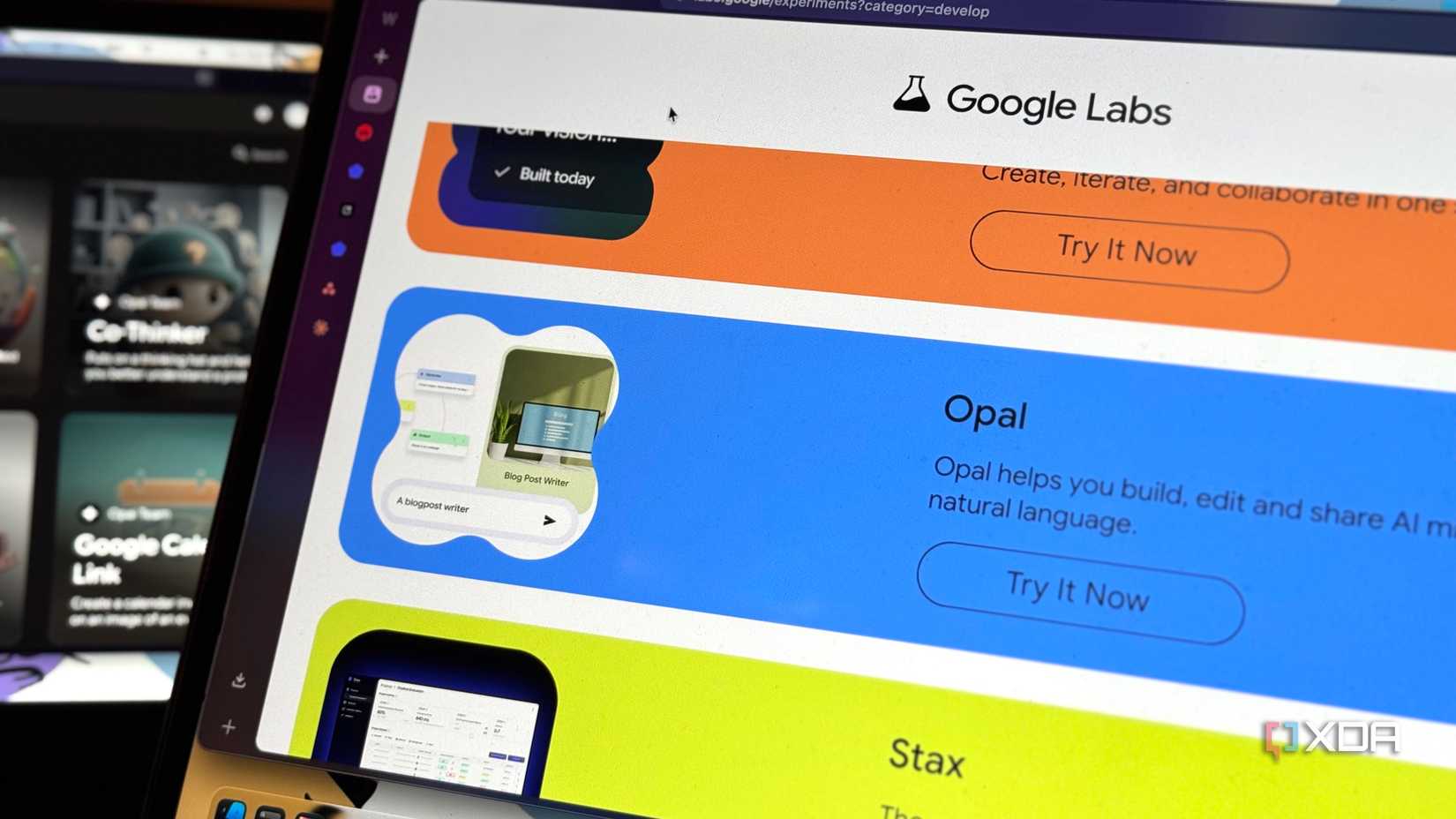
Opal is an app builder, but it is not a traditional app store builder. The idea is simple: describe what you want, let Opal create a workflow, then edit the steps visually. Those steps can include prompts, model calls, inputs, outputs, and tool-like actions. After that, users can publish or share the mini-app.
The strongest part of the app experience is how quickly it turns an idea into something clickable. A blogger can make a caption generator. A student can make a study helper. A small business owner can test a lead form or content assistant. A creator can build a repeatable prompt workflow. It feels like a good bridge between prompt engineering and simple app creation.
The weaker part is polish. If you want full control over layouts, branding, database logic, permissions, payments, or mobile-first design, Opal can feel narrow. It is best for experiments, internal tools, demos, and early proof of concept work.
Veo3
Veo3 is one of the reasons creators are searching Opal in 2026. Google has pushed video generation forward through Veo, and many users want to know if Opal can help them build video workflows. The honest answer is that Opal can be useful for planning, scripting, organizing, and automating parts of a creative workflow, but Veo3 access depends on the AI models, tools, subscriptions, and regional availability connected to the user's account.
For content creators, Opal can help with the parts around video production: story ideas, shot lists, prompt generation, ad scripts, campaign planning, and workflow steps. Where users should be careful is assuming that Opal automatically unlocks every Veo3 feature for free. That is not how serious AI model access usually works. Opal is the builder layer. Veo3 is the video generation model. The two can be connected in user interest, but they are not the same product.
User Experience
The user experience is clean enough for beginners, and that is the main reason Opal stands out. The visual workflow makes AI app building less scary. Instead of writing code, users can see steps, prompts, inputs, and outputs in a flow. This makes it easier to understand why an app works or where it breaks.
The debugging improvements also matter. When a workflow fails, users need to know which step caused the problem. Opal's step-by-step approach makes that easier than guessing inside a long prompt. Performance also feels better suited to quick prototyping than earlier no-code experiments that made users wait too long for simple actions.
At the same time, Opal still feels like a lab product. Some outputs need checking. Some workflows need repeated testing. Some users will expect more templates, better mobile editing, clearer pricing signals, and stronger export options. For that reason, ICON POLLS gives it a 3.2 rating: useful and exciting, but not fully mature yet.
Pros and cons
Pros
Easy to start with natural language prompts.
Good visual workflow editor for non-coders.
Useful for prototypes, research helpers, and content workflows.
No standard software installation needed for the core builder.
Much broader country availability than the early public beta.
Cons
Still feels experimental for serious production apps.
Desktop editing is much better than mobile editing.
Veo3 expectations can confuse users who think Opal is a video generator by itself.
Advanced customization is limited compared with full development tools.
Users still need to test outputs carefully because AI workflows can make mistakes.
Verdict
Opal 2.0 by Google Labs is a strong idea with a clear audience. It is for people who think in workflows but do not want to write code. It helps users move from idea to mini-app faster than traditional building methods, and it gives creators a cleaner way to reuse prompts and tools.
The 3.2 rating reflects the balance. Opal is better than a simple chatbot for building repeatable AI tools, but it is not yet a replacement for a complete app development platform. For bloggers, creators, students, marketers, and small teams, it is worth testing in 2026. For serious product teams, it is better treated as a prototype tool first.
Frequently Asked Questions
1. What is Opal 2.0 by Google Labs?
Opal 2.0 by Google Labs is the name many users search for when looking for the newer 2026 version of Opal, Google's no-code AI mini-app builder. It lets users create small AI apps with natural language and visual workflows.
2. Is Opal 2.0 an official product name?
The official product is generally presented as Opal by Google Labs. The phrase Opal 2.0 is mostly a search term users apply when looking for the updated or improved version in 2026.
3. What is the ICON POLLS rating for Opal 2.0 by Google Labs?
ICON POLLS rates Opal 2.0 by Google Labs 3.2 out of 5 in 2026. It is useful, beginner-friendly, and promising, but still experimental in some areas.
4. How do I download Opal 2.0 by Google Labs?
For the core builder, users usually do not need a normal app store download. Opal is mainly accessed through a browser with a Google account.
5. Is Opal 2.0 available as a mobile app?
Opal works best as a web tool. Users may view or use shared mini-apps on mobile, but the editor is better on desktop because of the visual workflow layout.
6. Which countries can use Opal by Google Labs in 2026?
By 2026, Opal had expanded to more than 160 countries and regions. Access may still depend on account region, managed account rules, and Google Labs availability.
7. Can Opal 2.0 create apps without coding?
Yes. That is the main point of Opal. Users describe what they want, and Opal helps create a workflow that can be edited visually.
8. Does Opal 2.0 work with Veo3?
Opal can help creators build workflows around video planning, prompts, and creative processes, but Veo3 access depends on the models, subscriptions, tools, and region available to the user's Google account.
9. Is Opal 2.0 free?
Access can vary by region and account type. Some users may be able to try Opal through Google Labs, but advanced model use or related AI services may have separate limits or paid access.
10. Is Opal 2.0 good for beginners?
Yes. Opal is one of the easier AI building tools for beginners because it uses natural language and visual steps instead of code.
11. What can I build with Opal 2.0?
Users can build mini-apps such as content generators, research helpers, study tools, workflow assistants, marketing helpers, quiz tools, and prototype business apps.
12. Is Opal 2.0 good enough for business use?
It can be useful for business prototypes and internal helpers. For serious production apps, teams should test carefully and avoid relying on it without review, security checks, and backup processes.
13. What are the main problems with Opal 2.0?
The main issues are experimental behavior, limited mobile editing, unclear expectations around model access, and less control than full software development tools.
14. Who should use Opal 2.0 in 2026?
Opal is best for creators, marketers, students, bloggers, small teams, founders, and non-coders who want to turn an AI workflow into a shareable mini-app.











