
|
Setapp Profile |
Overview at a glance |
|---|---|
|
Product Name |
Setapp |
|
Company |
MacPaw (also makers of CleanMyMac) |
|
Launched |
2017 |
|
Category |
Mac and iOS app subscription service |
|
Platforms |
macOS (primary), plus iPhone and iPad on select plans |
|
App Library |
240+ curated apps, updated regularly |
|
Starting Price (2026) |
From $9.99 per month on annual billing |
|
Free Trial |
7 days, no credit card required |
|
Notable Apps |
CleanMyMac, CleanShot X, Ulysses, Paste, Downie, iStat Menus |
|
Best For |
Mac users who lean on three or more premium apps |
|
ICON POLLS Rating |
3.5 / 5 |
Setapp Review 2026
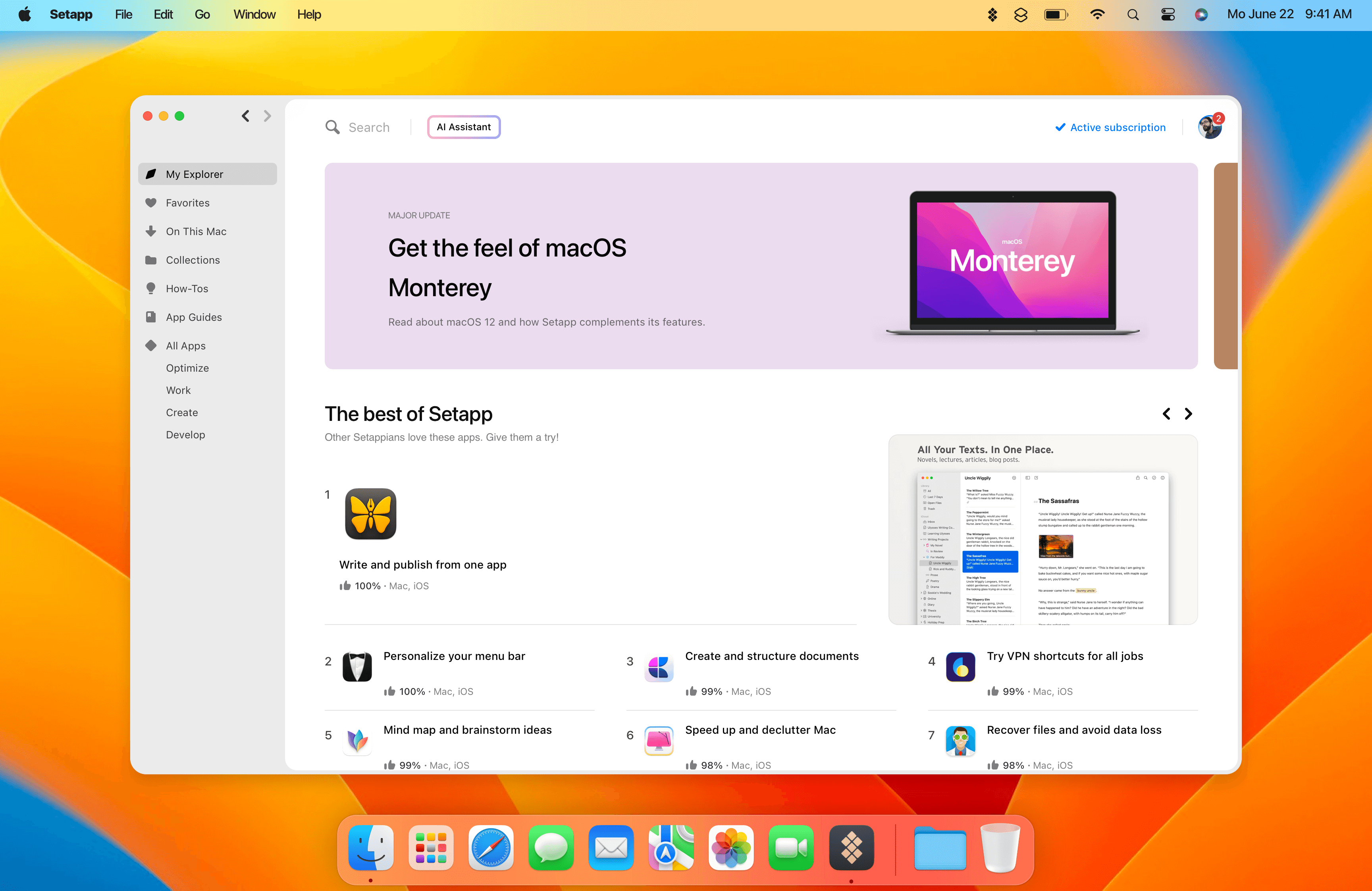
Setapp is a Netflix-style subscription for Mac software, built by MacPaw, the same company behind the well known cleanup tool CleanMyMac. Instead of buying apps one at a time, you pay a flat fee and get access to a curated library of more than 240 apps. Install what you want, drop what you do not, and everything stays updated for as long as you keep paying.
Our rating of 3.5 out of 5 reflects a service that is genuinely useful but uneven. The install experience is clean, the flagship apps are excellent, and the maths works out in your favour if you use several premium tools. On the other side, the catalogue has picked up a fair amount of filler, international pricing is a sore point for many users, and support does not always move quickly. It is a solid product with a few rough edges that keep it from a higher score.
What Is Setapp and How Does It Work?
The idea is simple. You subscribe, you open the Setapp desktop app, and you browse a shelf of vetted Mac apps organised by category. Writing, design, productivity, developer tools, file management, system maintenance, and more. Click install and the full version of the app lands on your Mac in seconds. No licence key to hunt for, no separate account per app, no upsell popping up mid-task.
Think of it less like the Mac App Store and more like a membership. Everything inside is yours to use while your subscription is active. That framing matters, because it also explains the biggest catch, which we will come back to. If you stop paying, the Setapp versions of those apps stop working. You are renting access, not owning software.
A handful of iOS apps are included too, though Setapp remains Mac-first at heart. On the plans that support it, you install iPhone and iPad apps through the Mac client rather than a standalone mobile store.
The Apps: What You Actually Get

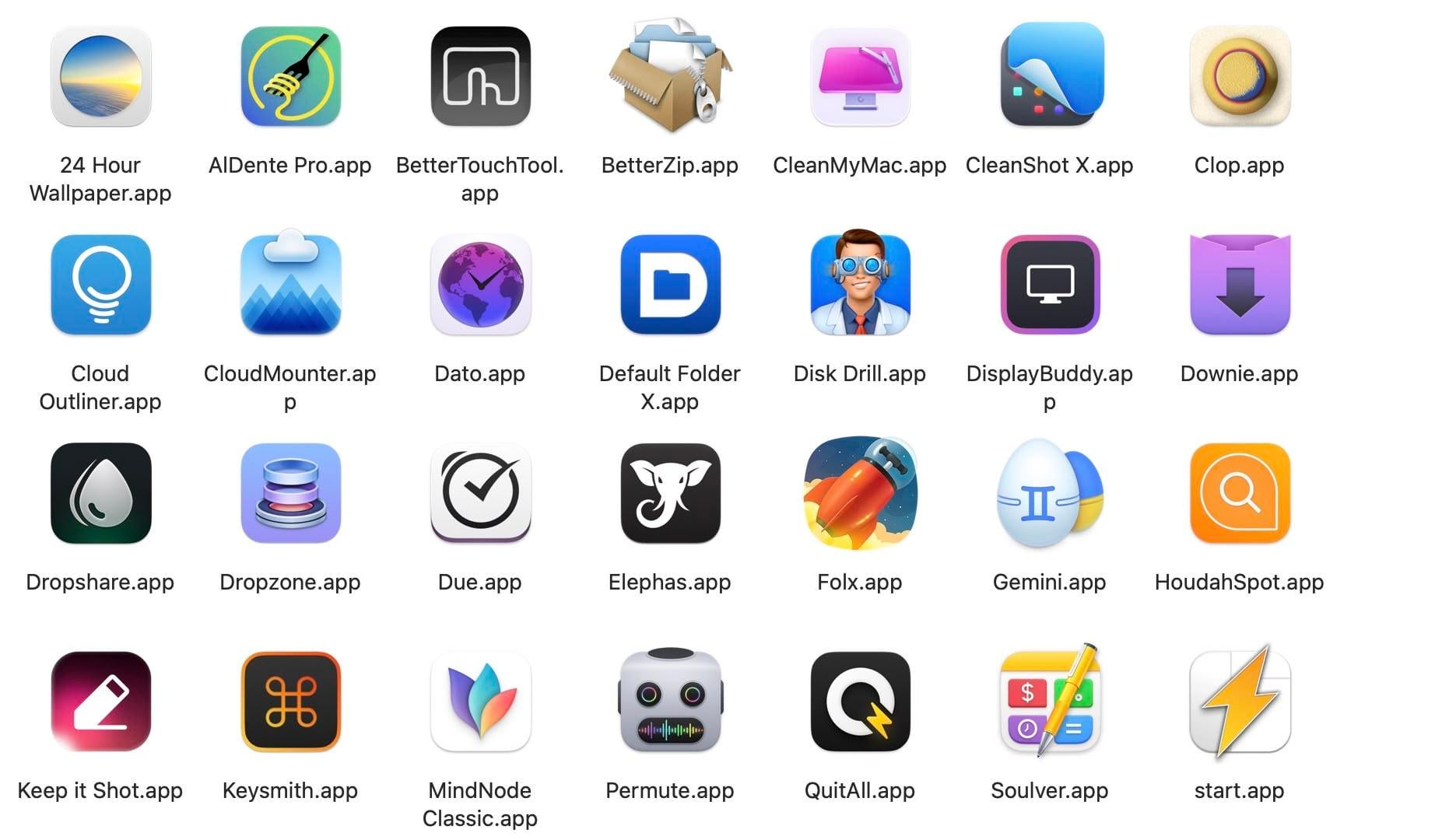
The library is the whole reason to be here, so it is worth being honest about it. At the top end, Setapp includes apps that people happily pay real money for on their own. CleanShot X for screenshots and screen recording, Ulysses for writing, Paste for clipboard history, Downie for downloading video, iStat Menus for system monitoring, and MacPaw's own CleanMyMac all show up regularly on subscribers' must-keep lists.
Below that headline tier, quality gets patchy. This is the most common criticism we found, and it is a fair one. Some apps feel bare bones, a few have not been updated in a while, and there is a sense that the catalogue has been padded to push the app count higher. As one long-term user put it, the collection sometimes looks like it is chasing quantity over quality. If you go in expecting all 240-plus apps to be gems, you will be disappointed. The realistic way to use Setapp is to find the six to twelve apps that fit your actual work and treat the rest as an occasional bonus.
New arrivals show up most months, usually one to three at a time, and there is a growing focus on AI features in 2026. That direction is welcome for some and irrelevant for others, and a few subscribers have grumbled that the AI push comes with extra credit costs rather than being fully baked into the base plan.
Setapp on Mac: The Day-to-Day Experience
On the Mac, the software is a pleasure to move around. The dashboard is clean, search is quick, and installing or removing an app takes a single click. Uninstalling is where a lot of app subscriptions get sloppy, and Setapp handles it well. You can remove just the application or wipe every trace of it from your system, which keeps your Mac from turning into a graveyard of leftover files.
For people who like to experiment, this low-friction setup is the real magic. Trying a new tool costs you nothing beyond a few seconds, so you end up discovering apps you never would have paid to test. That freedom to poke around is something buying apps individually simply cannot match.
It is not flawless. A few users report that the Setapp helper can be heavier on system resources in the background than they would like, and a small number of apps in the catalogue can feel slow or buggy with large files. Nothing here is a dealbreaker, but it is worth knowing the experience is very good rather than perfect.
What Setapp Users Say on Reddit and Beyond
We went looking for the unfiltered opinions, the kind you find on Reddit threads and community review sites rather than polished marketing copy. The overall mood is positive but qualified, which lines up with our own take.
The praise is consistent. People love the easy install and uninstall, the steady stream of updates, and the moment where a single trial signup for one app turns into a toolkit they did not know they needed. A common story goes something like this: someone joins for one specific app, then slowly realises half their daily utilities are Setapp apps, and the renewal becomes a no-brainer.
The complaints are just as consistent. The junk-app criticism comes up again and again. So does frustration with flat international pricing, where subscribers outside the United States feel the single global price does not reflect local buying power. Support is the other recurring sore spot, with some users describing slow responses or billing issues that took real effort to resolve. These are not universal experiences, but they show up often enough that we would be doing you a disservice to leave them out.
User Experience: The Good and the Frustrating
Pulling it all together, here is the balanced picture based on our testing and community research.
What works well
One-click install and clean, complete uninstall for every app.
A genuinely strong core of flagship apps that justify the fee on their own.
Freedom to experiment with new tools at no extra cost.
Backed by MacPaw, an established Mac developer with a long track record.
Easy to cancel, and a free trial that does not demand a card up front.
What holds it back
A padded catalogue where a chunk of the apps are forgettable filler.
Flat international pricing that feels steep in many countries.
Support that can be slow, especially around billing questions.
Subscription lock-in: cancel and you lose access to the apps.
An AI push in 2026 that sometimes carries extra costs.
Setapp Pricing in 2026
Setapp restructured its plans around device count in 2026, and added AI credit tiers to the mix. Pricing shifts often, so treat these as a guide and check the official page before you subscribe. On annual billing, the entry Mac plan works out to roughly $9.99 per month, with monthly-only billing sitting higher at around $14.99 per month. Plans that add iPhone and iPad support, or that cover multiple Macs, cost more, and there are AI-focused options with larger credit pools for people who lean on AI-enabled apps.
The value question is not really about the headline number. It comes down to a single test. If Setapp replaces three or more apps you would otherwise buy or subscribe to separately, it usually saves you money. If you only need one app, buying it outright is almost always the cleaner choice. Students and teachers get the best deal, with a discounted education plan for anyone holding a valid academic email.
Who Setapp Is For, and Who Should Skip It
Setapp is a strong fit for people who live on their Mac and rely on a stack of small utilities and creative tools. Writers, developers, designers, marketers, and productivity enthusiasts tend to get the most out of it. If you enjoy trying new software and hate juggling half a dozen separate subscriptions, this is a comfortable home.
It is a weaker fit if your needs are narrow or highly specific. If you only reach for one or two apps, or you need heavyweight software like Photoshop or Excel that is not in the library, Setapp will not replace those. And if the idea of losing access to your apps the moment you stop paying bothers you, the rent-not-own model may sit wrong no matter how good the apps are.
Setapp FAQs (2026)
1. Is Setapp worth it in 2026?
For most Mac users who actively use three or more premium apps from the library, yes. Setapp comes out cheaper than buying those apps individually and adds the convenience of one bill and automatic updates. If you only need one app, buying it on its own is usually the better call.
2. How much does Setapp cost in 2026?
The entry Mac plan works out to about $9.99 per month on annual billing, with monthly billing costing more at roughly $14.99 per month. Plans that add iPhone and iPad support, cover multiple Macs, or include larger AI credit pools cost more. Always confirm current pricing on Setapp's official page, since it changes periodically.
3. How many apps are on Setapp?
Setapp offers more than 240 curated Mac apps, with a smaller set of iOS apps included on supported plans. New apps are added most months, though a share of the catalogue is more filler than flagship.
4. Does Setapp work on iPhone and iPad?
Yes, on the plans that support it. Setapp is Mac-first, but certain plans include selected iOS apps that you set up through the Mac client. Device support depends on which plan you choose, so check the plan details before subscribing.
5. What happens to my apps if I cancel Setapp?
The Setapp versions of the apps stop working once your subscription ends. You are paying for access, not ownership. Your own documents and files stay yours, but you would need a separate licence from the individual developer to keep using a specific app.
6. Is Setapp safe to use?
Setapp is built by MacPaw, an established Mac software company that has been around since 2008 and is behind CleanMyMac. Apps are vetted before they join the platform. As with any software, install only what you need and review the permissions requested by utilities that need deeper system access.
7. Does Setapp offer a free trial?
Yes. Setapp typically offers a 7-day free trial, and it does not require a credit card to start. It is the best way to test whether the apps fit your workflow before you commit to a paid plan.
8. Is there a student or teacher discount for Setapp?
Yes. Setapp offers an education plan at a reduced rate for students and teachers with a valid academic email. It is available on annual billing and is the cheapest way in if you qualify.
9. What are the best apps on Setapp?
Frequently recommended standouts include CleanShot X, CleanMyMac, Paste, Ulysses, Downie, iStat Menus, MindNode, and TablePlus. The best picks for you depend on your work, so start with the apps that solve a real daily problem rather than installing everything at once.
10. Is Setapp better than buying Mac apps individually?
It depends on how many apps you use. If you rely on several premium apps, Setapp is usually cheaper and far more convenient than separate purchases and subscriptions. If your needs are narrow, buying one or two apps outright can work out better and avoids the subscription lock-in.











