|
Brand / App Name |
StreamPad (StreamPad - Audio & Deck) |
|
Developer |
Yuta Nakahama (independent developer based in Japan) |
|
Year Launched |
2026 |
|
Category |
Creator tools, productivity, audio control, streaming deck |
|
Platforms |
iPhone and iPad (iOS), with a free companion app for macOS and Windows |
|
Core Promise |
Turn your iPhone or iPad into a programmable control deck and audio mixer for your computer |
|
Pricing Model |
Free to start, one-time in-app purchase for StreamPad Pro at 9.99 USD, separate Remove Ads IAP |
|
Connection |
Wi-Fi auto-discovery on the same network, with USB option for zero latency |
|
Language Support |
English and Japanese |
|
Best For |
Streamers, video editors, DJs, musicians, and developers already in the Apple ecosystem |
|
ICON POLLS Verdict |
2.9 / 5. Promising, useful, but not yet a finished product |
What Is StreamPad?
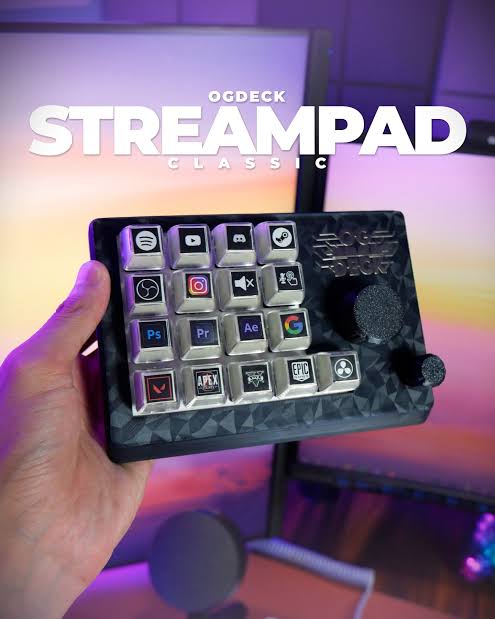
StreamPad is an iOS and iPadOS app that turns your phone or tablet into a touchscreen control deck for your Mac or Windows computer. Think of it as a software take on the Elgato Stream Deck. Instead of buying a 150 dollar piece of hardware, you install the app on a device you already own, install a free companion app on your computer, and the two talk to each other over Wi-Fi.
The app was built by Yuta Nakahama, a solo developer from Japan who launched it in 2026. It is marketed at streamers and content creators, but the feature list reaches further than that. The mixer alone is interesting enough to pull in podcasters and music producers, and the 890 plus prebuilt shortcuts for 40 popular apps means editors, designers, and developers can get something useful out of it too.
On paper, the value is hard to argue with. You get buttons, dials, sliders, gauges, sound pads, and music widgets on a free form grid. There are presets for OBS, Final Cut, Logic Pro, Premiere, Photoshop, and dozens more. There is even a built in per app audio mixer with a 10 band graphic equalizer. For a 9.99 dollar one time purchase, that is a generous bundle.
The App: First Impressions and Setup
Installation is the easy part. You grab StreamPad from the App Store on your iPhone or iPad, then download the free Companion app for your Mac or PC from the developer's website. As long as both devices sit on the same Wi-Fi network, the app discovers the computer automatically and you are looking at a working deck within two minutes.
The visual design is a high point. There are 18 themes in the Pro tier, ranging from Cyberpunk and Neon to Nixie tube, Wood, and Ice. Each one ships with handcrafted SVG assets rather than recycled stock art, and the difference shows. Drag and drop placement on the grid works smoothly, and resizing a button or a slider feels closer to a design tool than to a settings panel.
Where the app stumbles is right after setup, in the empty state. New users get dropped into a fairly bare interface with a wall of options. The 890 plus shortcuts are powerful but discovery is poor. We spent the first hour figuring out which preset matched our active app and how to wire macros to global hotkeys. A short interactive walkthrough would solve most of this.
Download and Availability
StreamPad is available only through the Apple App Store for iPhone and iPad. There is no Android version, no standalone Windows or Mac client, and no web app. If you do not own an Apple mobile device, the app is not for you in 2026.
iOS / iPadOS app: Apple App Store, listed as StreamPad - Audio & Deck
Companion app for Mac and Windows: free download from the official StreamPad website
Wi-Fi pairing happens on first launch, no account or sign up required
USB connection is supported for users who need zero latency for music or live work
One thing worth flagging. The App Store privacy disclosure indicates that some data may be used to track you across other companies' apps and websites. The developer has published a privacy policy, but the tracking line is worth checking before installing if you are sensitive about data sharing.
Pricing: How the Pay Per Tier Model Works
StreamPad uses a freemium model. There is a free tier and a one time Pro unlock. There is no subscription, which is genuinely refreshing in a market where almost every creator tool wants a monthly payment from you.
Free Tier
3 themes
2 pages with a maximum of 10 items on the grid
1 profile
3 macros and 3 sounds
Banner ads inside the app
Remove Ads (in-app purchase)
A separate, smaller IAP that strips the ads without unlocking Pro features. Useful if you want a clean interface but do not need the heavy features.
StreamPad Pro (9.99 USD, one-time)
All 18 themes
Unlimited pages, items, and profiles, with auto-switch by active app
Pro Audio Mixer with per-app volume from 0 to 200 percent, 10 band EQ, and a real time spectrum analyzer
40 app presets and the full library of 890 plus shortcuts
Unlimited macros and sound board entries
Folders, custom images, Shortcuts integration, and Webhook support
Power Monitor via Anker Bluetooth, plus Quick Config save and load
Ad-free
At 9.99 dollars, Pro is well priced for what it does. Compared with paying 149 dollars for a Stream Deck MK.2, or paying a monthly subscription for some of the cloud based alternatives, this is one of the cheaper ways into a serious control surface. Our gripe is with the free tier. Two pages and 10 items is not enough to really evaluate the product before deciding to upgrade. Most users will hit the limit during their first session.
User Experience: Day to Day Use
This is where the 2.9 score gets earned. There are real wins and there are real frustrations, often within the same hour of use.
What Works Well
The audio mixer is the standout. Being able to set Spotify to 70 percent, Discord to 110 percent, and your browser to 0 from a tablet next to your keyboard is a small thing that feels great after a week. The OBS integration over WebSocket v4 and v5 is solid. Scene switches happen in well under a second on a healthy network, and the toggles for stream, record, source visibility, and filter on or off are exactly what a live streamer needs.
Auto-switching profiles based on the active app is another genuinely useful feature. Move from Logic Pro to a browser and the deck reshuffles itself. After a week, you stop thinking about it, which is the highest praise a feature like this can get.
What Frustrates
Wi-Fi reliability is the recurring problem. On a strong, low congestion network, latency is good. On a busy 2.4 GHz channel or in an apartment building, you will get the occasional half second hang on a button press. For someone running a live stream, that is not acceptable. The USB option fixes this, but then you are tied to a cable and you have lost some of the appeal of using your phone.
The free tier is too tight. Two pages and 10 items is not a trial, it is a teaser. New users have a hard time figuring out whether the app fits their workflow before they hit the limit. A 14 day full Pro trial would be a stronger move.
Support is slow. Yuta is a solo developer, and that shows in response times to bug reports and feature requests on Product Hunt and other channels. The communication is friendly when it happens, but if you hit a problem on a Friday night before a stream, you are on your own until Monday at the earliest.
The Companion app on Windows is rougher than the Mac version. We saw two crashes during testing on a Windows 11 machine and one stubborn case where the app refused to be discovered without a reboot. Mac users will have a smoother experience overall.
Pros
One time 9.99 dollar Pro price, no subscription
Excellent per app audio mixer with EQ and spectrum analyzer
Strong OBS Studio integration over WebSocket v4 and v5
Auto-switching profiles based on the active app saves real time
18 well designed themes with custom SVG art
Wide preset library, with 890 plus shortcuts for 40 apps
Cons
Free tier limits hide the real product behind a paywall too quickly
Wi-Fi latency can be inconsistent on busy networks
Windows companion app is less stable than the Mac version
Solo developer means slow support and bug response
No Android version and no standalone PC client
Privacy disclosure indicates some cross app tracking
StreamPad 2026 FAQs
These are the questions our readers and the wider creator community keep asking about StreamPad in 2026. Our team answered them based on the official App Store listing, the developer's site, and our own testing.
1. Is StreamPad free to use?
Yes, StreamPad has a free tier you can use forever. It includes 3 themes, 2 pages with up to 10 items, 1 profile, 3 macros, and 3 sounds. The free version shows ads. If you want unlimited items, all 18 themes, the Pro Audio Mixer, and the full shortcut library, you need StreamPad Pro, which is a one time 9.99 dollar in-app purchase.
2. Where can I download StreamPad?
StreamPad is available only on the Apple App Store for iPhone and iPad. The free Companion app for macOS or Windows is downloaded separately from the official StreamPad website. There is no Android version and no standalone desktop app in 2026.
3. Is StreamPad safe to install?
The app is distributed through the official App Store, which gives it a baseline of safety vetting from Apple. That said, the App Store privacy disclosure notes that some data may be used to track you across other companies' apps and websites. If that matters to you, read the developer's privacy policy before installing and review the app permissions carefully.
4. Does StreamPad work with OBS Studio?
Yes. StreamPad supports OBS WebSocket v4 and v5, which means scene switching, start and stop recording, start and stop streaming, source visibility, and filter controls are all available from the deck. More than 20 OBS commands are supported in total.
5. How much does StreamPad Pro cost and is it a subscription?
StreamPad Pro is a one time in-app purchase of 9.99 USD. It is not a subscription. You pay once and keep the Pro features. There is also a separate, smaller Remove Ads purchase if you want to clear the banner ads without unlocking the full Pro feature set.
6. Can I use StreamPad without Wi-Fi?
StreamPad can connect to your computer over USB as well as Wi-Fi. The USB connection is described as zero latency and is recommended for music production or any workflow where a stutter would be a problem. If you do not have a stable Wi-Fi network, the USB option keeps the app usable.
7. What is the difference between StreamPad and Elgato Stream Deck?
Stream Deck is a physical hardware product that starts around 149 dollars and adds the cost of any extensions. StreamPad is a software app that runs on an iPhone or iPad you already own, with a one time Pro unlock of 9.99 dollars. Stream Deck is more reliable and has a deeper plugin ecosystem. StreamPad is cheaper, more flexible visually, and adds an audio mixer that Stream Deck does not include out of the box.
8. Does StreamPad work on Android phones or tablets?
No. As of 2026, StreamPad is an iOS and iPadOS exclusive app. There is no Android version and the developer has not publicly announced one. Android users will need to look at alternatives such as Touch Portal or Loupedeck mobile companions.
9. Who made StreamPad?
StreamPad was built by Yuta Nakahama, an independent solo developer based in Japan. He launched the app in 2026 and continues to ship updates and respond to user feedback through Product Hunt and the App Store. The solo developer model keeps the price low but does mean support is slower than what you get from a large company.
10. Is StreamPad worth buying in 2026?
For most Apple users who want a software based control deck, yes, at the one time 9.99 dollar Pro price it is fair value. For professional streamers who cannot afford latency issues or who need 24 hour support, a hardware Stream Deck or a more established competitor is still the safer choice. Our ICON POLLS team rated it 2.9 out of 5 because the ideas are strong but the execution still has work to do.











