Here is a fact that should change how you think about video content: roughly 80 percent of TikTok and Instagram Reels are watched with the sound turned off. That number has been consistent for years, and in 2026 it has not budged. If your videos do not have captions, you are essentially making content that most of your audience cannot follow.
The good news is that the tools for adding captions have improved dramatically. What used to require expensive software and hours of manual work can now be done in minutes with artificial intelligence. These apps listen to your audio, transcribe it in real time, sync the words to your video, and let you style everything to match your brand or aesthetic. Some of them go even further, offering translation into dozens of languages, animated text effects, and direct export to social platforms.
But not every caption app is created equal. Some nail the accuracy but lack style options. Others look beautiful but get half the words wrong. And pricing has shifted significantly this year, with several popular tools moving previously free features behind paywalls. Icon Polls put together this ranking after testing each app across real world workflows, evaluating accuracy, styling, ease of use, language support, and value for money.
At a Glance: Top 10 Automatic Caption Apps for 2026
|
# |
App Name |
Best For |
Platform |
Starting Price |
Free Plan |
Languages |
|
1 |
CapCut |
All round editing |
Mobile, Desktop, Web |
$19.99/mo (Pro) |
Yes (limited) |
20+ |
|
2 |
Captions App |
Speaking videos |
iOS, Android |
$9.99/mo |
Yes |
80+ |
|
3 |
VEED |
Browser editing |
Web based |
$12/mo |
Yes (watermark) |
125+ |
|
4 |
Descript |
Transcript editing |
Desktop, Web |
$16/mo |
Yes |
20+ |
|
5 |
Kapwing |
Team collaboration |
Web based |
$16/mo |
Yes (watermark) |
100+ |
|
6 |
Filmora |
Desktop creators |
Desktop, Mobile |
$13.99/mo |
Yes (watermark) |
25+ |
|
7 |
Zubtitle |
Marketers |
Web based |
$16/mo |
Limited trial |
50+ |
|
8 |
InShot |
Mobile editing |
iOS, Android |
$3.99/mo |
Yes (ads) |
15+ |
|
9 |
Subly |
Translation focus |
Web based |
$15/mo |
Yes |
67+ |
|
10 |
TikTok/IG Native |
Quick posting |
In app |
Free |
Yes |
10+ |
1. CapCut
CapCut remains the most widely used caption tool among TikTok and Instagram creators, and for good reason. Developed by ByteDance, the same company behind TikTok, it offers a level of integration and polish that third party apps struggle to match. The auto caption feature transcribes speech with around 92 to 94 percent accuracy on clear English audio, and the word level timing is tight enough that you rarely need to adjust sync manually.
The big change in 2026, however, is pricing. CapCut moved auto captions behind its Pro tier earlier this year, which now costs $19.99 per month or $179.99 per year. That is a significant jump from the old pricing and has frustrated creators who built their entire workflow around CapCut being free. The free plan still allows manual captioning, and you get limited AI credits, but the days of unlimited free auto captions are over.
That said, if you are already using CapCut for your edits, the Pro plan delivers excellent value. You get 4K exports, an enormous template library, background removal, voice cloning, and all the AI tools alongside those auto captions. For creators publishing three or more videos per week, the time savings alone justify the cost. CapCut earns the top spot because it combines captioning with a full editing suite in a way that no other app on this list quite matches.
2. Captions App (formerly Captions AI)
Captions started out as a dedicated auto caption tool and has evolved into something much more ambitious. The app now offers AI editing, teleprompter functionality, eye contact correction, and even AI powered dubbing. But at its core, the captioning remains its strongest feature.
What sets Captions apart is how well it handles speaking videos. If you record talking head content for TikTok or Reels, this app was basically built for you. The transcription is fast, the animated caption styles are trendy and customizable, and the whole experience is designed for mobile first creators who want to go from recording to posting in under five minutes. It supports over 80 languages, which makes it one of the more versatile options for international creators.
The app offers a free tier with basic features, and premium plans start at $9.99 per month. That is competitive pricing for the level of polish you get. The only real drawback is that Captions is focused almost entirely on talking head content. If you are working with b roll heavy videos or montages with background music, other tools on this list will serve you better.
3. VEED

VEED has quietly become one of the most reliable browser based video editors available, and its auto subtitle feature is a major reason why. The tool transcribes audio and generates styled captions directly in your browser, with no downloads required. It supports over 125 languages, which is the highest count on this list, and the transcription accuracy on clean audio is consistently strong.
The caption styling options are where VEED really earns its keep. You get animated text presets that match the bold, word by word highlighting style that dominates TikTok in 2026. You can customize fonts, colours, backgrounds, and positioning, and the results look professional without requiring any design skills. For creators who want their captions to pop without spending an hour tweaking settings, VEED hits a sweet spot.
Pricing starts at $12 per month for the Lite plan (billed annually), with the Pro plan at $29 per month. The free tier lets you test the tool but exports with a watermark and limits you to 10 minute videos. For browser based captioning with deep language support and strong styling, VEED is hard to beat.
4. Descript
Descript takes a fundamentally different approach to video editing, and it is brilliant for a certain kind of creator. Instead of working on a traditional timeline, you edit your video by editing a text transcript. Delete a sentence from the transcript and the corresponding video clip disappears. Fix a typo and the audio updates. It sounds almost too simple, but in practice it transforms how quickly you can clean up talking head videos, interviews, and podcast clips.
The auto captions are generated directly from that transcript, which means accuracy is baked into the workflow from the start. If you have already corrected the transcript during editing, your captions are already perfect. Descript also offers features like filler word removal, silence trimming, and Studio Sound audio enhancement that clean up your raw footage before you even think about captions.
The styling options for captions are more limited compared to CapCut or VEED. You will not find the same range of animated presets or trendy templates. But for creators who prioritize accuracy and workflow efficiency over visual flair, Descript is unmatched. Plans start at $16 per month, with a free tier that allows limited use.
5. Kapwing
Kapwing is a browser based editor that has carved out a strong niche among marketing teams and small agencies. Its auto subtitle generator supports over 100 languages and includes more than 100 caption style presets, including word by word animations that work well for short form social content.
Where Kapwing stands out from other browser tools is collaboration. Multiple team members can work on the same project in real time, which is invaluable for agencies or brand teams that need approval workflows. You can also batch resize videos for different platforms in a single click, turning one landscape video into TikTok, Reels, and YouTube Shorts versions without starting from scratch.
The free plan is quite limited in 2026, with watermarked 720p exports and a one minute video cap. The Pro plan costs $16 per month (billed annually) or $24 per month on monthly billing. It is a solid mid range option, though solo creators might find better value in VEED or CapCut unless they specifically need the team features.
6. Filmora (by Wondershare)
Filmora has been around for years as a desktop video editor aimed at beginners and intermediate users, and its auto caption feature has matured nicely. The AI transcription is accurate on clear audio, and Filmora offers dynamic caption templates that go beyond basic text overlays. You get animated styles, multi language support for around 25 languages, and the ability to export directly to social platforms.
The desktop version is where Filmora really shines, offering batch editing, caption translation, and scheduling tools that the mobile app lacks. However, the mobile app does include auto captions as well, making it usable across both workflows. One downside is that free exports include a watermark, which is a dealbreaker for professional content. Paid plans start at around $13.99 per month. For creators who want a full desktop editor with decent captioning built in, Filmora is a sensible choice.
7. Zubtitle
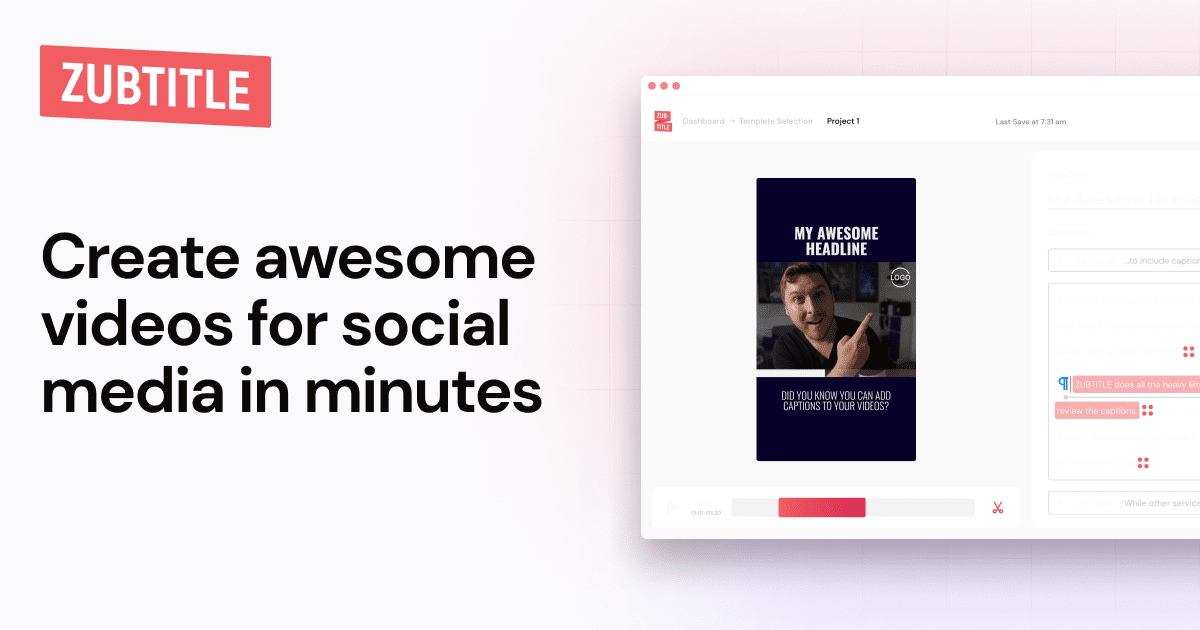
Zubtitle is built specifically for social media video captioning, and it does that one job very well. The tool auto transcribes your video, generates timed subtitles, and lets you customize the styling before exporting. It supports all aspect ratios, which means it works just as well for TikTok's 9:16 vertical format as it does for Instagram's square or landscape options.
What makes Zubtitle particularly appealing for marketers is its focus on engagement tools alongside captions. You can add headlines, progress bars, and branding elements directly within the app. The interface is clean and straightforward, with no bloated feature set to wade through. Plans start at $16 per month, and there is a limited free trial to test things out. It is not the cheapest option, but for marketers who want a focused caption tool without the complexity of a full editor, Zubtitle delivers.
8. InShot

InShot has been a staple on mobile phones for years, and it remains one of the simplest ways to add captions to a video on the go. The app includes AI subtitle generation, though the accuracy is not quite as refined as some of the pricier tools on this list. Where InShot wins is convenience. You can trim, add music, apply filters, overlay text, and generate captions all within one lightweight mobile app.
The free version is supported by ads and includes most features, with premium unlocking an ad free experience and additional export options starting at just $3.99 per month. That makes InShot the most affordable paid option on this list by a comfortable margin. It supports around 15 languages and the caption styling is basic but functional. For casual creators or anyone who just needs to get captions on a video quickly without a steep learning curve, InShot is tough to argue against at that price point.
9. Subly
Subly is a lesser known tool that deserves attention, especially from creators who produce content for international audiences. The platform supports translation into over 67 languages and can generate multilingual subtitles from a single upload. If you create content in English but want to reach Spanish, Portuguese, French, or Arabic speaking audiences, Subly handles that workflow more smoothly than most competitors.
The captioning accuracy is solid, and the interface is simple enough that you can have a subtitled video ready in minutes. Styling options are adequate without being overwhelming, and the platform includes a free tier to get started. Paid plans begin at around $15 per month. Subly is not trying to be a full video editor, and that is actually its strength. It does captions and translation well, and does not clutter the experience with features you do not need.
10. TikTok and Instagram Native Caption Tools
Both TikTok and Instagram now include built in auto caption features, and they deserve a mention here because of their sheer accessibility. If you are already editing within the app and just need basic captions, these native tools get the job done without requiring any third party downloads or subscriptions.
TikTok's auto caption feature generates text overlays from your audio with reasonable accuracy for clear speech. Instagram's equivalent works similarly for Reels. Both are free to use and incredibly convenient. The trade off is customization. You get minimal control over font, colour, and positioning. There are no animated styles, no word by word highlighting, and no translation features. Accuracy can also drop noticeably with background music, accents, or overlapping speakers.
Think of these as the starter option. If you are posting casually and just want your words on screen, the native tools work fine. But if you care about how your captions look, or if you are building a brand, you will quickly outgrow them and find yourself reaching for one of the dedicated tools higher on this list.