Quick Verdict
CapCut remains the most downloaded and most capable free video editor for social media content creation in 2026, and that title is genuinely earned. The combination of an intuitive timeline editor, a template library that updates with trending styles every week, auto-captions that work in seconds, AI background removal, and 4K export without a watermark on the desktop free plan is simply not available anywhere else at zero cost. For content creators, small business owners, students, and anyone producing TikTok, Reels, or YouTube Shorts content regularly, CapCut is the obvious starting point. The rating sits at 4.0 and not higher because the product carries real problems that deserve plain coverage. ByteDance's June 2025 terms of service now claim perpetual, irrevocable, royalty-free rights to everything you upload, including private drafts, which is a genuine concern for professional and commercial work. The US ban situation creates ongoing uncertainty for American users. Pricing is inconsistent across platforms and has been documented to change without notice. More features have moved behind the Pro paywall over the past year. And customer support for billing disputes is widely described as difficult to reach. CapCut is a great free video editor. It is not a tool to use carelessly if you are handling client work or commercially sensitive content.
At a Glance: Icon Polls Ratings
Here is how CapCut scored across the areas we evaluated in our 2026 research:
|
Category |
Stars |
Score |
|
Core Video Editing Tools |
★★★★★ |
4.5/5 |
|
AI Features and Automation |
★★★★★ |
4.5/5 |
|
Templates and Effects Library |
★★★★★ |
4.5/5 |
|
Free Plan Value |
★★★★☆ |
4/5 |
|
Ease of Use and Learning Curve |
★★★★★ |
4.5/5 |
|
Pricing Transparency |
★★★☆☆ |
2.5/5 |
|
Content Rights and Privacy |
★★☆☆☆ |
2/5 |
|
Overall |
★★★★☆ |
4/5 |
What Is CapCut?
CapCut is a free all-in-one video editing application developed by ByteDance, the Chinese technology company also behind TikTok. It launched in 2020 under the name Jianying in China and was introduced internationally as CapCut. What started as a mobile-first editor for short-form social content has evolved into a cross-platform editing ecosystem spanning iOS, Android, Windows, macOS, and a browser-based editor at capcut.com.
The product sits in an interesting market position. It offers capabilities that, five years ago, would have required professional software costing hundreds of dollars. Multi-track timeline editing, keyframe animation, chroma key, motion tracking, color grading, AI background removal, auto-captions, and 4K export all exist in the free version. For creators who were previously doing basic edits in iMovie or stitching clips together in online tools, the first time someone opens CapCut tends to feel like a significant leap in what they can produce.
ByteDance's origin matters for understanding both CapCut's strengths and its limitations. The TikTok connection means CapCut tracks trends with unusual speed. When a new transition style, text animation format, or audio effect becomes popular on TikTok, it typically appears in CapCut's template library within days rather than months. That responsiveness to platform trends is a genuine competitive advantage that most other video editors simply cannot match. It also means CapCut is optimized for a specific kind of content, short-form, social-native, vertically formatted, visually engaging, and less suited for the documentary, tutorial, or cinematic work that other professional editors handle better.
As of April 2026, CapCut has been downloaded over a billion times globally. It is particularly dominant in Southeast Asia, Latin America, and among content creator communities worldwide. The US market situation is more complicated, discussed in detail later in this review. The platform is permanently banned in India since 2020.
The CapCut App: Download and Access
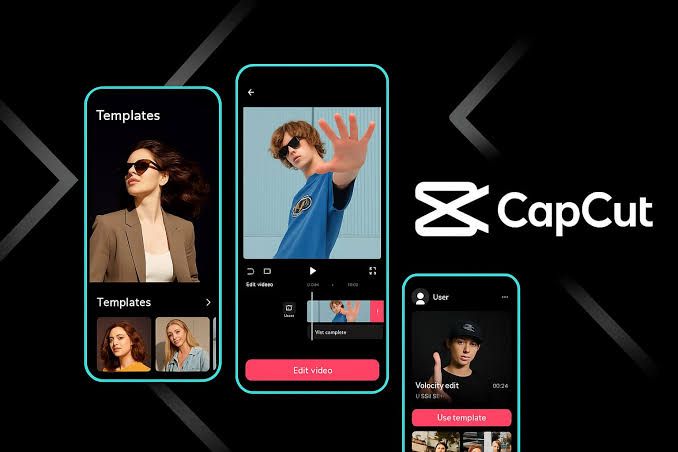
CapCut is available as a free download from the Apple App Store for iOS devices, Google Play for Android, and directly from capcut.com for Windows and Mac desktop installations. The browser-based editor at capcut.com requires no download at all and provides most of the same functionality for users who prefer not to install software. All versions share the same account and sync projects through CapCut's cloud storage.
The download and installation experience is among the smoothest in the video editing category. On mobile, the app installs quickly and the first-use experience guides new users toward templates and basic edits without requiring any tutorial completion. On desktop, the Windows and Mac apps are standard installer packages. The browser editor loads within a few seconds and requires only a modern browser. For new creators who have never used video editing software, CapCut's onboarding is more accessible than any professional alternative.
One practical note for desktop users: several AI-powered features require an active internet connection because processing happens in the cloud rather than locally on your device. For most users in areas with reliable connectivity, this is not a meaningful limitation. For anyone working offline or in environments with limited bandwidth, AI features like background removal, text-to-speech, and style transfer will not function, though basic editing, cuts, transitions, and manual effects continue working locally.
The cross-platform sync between mobile, desktop, and browser deserves specific mention because it works better than many other apps at this price point. Start editing on your phone, continue on your laptop, and access the same project timeline. The cloud storage limitation on the free plan does mean large projects can run into capacity constraints, but for most individual creators the storage is sufficient for active projects.
US Availability in 2026
American users face a specific complication that creators in other markets do not. In January 2025, CapCut was temporarily removed from the Apple App Store and Google Play in the United States as part of the same regulatory action that affected TikTok. A 75-day extension restored temporary access for existing users, but the long-term status of CapCut in the US App Store remains uncertain as of April 2026. Existing users who already have the app installed can continue using it. New downloads in the US are complicated by the regulatory situation, and US users who rely on CapCut professionally should monitor developments and have a contingency plan.
Login and Account Setup
Creating a CapCut account is done through the app or at capcut.com. You can register with an email address and password, through Google account, through Apple ID, or through TikTok login. For users who already have a TikTok account, the TikTok login creates the most seamless connection between the two platforms, making it easy to publish CapCut edits directly to TikTok without additional steps.
The login process itself is straightforward and rarely generates complaints. Two-factor authentication is available and worth enabling. For teams using the Business plan, admin account management allows centralized access control and project sharing across multiple users.
The account subscription management has generated more friction than the login itself. Multiple Product Hunt and Reddit reviews describe difficulty canceling subscriptions through the app, encountering different prices when attempting to renew through the mobile app versus the website, and support responses that are slow or unhelpful when billing disputes arise. One Reddit user described the price on the mobile app showing $20 per month while the website showed $9.99 per month for the same plan. If you subscribe to CapCut Pro, doing it through the website rather than through the App Store or Google Play typically results in a more straightforward billing relationship, and keeping records of your subscription terms before committing to an annual plan is worth the extra step.
CapCut as a Video Editor: What It Can Actually Do
The core editing experience in CapCut is built around a multi-track timeline that works on both mobile and desktop. You import clips, drag them onto the timeline, cut, trim, split, and arrange them. Audio tracks sit beneath the video track. Text layers, effects, and overlays stack above. The interface maps closely to professional editors like DaVinci Resolve in its fundamental logic, while hiding most of the complexity that makes those tools intimidating for beginners.
The feature set available even on the free plan goes significantly further than most people expect. Speed control runs from 0.1x to 100x with speed curve tools for smooth slow-motion effects. Keyframe animation lets you animate any parameter over time: position, scale, opacity, color, filter intensity. Chroma key (green screen) removes specific background colors for compositing. Motion tracking follows a moving object in the frame and pins text or stickers to that movement. Optical flow creates smoother slow-motion from footage shot at normal frame rates. Color grading provides basic adjustment sliders alongside more advanced curves and HSL controls for precise color work.
AI Features in 2026
The AI tools added to CapCut over the past year are the most meaningful product development. Auto-captions generate subtitles from spoken audio in seconds rather than the minutes required by manual transcription, and while accuracy varies with accent and audio quality, the output is usable in most cases with light editing. The transcription is fast enough that many creators use it even knowing they will need to fix a few words.
Background removal works through AI segmentation rather than chroma key, meaning it can remove backgrounds from footage shot without a green screen. The accuracy on hair and fine detail has improved substantially from the early versions and now handles most social media content adequately. Complex transparent objects or very fine detail at the edges of hair remain the hardest cases, but for talking head videos and standard product shots the feature is reliable.
Text-to-speech converts typed scripts into voiceovers across a range of voice styles. For faceless channels, tutorial creators, or anyone who wants narration without recording their own voice, this feature removes a significant production barrier. The voice quality varies by style, with some options sounding noticeably synthetic and others passing casual listener scrutiny. Long Video to Shorts scans uploaded footage and automatically suggests shorter clip edits, which works reasonably well for repurposing longer content into social-format clips. The AI video generator creates short clips from text prompts, producing good results for abstract or stylized content while still showing the uncanny movement artifacts typical of AI video generation in 2026 for realistic human footage.
Command Mode, recently added to desktop versions, allows voice instructions to trigger editing actions. This feature is still in early form and the recognition is inconsistent for complex edit commands, but for basic actions like adding a text layer or removing audio it reduces the number of menu clicks required.
Templates: The Fastest Path to Polished Content
CapCut's template library is one of the most practically useful aspects of the platform for creators who want results quickly without building every edit from scratch. Thousands of templates span every content format imaginable: TikTok trending formats, Instagram Reel styles, YouTube Shorts layouts, product showcases, countdown sequences, photo slideshows with animated text, and event announcements. Many templates are updated weekly with trending visual styles pulled directly from TikTok's viral content ecosystem.
Using a template means your creative work is choosing and personalizing rather than building from zero. You select a template, swap in your own footage or images, adjust the text, and export. A complete polished video can be ready in under 10 minutes this way, which is the workflow that has made CapCut the default starting point for small business owners producing their own social content. The template library quality ranges from excellent to generic, and filtering for relevant styles takes some browsing, but the sheer volume means most creators find something appropriate for their specific format and aesthetic.
CapCut Pricing and Subscriptions in 2026
CapCut's pricing structure has a more complicated real-world story than the headline numbers suggest. Here is the current official structure:
|
Plan |
Price |
Key Features |
|
Free |
No cost |
Full timeline editor, templates, transitions, effects, AI background removal, auto-captions (limited monthly), chroma key, motion tracking, color grading, basic text-to-speech. Desktop: no watermark on most exports. Mobile: watermark on some export types. |
|
Pro |
$9.99/month or $7.99/month annually |
Unlimited auto-captions, all AI features with no credit limits, premium templates and effects, priority support, commercial usage rights, 200GB cloud storage, 4K export on mobile. |
|
Business |
$19.99/month/user |
Everything in Pro plus team collaboration features, brand kit management, admin controls, commercial licensing for client work. For agencies and content teams. |
Pricing verified April 2026. Regional pricing varies significantly: some markets pay $12.99 to $20.84 per month for the equivalent of the $9.99 Pro plan. Mobile app subscriptions through App Store or Google Play are typically more expensive than subscribing through capcut.com directly. A 7-day free trial of Pro is advertised but multiple users report being charged immediately. Verify current pricing in your region before subscribing.
The Real Pricing Story
The headline prices above are only part of the picture. Community analysis across Reddit and Hacker News has documented several pricing behaviors that potential subscribers should know. The same Pro plan can show dramatically different prices depending on whether you access it through the mobile app or the website, and through which platform: one Reddit user reported the in-app price was $20 per month while the website showed $9.99 for the same plan. Sudden price increases without notice have been documented at 75 to 230 percent above previously displayed rates. Users who uninstalled and reinstalled the app have described discovering a higher price than their original subscription on returning.
Features moving from free to paid without warning is the most consistent complaint in long-term CapCut user reviews across 2025 and 2026. A Google Play reviewer from February 2026 specifically described effects that had been free for years being moved behind the paywall without notice. Product Hunt reviewers describe finishing a complete edit, discovering an effect used mid-edit was a Pro feature, and finding the project could not be exported without payment. The sequence, using Pro effects without warning and only revealing the paywall at export, has generated enough consistent complaint to represent a systemic issue rather than occasional exceptions.
For most individual creators using CapCut casually, the free plan remains genuinely useful and the Pro plan at $9.99 per month is reasonable for daily professional use. The billing frustrations documented above are most relevant for users making annual subscription commitments, users whose usage patterns involve regular feature access changes, and professionals whose commercial work depends on stable, predictable access.
Content Rights, Privacy, and the ByteDance Question
Any honest CapCut review in 2026 has to address the content rights issue raised by ByteDance's June 2025 terms of service update. The updated terms grant ByteDance a perpetual, irrevocable, worldwide, royalty-free license to all content uploaded to CapCut, including private drafts. The language is significantly broader than what most users expect from an editing tool.
The practical implications are specific and serious for professional and commercial work. An agency editing a client's unreleased product launch video in CapCut means ByteDance has a perpetual license to that footage. A brand manager working on a confidential campaign uses CapCut and, under the current terms, ByteDance acquires license rights to the creative. A content creator builds a unique tutorial series in CapCut and ByteDance can potentially license that content to competing platforms. These are not hypothetical worst-case interpretations: they are the reasonable plain-language reading of the current terms.
ByteDance's data collection practices are also subject to ongoing regulatory scrutiny in multiple countries, driven by the same concerns that have led to TikTok restrictions in government and sensitive workplace environments. For creators making personal content about non-sensitive topics, the practical risk from these terms may be low. For anyone handling NDA-protected client materials, pre-release commercial content, or professionally sensitive footage, using CapCut for that specific work creates a real contractual and legal exposure that alternative editors do not.
Individual personal content creators making videos about their own interests, hobbies, or public-facing work are far less affected by these considerations than professional creators and agencies. The rating deduction in this category reflects the severity of the concern for commercial users, not a judgment that everyday personal use is risky.
User Experience: Who CapCut Serves Best in 2026
The user experience of CapCut splits clearly along usage type, and understanding which type you represent is the most practical guide to whether the product fits your situation.
Individual content creators making personal or creator-branded content find CapCut to be the best tool available at any price for their specific use case. The template library updates with what is trending before other editors have even seen the formats. The auto-captions handle the most tedious part of social video production. The AI background removal eliminates a workflow step that used to require specialized tools. The learning curve from zero to a competent timeline edit takes an afternoon, not a course. Multiple independent reviews of CapCut from early 2026, including long-form tests from professional video editors comparing it against industry tools, consistently describe CapCut as the best free video editor for social media content, full stop.
Small business owners producing their own marketing content get genuine value from the template approach. A restaurant owner making weekly Reels, a freelancer creating LinkedIn content, or a startup founder building social media presence can produce polished, current-looking content without hiring an editor or learning Adobe Premiere. The Business plan adds brand kit management that becomes relevant once the team grows and consistency matters across multiple content producers.
For professional video editors and agencies, CapCut's limitations show more clearly. There is no teleprompter for recording talking-head content. There is no brand kit that automatically applies fonts, colors, and logo placement across new projects. The collaborative editing is not built for multiple editors working simultaneously on the same timeline. The content rights situation in the current terms of service creates real risk for client work. And the platform-specific optimization means CapCut produces excellent output for TikTok and Reels but is not the right tool for long-form documentary, cinematic work, or course content.
Students and beginners encounter CapCut as possibly the best entry point into video editing that exists. The conceptual introduction to multi-track timelines, keyframes, and layer-based editing that CapCut provides transfers to professional tools later. Someone who starts with CapCut and graduates to Premiere or DaVinci Resolve has a head start that someone who started with iMovie or a basic online editor does not.
Pros and Cons
What CapCut Gets Right
The most capable free video editor for social media content creation available in 2026, with no realistic competitor at the free tier on features, template breadth, or AI tools
Template library updates weekly with trending styles from TikTok and Reels, giving creators access to current visual formats before most other editors have added them
Auto-captions from spoken audio in seconds, with support for multiple languages, covers one of the most time-consuming steps in social video production
AI background removal that works without green screen, now reliable enough for most social and marketing content including complex hair detail
Desktop free plan exports without watermark at up to 4K resolution, a genuinely rare offering that most free video editors do not provide
Learning curve is minimal: independent reviews document first-time users completing polished edits in 20 minutes or less
Multi-track timeline, keyframe animation, chroma key, motion tracking, and optical flow slow-motion are all available on the free plan
Cross-platform sync between mobile, desktop, and browser works reliably for most project types
All AI features are unlimited on Pro with no credit-per-use metering, allowing free experimentation without watching usage counters
Text-to-speech and Long Video to Shorts reduce production time meaningfully for creators working at volume
Where CapCut Creates Problems
ByteDance's June 2025 terms of service claim perpetual, irrevocable, royalty-free rights to all uploaded content including private drafts, creating real legal exposure for professional and commercial work
The US availability situation following the January 2025 regulatory action creates ongoing uncertainty for American creators who depend on the tool professionally
Pricing is documented to vary significantly between platforms (app store vs website) and has been increased without notice, with some regions paying more than double the US price for the same plan
Features have been progressively moved from the free tier to Pro over the past year without clear advance notice, and the editor can use Pro features during an edit and only reveal the paywall at export
Customer support for billing disputes is widely described as slow and unhelpful, with the subscription cancellation process generating consistent complaint across Product Hunt and Reddit
No native brand kit that automatically applies fonts, colors, and logo placement across new projects, meaning every project requires manual brand setup
No teleprompter mode on desktop for talking-head recording, a workflow gap that requires a separate tool
The Windows version has documented stability issues with longer projects and multiple stacked AI effects, including occasional crashes
Platform is permanently banned in India and has uncertain availability in the US, affecting creators in those markets
Content moderation and algorithmic decisions about the template library are controlled by ByteDance, which creates dependency on a platform with complex geopolitical considerations
How CapCut Compares to Alternatives
CapCut vs Adobe Premiere Pro: Adobe Premiere is the professional standard at $54.99 per month and has features CapCut simply does not: complex multi-cam editing, deep audio mixing, professional color science, Lumetri Color, seamless integration with After Effects, and no content rights concerns on anything you create. The learning curve is steep and the price is significant. For professional video production, Premiere wins at every level of capability. For social media content at speed, CapCut's template-first approach and trend-aware updates produce comparable output for casual purposes in far less time.
CapCut vs DaVinci Resolve: DaVinci Resolve's free version is genuinely professional-grade and the strongest free alternative for creators who need proper color grading, advanced audio work, or complex compositing. It runs entirely offline and has no content rights concerns. The tradeoff is a significantly steeper learning curve and no template library aimed at social media trends. For creators who have grown past social content into more ambitious video work, DaVinci Resolve is the logical next step from CapCut.
CapCut vs iMovie: iMovie is free for Apple users and has no ByteDance data concerns. Its export quality is solid and it integrates well with Final Cut Pro as a graduation path. The limitations compared to CapCut are significant: no template library updated for social trends, no AI background removal or auto-captions, limited audio tools, and no Android or Windows support. For Apple users making simple personal videos, iMovie is sufficient. For anyone serious about social content production volume, CapCut's feature set makes the comparison easy.
CapCut vs VEED: VEED is a browser-based alternative with stronger content ownership terms, team collaboration, and US availability without geopolitical uncertainty. It is not free at the level of features CapCut provides and the template library is smaller. For US-based professional creators and agencies who are specifically concerned about content rights and regulatory risk, VEED or similar alternatives represent a safer foundation for commercial work even if they require paying for features CapCut offers free.
Frequently Asked Questions About CapCut (2026)
1. What is CapCut and who made it?
CapCut is a free all-in-one video editing app developed by ByteDance, the Chinese technology company that also operates TikTok. It launched internationally in 2020 and has become one of the most downloaded video editing applications in the world, with over a billion downloads across iOS, Android, Windows, Mac, and the browser-based editor at capcut.com. CapCut provides a full-featured video editing timeline with multi-track editing, keyframe animation, color grading, chroma key, motion tracking, AI background removal, auto-captions, text-to-speech, thousands of templates, and AI video generation. The core editing experience is free. CapCut Pro adds unlimited AI features, premium effects, commercial licensing rights, and 200GB cloud storage for $9.99 per month or $7.99 per month on annual billing.
2. Is CapCut completely free?
CapCut has a genuinely functional free plan that covers most editing needs for casual and regular social media creators. The free plan includes the full multi-track timeline editor, basic and standard transitions, a large portion of the effects and template library, AI background removal, auto-captions with a monthly usage limit, chroma key, motion tracking, keyframe animation, color grading, and 4K export without watermarks on the desktop version. The limitations that push creators toward Pro are the monthly cap on auto-captions, which regular creators hit quickly, the watermark on some mobile export types, access to premium templates and effects, and commercial usage rights for client or business content. One significant documented frustration is that the editor allows free plan users to build an entire project using Pro effects without warning, and only displays the paywall when attempting to export. Checking whether effects in your edit are Pro-gated before reaching the export stage saves that frustration.
3. How do I download CapCut?
CapCut is available as a free download through multiple channels depending on your device. On iPhone and iPad, search for CapCut in the Apple App Store. On Android phones and tablets, search for CapCut in the Google Play Store. On Windows, go to capcut.com and click the Download button for the Windows desktop app, or use the Microsoft Store. On Mac, go to capcut.com for the Mac download or search for it in the Mac App Store. The browser-based editor at capcut.com requires no download and works in Chrome, Firefox, Safari, and other modern browsers with no installation. Note for US users: CapCut was temporarily removed from US app stores in January 2025 due to regulatory action. The availability situation for new US downloads changes over time, and checking the current status in the App Store or Play Store in your region is advisable before attempting to download.
4. What does CapCut Pro include and is it worth paying for?
CapCut Pro costs $9.99 per month or $7.99 per month on an annual plan. It adds unlimited access to all AI features with no monthly usage caps, all premium templates and effects, commercial usage rights for business content, 200GB cloud storage instead of the free plan's limited allocation, 4K export on mobile, and priority customer support. For creators producing social media content daily or weekly as a primary activity, the unlimited auto-captions alone typically justify the cost within the first week of use. For casual creators making one or two videos per month, the free plan usually covers everything needed. The most important practical advice before subscribing: subscribe through the CapCut website (capcut.com) rather than through the App Store or Google Play if possible, as the website pricing is typically lower and the billing relationship is more straightforward. Mobile app subscriptions have generated more billing complaints than direct website subscriptions. A 7-day free trial of Pro is advertised, but multiple users have reported being charged immediately. Read the trial terms carefully before entering payment information.
5. How do I log in to CapCut?
Log in to CapCut by opening the app or going to capcut.com and selecting Log In. You can sign in using an email address and password registered directly with CapCut, through your Google account, through Apple ID, or through your TikTok login. The TikTok login is the most seamless option for creators who already have a TikTok account and plan to publish CapCut content directly to TikTok. Your account and projects sync across all platforms using the same login, so edits started on your phone are accessible on desktop and in the browser. If you are managing a team account under the Business plan, the admin login provides access to team management controls and project sharing features. If you encounter login issues, the most common cause is a mismatch between which authentication method you used during signup and what you are trying on login. Try each option (Google, Apple, TikTok, email) if the first attempt does not work.
6. Are CapCut templates free?
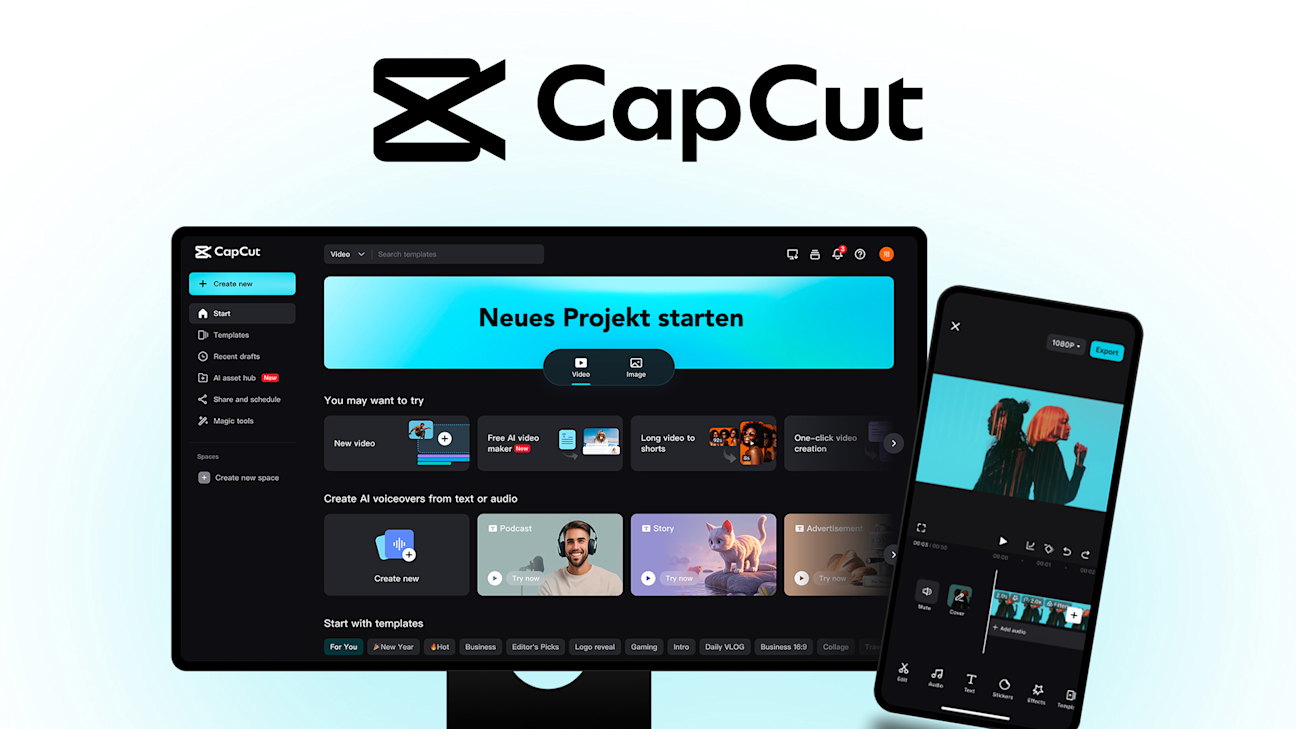
A large portion of the CapCut template library is free, and the selection of free templates is genuinely substantial covering most major social media formats. Free templates are regularly updated with trending styles, and most creators find enough variety in the free selection for their typical needs. Premium templates, identified by a Pro badge or crown icon in the interface, require a Pro subscription. The ratio of free to Pro templates varies by category: trending social formats tend to have more free options, while specialized professional styles lean more heavily toward Pro. When using a template on the free plan, the editor does not always make clear upfront whether individual elements within the template are Pro-gated. The most efficient workflow for free plan users is to preview a template fully before committing to building on it, to avoid the export paywall surprise documented in multiple user reviews. Templates are available through the main CapCut app and website, and the library can also be browsed at capcut.com before starting a project.
7. Can I use CapCut for commercial or business videos?
You can use CapCut for business and commercial content, with two important caveats. First, commercial usage rights are only explicitly included in the Pro and Business plans, not the free plan. If you are creating content for a client, for paid advertising, or for commercial brand promotion and using the free plan, your usage may not comply with CapCut's commercial terms. Second, and more significantly for professional creators, ByteDance's June 2025 terms of service update grants them a perpetual, irrevocable, royalty-free license to all content uploaded to CapCut, including private drafts. For personal and creator-branded content, this is a terms-of-service consideration most users accept. For client work covered by NDAs, pre-release commercial content, or proprietary business footage, uploading that material to CapCut means ByteDance has license rights to it under the current terms. If you handle commercially sensitive material, reviewing the current CapCut terms of service and consulting your legal team before using CapCut for that specific work is the prudent approach.
8. What are CapCut's best features for beginners?
Beginners get the most immediate value from three specific CapCut capabilities. Templates are the fastest path to professional-looking output without editing skill: choose a trending format, swap in your footage or photos, and export in under 10 minutes. Auto-captions generate subtitles from any spoken content in seconds, which solves the captioning requirement for social video without manual transcription. And AI background removal lets you shoot in any environment and remove the background automatically, which opens creative possibilities that previously required specialized studio setup or green screen equipment. Beyond those three features, the editor's basic controls, trimming clips, adjusting timing, adding music from the built-in library, and inserting text, are intuitive enough that most beginners find them without tutorial guidance. The learning curve from first open to a usable edit is measured in minutes rather than hours, which is genuinely unusual among video editors capable of this output quality.
9. Is CapCut safe and what about privacy?
CapCut is safe in the everyday sense of being a functional application that works as described without malware. The privacy considerations are different and worth understanding. As a ByteDance product, CapCut is subject to the data practices and regulatory scrutiny that also apply to TikTok, including government concerns in the US, EU, and other jurisdictions about data access by ByteDance. The June 2025 terms of service update specifically granted ByteDance perpetual, irrevocable license rights to all uploaded content including private drafts, which is a more expansive claim than what most users expect from an editing tool. For personal creative content, most users find this acceptable given the product value. For sensitive business, client, or proprietary content, this represents a real contractual concern. CapCut is permanently banned in India and was temporarily unavailable in US app stores in January 2025 due to these regulatory concerns. The US situation has not been fully resolved as of April 2026.
10. What are the best alternatives to CapCut in 2026?
The best alternative depends on why you are looking beyond CapCut. For professional-grade free editing with no content rights concerns: DaVinci Resolve is fully professional, runs entirely offline, and is free for the full feature set. For Apple-only users wanting a simpler alternative: iMovie is free, no ByteDance involvement, and solid for basic to intermediate edits. For US-based creators concerned about regulatory uncertainty: VEED, Adobe Premiere Elements, or Clipchamp (built into Windows 11) provide stable options without geopolitical considerations. For professional agencies working with client content: Adobe Premiere Pro at $54.99 per month or Final Cut Pro as a one-time purchase offer full professional capability with clear content ownership terms. For social media creators specifically who want the closest experience to CapCut without ByteDance: InShot has a strong mobile editor with a good template library, though it does not match CapCut's AI feature depth. Most creators who switch from CapCut to any alternative describe the same experience: the alternatives are perfectly usable but they feel slower for social content because their template libraries are smaller and trend-responsiveness is slower.
Icon polls Verdict
CapCut earns a 4.0 out of 5 from Icon Polls in 2026. For the core question of whether it is the best free video editor for social media content creation, the answer remains yes and it is not particularly close. The combination of a weekly-updated template library, functional AI background removal, fast auto-captions, multi-track timeline editing, and 4K desktop export without a watermark, all at zero cost, is simply not available anywhere else. For the hundreds of millions of creators making TikTok, Reels, and Shorts content, CapCut is the starting point and for many it remains the permanent home of their editing workflow.
The score does not reach 4.5 or higher because the issues documented in this review are real and relevant, not minor footnotes. ByteDance's content licensing terms are genuinely problematic for commercial work and the June 2025 update made them broader, not narrower. The US regulatory situation creates real platform uncertainty for American creators who depend on the tool professionally. The documented pattern of features moving from free to paid without notice, and of Pro effects being usable in a project until the export paywall surprise, represents a friction with user trust that a 4.5-rated product should not have. And the billing complaints across Product Hunt, Reddit, and Google Play represent a customer experience gap that the product's technical quality does not compensate for.
The practical guidance from Icon Polls is this: for personal creative content, social media creator work, small business marketing, and student video projects, CapCut is the obvious choice and you should be using it. Download it, explore the templates, enable Pro's free trial on a project that genuinely tests the AI features, and decide whether $9.99 per month fits your workflow. For professional work involving client NDAs, pre-release commercial content, or footage your business cannot afford to give a third party license rights to: use CapCut for personal content and choose a different editor for that specific work. The two uses can coexist, and knowing the distinction makes CapCut a powerful tool in your stack rather than a liability.











