If you have been spending any time in developer circles lately, you have probably come across Claudebin. It popped up in early 2026 and made some noise on Product Hunt as a tool that lets you share your Claude Code terminal sessions with other people. Sounds useful on paper, right? We thought so too. So the Icon Polls team decided to take a proper look at it and see if it actually delivers on what it promises.
After weeks of testing, digging through user feedback, checking the GitHub repository, and trying to use it in real workflows, we came away with a pretty clear picture. And honestly, it is not a great one. We gave Claudebin a rating of 1.2 out of 5, and this review will walk you through exactly why.
Claudebin Profile Overview
|
Tool Name |
Claudebin |
|
Website |
claudebin.com |
|
Developer |
Wunderlabs (W/underlabs) |
|
Headquarters |
Europe |
|
Year Launched |
2026 |
|
Type |
Developer Tool / Claude Code Session Sharing |
|
Platform |
Web based (browser) |
|
Mobile App |
Not available |
|
Login Method |
GitHub authentication |
|
Pricing |
Free and open source (MIT License) |
|
GitHub Repository |
github.com/wunderlabs-dev/claudebin.com |
|
Built With |
Next.js 16, Supabase, TypeScript |
|
Product Hunt Rank |
#4 on launch day (260 upvotes) |
|
Icon Polls Rating |
1.2 out of 5 |
What is Claudebin?
Claudebin is a free, open source tool built by a European development studio called Wunderlabs. The idea behind it is simple. When you use Claude Code in your terminal to write code, debug, or work through a technical problem, all of that session data stays locked on your local machine in a format that is hard to read or share. Claudebin takes that session data and turns it into a shareable URL with syntax highlighting, tool calls, file changes, and the full conversation thread preserved.
It was launched in February 2026 and gained some traction on Product Hunt, finishing at #4 on its launch day with around 260 upvotes. On the surface, it sounds like it fills a gap. But once you start actually using it day to day, the cracks start showing pretty fast.
Login
Claudebin uses GitHub authentication as its only login method. There is no email signup, no Google login, no alternative. You go to claudebin.com/auth/login, click the GitHub button, authorize the app, and you are in.
Now, for developers who already live on GitHub, this is not a big deal. But it immediately cuts out anyone who does not have a GitHub account or who does not want to connect a third party tool to their GitHub profile. In our testing at Icon Polls, we found this to be a surprisingly common concern. Not everyone is comfortable handing over GitHub permissions to a tool with no clearly identified team behind it. The Wunderlabs website exists, but there is no public team page, no named founders (beyond first names on Product Hunt threads), and no company registration details that we could easily verify. That makes the GitHub only login feel a bit uncomfortable for cautious users.
App
![]()
Let us be direct here. Claudebin does not have a mobile app. There is no iOS app, no Android app, and no desktop application. It is entirely web based, which means you access everything through your browser at claudebin.com.
For a tool aimed at developers, that might seem fine at first. But it also means there is no offline access, no push notifications when someone comments on or interacts with your shared session, and no native integration with your operating system. When you compare it to other developer collaboration tools that offer proper apps across platforms, Claudebin feels incomplete. If you are someone who works across devices or wants quick access to your shared sessions on the go, you are out of luck.
Download
There is nothing to download in the traditional sense. Claudebin works through two components. The first is the web app at claudebin.com where you view and manage shared sessions. The second is a Claude Code plugin that you install locally to publish sessions from your terminal.
To install the plugin, you need to clone the GitHub repository, install dependencies using Bun (not npm, not yarn), and run it alongside Claude Code with a specific command flag. The installation process is not particularly beginner friendly. You need to be comfortable with the command line, know what Bun is, and be willing to use the "dangerously-skip-permissions" flag, which is not exactly reassuring from a security standpoint.
Icon Polls found the setup process to be more technical than it needs to be. A one click install or a simpler plugin distribution method would go a long way toward making this tool accessible to a broader audience.
Pricing
Claudebin is free and open source under the MIT license. There is no paid plan, no premium tier, and no pricing page. On paper, that sounds great. Free tools are always welcome in the developer community.
But here is the thing. Free also means there is no guaranteed support, no SLA, no clear roadmap, and no promise that the tool will still be maintained six months from now. During our review, Icon Polls could not find any documentation about usage limits, rate limiting, storage caps, or data retention policies. How long do your shared sessions stay live? Is there a cap on how many you can publish? Nobody seems to know, and the documentation does not say.
For solo developers experimenting with a session or two, this is probably fine. But if you are thinking about building a team workflow around Claudebin, the lack of transparency around these basics is a real problem.
GitHub
The Claudebin source code lives at github.com/wunderlabs-dev/claudebin.com for the web app and github.com/wunderlabs-dev/claudebin for the Claude Code plugin. Both repositories are public and licensed under MIT.
The web app is built with Next.js 16 and uses Supabase for the database and storage backend. The codebase is organized cleanly enough, with separate directories for components, server actions, API routes, and database migrations. For developers who want to self host or contribute, the structure is reasonable.
However, the commit history tells a different story. Activity appears to be concentrated in short bursts, with quiet periods in between. The contributor count is small, and the issue tracker does not show a lot of community engagement. For an open source project, that is a warning sign. It suggests either a very small team with limited bandwidth or a project that may not be getting the attention it needs to grow and improve.
User Experience
![]()
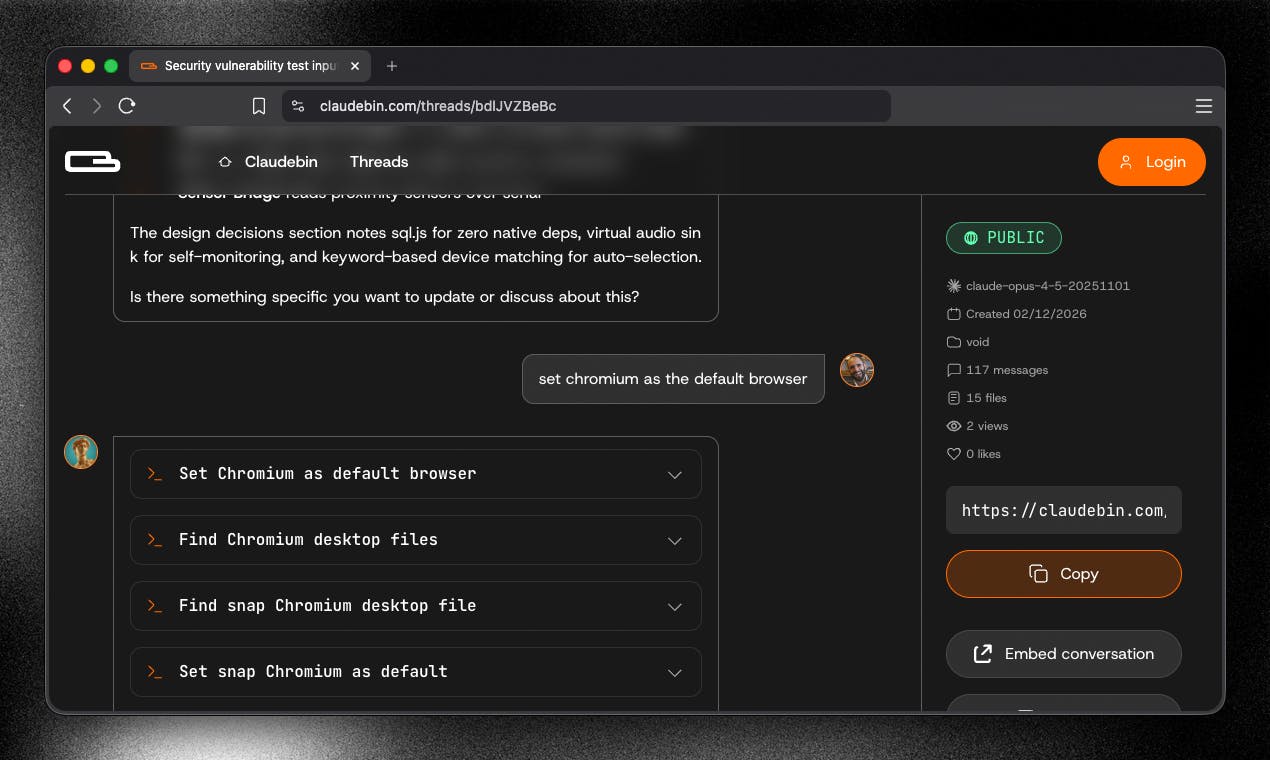
This is where things really fell apart in our testing. The core idea of Claudebin is solid. You finish a Claude Code session, run a command, and get a shareable link. That part works. The shared session page shows the conversation thread, file reads and writes, bash commands, and tool calls in a structured viewer with syntax highlighting. It looks clean.
But that is about where the positives end. The viewer is read only. You cannot annotate, comment, or collaborate within the shared session. There is no way to highlight a specific section and leave a note for a teammate. There is no search function to quickly find a particular command or response in a long session. If you want to resume a session, the process is clunky and not well documented.
The embedding feature, which is supposed to let you drop a session into a PR or documentation page, works in a basic sense but it is not interactive. It is essentially a static display of the session content, which limits its usefulness for actual code review workflows.
Team features are still listed as under development based on user feedback on Product Hunt. There is no organization management, no permission controls, and no way to create private team spaces. For a tool that bills itself as being about collaboration and sharing, the absence of these features is hard to overlook.
Our Verdict: Why Icon Polls Rated Claudebin 1.2 Out of 5
We do not enjoy giving low ratings. But after thorough testing and research, Icon Polls landed on 1.2 out of 5 for Claudebin, and here is the honest breakdown of why.
The tool solves a real but very narrow problem. It only works with Claude Code sessions, which immediately limits its audience to a small slice of the developer population. The lack of a mobile app, the GitHub only login, the technically demanding installation process, and the missing team collaboration features all add up. On top of that, the absence of clear documentation around limits, data policies, and long term maintenance plans makes it hard to recommend for anything beyond casual, individual use.
There are moments where Claudebin does what it says it will do. If you just need to quickly share a session link in a Slack channel or paste it into a pull request, it works for that. But the bar for developer tools in 2026 is higher than that. Users expect proper apps, clean onboarding, transparent pricing (even if it is free), and active community support. Claudebin falls short on most of these fronts.
What We Liked
The core concept of turning terminal sessions into shareable URLs is genuinely useful. The session viewer is clean and well designed. The fact that it is free and open source means anyone can try it without financial risk. The MIT license allows for self hosting and modification.
What We Did Not Like
No mobile app or desktop app. GitHub only login with no alternatives. Complicated installation process that requires Bun and a permissions bypass flag. No clear documentation on usage limits or data retention. No team or organization features. No annotation, commenting, or real collaboration tools. Limited to Claude Code sessions only. Small development team with inconsistent commit activity. No visible company information or accountability structure.
Frequently Asked Questions About Claudebin
1. What is Claudebin used for?
Claudebin is a tool that lets developers export their Claude Code terminal sessions and turn them into shareable web links. The shared link preserves the full conversation thread, file changes, bash commands, and tool calls so that other people can review what happened during the session.
2. Is Claudebin free to use?
Yes, Claudebin is completely free and open source under the MIT license. There is no paid plan or premium tier as of August 2026. However, Icon Polls was unable to find clear documentation about any usage limits, storage caps, or rate restrictions that might apply.
3. How do you log in to Claudebin?
Claudebin only supports login through GitHub authentication. You visit claudebin.com/auth/login, click the GitHub button, and authorize the app. There is no email signup, Google login, or any other alternative login method available at this time.
4. Does Claudebin have a mobile app?
No. As of 2026, Claudebin does not have a mobile app for iOS or Android, and there is no desktop application either. It is entirely web based, meaning you can only access it through a browser.
5. How do you install the Claudebin plugin?
You need to clone the Claudebin plugin repository from GitHub, install the dependencies using Bun, and then run Claude Code with a specific plugin directory flag. The process is command line heavy and requires some technical knowledge. There is no one click installer or package manager distribution.
6. Who made Claudebin?
Claudebin was built by Wunderlabs (stylized as W/underlabs), a development studio based in Europe. The team behind it appears to include developers named Vlad and Marius based on Product Hunt discussions, but there is no detailed public team page or company information available.
7. Can Claudebin be used with tools other than Claude Code?
No. As of 2026, Claudebin is exclusively designed for Claude Code sessions. It does not work with other AI coding tools like Cursor, Copilot, or any non Claude terminal workflows. This is one of the biggest limitations flagged in the Icon Polls review.
8. Is Claudebin safe to use?
Claudebin is open source, which means anyone can inspect the code. However, the installation process requires a "dangerously-skip-permissions" flag, the GitHub login grants access to your profile, and there is no published privacy policy or data retention documentation that Icon Polls could find. If security and transparency are important to you, proceed with caution.
9. Does Claudebin support team collaboration?
Not yet. Team and organization features have been requested by users on Product Hunt, but they are not available as of August 2026. There is no way to create team workspaces, manage permissions, or restrict session visibility to specific groups.
10. What rating did Icon Polls give Claudebin?
Icon Polls gave Claudebin a rating of 1.2 out of 5 after extensive testing. The rating reflects the tool's narrow use case, lack of collaboration features, complicated setup, limited documentation, and overall user experience shortcomings compared to what developers expect from tools in 2026.