|
Lyria 3 by Google DeepMind Profile |
|
|---|---|
|
Product Name |
Lyria 3 (and Lyria 3 Pro) |
|
Developer |
Google DeepMind |
|
Parent Company |
Google (Alphabet Inc.) |
|
Category |
AI Music Generation Model |
|
Initial Release Date |
February 18, 2026 |
|
Lyria 3 Pro Release Date |
March 25, 2026 |
|
Track Length |
30 seconds (standard), up to 3 minutes (Pro) |
|
Audio Quality |
48kHz Stereo |
|
Core Technology |
Latent diffusion on temporal audio latents |
|
Available On |
Gemini App, Google Vids, Vertex AI, Google AI Studio, Gemini API, YouTube Dream Track, ProducerAI |
|
Supported Languages |
English, Spanish, French, German, Hindi, Japanese, Korean, Portuguese |
|
Age Requirement |
18 years and above |
|
Free Version |
Yes (limited daily generations) |
|
Watermarking |
SynthID embedded on every output |
|
Standalone APK |
Not available (accessed inside the Gemini app) |
|
Official Website |
deepmind.google / gemini.google.com |
|
ICON POLLS Rating |
2.9 / 5 |
What is Lyria 3 by Google DeepMind?
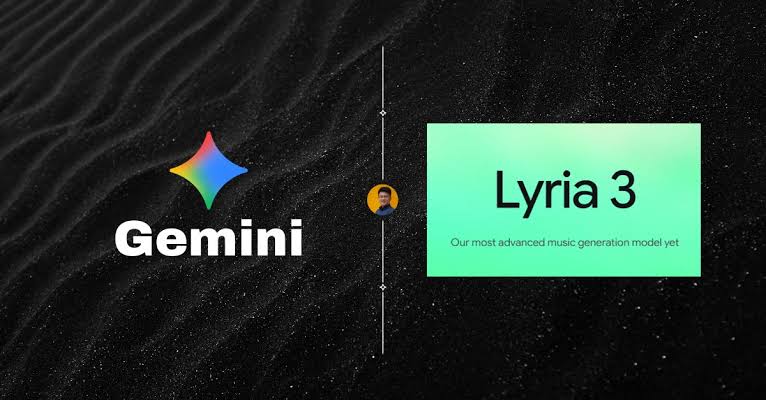
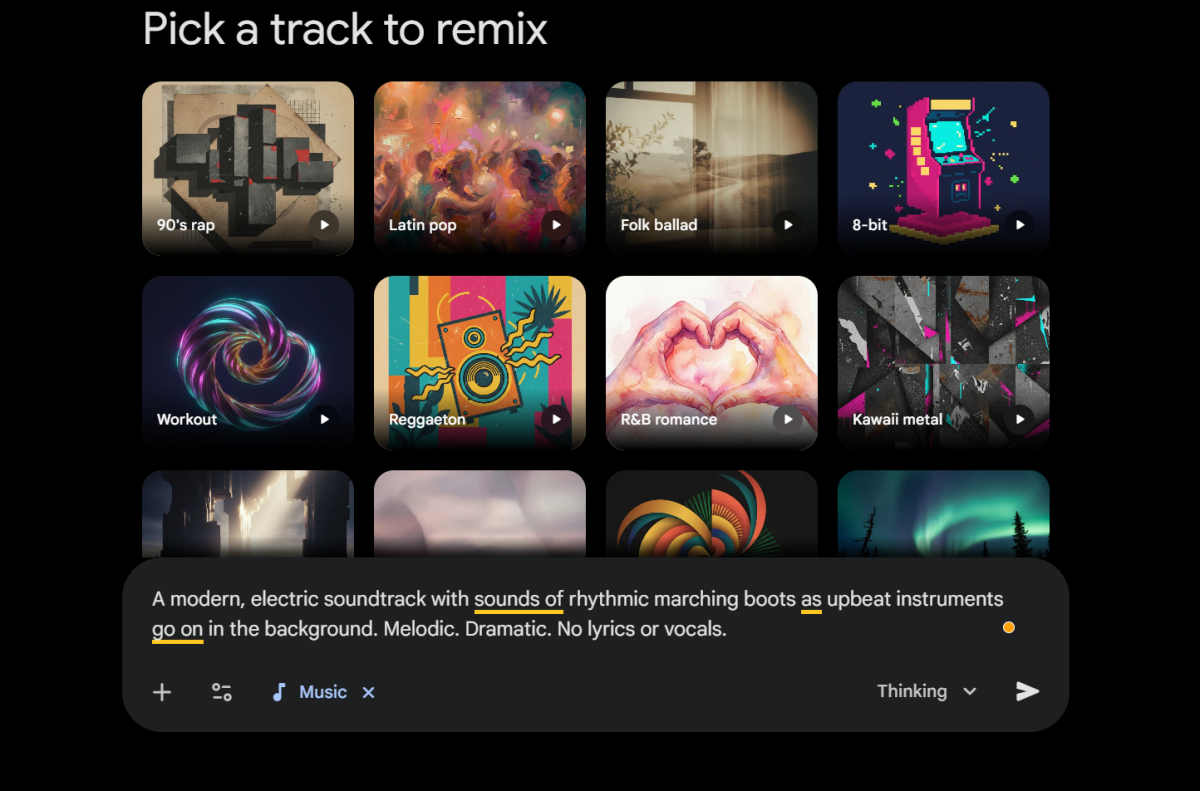
Lyria 3 is Google DeepMind's latest generative music model. Put simply, you type a description of a song or upload an image, and it spits out an original track with vocals, instruments, and lyrics. It runs on a latent diffusion system trained on licensed audio data, which Google has been very vocal about, partly because rivals like Suno have been tangled up in copyright lawsuits.
The model is not a standalone app you go download from somewhere. It lives inside Google's existing surfaces. You get it in the Gemini app, Google AI Studio, Vertex AI, the Gemini API, Google Vids, and even YouTube's Dream Track for Shorts creators. There is also a Pro tier called Lyria 3 Pro that landed in late March 2026 and stretches the song length from 30 seconds up to a full 3 minutes.
Lyria 3 Release Date
Google DeepMind officially launched Lyria 3 on February 18, 2026. The desktop rollout started immediately, and the mobile Gemini app picked it up a few days later. Lyria 3 Pro, the longer track version with structural awareness for intros, verses, choruses and bridges, was released about five weeks later on March 25, 2026.
That kind of release cadence is unusual even for Google. Going from a 30 second clip generator to a full song model in roughly a month tells you the company is racing to catch up with Suno and Udio, who have had a head start in the consumer AI music space.
Is Lyria 3 by Google DeepMind Free?
Yes, technically. Lyria 3 is free to use for anyone aged 18 and above through the Gemini app, with no extra music subscription required. The catch is that the number of tracks you can generate per day depends on which Gemini plan you sit on.
In our testing, the free tier was generous enough for casual play, like making a birthday jingle or a meme soundtrack. But the moment you start iterating seriously, polishing a chorus, trying out different keys, swapping out vocals, you bump into the daily cap and the queueing slows everything down. If you actually want to use this for content creation, the free version will feel cramped within a few hours.
Lyria 3 Download and APK
This one trips people up a lot, so let us be clear: there is no Lyria 3 APK and there is no separate Lyria 3 app to install. Anyone offering a Lyria 3 APK download on the internet right now is selling you something fake, or worse, a malware bundle. Avoid those links.
The legitimate way to access Lyria 3 is through any of these channels:
The Gemini app on Android, iOS or the web (gemini.google.com)
Google AI Studio for developers and tinkerers
Vertex AI for businesses building on Google Cloud
The Gemini API for programmatic access
Google Vids for adding background music to slide videos
YouTube Dream Track inside YouTube Shorts (rolling out by region)
Once you are inside the Gemini app, open the Tools menu, tap on Create music, type a prompt, and that is your entry point. No downloads, no side loads, no APK files.
Lyria 3 Pricing
There is no separate price tag for Lyria 3 itself. Instead, your access is bundled into your Gemini subscription, with daily caps stacked on top. Here is how the breakdown looks as of mid 2026:
|
Plan |
Approx. Monthly Cost |
Lyria 3 Pro Daily Limit |
|---|---|---|
|
Gemini Free |
$0 |
Limited preview access |
|
Google AI Plus |
$19.99 / month |
10 tracks per day |
|
Google AI Pro |
$24.99 / month |
20 tracks per day |
|
Google AI Ultra |
$249.99 / month |
50 tracks per day |
|
Gemini API |
Pay as you go |
$0.08 per full length song |
For most casual users, the free Gemini tier is enough to test the water. Content creators who need more than a few attempts a day will basically be forced into Google AI Pro at minimum. The Ultra plan only makes sense if you are running an actual studio workflow or stacking Lyria with Google's other heavy hitters like Veo and Imagen.
Lyria 3 User Experience
This is where our 2.9 rating starts to make sense. Lyria 3 is a frustrating product to review, because it does some things impressively well and then face plants on others.
The Good
The audio quality is genuinely clean. We were getting 48kHz stereo output that sounded mastered enough to drop into a YouTube Short or a podcast intro without too much shame. Vocals are surprisingly intelligible, especially in English, and the lyric generation does not feel like the painful word salad we got from earlier music models. The structural awareness in Lyria 3 Pro is the standout. When you tell it to start with a soft piano intro, build into a punchy chorus, and end with a stripped down bridge, it actually understands what you mean. That is rare in this category.
The free auto generated cover art via Nano Banana is also a small but charming touch. You get a complete shareable package, song plus art, in one go. Nothing else in the space bundles that for you.
The Frustrating
Where the product struggles is creative control. The prompt interface is conversational, which sounds friendly, but it means you cannot fine tune things the way Suno or Udio let you. There is no piano roll, no stem export, no easy way to extend or remix a section you liked. You essentially get what Lyria gives you, and if you want a different chorus you regenerate the whole thing and pray.
Vocals outside of English also degrade in quality. Hindi and Japanese outputs in particular came out muddier than what the marketing implied. And SynthID watermarking, while honestly a good thing for the world, means every track you produce is permanently flagged as AI, which some creators will see as a non starter for commercial work.
Latency is the other pain point. We waited anywhere from 40 seconds to nearly 3 minutes for a single Lyria 3 Pro generation, and during peak hours it slowed to a crawl. Suno spits stuff out faster.
Pros and Cons at a Glance
Pros
Clean 48kHz stereo audio output
Free tier available with no separate subscription needed
Strong structural awareness in Lyria 3 Pro for intros, choruses and bridges
Multilingual lyric generation across 8 languages
Auto generated cover art included with every track
Licensed training data reduces copyright risk
Tight integration with Gemini, Vids, YouTube and Vertex AI
Cons
Daily generation caps even on paid tiers
Slow generation during peak hours, sometimes over 2 minutes
No stem export and limited fine grained editing
SynthID watermark on every output, with no opt out
Quality dips noticeably in non English vocals
No standalone app or APK, must go through Gemini
Only available to users aged 18 and above
ICON POLLS Final Verdict
Rating: 2.9 / 5
Lyria 3 by Google DeepMind is a solid first proper move from Google into consumer AI music, but it lands as a 2.9 out of 5 for us because the product feels rushed in places that matter. The audio is good, the integration is convenient, and the price of free is hard to argue with. The catch is that creative pros and serious content makers will still reach for Suno or Udio because those tools give you stems, longer tracks, and more control.
If you are a casual user who just wants a fun custom jingle for a birthday card, an Instagram caption, or a YouTube Short, Lyria 3 inside the Gemini app is genuinely fun. If you are trying to build a serious music workflow, you are going to feel the ceiling fast. Google will close the gap, the speed of the Lyria 3 to Lyria 3 Pro jump shows that, but right now this is a product to keep an eye on rather than fully bet on.
Lyria 3 by Google DeepMind FAQs
1. Is Lyria 3 by Google DeepMind free to use?
Yes, Lyria 3 is free for users aged 18 and above through the Gemini app, with no separate music subscription needed. Daily generation limits apply based on whether you are on Gemini Free, AI Plus, AI Pro or AI Ultra. Paid plans simply give you more tracks per day, not better audio quality.
2. Where can I download the Lyria 3 APK?
There is no official Lyria 3 APK. The model is not a standalone application. To use it, install the Gemini app from the Google Play Store or the Apple App Store, or visit gemini.google.com on your browser. Any site offering a Lyria 3 APK file is unofficial and very likely unsafe.
3. When was Lyria 3 officially released?
Lyria 3 was released by Google DeepMind on February 18, 2026 as a 30 second track generator. The upgraded Lyria 3 Pro, which supports tracks up to 3 minutes long with structural awareness, was launched on March 25, 2026.
4. What is the difference between Lyria 3 and Lyria 3 Pro?
Lyria 3 generates 30 second clips and is built for quick, casual creations like jingles or social media snippets. Lyria 3 Pro generates full tracks up to 3 minutes, understands song structure such as intros, verses, choruses and bridges, and is aimed at creators making longer form content like vlogs, podcasts or background music.
5. How much does Lyria 3 Pro cost?
Lyria 3 Pro is not sold separately. Access comes bundled with Gemini subscriptions. Google AI Plus gives you 10 tracks per day, Google AI Pro gives you 20 tracks per day, and Google AI Ultra gives you 50 tracks per day. For API access, Google charges around $0.08 per full length song generated.
6. Can I use Lyria 3 generated songs commercially?
Google has stated that Lyria 3 was trained on licensed data and that users can generally use outputs for personal and commercial projects, subject to Gemini's terms of service. However, every track is permanently watermarked with SynthID, which identifies it as AI generated. Some platforms and clients may decline AI watermarked audio, so check before publishing.
7. Does Lyria 3 work without internet?
No, Lyria 3 is a cloud based model that runs on Google's servers. You need an active internet connection to send prompts and receive generated audio. There is no offline mode and no local model you can install on your phone or laptop.
8. What languages does Lyria 3 support?
At launch, Lyria 3 supports English, German, Spanish, French, Hindi, Japanese, Korean and Portuguese for both prompts and lyric generation. Lyria 3 Pro is currently available in English, Spanish, French and Japanese as of March 2026, with more languages rolling out gradually.
9. Is Lyria 3 better than Suno or Udio?
It depends on what you need. Lyria 3 wins on audio cleanliness, free pricing, and tight integration with Google products. Suno and Udio remain stronger for serious music creators because they offer longer tracks, stem export, and more granular control over generation. For casual use, Lyria 3 is competitive. For studio level work, Suno still leads in 2026.
10. Is my data and prompt safe with Lyria 3?
Google states that Lyria 3 operates under standard Gemini privacy policies and that all outputs are watermarked with SynthID for traceability. Prompts may be used to improve future versions of the model unless you are on an enterprise tier with explicit data exclusion. If privacy is a concern, review the Gemini app's data settings before generating sensitive content.











