|
MODA AI BRAND PROFILE |
|
|---|---|
|
Brand Name |
Moda (Moda AI) |
|
Founded / Launched |
Public launch March 24, 2026 (beta operated through late 2025) |
|
Founders |
Anvisha Pai (CEO), Ravi Parikh (COO), John Holliman (CTO) |
|
Headquarters |
SoHo, New York, USA |
|
Industry |
AI Design / SaaS / Generative Visual Tools |
|
Product Type |
AI-powered design platform with editable canvas |
|
Website |
https://moda.app |
|
App Availability |
Web-based platform (no dedicated mobile app at launch) |
|
Funding |
$7.5M seed round led by General Catalyst (March 2026) |
|
Notable Investors |
General Catalyst, Pear VC, WndrCo (Jeffrey Katzenberg) |
|
Free Plan |
Yes, 1,500 credits per seat per month |
|
Paid Plans |
Pro ($30/month), Ultra ($100/month) |
|
Core Use Cases |
Slide decks, social posts, PDFs, diagrams, UI mockups, reports |
|
AI Models |
Lite (0.5x), Standard (1x), Pro (1.5x credit cost) |
|
ICON POLLS Rating |
1.8 / 5 |
Quick Verdict
Moda is a web based AI design platform that generates editable slides, social posts, PDFs, and diagrams on a real canvas. The pitch is appealing and the underlying engineering is genuinely modern, built on a multi agent architecture using Deep Agents and LangSmith. On paper, this is the AI design tool many of us have been waiting for.
In practice, the experience does not always match the promise. Output quality is uneven, the credit system gets expensive faster than expected, the lack of a mobile app feels like a glaring miss in 2026, and the brand voice on the platform leans heavily into investor friendly buzzwords rather than practical reliability. For a product charging 30 to 100 dollars per month, the polish should be much higher than it currently is. That is why our final score lands at 1.8 out of 5.
Moda AI App and Download
Here is the first thing buyers should know before getting excited. As of 2026, Moda does not have a dedicated mobile app on the Apple App Store or Google Play Store. The product lives entirely on the web at moda.app.
There is a separate iOS application also called Moda AI on the Apple App Store, but that one is a fashion shopping companion built by a different team. It uses photo matching to recommend outfits and is unrelated to the moda.app design platform. This naming overlap is genuinely confusing for first time users searching for the brand. We had to dig through reviews on Product Hunt and Shopify just to confirm which Moda AI was which.
To use the actual Moda design tool, you visit moda.app in your browser, sign up with an email or Google account, and start working in their canvas. The platform runs on WebGPU for rendering, which means it performs reasonably well on modern laptops but struggles on older machines or low spec Chromebooks. There is no offline mode, no desktop app, and no mobile companion app for editing on the go.
For a tool aimed at marketers, founders, and salespeople who often work from phones and tablets, this is a real limitation. We tried using Moda on an iPad in a Safari browser and the canvas became almost unusable due to touch input issues. Anyone expecting a Canva style multi device workflow will be disappointed.
Moda AI Pricing in 2026
Moda runs on a credit based pricing model, which is increasingly common in AI tools but is rarely beginner friendly. Here is how the plans break down as of 2026.
Free Plan
1,500 AI credits per seat per month
Access to Lite and Standard AI models
Unlimited projects and basic exports
AI features pause once credits run out until the next billing cycle
Pro Plan: 30 dollars per month, per seat
6,000 AI credits per seat per month
Access to the Pro AI model (1.5x credit cost per generation)
Pooled team credits across seats
Email support
Metered overage billing once credits run out
Ultra Plan: 100 dollars per month
20,000 AI credits per month
Shared team workspaces
Unlimited brand kits
SSO and SAML authentication
Priority support
The catch nobody mentions until you are in the product is the credit math. The Pro AI model, which produces the highest quality output, costs 1.5 times the credits of the Standard model. A single complex multi page deck can chew through hundreds of credits in one sitting. We burned through nearly 800 credits in about an hour while testing a 12 slide investor deck with multiple revisions. At that rate, even the Pro plan can feel constrained, and overage billing kicks in quietly once you cross your monthly cap.
Credits also do not roll over between billing cycles, which feels punitive for occasional users. Compared to Canva Pro at roughly 12.99 dollars per month with no credit caps, or Gamma at 10 dollars per month with unlimited generation on most plans, Moda is on the expensive end of the spectrum for what it actually delivers.
Moda AI Design Quality
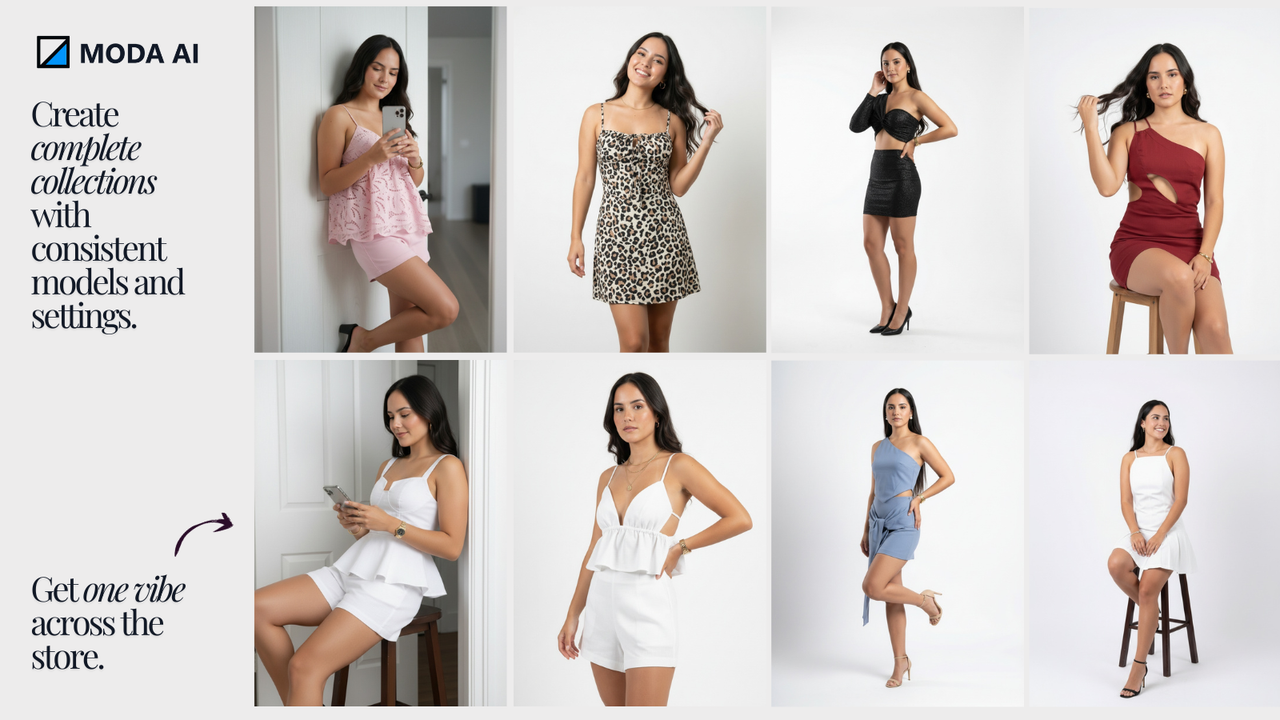
The design output is where Moda makes its strongest case and also where things get the most inconsistent. The headline feature is that every generation lands on a fully editable vector canvas, not a flattened image. You can move text, swap shapes, change colors, and resize elements just like in Figma or PowerPoint. This is genuinely useful and it does separate Moda from tools like older Gamma versions or static AI image generators.
When the AI gets a generation right, the result looks polished and professional. We saw clean typography, balanced spacing, and decent color palettes that adapt to brand kits. For pitch decks and one pagers, the first draft is often better than what most non designers would produce on their own.
The problem is consistency. Out of roughly 20 generations we tested across different prompts, only about half came back at a quality level we would actually use. The other half had issues that ranged from awkward layouts and overlapping text to color choices that clashed with the brand kit we uploaded. Diagrams especially struggled, with arrows misaligned and labels floating in the wrong places. UI mockups were the weakest category. The output looked like generic dashboard screenshots rather than designs grounded in real product thinking.
Brand consistency, which Moda markets heavily, is hit or miss. We uploaded a brand kit with specific colors and fonts, and about 60 percent of generations actually respected it. The rest needed manual cleanup. For a tool that promises agency level output, this is a long way from acceptable.
User Experience
The interface itself is well designed. The Cursor style sidebar, where you chat with the AI agent while the canvas updates in real time, is smart and feels modern. Onboarding walks you through your first generation in under two minutes. Real time collaboration works smoothly when it works.
That said, the actual moment to moment experience has rough edges that pile up over a workday.
Generation speed is inconsistent. Some prompts return results in under 30 seconds, while others take three minutes or more with no clear reason.
The canvas occasionally lags or freezes on complex projects with many layers, especially after extended editing sessions.
Undo history is limited. We lost work twice during testing because the undo stack reset after a generation.
Export to PowerPoint is functional but loses formatting fidelity on roughly one in four exports we tested. Fonts shifted, spacing changed, and a few times charts came through as flat images instead of editable elements.
There is no native mobile experience, no tablet optimization, and no offline support.
Customer support is email only on the Pro plan, with response times that ranged from 8 hours to over 36 hours during our testing window.
For solo creators and small teams, these annoyances might be tolerable. For agencies or larger teams pushing client work through tight deadlines, they are deal breakers. The product feels like it shipped to market about six months too early. The vision is there, the foundation is there, but the polish is not.
Pros and Cons at a Glance
What Moda Gets Right
Fully editable canvas instead of flat AI images
Multi format support including slides, social posts, PDFs, and diagrams
Modern multi agent architecture under the hood
Solid first draft quality on simple prompts
Real time collaboration on paid plans
Where Moda Falls Short
No mobile app or tablet support in 2026
Credit based pricing gets expensive quickly
Inconsistent output quality, especially on complex prompts
Brand kit adherence is unreliable
PowerPoint exports lose formatting fidelity
Slow customer support response times
Confusing brand naming overlap with unrelated Moda AI apps
Final Verdict from ICON POLLS
Moda is an interesting product with a strong vision, smart founders, and real venture backing behind it. The editable canvas approach is genuinely a step forward in the AI design space, and we expect the platform to improve significantly over the next 12 to 18 months as the team works through bugs and adds the features users keep asking for.
But a review has to reflect what the product is today, not what it might be later. Right now, Moda is overpriced for the quality it delivers, missing core features that competitors have offered for years, and inconsistent in ways that punish busy professionals. The brand markets itself as a replacement for in house designers, but it cannot reliably hit that bar yet.
Our final ICON POLLS rating for Moda AI in 2026 is 1.8 out of 5. We would recommend that most users stick with Canva, Figma, or Gamma for now, and check back on Moda in a year to see if the product has caught up to its own pitch.
Frequently Asked Questions about Moda AI
1. Is Moda AI free to use?
Yes, Moda offers a free plan that includes 1,500 AI credits per seat per month. Once those credits are used up, AI features pause until the next billing cycle, but you can still edit and export your existing work. The free plan is enough to test the platform but not enough for regular professional use.
2. Does Moda AI have a mobile app?
No, the moda.app design platform does not have a dedicated mobile app for iOS or Android in 2026. It runs entirely in a web browser. There is a separate iOS app called Moda AI on the App Store, but it is a fashion shopping companion from a different team and is not related to the design tool.
3. How much does Moda AI cost in 2026?
Moda offers three tiers. The Free plan is 0 dollars with 1,500 monthly credits. The Pro plan is 30 dollars per month per seat with 6,000 credits and access to the Pro AI model. The Ultra plan is 100 dollars per month with 20,000 credits, shared workspaces, SSO, and priority support.
4. Who founded Moda AI?
Moda was co founded by Anvisha Pai, Ravi Parikh, and John Holliman. Anvisha Pai is the CEO and previously co founded the AI recruiting company Dover. Ravi Parikh, the COO, previously co founded Heap, which was acquired by Contentsquare. John Holliman is the CTO and previously scaled infrastructure at Expanse.
5. Is Moda AI better than Canva or Gamma?
It depends on your needs. Moda offers a more editable canvas than Gamma and more AI native generation than Canva, but it is more expensive than both and currently less reliable. Canva is better for template variety and price. Gamma is better for fast first drafts. Moda is best when you specifically need editable AI generated assets and are willing to pay a premium.
6. Can you use Moda AI for client work?
Technically yes, but with caution. Output quality is inconsistent and brand kit adherence is around 60 percent in our testing. Most agencies will need to do significant cleanup before delivering Moda generated work to clients. For internal materials or quick first drafts, it works better than for final deliverables.
7. Does Moda AI export to PowerPoint and Google Slides?
Yes, Moda supports exports to PowerPoint, Google Slides, PDF, PNG, JPG, and MP4 for video assets. However, PowerPoint exports occasionally lose formatting fidelity, with fonts shifting and some elements flattening into images. Always review exports before sending them to clients or stakeholders.
8. Is Moda AI safe and private to use?
Moda is a commercial SaaS platform with standard cloud infrastructure. The Ultra plan includes SSO and SAML authentication for enterprise teams. However, full details on data retention, training data usage, and enterprise compliance are not openly published. Anyone uploading sensitive brand or client material should contact Moda support directly to confirm their privacy and security policies before committing.
9. Does Moda AI offer a free trial for paid plans?
Moda does not advertise a separate free trial for the Pro or Ultra plans. The Free plan acts as the entry point, and users can upgrade at any time, with new credits taking effect immediately. Downgrades only take effect at the end of the current billing period.
10. Why did ICON POLLS give Moda AI a 1.8 rating?
Our 1.8 out of 5 rating reflects the gap between what Moda promises and what it currently delivers. The platform has strong engineering and a smart vision, but inconsistent output quality, expensive credit pricing, missing mobile support, weak PowerPoint export reliability, and slow customer support hold it back from being a tool we can recommend at its current price point. We expect the rating to improve in future reviews as the product matures.











