Quick Verdict
QuillBot has been at the center of AI writing for longer than most of its competitors, and in 2026 it continues to be the most recognized and trusted paraphrasing tool available. For its intended purpose, rewording text to improve clarity, tone, or variety while preserving meaning, it genuinely delivers. The 10 paraphrasing modes including the October 2025 Boomer Mode, the synonym slider that puts the user in control of rewrite intensity, the multilingual support across 23 languages, and the clean Co-Writer workspace that brings every tool together in one place all reflect a product that has matured through years of iteration based on how people actually write. The grammar checker, summarizer, citation generator, translator, and plagiarism checker round out a writing suite that at $4.17 per month annually is one of the most affordable in its category. The honest limitations are equally clear and worth stating plainly. The 125-word limit on the free plan makes it impractical for any serious writing workflow. The AI humanizer, despite being a named feature, is built on a paraphrasing engine and achieves only a 42 percent bypass rate across major AI detectors in independent testing. Anyone relying on QuillBot to make AI-generated text undetectable in academic contexts will likely be disappointed and potentially caught. The AI detector is solid for a quick check but lacks the sentence-level depth of dedicated tools. And a November 2025 privacy policy update now stores desktop text inputs. These are real considerations. For its core audience of students, ESL writers, content editors, and anyone needing fast, clean paraphrasing, QuillBot at 4.0 out of 5 remains one of the best tools in its space.
At a Glance: Icon Polls Ratings
Here is how QuillBot scored across the areas we evaluated in our 2026 research:
|
Category |
Stars |
Score |
|
Paraphrasing Quality and Modes |
★★★★★ |
5/5 |
|
Grammar Checker |
★★★★☆ |
4/5 |
|
Summarizer |
★★★★☆ |
4/5 |
|
AI Detector Accuracy |
★★★★☆ |
3.5/5 |
|
AI Humanizer Effectiveness |
★★★☆☆ |
2.5/5 |
|
Free Plan Value |
★★★☆☆ |
2.5/5 |
|
Integrations and Ease of Use |
★★★★★ |
4.5/5 |
|
Overall |
★★★★☆ |
4/5 |
What Is QuillBot?
QuillBot is an AI-powered writing assistance platform founded in 2017 by Rohan Gupta, David Silin, and Anil Jason. What began as a focused paraphrasing tool has grown into a comprehensive writing suite used by millions of students, content writers, researchers, ESL learners, and professionals worldwide. The platform is based in Chicago, Illinois, and its growth predates the broader public awareness of ChatGPT by several years, which gives it a maturity and refinement that newer AI writing tools are still working to catch up with.
The product has expanded considerably from its paraphrasing origins. As of 2026, QuillBot includes a Paraphraser, Grammar Checker, Summarizer, AI Detector, AI Humanizer, Plagiarism Checker, Citation Generator, Translator, and AI Chat, all accessible from a single account. The Co-Writer feature brings these tools together in a unified Google Docs-style workspace, so writers can move between paraphrasing, grammar checking, and summarizing without leaving their document.
QuillBot's user base is primarily students and educators, which shapes both the tool design and the way features are packaged. The Citation Generator supporting over 1,000 citation styles, the Plagiarism Checker, and the integration with Google Docs and Microsoft Word are clearly designed for academic writing contexts. ESL and multilingual writers are the second major user group, and the 23-language paraphrasing support and 50-language translation reflect that priority.
The platform operates on a freemium model. The free tier provides genuine access to most tools with word count limitations, and Premium unlocks unlimited use, additional modes, and the full feature depth across every tool. At roughly $4.17 per month on the annual plan, Premium is one of the most affordable full-featured writing subscriptions in the market.
The Paraphraser: QuillBot's Best Feature
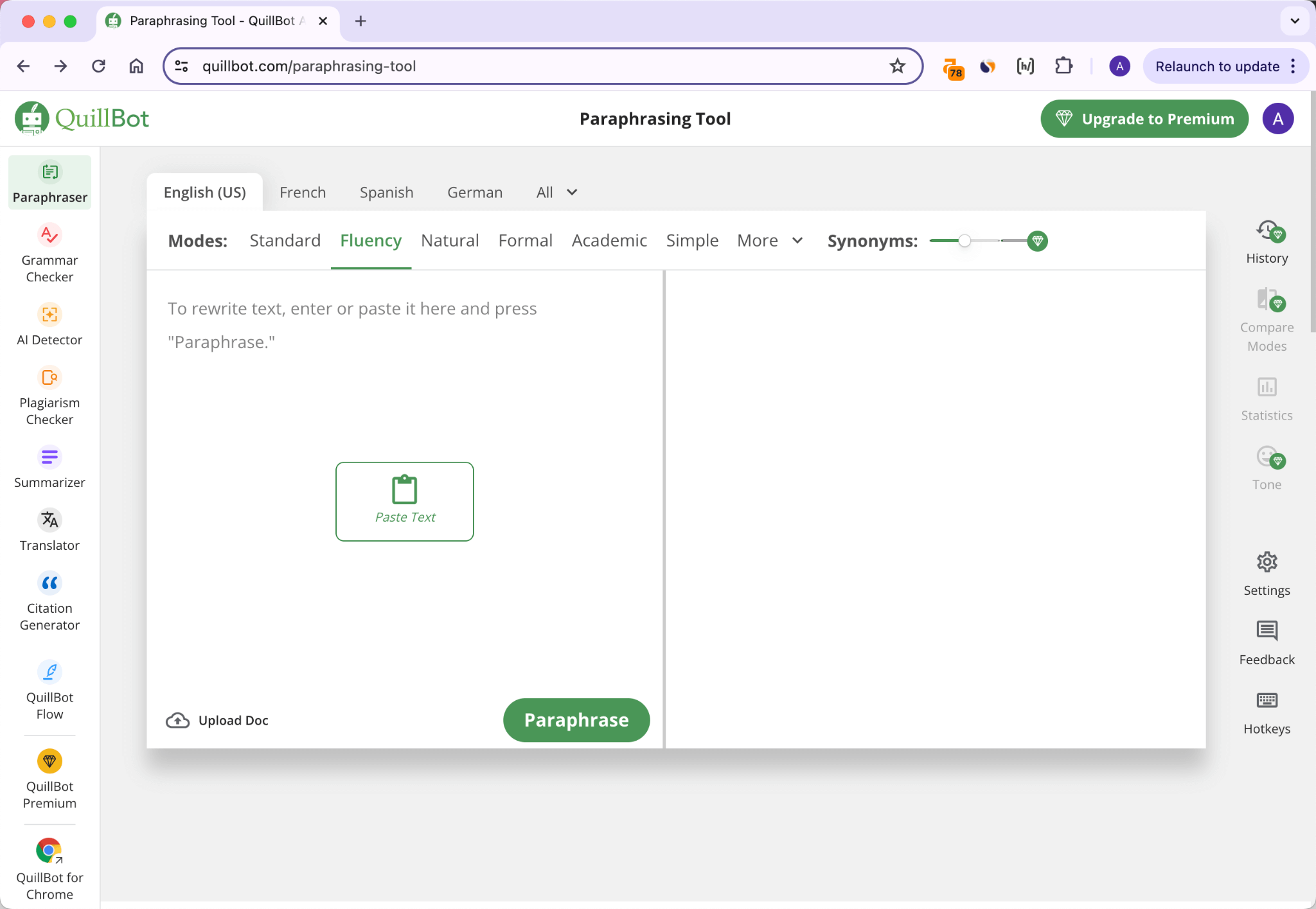
The paraphraser is where QuillBot has genuinely built a lead that competitors have not closed. As of October 2025, it offers 10 distinct paraphrasing modes: Standard, Fluency, Formal, Creative, Academic, Simple, Expand, Shorten, and the Humanize mode, plus the Boomer Mode introduced in October 2025 that converts Gen Z slang and casual internet language into professional prose. Each mode changes how aggressively the tool rewrites text and what register it aims for.
The synonym slider is the feature that puts real control in the user's hands. At its lowest setting, QuillBot makes minimal changes and preserves the original phrasing closely. At higher settings, it rewrites more aggressively, swapping vocabulary and restructuring sentences. The sweet spot for most use cases is somewhere in the middle, where the output reads naturally and the meaning is preserved without the original phrasing being too obviously intact.
Word click is the other feature that distinguishes QuillBot's paraphraser from simpler alternatives. When a word or phrase is highlighted in the output, clicking it reveals a list of alternative synonyms, allowing the writer to manually select a substitution they prefer. This interactive refinement step gives the writer editorial control over the final output rather than accepting everything the AI generates without question.
The 125-word limit per paraphrase run on the free tier is the genuine frustration for serious users. There is technically no limit on the number of runs, but copy-pasting a 2,000-word essay through the paraphraser in 125-word chunks is not a practical workflow. For any document longer than a few paragraphs, Premium is the realistic starting point. This is worth knowing before committing to the free tier for anything more than testing.
Where the paraphraser shows its limitations is at the extreme end of the synonym slider, where meaning distortion becomes a genuine problem. Independent testing found cases where technical terms were replaced with incorrect synonyms, including the documented example from Supwriter's March 2026 testing where a paragraph about reducing oxidative stress became about diminishing corrosive pressure. At maximum settings, the output can require careful fact-checking. The middle range of the slider is where QuillBot consistently produces clean, useful output.
Grammar Checker: Solid but Not Grammarly
QuillBot's Grammar Checker identifies spelling errors, punctuation mistakes, and structural issues in real time, and goes further by providing a writing score broken down across Grammar, Fluency, Clarity, Engagement, and Delivery categories each rated out of 100. For beginners who want to understand not just what is wrong but where their writing generally needs development, this scoring breakdown is more educational than a list of red underlines.
Grammar support covers six languages: English, French, German, Spanish, Dutch, and Portuguese. English dialect support includes American, British, Canadian, and Australian English, which matters for international users who need locale-appropriate spelling and phrasing. The grammar checker integrates with the Co-Writer workspace and can be run alongside the paraphraser within the same document session.
Where the QuillBot grammar checker falls short of Grammarly is in the depth of stylistic suggestions. Grammarly provides more nuanced feedback on tone, voice, engagement, and readability at a more granular level. For complex grammatical analysis and advanced writing polish, Grammarly is the stronger specialist. For users who need both paraphrasing and grammar checking without paying for two subscriptions, QuillBot's grammar checker is genuinely adequate and covers the most common errors effectively.
The AI Detector: Good for a Quick Check, Not for High Stakes
QuillBot added an AI Detector to its suite to help users understand whether their text reads as human or AI-generated. The tool provides a document-level assessment and flags sentences that it considers most likely to have been AI-generated, giving users a clear and actionable output. It also supports bulk document uploads, which is useful for educators reviewing multiple student submissions.
Independent testing from Leap AI's 2026 review found QuillBot's AI Detector reaches around 78 percent accuracy on standard AI-generated content. Performance drops to around 60 percent when analyzing hybrid human-AI content, where a human writer has edited or substantially revised AI-generated text. The Aithor review from April 2026 also noted that the detector lacks the sentence-level numeric scoring and model fingerprinting that dedicated tools like GPTZero or Originality.ai provide.
For a quick sanity check on whether a piece of text reads as AI-generated, the QuillBot AI Detector is genuinely useful and the free access without signup makes it a practical first stop. For high-stakes review situations, such as academic integrity checks, editorial decisions, or any context where the result has significant consequences, dedicated detectors with more sophisticated pattern analysis and calibrated false-positive rates are more appropriate. QuillBot is not positioning its detector as a replacement for those specialized tools.
The AI Humanizer: Honest Assessment of What It Does and Does Not Do
This is the section of the review that requires the most directness, because the gap between what many users expect from QuillBot's humanizer and what it actually delivers is documented and significant.
QuillBot's AI Humanizer is built on top of the paraphrasing engine. It uses the most aggressive paraphrasing mode with optimization for certain statistical text features that detectors analyze. The HumanizeThisAI review from March 2026 described this architecture clearly: it is essentially the paraphraser running in its most aggressive configuration, optimized for statistical humanization features rather than being a purpose-built detector bypass system.
The performance data from multiple independent tests is consistent. Across five major AI detectors in 2025 and 2026 testing, QuillBot achieved an average bypass rate of approximately 42 percent. Against Turnitin specifically, the bypass rate was 38 percent. Against Originality.ai, it barely moved the needle. A 42 percent bypass rate means that across a set of AI-generated texts run through QuillBot, more than half were still detected as AI-generated.
The quality issues that accompany aggressive paraphrasing are also documented. When the synonym slider is pushed to maximum settings for maximum detection avoidance, meaning distortion occurs regularly. The Supwriter testing found technical terms replaced with incorrect synonyms and negations being inadvertently flipped. The AuraWrite testing found that output frequently read like a rewording of AI text rather than authentic human writing, with structural predictability remaining a hallmark of AI writing even after paraphrasing.
The important distinction, clearly stated in the HumanizeThisAI review and the SupWriter analysis, is that paraphrasing and humanizing are fundamentally different operations. AI detectors analyze statistical patterns of text, specifically perplexity (how predictable the text is) and burstiness (variation in sentence length and complexity). A paraphrased AI text has the same statistical profile as the original AI text with the words changed. A genuinely humanized text has a different statistical profile. QuillBot's approach addresses the surface features but not the underlying patterns that detectors analyze.
The practical takeaway: QuillBot's Humanize mode works well for improving the tone, fluency, and natural flow of AI-assisted content when detection bypass is not the primary goal. For making content sound more polished or less stilted, it is useful. For academic contexts where Turnitin or Originality.ai detection is the concern, a 42 percent average bypass rate and a 38 percent Turnitin bypass rate are not reliable enough to stake academic integrity on.
The Free Trial and Free Plan: What You Actually Get
QuillBot does not require a credit card to access its free plan. You create an account with an email address and password and immediately have access to the free tier with no time limit. This is a genuine free plan, not a time-limited trial that expires after 14 days.
The free plan provides access to all core tools: the Paraphraser with 125 words per paraphrase run, Standard and Fluency paraphrasing modes, the Grammar Checker, AI Detector, Summarizer (up to 1,200 words), Citation Generator, and Translator. Fifty AI Chat prompts are available daily. The Plagiarism Checker, full paraphrasing mode access, the Co-Writer, and the AI Humanizer require Premium.
The 125-word per run limit is the defining characteristic of the free experience. For testing the quality of QuillBot's paraphrasing before subscribing, it provides an accurate sample. For regular use on documents of any meaningful length, it becomes a workflow friction point quickly. Students submitting essays of 2,000 to 3,000 words and content writers working on longer pieces will hit the limit repeatedly. This is by design, and it serves as the primary upgrade driver.
The free tier is most genuinely useful for: light paraphrasing of short passages, checking AI detection on submitted content, generating citations, and quick grammar checks on individual paragraphs. For any sustained writing workflow, Premium is the realistic tool.
QuillBot Premium: Pricing and What It Unlocks
Premium removes the word count restrictions across all tools, unlocks all 10 paraphrasing modes, enables the full Co-Writer workspace, the AI Humanizer, and the Plagiarism Checker, and provides faster processing speeds compared to the free tier. Here is the current pricing structure:
|
Plan |
Price |
What You Get |
|
Free |
$0/month (no credit card) |
125 words/run paraphraser, 2 modes (Standard, Fluency), Grammar Checker, AI Detector, Summarizer (1,200 words), Citation Generator, Translator, 50 daily AI Chat prompts. No Plagiarism Checker, no AI Humanizer. |
|
Premium Monthly |
$19.95/month |
Unlimited paraphrasing, all 10 modes, Plagiarism Checker (25,000 words/month), AI Humanizer, full Summarizer (6,000 words), full Co-Writer, faster processing. All tools without limits. |
|
Premium Quarterly |
$19.95/month (billed $59.85/quarter) |
Everything in Monthly at the same monthly rate but billed every three months. |
|
Premium Annual |
$9.95/month (billed $99.95/year, ~$8.33/month) |
Best value. Everything in Monthly at roughly 58% off the monthly rate. Most commonly recommended plan. |
|
Team / Education |
Contact QuillBot |
Shared billing across multiple seats with team management features. For classrooms, organizations, and agencies. Pricing varies by seat count. |
Prices verified May 2026. Annual plan is the best value at approximately $8.33/month. QuillBot is 31% cheaper than Grammarly annually ($99.95 vs $144). A 3-day money-back guarantee applies to Premium purchases. No credit card required for free plan.
Is Premium Worth It?
At $8.33 per month on the annual plan, Premium is genuinely affordable for the breadth of tools it unlocks. The comparison point that matters most for most users is Grammarly at $144 annually versus QuillBot at $99.95. QuillBot wins on paraphrasing breadth by a significant margin and costs considerably less. Grammarly wins on the depth of stylistic feedback and writing suggestions. If paraphrasing, summarizing, and citation generation are your primary needs, QuillBot Premium is the better value. If your primary need is deep style and grammar coaching, Grammarly is more appropriate.
Sign In and Account Access
Creating a QuillBot account is done at quillbot.com with an email address and password, or through Google authentication. No credit card is required for the free tier sign-up, which removes one barrier that keeps some users from exploring the tool. The sign-in experience is standard and the platform stays logged in between sessions on saved browsers.
The Co-Writer workspace is the hub after sign-in, where all tools are accessible from a single interface. The layout is a two-panel system with the input document on the left and tool output or suggestions on the right, functioning like a familiar document editor with AI capabilities embedded rather than requiring constant tab-switching between tools.
A privacy policy update that took effect on November 8, 2025 is worth knowing about. QuillBot now stores text inputs from desktop users to provide personalized experiences. For users working with sensitive content, proprietary information, or material covered by confidentiality agreements, this means input text is no longer processed and discarded without storage. Users who need to work with sensitive documents should review the current privacy settings and consider whether cloud storage of their input text is acceptable for their specific situation.
Integrations: Chrome Extension, Word, and Google Docs
QuillBot's integrations extend the platform beyond its own website and into the environments where most writing actually happens. The Chrome browser extension makes QuillBot tools available on any webpage, allowing paraphrasing and grammar checking without navigating to quillbot.com. The Microsoft Word plugin and the Google Docs integration bring the same tools directly into document editors with a sidebar interface.
For students working in Google Docs or professionals using Word as their primary writing environment, these integrations mean QuillBot functions as an embedded writing assistant rather than a separate destination. The practical workflow improvement of not having to copy and paste between documents and the QuillBot website is real, and independent reviewers consistently cite the integration quality as a strength of the platform.
There is a privacy consideration specific to extensions worth noting: the extension stores input text under the same November 2025 policy as the desktop app. For users who prefer not to have their browser typing logged, disabling the extension on sensitive pages or using an incognito browser session are practical workarounds.
User Experience: Who QuillBot Works Best For
The user experience of QuillBot in 2026 is genuinely positive for its core audience and more limited for users whose primary need is something the platform was not designed to deliver.
Students are the demographic the tool was built around, and it shows. The Citation Generator supporting 1,000-plus styles, the Plagiarism Checker, the Academic paraphrasing mode, the Co-Writer workspace, and the Google Docs and Word integrations create a coherent academic writing workflow. For a student who wants to rephrase a paragraph to avoid accidental plagiarism, check their grammar, generate a citation for a source, and run a plagiarism check before submitting, QuillBot covers all of those tasks in one login.
ESL and multilingual writers benefit specifically from the 23-language paraphrasing support, the Simple mode that reduces complexity for non-native readers, and the Formal mode for academic and professional writing register adjustments. The breadth of language support at QuillBot's price point is more comprehensive than most competitors offer.
Content writers and editors find the Fluency mode and the word click interface particularly useful for polishing drafts, tightening sentence structure, and suggesting vocabulary variations without committing to a full rewrite. The ability to repeatedly rephrase the same sentence to explore different wordings is practical for writers who want options rather than a single suggested alternative.
Where the experience falls short is for users who came to QuillBot primarily to bypass AI detection. The documented 42 percent bypass rate and the Turnitin-specific 38 percent bypass rate are not performance numbers that justify using the tool for high-stakes academic detection avoidance. The platform's own help documentation encourages using the Humanizer to improve fluency rather than as a detection bypass mechanism. Users who understand the tool for what it is come away satisfied. Users who expected something different from the Humanizer are the source of most of the critical reviews.
The interface itself is clean and accessible without a design learning curve. New users can start paraphrasing within seconds of opening the tool. The Co-Writer workspace is slightly less immediately intuitive for users who have not used a document-editor-style AI tool before, but it becomes natural quickly. The overall design reflects years of iteration based on how students and writers actually use the features.
Pros and Cons
What QuillBot Gets Right
Best-in-class paraphrasing with 10 distinct modes including the October 2025 Boomer Mode and a synonym slider that puts the user in meaningful control of rewrite intensity
The synonym-click interface lets writers manually select preferred alternative phrasing rather than accepting all AI suggestions, keeping the writer in editorial control
At $8.33 per month on the annual plan, Premium provides a full writing suite at 31 percent less than Grammarly's annual cost
23-language paraphrasing support and 50-language translation make it the most multilingual writing tool in its price range
Chrome extension, Microsoft Word plugin, and Google Docs integration bring the suite directly into the environments writers already use
Grammar checker with scoring across Grammar, Fluency, Clarity, Engagement, and Delivery provides educational feedback beyond simple error flagging
Citation Generator supporting over 1,000 citation styles removes one of the most tedious academic writing tasks
Free AI Detector accessible without signup provides a useful quick check on any piece of content
The Co-Writer workspace creates a coherent single-environment writing suite rather than requiring users to navigate between separate tools
No credit card required for the free plan, making genuine evaluation possible without financial commitment
Where QuillBot Has Limitations
The 125-word per run limit on the free tier makes it impractical for any serious writing workflow beyond testing
The AI Humanizer achieves only a 42 percent average bypass rate across major AI detectors, which is below the 50 percent threshold that would make it a reliable detection avoidance tool
Against Turnitin specifically, the bypass rate is 38 percent, and Turnitin actively flags paraphrased text with a distinct label that identifies it as having been processed by a paraphrasing tool
At maximum synonym slider settings for detection avoidance, meaning distortion occurs frequently, with technical terms replaced by incorrect synonyms and subtleties flattened
The November 2025 privacy policy update now stores desktop and extension text inputs, which is a material change for users working with sensitive or confidential content
The AI detector reaches approximately 78 percent accuracy on standard AI content but drops to 60 percent on hybrid human-AI content, below what dedicated detectors achieve
Creative mode occasionally produces unnatural phrasing that reads more robotic than the original, requiring manual review of the output before use
The platform is built as a rewriting and editing tool and cannot generate original content from a brief or keyword, which limits its usefulness for content creation workflows that start from scratch
How QuillBot Compares to Alternatives
QuillBot vs Grammarly: Grammarly is the stronger tool for deep writing style analysis, engagement suggestions, and voice coaching. QuillBot wins on paraphrasing breadth with 10 modes versus Grammarly's limited rewriting capability. For pure grammar checking, they are broadly comparable. QuillBot is 31 percent cheaper annually. For writers who primarily need paraphrasing, summarizing, and citation generation in one tool, QuillBot is better value. For writers who need the most sophisticated style and tone feedback, Grammarly is the more appropriate choice.
QuillBot vs dedicated AI humanizers (Undetectable.ai, SupWriter, Aura Write): Dedicated humanizers purpose-built for AI detection bypass achieve bypass rates in the 87 to 99 percent range in independent testing, compared to QuillBot's 42 percent average. These tools use semantic reconstruction that changes the statistical patterns detectors analyze, rather than the word substitution approach of a paraphraser. For users whose specific need is AI detection bypass, these dedicated tools are significantly more effective. QuillBot remains the better choice for general paraphrasing, editing, and rewriting tasks where detection bypass is not the primary goal.
QuillBot vs ChatGPT: ChatGPT generates original content from prompts. QuillBot works with existing text. These are fundamentally different tools serving different needs. ChatGPT is appropriate for creating new content from a topic or brief. QuillBot is appropriate for improving, rewording, summarizing, or checking text that already exists. Many writers use both: ChatGPT for first drafts or research synthesis, QuillBot for refining and polishing the resulting text. They are complementary rather than competitive for most use cases.
Frequently Asked Questions About QuillBot (2026)
1. What is QuillBot and what does it do?
QuillBot is an AI-powered writing assistance platform founded in 2017 that started as a paraphrasing tool and expanded into a full writing suite. The core tool remains the Paraphraser, which rewrites input text in different modes (Standard, Fluency, Formal, Creative, Academic, Simple, Expand, Shorten, Humanize, and the October 2025 Boomer Mode) while preserving the original meaning. The suite also includes a Grammar Checker with multi-category writing scoring, an AI Detector, an AI Humanizer, a Plagiarism Checker, a Summarizer, a Citation Generator, a Translator supporting over 50 languages, and an AI Chat assistant. All tools are accessible from a single login, and the Co-Writer feature brings them into a unified document workspace. QuillBot is primarily used by students for academic writing assistance, by ESL writers for language refinement, and by content editors for polishing and varying text. It is available on web, as a Chrome extension, as a Microsoft Word plugin, and through a Google Docs integration.
2. Does QuillBot have a free trial?
QuillBot does not offer a time-limited free trial in the traditional sense. Instead, it provides a permanent free plan with no credit card required. The free plan gives you ongoing access to the Paraphraser (125 words per paraphrase run, unlimited runs, Standard and Fluency modes only), the Grammar Checker, AI Detector, Summarizer (up to 1,200 words), Citation Generator, Translator, and 50 daily AI Chat prompts. The Plagiarism Checker, AI Humanizer, advanced paraphrasing modes, and full Co-Writer access require Premium. The free plan allows you to test the actual quality of QuillBot's paraphrasing and grammar checking on your own text before deciding whether to upgrade. For anything beyond light or testing use, the 125-word per run limit makes Premium the realistic working tool.
3. How do I sign in to QuillBot?
Sign in to QuillBot at quillbot.com by clicking Sign Up or Log In. You can create a free account using any email address and a chosen password, or through Google authentication, which links your Google account without needing a separate password. No credit card is required for account creation. After signing in, the Co-Writer workspace is your main hub where all tools are accessible from a single interface. The Chrome extension and Microsoft Word plugin use the same credentials and stay logged in across sessions. If you are using the extension or desktop version, be aware that as of November 8, 2025, QuillBot stores text inputs under its updated privacy policy. For working with sensitive documents, reviewing the current privacy settings or using a separate browser profile for QuillBot work is worth considering.
4. How much does QuillBot Premium cost in 2026?
QuillBot Premium has three billing options. Monthly billing is $19.95 per month, providing the full Premium feature set with no commitment. Quarterly billing is $19.95 per month billed every three months ($59.85 per quarter), with the same monthly rate as the monthly plan but a quarterly commitment. Annual billing is the best value at $9.95 per month billed as $99.95 per year, which works out to approximately $8.33 per month, a 58 percent saving compared to the monthly rate. Annual billing is the recommended option for anyone who plans to use QuillBot regularly. Premium unlocks unlimited paraphrasing without word count restrictions, all 10 paraphrasing modes, the Plagiarism Checker (25,000 words per month), the full AI Humanizer, the Summarizer up to 6,000 words, faster processing speeds, and the complete Co-Writer workspace. A 3-day money-back guarantee applies to Premium purchases if you are not satisfied.
5. Can QuillBot bypass AI detectors like Turnitin?
The direct answer, based on independent testing data, is no, not reliably. QuillBot's AI Humanizer achieves an average bypass rate of approximately 42 percent across five major AI detectors in independent testing conducted across 2025 and 2026. Against Turnitin specifically, the bypass rate was 38 percent. Against Originality.ai, results were similarly poor. Turnitin actively identifies text processed by paraphrasing tools and flags it with a specific label. A 42 percent bypass rate means you have a better than even chance of being detected when submitting text that has gone through QuillBot. The reason is structural: QuillBot uses paraphrasing, which changes word choice and surface sentence structure but does not change the underlying statistical patterns (perplexity and burstiness) that AI detectors analyze. Dedicated AI humanizer tools achieve bypass rates in the 87 to 99 percent range because they address those statistical patterns directly. If your need is specifically passing AI detection in an academic or professional context, QuillBot is not the appropriate tool and relying on it for that purpose creates significant risk.
6. How does the QuillBot AI Detector work?
QuillBot's AI Detector analyzes a piece of text and returns a document-level assessment of whether the content appears to have been written by a human, refined with AI assistance, or generated fully by AI. It also highlights specific sentences that it considers most likely to be AI-generated, giving users a sentence-level view of where AI patterns are concentrated. Bulk document uploads are supported, which is useful for educators reviewing multiple submissions. In independent testing, the detector reaches approximately 78 percent accuracy on standard AI-generated content. Performance drops to around 60 percent on hybrid human-AI content, where a human writer has substantially revised AI output. For quick checks and general awareness, it is a genuinely useful free tool. For high-stakes decisions involving academic integrity or professional authenticity verification, dedicated detectors like GPTZero, Originality.ai, and Turnitin provide more sophisticated sentence-level analysis, model fingerprinting, and calibrated false-positive rates that make them more appropriate for consequential use.
7. What paraphrasing modes does QuillBot offer in 2026?
As of October 2025, QuillBot offers 10 paraphrasing modes. Standard provides balanced rewording that preserves the general structure of the original. Fluency focuses on natural-sounding output with minimal structural disruption. Formal shifts the register toward professional and academic language. Creative rewrites more freely with more distinctive vocabulary, though it occasionally produces unusual phrasing that benefits from review. Academic targets the conventions of academic writing. Simple reduces vocabulary complexity for accessibility. Expand adds detail and length to the original. Shorten condenses the original to its core meaning. Humanize applies aggressive rewriting optimized for making text sound more natural. Boomer Mode, introduced in October 2025, translates Gen Z slang and internet-informal language into professional prose. Free users access Standard and Fluency only. All 10 modes are available with Premium. A synonym slider across all modes controls how aggressively the tool rewrites, from minimal word changes to maximum restructuring.
8. Is QuillBot good for students?
QuillBot is one of the most widely used writing tools among students for several specific reasons. The Paraphraser helps rephrase and vary text in academic writing contexts where direct repetition of source material is inappropriate. The Citation Generator supports over 1,000 citation styles including APA, MLA, Chicago, and Harvard, removing one of the most tedious and error-prone tasks in academic writing. The Plagiarism Checker (on Premium) allows students to check their work before submission. The Grammar Checker with category-by-category scoring helps students understand where their writing needs development rather than just fixing individual errors. The Google Docs and Microsoft Word integrations mean these tools are available inside the editors most students already use. The important caveat for students: QuillBot should not be used to process AI-generated text and submit it as original human writing. The 42 percent detector bypass rate makes this unreliable in practice, and Turnitin now specifically identifies paraphrasing tool output. Using QuillBot on your own original writing to improve clarity and vary phrasing is its appropriate academic use.
9. What is the difference between QuillBot's Paraphraser and Humanizer?
QuillBot's Paraphraser and Humanizer are related but distinct tools with different intended outputs. The Paraphraser is the core tool that rewrites text in different modes (Standard, Fluency, Formal, Creative, Academic, and others) to vary phrasing, change tone, or simplify language while preserving meaning. The Humanizer is a separate feature designed specifically to make AI-generated text sound more natural and human-like. In practice, QuillBot's Humanizer is built on the same paraphrasing engine running in its most aggressive configuration with optimization for certain statistical features. This is why it achieves limited success at bypassing AI detectors: it uses word substitution and surface rewording rather than the statistical pattern reconstruction that genuine humanization requires. For improving the fluency and natural flow of text regardless of how it was originally generated, the Humanizer is useful. For specifically bypassing AI detection tools, the paraphrasing-based approach does not address the underlying statistical features (perplexity and burstiness) that detectors analyze.
10. How does QuillBot compare to Grammarly?
QuillBot and Grammarly serve overlapping but distinct needs, and for most writers, using both is more useful than choosing one over the other. QuillBot excels at paraphrasing with 10 modes and a synonym slider, summarizing, citation generation, and multilingual writing support. Grammarly excels at deep style analysis, tone coaching, engagement suggestions, and vocabulary enhancement in the context of the overall document. For pure grammar error detection, both are broadly comparable. QuillBot is 31 percent cheaper annually at $99.95 versus Grammarly's $144. For users whose primary need is paraphrasing, summarizing, and citation work, QuillBot delivers more value at lower cost. For users whose primary need is detailed writing style coaching and tone refinement, Grammarly provides more sophisticated feedback. Writers who work extensively on both content variety and writing quality often find the two tools complementary: QuillBot for paraphrasing and structural variation, Grammarly for style and engagement review.
Icon polls Verdict
QuillBot earns a 4.0 out of 5 from Icon Polls in 2026. For what it was built to do, paraphrase, summarize, check grammar, generate citations, and support the writing process of students, ESL learners, and content editors, it is genuinely excellent. The 10 paraphrasing modes, the synonym slider control, the multilingual breadth, the affordable Premium pricing, and the tight integrations with Chrome, Word, and Google Docs create a coherent and mature writing tool that has no real peer in its specific lane.
The 4.0 and not a higher score reflects two documented limitations. The free plan's 125-word restriction is tight enough to limit serious evaluation before committing to Premium. And the AI Humanizer, a feature that many users come to QuillBot specifically for, achieves only a 42 percent average bypass rate across major detectors. Students and professionals who expect QuillBot to reliably make AI-generated text undetectable are working with a tool that was not designed for that task and does not perform reliably at it.
The practical recommendation from Icon Polls: if you need the best paraphrasing tool available, QuillBot is the answer. If you need grammar checking with breadth of writing tools at a lower price than Grammarly, QuillBot Premium at $8.33 per month annually is excellent value. If your specific need is reliable AI detection bypass, QuillBot is not the right tool and you should evaluate dedicated AI humanizers designed for that specific function. Most users who engage with QuillBot honestly, understanding what it is and what it is not, come away satisfied. That is what a 4.0 rating reflects.











