Quick Verdict
Webflow remains one of the strongest visual website builders for people who want more control than a basic drag-and-drop platform can offer. It gives designers a visual canvas that works with real web concepts such as sections, containers, classes, grids, flex layouts, breakpoints, CMS Collections, forms, animations, and reusable components. That makes it powerful, but it also explains why first-time users often need a proper tutorial before the editor begins to feel natural.
Our 3.5 out of 5 rating reflects a platform that can produce professional websites without forcing every user to write code, while still demanding more patience than beginner-focused builders. The design freedom, CMS, templates, interactions, hosting, and growing AI tools are impressive. The weaker areas are pricing complexity, the learning curve, limited offline options, and the fact that some advanced features sit behind separate Site plans, Workspace plans, add-ons, or higher tiers. Webflow is excellent for the right user, but it is not the simplest choice for everyone.
At a Glance: Icon Polls Ratings
Here is how Webflow scored across the areas we evaluated in 2026:
|
Category |
Stars |
Score |
|
Visual Design Control |
★★★★☆ |
4.4/5 |
|
Templates and Components |
★★★★☆ |
4.1/5 |
|
CMS and Content Management |
★★★★☆ |
4.2/5 |
|
Ease of Use for Beginners |
★★★☆☆ |
2.8/5 |
|
Free Plan Value |
★★★☆☆ |
3.2/5 |
|
Pricing Clarity |
★★★☆☆ |
2.9/5 |
|
Hosting and Publishing |
★★★★☆ |
4.0/5 |
|
Overall |
★★★★☆ |
3.5/5 |
What Is Webflow?
Webflow is a visual website development platform that combines design, content management, hosting, collaboration, and publishing. Users build pages in a browser-based Designer and can control layout, typography, spacing, responsive behaviour, forms, animations, CMS content, and reusable components without manually writing every line of HTML and CSS.
The platform is used by freelancers, agencies, marketing teams, startups, designers, and businesses that want a custom-looking website without depending completely on a traditional coding workflow. It can be used for portfolios, company websites, blogs, landing pages, directories, content-heavy publications, and online stores. Webflow also includes AI-assisted site building, content generation, code components, audits, and other tools that have expanded during 2026.
Webflow App
When people search for the Webflow app, they may mean two different things. Webflow Apps are third-party tools that can be installed from the Webflow Marketplace to extend forms, CMS content, ecommerce, analytics, automation, and other parts of a site. These apps are added to a site or Workspace and then authorised to access the selected projects.
Webflow itself is still mainly a browser-based design platform. The full Designer is best used on a desktop or laptop because the interface contains many panels and visual controls. There is no complete mobile editing experience that replaces the desktop Designer. Users can still review sites, manage certain account tasks, and work through connected tools, but serious page building is more comfortable on a larger screen.
Webflow Login
Webflow login is simple when the correct sign-in method is used. A user opens the login page and enters the email address and password linked to the account, or signs in with Google when the account was created that way. After login, Webflow opens the dashboard where Workspaces, sites, templates, billing, collaborators, and account settings can be managed.
Most login problems come from forgotten passwords, using the wrong email, two-factor authentication issues, or trying to enter a Gmail password into an account originally created with Google sign-in. Webflow provides password reset and account recovery options. Users working with several clients should also check that they are opening the correct Workspace before editing or publishing a site.
Webflow Templates
Webflow templates are pre-designed website projects that can be customised inside the Designer. They cover portfolios, agencies, restaurants, software companies, ecommerce, blogs, property websites, events, professional services, and many other categories. A good template saves time because the page structure, typography, responsive layouts, and common sections are already in place.
Templates are useful, but they are not always a one-click final website. Buyers should check whether a template includes CMS Collections, ecommerce features, interactions, and the pages they actually need. It is also important to preview the mobile layout and understand that some paid templates are licensed for one project. Heavy customisation can still require knowledge of classes, components, breakpoints, and the Webflow box model.
Webflow Tutorial and Learning Curve
Webflow has a steeper learning curve than basic site builders because it uses the language and logic of web design. New users need to understand how parent and child elements behave, how margins differ from padding, how classes are reused, how responsive breakpoints work, and how changes can affect several pages at once.
The easiest learning path is to begin with a small practice site rather than a client project. Build a navigation bar, hero section, three-column area, contact form, and simple CMS collection. Webflow University lessons, guided tutorials, help articles, templates, and the in-product assistant can answer many common questions. Once the layout system becomes familiar, the platform feels far less complicated and much faster to use.
Webflow Download
Webflow does not require a traditional desktop software download for normal site building. The Designer runs in a supported web browser, and projects are stored online. This means a user can sign in from another compatible computer and continue working without moving project files manually.
Users can export the HTML, CSS, JavaScript, and assets of eligible static sites on certain paid Workspace plans. However, exported code does not carry every hosted Webflow feature with it. CMS content, form processing, site search, ecommerce, user accounts, and some platform services depend on Webflow hosting or require replacement tools after export. Anyone planning to host elsewhere should confirm exactly which parts of the project will continue to work.
Webflow Free Plan
Webflow offers a free Starter option for people who want to learn the Designer and build test projects. A free site can be published to a Webflow subdomain, which is useful for practice, prototypes, and early reviews. The free Workspace also allows a limited number of staging sites and includes a small monthly allowance for AI features.
The free plan is not intended for a complete professional launch. It has limits on pages, CMS items, collaborators, custom domains, code export, and other features. A paid Site plan is required to connect a custom domain and unlock larger hosting limits. The free plan is best viewed as a long-term testing environment rather than a full replacement for paid hosting.
Webflow Pricing in 2026
Webflow pricing can be confusing because Site plans and Workspace plans serve different purposes. A Site plan pays for hosting and features on one published website. A Workspace plan controls how many people can build, collaborate, stage projects, export code, and use professional account features.
|
Plan |
Listed 2026 Price |
Best For |
|
Starter Site |
Free |
Learning, prototypes and Webflow subdomain publishing |
|
Basic Site |
$15 per month billed yearly |
Static business sites without CMS |
|
Premium Site |
$25 per month billed yearly |
Blogs, directories and content-rich sites with CMS |
|
Ecommerce Standard |
$29 per month billed yearly |
Small online stores starting out |
|
Freelancer Workspace |
$16 per month billed yearly |
Freelancers handling several client projects |
|
Agency Workspace |
$35 per month billed yearly |
Agencies with larger client workloads |
Webflow simplified parts of its plan structure in 2026, including a Premium Site plan that combines the earlier CMS and Business direction for new purchases. Monthly billing costs more than annual billing, and ecommerce, extra bandwidth, localisation, analytics, optimisation, additional seats, and other add-ons may increase the final amount. Users should price the full setup, not only the first plan shown on the pricing page.
Webflow User Experience
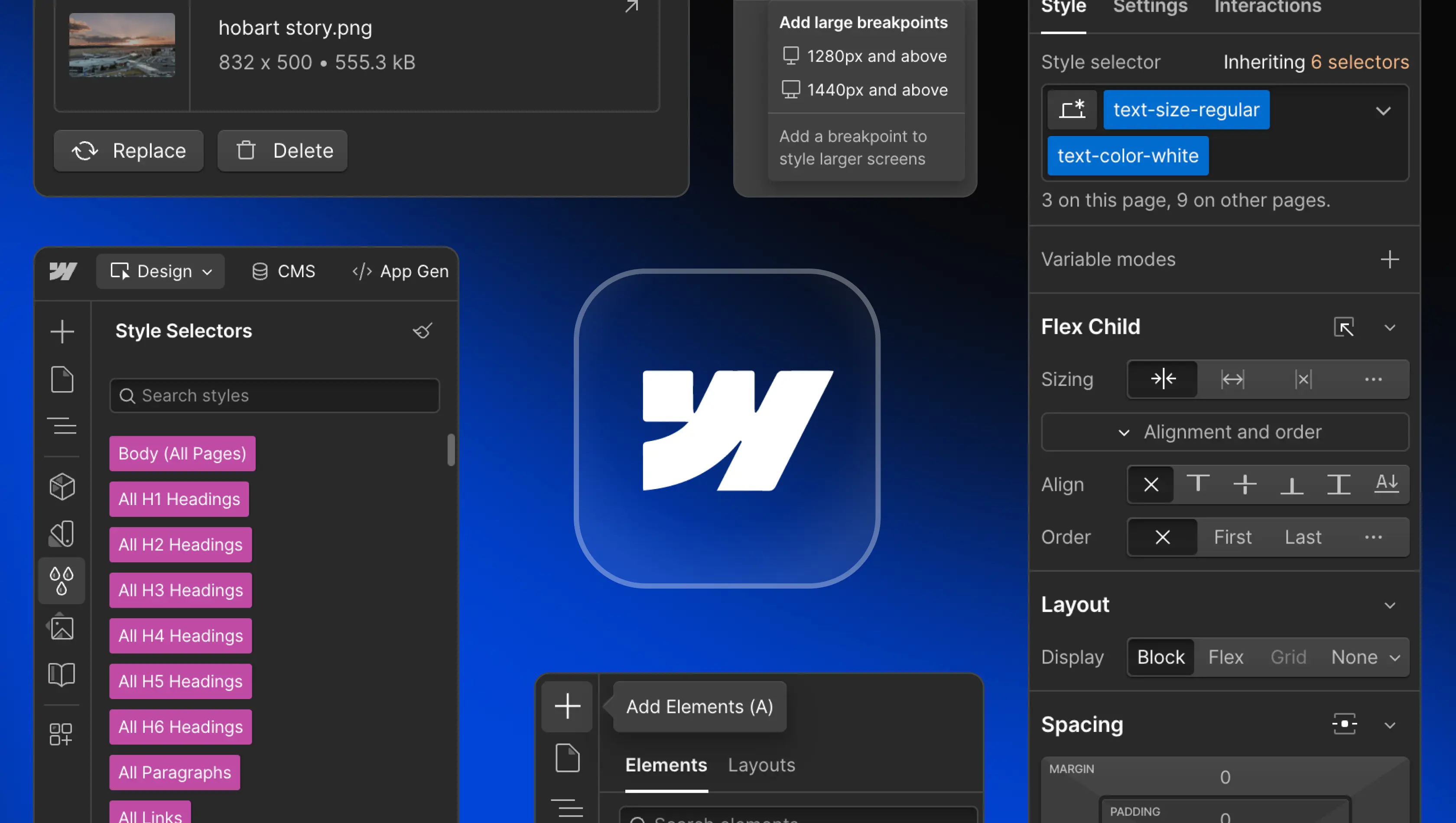
Webflow feels professional from the first serious project. The Designer gives direct visual feedback, responsive controls are detailed, and the Navigator makes it possible to understand the page structure. Components, variables, classes, CMS Collections, and reusable layouts help users keep larger sites consistent.
The same depth can make the interface feel crowded. Beginners may change a shared class without realising that the edit affects several pages. Publishing also requires attention because staging, domains, redirects, forms, SEO settings, and collection pages all need checking. The experience is strongest for users who enjoy learning design systems and want control. It is weaker for someone who only wants to choose a theme, replace the text, and publish within an hour.
Performance is generally dependable, although large projects with many interactions, assets, CMS items, or collaborators can feel slower. The safest workflow is to keep classes organised, compress images, avoid unnecessary animation, use backups, and test the published site on real devices before launch.
Pros and Cons
What Works Well
Professional visual control over layout, spacing, typography, and responsive design
Strong CMS for blogs, directories, case studies, teams, and dynamic pages
Large template marketplace for many industries and website styles
Built-in hosting, forms, backups, staging, SSL, and publishing tools
Components, variables, and shared classes support consistent design systems
Powerful interactions and animations without writing every line of code
Useful learning resources through tutorials and Webflow University
Growing AI features for site creation, content, components, and optimisation
What Needs Improvement
Steeper learning curve than beginner-focused website builders
Site plans, Workspace plans, seats, and add-ons can be confusing
Full design work is not practical on a phone or small tablet
Code export does not include every hosted Webflow feature
Advanced ecommerce needs may require extra tools or another platform
Large projects require careful class naming and content organisation
Free plan is mainly for learning and testing rather than a complete launch
Costs can rise when several sites, collaborators, and add-ons are involved
Frequently Asked Questions About Webflow (2026)
Webflow is used to design, build, host, and manage responsive websites. It supports static pages, CMS websites, blogs, portfolios, landing pages, company sites, directories, and ecommerce stores.
2. Is Webflow free?Yes. Webflow has a free Starter plan for learning, building test sites, and publishing to a Webflow subdomain. A paid Site plan is needed for a custom domain and higher limits.
3. How do I log in to Webflow?Open the Webflow login page and use the email and password linked to the account, or choose Google sign-in when that method was used during registration.
4. Does Webflow have an app?Webflow has a Marketplace for third-party Apps, but the main website Designer is a browser-based desktop experience. It does not currently offer a complete mobile design app that replaces the desktop editor.
5. Can I download Webflow?The main Designer does not need to be downloaded because it runs in a browser. Eligible paid Workspace users can export static site code, but hosted CMS and platform features may not work after export without replacements.
6. Are Webflow templates free?Some templates are free and others require a one-time purchase. Users should check the included pages, CMS features, interactions, ecommerce support, and licence before choosing one.
7. Is Webflow difficult to learn?It can feel difficult at first because it uses real web design concepts. Tutorials and a small practice project make the learning process easier. Most users improve once they understand classes, layout, and responsive breakpoints.
8. Can I build a blog with Webflow?Yes. Webflow CMS can manage blog posts, authors, categories, featured images, dates, and dynamic templates. A CMS-capable paid Site plan is normally needed for a full production blog.
9. Can I use a custom domain on the free plan?No. Free sites publish to a Webflow subdomain. Connecting a custom domain requires a paid Site plan for that website.
10. Does Webflow include hosting?Yes. Paid Site plans include managed hosting, SSL, publishing, backups, and platform features. Hosting limits depend on the selected plan.
11. Can Webflow export code?Yes, code export is available on eligible paid Workspace plans. The export includes static front-end files, but Webflow CMS, ecommerce, forms, search, and other hosted services need separate solutions outside Webflow.
12. Is Webflow good for beginners?It is good for beginners who are willing to learn web design properly. Someone who needs the simplest possible setup may prefer a more guided builder, while a design-focused beginner can grow into Webflow over time.
13. Is Webflow good for SEO?Webflow includes controls for titles, descriptions, alt text, redirects, sitemaps, indexing, structured layouts, and other technical settings. Strong SEO still depends on content quality, performance, site structure, and correct implementation.
14. Is Webflow worth it in 2026?Webflow is worth considering for designers, agencies, marketers, and businesses that value custom design and CMS flexibility. It may be less suitable when the main priorities are the lowest price, full offline editing, or very simple setup.
Icon polls Verdict
Webflow earns 3.5 out of 5 in the ICON POLLS 2026 review. It is one of the most capable visual website platforms available to people who want professional design control without building every page entirely through code. Its CMS, responsive tools, templates, components, hosting, interactions, and expanding AI features make it suitable for serious websites and client work.
The score remains below four because the platform is not effortless. New users face a real learning curve, the pricing system takes time to understand, mobile editing is limited, and advanced projects can become expensive. Webflow rewards organised users, but it can frustrate people who expect a simple theme editor.
Our practical recommendation is to start on the free plan, complete a beginner tutorial, and rebuild a small real website before buying a plan. Test the template, CMS, mobile layout, forms, and export needs first. Webflow is a strong choice when design freedom and long-term control matter more than instant simplicity.











