
Quick Verdict
WebWave is a flexible website builder aimed at small businesses, freelancers, and designers who want more control than a basic template editor usually provides. Its strongest feature is the free-positioning canvas, which lets users place elements almost anywhere and adjust separate views for desktop, tablet, and mobile. The AI website generator also gives beginners a faster starting point. However, the same design freedom can make the editor feel busy, especially for people who only want to publish a simple site quickly. The free access is useful for testing, but keeping a site live with a custom domain requires a paid plan after the trial period. ICON POLLS gives WebWave a 3.0 out of 5 rating in 2026. It is capable and affordable, but the interface, mobile workflow, and learning curve stop it from feeling as effortless as the easiest website builders.
At a Glance: Icon Polls Ratings
Here is how WebWave scored across the areas we evaluated in 2026:
|
Category |
Stars |
Score |
|
AI Website Generation |
★★★★☆ |
3.5/5 |
|
Editor and Design Freedom |
★★★★☆ |
4.0/5 |
|
Login and Dashboard |
★★★☆☆ |
3.0/5 |
|
Free Trial Value |
★★★☆☆ |
3.0/5 |
|
Pricing and Plan Clarity |
★★★☆☆ |
3.0/5 |
|
Blogging Tools |
★★★☆☆ |
3.0/5 |
|
Mobile and App Experience |
★★☆☆☆ |
2.5/5 |
|
Ease of Use for Beginners |
★★★☆☆ |
2.5/5 |
|
Overall |
★★★☆☆ |
3.0/5 |
WebWave Profile
|
Profile Item |
Details |
|
Platform Type |
AI-powered drag-and-drop website builder |
|
Best For |
Small businesses, freelancers, designers, portfolios, blogs, and simple online stores |
|
Main Editor |
Browser-based visual design canvas |
|
AI Tools |
Website generation, page and section creation, text writing, and SEO article support |
|
Free Access |
14-day trial with no credit card required at the time of our review |
|
Paid Plans |
One Pager, Pro, and Business |
|
Blog Feature |
Available on suitable paid plans |
|
Ecommerce |
Available through the Business plan |
|
ICON POLLS Rating |
3.0/5 |
What Is WebWave?
WebWave is a tool for creating websites that lets users design pages without knowing any code. It provides users with a canvas that resembles visual design software rather than confining each area to a rigid row or block. It is possible to move and resize text, photos, buttons, menus, galleries, forms, and other objects directly on the site. Users have three options: start from a blank canvas, use a template, or let the AI generator create an initial version of the website.
Hosting, SSL, responsive controls, design tools, SEO settings, blog capabilities, and e-commerce are all included in the service, depending on the subscription. A small business owner does not need to set up separate hosting before developing because it is marketed as an all-in-one solution. Due of its client-facing and white-label characteristics, WebWave is also utilized by agencies and independent contractors. The primary draw for a typical lone user is the harmony between no-code publishing and design freedom.
WebWave AI Website Builder
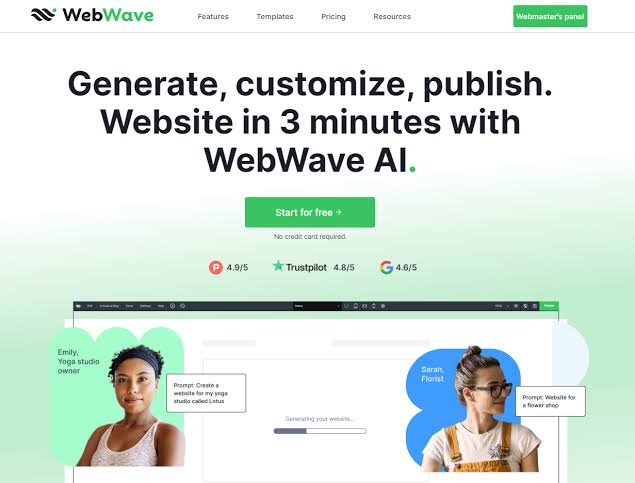
When a blank page seems daunting, the WebWave AI builder comes in handy. The system generates a basic website framework with textual material, photos, colors, and sections once a user describes the business. The outcome gives the user something authentic to work with, but it's not necessarily ready to publish without tweaking. Restaurants, consultancies, local services, photographers, and other small enterprises can save time by using this method, which is quicker than manually selecting each section.
AI tools also assist with blog material, headlines, descriptions, new pages, and individual sections. The degree to which the user modifies the output determines the practical value. When a business description is too brief, generic language may be used, and generated pictures might not precisely reflect a brand. Using AI for the initial draft and then substituting accurate company information for crucial claims, photos, price, and contact details is the best approach. WebWave's AI is a useful tool, not a replacement for examining the final product.
Mobile Use and the WebWave App
WebWave is mostly a browser-based program. Instead of a complete mobile editing app that replaces the desktop experience, the platform was showcased around its webmaster panel and online editor at the time of this review. Although users can access account pages through a mobile browser, a laptop or desktop is more suited for detailed site design due to the editor's numerous features and exact positioning.
WebWave webpages can be made to fit a variety of screen sizes. After checking the desktop, tablet, and mobile landscape and portrait views, users can make any necessary changes. Although this is useful, it also adds to the workload. On a mobile device, a layout that appears professional on a large screen could require manual spacing adjustments. While the published webpages itself are designed to function on both desktops and phones, people looking for WebWave apps should be aware that WebWave is best viewed as web software.
WebWave Dashboard & Login
After logging onto WebWave, customers may access the webmaster panel, which allows them to manage paid plans, connect domains, start projects, return to previously created websites, and launch the editor. After the account has been validated, the procedure is rather straightforward. For independent contractors managing several client websites, having projects in one location is beneficial.
Instead of being thrilling, the dashboard is practical. It could take some time for new users to grasp the distinctions between the editing canvas, domain controls, website settings, and account settings. During the initial session, the quantity of panels and design possibilities inside the builder may seem overwhelming. The procedure becomes more predictable once users are aware of the locations of layers, mobile views, page settings, and publishing controls. Although onboarding should provide a clearer explanation of the editor for total novices, the login process is not a significant issue.
Is WebWave Free in 2026?
When ICON POLLS evaluated WebWave in 2026, it provided a free 14-day trial without requiring a credit card. Before purchasing, a user could create and test an entire website using the editor, templates, hosting, and AI technologies available during the trial. During the trial, a brief WebWave branding message might show up. The free period is helpful since it allows the user enough time to determine whether the editor fits their working style.
The trial is not the same as a long-term free publishing plan, which is a significant drawback. If the owner doesn't upgrade, the site can be put on hold after the trial period. Features like a custom domain, the elimination of WebWave branding, Google indexing, and ongoing publication also require paid access. Therefore, users should consider the free option to be a trial period rather than a permanent location for a business website.
WebWave Pricing in 2026
WebWave's pricing is divided into One Pager, Pro, and Business plans. The pricing page we reviewed displayed lower first-year rates for annual subscriptions, with regular rates and month-to-month options potentially costing more. One Pager is designed for a simple landing page or online business card. Pro supports a larger website and blogging. Business adds ecommerce features, more storage, and tools intended for an online store. Prices can change through promotions, taxes, billing periods, and location, so buyers should confirm the amount shown in their own checkout before paying.
|
Plan |
Observed 2026 Starting Range |
Best Fit |
|
One Pager |
From about $3.50 to $6 per month on selected annual offers |
A single-page business site or landing page |
|
Pro |
From about $5 to $7 per month on selected annual offers |
Multi-page websites, portfolios, and blogs |
|
Business |
From about $7.50 to $9 per month on selected annual offers |
Online stores and businesses needing expanded features |
The plans are inexpensive compared with hiring a designer, especially because hosting and SSL are included. The price becomes less attractive when a user only needs a very simple template and values speed over design freedom. The best plan depends on the number of pages, blogging needs, storage, email allowance, and whether the site will sell products. The 30-day money-back guarantee attached to paid plans offers some extra protection, although users should still read the current billing and renewal terms.
Features of WebWave Blogs
With the right plan, WebWave can support a company blog. Users have the ability to produce articles, arrange content, display posts via a blog feed, and modify the design to blend in with the rest of the website. Service providers who wish to publish case studies, updates, guides, or local search content without setting up a separate content management system will find this helpful.
Although the AI SEO writer can assist with article drafts, it is not a good idea to publish a lot of unedited AI text. Original examples, accurate information, distinct authorship, and a reason for readers to trust the blog are still necessary for it to be useful. Although users who oversee a large editorial operation might prefer a more specialized platform with deeper workflow, plugin, and contributor features, the blog system is appropriate for typical small-business publishing.
User Experience with WebWave
The user's background has a significant impact on WebWave's user experience. The flexibility to position components precisely where they choose may be appreciated by designers. Layers, breakpoints, spacing, and element settings can still overwhelm novices, even though they might feel more at ease beginning with the AI generator or a template. Patience is rewarded by the editor. It is not challenging because coding is necessary; rather, it is challenging because visual freedom leads to more choices.
The live preview allows users to see progress, and performance during regular editing is generally acceptable. Responsive design is the biggest usability issue. Although WebWave allows users to customize screen sizes, layouts must be thoroughly reviewed before publishing. When users run into problems, chat support and support materials can help. Overall, the experience is capable and reasonably polished, but it does not always feel instant or beginner-proof.
Pros and Cons
What Works Well
• AI generator creates a useful first version of a website quickly
• Flexible drag-and-drop canvas offers more design freedom than many simple builders
• Hosting, SSL, templates, and publishing tools are included in one service
• Separate controls are available for desktop, tablet, and mobile layouts
• Blog and ecommerce options cover common small-business needs
• Free trial does not require a credit card at the time of our review
• Pricing is accessible for personal sites and small businesses
What Has to Be Improved
• The editor can feel crowded and unfamiliar to complete beginners
• Precise mobile adjustments may take more time than expected
• There is no clear full-featured mobile app replacing the desktop editor
• The free option is mainly a limited trial rather than permanent business hosting AI-generated text and images still need careful human editing
• Plan costs and promotional rates can be confusing without examining renewal details
• Large content teams may need more complicated publication workflows
Frequently Asked Questions About WebWave (2026)

1. Is WebWave a good website builder in 2026?
WebWave is a reasonable solution for customers who seek visual freedom, AI assistance, and included hosting. It is less ideal for users who want the simplest possible editor with absolutely no learning curve.
2. Is WebWave free to use?
WebWave offered a 14-day free trial with no credit card necessary when we reviewed it. Continued publishing, a custom domain, Google indexing, and elimination of branding require a premium subscription.
3. How do I log in to WebWave?
Open the WebWave website, select the login option, and use the email and password related to your account. The webmaster panel then displays your website projects and account management.
4. Does WebWave offer an AI website builder?
Indeed. The AI program can design an initial website, create pages and sections, compose material, and assist with SEO articles. Users should examine and personalise any generated content before publishing.
5. Is there a mobile app for WebWave?
WebWave is primarily a browser-based website builder. A PC or laptop is the ideal device to use its detailed editor. Websites that have been published can be made for desktop, tablet, and mobile devices.
6. What is the price of WebWave in 2026?
One Pager, Pro, and Business plans are available from WebWave. The final cost is determined by the billing period, tax, region, and current discounts; promotional annual rates that we saw during our analysis began at just a few dollars per month.
7. Can I use WebWave to start a blog?
Indeed. Blog feeds and posts are supported by appropriate premium programs. Although articles should be edited by a person before being published, the site also offers AI-assisted SEO writing tools.
8. Can I use WebWave to create an online store?
Indeed. The business strategy offers e-commerce functionality. Without having to pay a WebWave sales commission, users can set up a store, manage products, and take payments using approved ways.
9. Can I use WebWave with my own domain?
Indeed. A premium plan allows you to connect to a custom domain. Depending on the terms of the current plan, some annual offers also include a domain for the first year.
10. Is WebWave appropriate for novices?
With AI or a template, WebWave can be used by a novice without the need for coding. However, some learning time should be anticipated because the free-positioning editor has more capabilities than extremely basic block builders.
11. Do WebWave websites work well on mobile devices?
They might be. For a variety of screen widths, the builder offers distinct responsive views. Before publishing, users should review each view and make sure that the spacing, font size, and element placement are right.
12. Does WebWave help with SEO?
WebWave offers AI authoring capabilities, responsive design, sitemap compatibility, and standard SEO controls. The quality of the content, the structure of the website, the performance, the linkages, and the regular optimization still determine the outcome.
ICON POLLS gives WebWave a score of 3.0 out of 5 in 2026. Compared to many inexperienced website builders, it provides greater design control, and its AI features facilitate the creation of the initial draft. It is useful for small businesses who desire a single platform for constructing and publishing because of the integrated hosting, blog support, e-commerce option, and reasonably priced options.
The tradeoffs are reflected in the rating. Mobile layouts need attention, the free option is only available for a trial, and the editor takes time to master. WebWave may be satisfying for those who like visual design. A more straightforward block-based builder might be preferred by those that prioritize speed over control. Using the free trial, creating an actual sample page, testing it on various screen sizes, and upgrading only when the workflow is comfortable is the best course of action.











