Quick Verdict
AI Apply is built for people who are tired of repeating the same job-search tasks. Instead of using one tool for a resume, another for cover letters, another for interview practice, and another for job tracking, the platform tries to bring the whole process into one dashboard. It can generate tailored resumes and cover letters, scan resumes for ATS issues, surface job listings, prepare users for interviews, and submit applications automatically through its Auto Apply feature.
ICON POLLS rates AI Apply 3.8 out of 5 in 2026. The platform saves time and can be especially useful for active job seekers applying to many roles. The strongest features are the AI resume builder, job matching tools, cover letter generator, interview preparation, and the option to buy Auto Apply credits when you want the system to submit applications on your behalf. The main concerns are subscription renewals, the extra cost of Auto Apply credits, the need to review AI-written documents carefully, and the fact that applying to more jobs does not automatically mean applying to better jobs.
At a Glance: Icon Polls Ratings
Here is how AI Apply scored across the main areas we evaluated in 2026:
|
Category |
Stars |
Score |
|
AI Resume Builder |
★★★★☆ |
4.2/5 |
|
Job Search and Matching |
★★★★☆ |
4.0/5 |
|
Auto Apply Tools |
★★★★☆ |
3.8/5 |
|
Login and Account Setup |
★★★★☆ |
4.1/5 |
|
Customer Service |
★★★★☆ |
3.7/5 |
|
Subscription Value |
★★★☆☆ |
3.5/5 |
|
User Experience |
★★★★☆ |
4.0/5 |
|
Overall |
★★★★☆ |
3.8/5 |
What Is AI Apply?
AI Apply is an AI-powered job application platform operated by AIApply Ltd. It is designed to help job seekers create application documents, find relevant roles, track applications, prepare for interviews, and automate parts of the application process.
The service includes an AI resume builder, cover letter generator, ATS resume scanner, job board, application tracker, interview preparation tools, resume hosting, translation tools, and Auto Apply. Users can start with a free account and upgrade when they need unlimited document generation or more advanced features.
AI Apply Jobs
The Jobs section is aimed at reducing the time people spend jumping between job boards. AI Apply can surface roles that match a user's experience and preferences, while the application tools sit nearby in the same workflow.
This works best when the user has already entered accurate job preferences, location information, skills, experience level, and a solid base resume. If the profile is vague, the job suggestions can also become vague. The platform is most useful when the user treats it as a filter and assistant rather than accepting every recommended role without checking it.
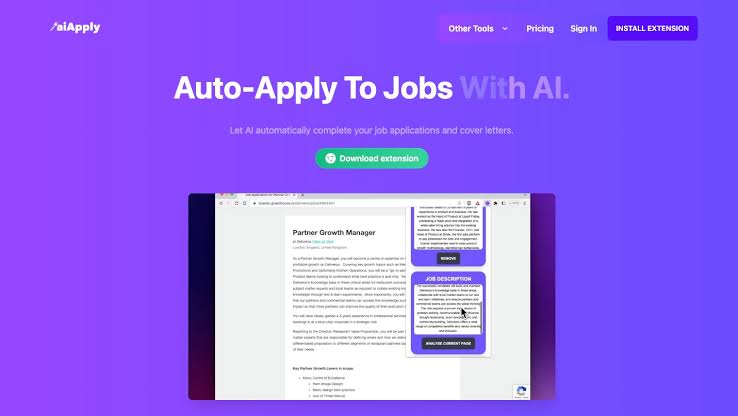
Auto Apply is the feature that gets the most attention. It can submit applications on the user's behalf using tailored documents and stored information. That can save hours, but users should still review job criteria and avoid sending applications to roles they would never accept. Volume helps only when the roles are relevant.
![]()
AI Apply Resume
The resume builder is one of AI Apply's strongest tools. Users can start from an existing resume, LinkedIn information, or basic career details and then create a resume tailored to a specific job description. The system focuses on job-relevant keywords, experience, skills, and phrasing that may perform better in applicant tracking systems.
Paid users get unlimited AI-tailored resumes, while the free tier is more limited. The platform also includes an ATS scanner that reviews a resume and highlights areas that may reduce compatibility with automated screening systems.
The important thing is not to publish the first AI draft untouched. Names, dates, job titles, achievements, software skills, certifications, and numerical claims should always be checked. A resume can sound polished while still containing a detail that is inaccurate or exaggerated. The best use of the tool is to improve a truthful resume, not invent a stronger career history.
AI Apply Login
AI Apply login is simple. Users can continue with Google or enter an email address. Email sign-in uses a one-time code sent to the inbox, which removes the need to remember another password.
The sign-in screen also tells first-time visitors that an account can be created automatically when they continue. After login, users can move between the resume builder, Auto Apply, job tools, and interview features from the same account.
If a login code does not arrive, users should check spam or junk folders, confirm the email address, wait a few minutes, and request another code. It is better to recover the existing account than to create a second one because subscription details, resumes, and application history may be connected to the original profile.
AI Apply Customer Service
AI Apply provides customer support for account, billing, feature, and service questions. The official terms list a support email, while product pages also provide direct contact options for questions that are not answered in the help material.
The most important support issues for a paid user are usually subscription cancellation, billing, Auto Apply credits, missing applications, login access, or problems with a generated resume. For billing questions, users should include the account email, payment date, and the name of the plan without sending full card details.
ICON POLLS rates the support setup 3.7 out of 5. It is accessible enough for normal questions, but job seekers often need fast answers when a deadline is close. The platform would benefit from clearer in-dashboard status updates for billing and Auto Apply issues so users do not need to contact support for every uncertainty.
AI Apply Subscription in 2026
AI Apply uses a free tier alongside a paid Premium or Pro subscription. The free account lets users experiment with selected tools, generate sample content, and browse the job board. Full access requires a paid plan.
|
Plan |
2026 Price |
Main Features |
|
Free |
$0 per month |
Limited core tools, sample cover letters and job board access |
|
Premium Monthly |
$29 per month |
Unlimited tailored resumes and cover letters, job tracking, interview prep, hosting and translations |
|
Premium Annual |
About $12 per month when billed yearly |
Same main Premium features at a lower effective monthly rate |
|
Auto Apply Credits |
Sold separately in credit packs |
Used when AI Apply submits applications on the user's behalf |
The Premium subscription includes the resume builder, cover letter generator, interview preparation, job board, resume scanner, translator, resume hosting, and other core job-search tools. Auto Apply credits are separate because they are connected to the number of applications the system sends.
Subscriptions renew automatically unless cancelled before the next renewal period. The official terms state that cancellation should be completed at least 24 hours before the end of the subscription term to stop the next renewal. Users should check the billing page inside their account because promotions and annual discounts can change the exact amount charged.
Is AI Apply Free?
AI Apply can be used for free, but the free plan is limited. It is better described as a permanent free tier than a full free trial. Users can open an account, explore the job board, and test selected tools without paying immediately.
Anyone applying occasionally may get some value from the free version. A serious job seeker who wants unlimited tailored resumes, unlimited cover letters, interview preparation, tracking, and advanced features will need Premium. Auto Apply remains a separate cost because it uses application credits.
AI Apply Auto Apply
Auto Apply is designed for users who want to reduce the manual work of filling out job applications. After the account is set up with resume information and job preferences, the system can find matching roles and submit applications using tailored documents.
Credits are sold in packs, with examples including 100 or 250 application credits. This makes the cost easier to control than an unlimited automatic-application system, but it also means users should be selective. Spending 100 credits on poorly matched roles is not good value.
Our recommendation is to use Auto Apply for roles where the job title, location, salary expectations, seniority, and skills are genuinely aligned. Highly customised senior applications, unusual industries, or roles requiring detailed written questions may still deserve a manual application.
AI Apply User Experience
AI Apply is easiest to understand when you follow the job-search process in order. Create or upload a resume, improve it, find jobs, tailor documents, track applications, and then prepare for interviews. The tools feel connected because they all serve the same goal.
The biggest time saving comes from not rewriting the same information for every job. A job description can be used to tailor a resume and cover letter, while the interview tools can help the user practise likely questions later.
There is also a risk of becoming too dependent on automation. When a platform can create documents and submit applications quickly, it becomes tempting to apply to everything. A better strategy is to let AI handle repetition while the user keeps control over job selection, facts, tone, salary expectations, and final decisions.
Overall, the platform is well suited to people running an active job search. Someone applying to two jobs per month may not need a subscription. Someone applying every day across several companies will see more obvious value.
Pros and Cons
What Works Well
Combines resume writing, cover letters, job search, tracking and interview preparation in one platform
AI resume builder can tailor documents to individual job descriptions
ATS scanner helps identify resume issues before an application is submitted
Free account lets users test core features before paying
Email login uses a one-time code and is easy to understand
Auto Apply can save significant time for high-volume job searches
Annual Premium pricing is much cheaper than paying month to month
Useful for students, graduates, career changers and experienced professionals
What Needs Improvement
Auto Apply credits cost extra on top of the main subscription
Users still need to review AI-written resumes and cover letters for accuracy
Automatic applications can encourage quantity over job quality
Subscription renews automatically unless cancelled in time
Free tier is useful for testing but too limited for a heavy job search
Pricing can look different when promotions or annual billing are applied
Customer support could provide clearer real-time status information for billing and application issues
Frequently Asked Questions About AI Apply (2026)
![]()
AI Apply is used to create tailored resumes and cover letters, find jobs, track applications, prepare for interviews, scan resumes for ATS issues, and automatically apply to selected jobs.
2. Is AI Apply free?Yes. AI Apply has a free tier that lets users test selected tools and browse the job board. Unlimited resume generation, cover letters, interview tools and other advanced features require a paid subscription.
3. How much does AI Apply cost in 2026?The Premium plan is listed at $29 per month when paid monthly. The annual option works out to about $12 per month. Auto Apply credits are sold separately.
4. How do I log in to AI Apply?Users can sign in with Google or enter an email address and use the one-time code sent to their inbox. First-time users can also be registered automatically through the same sign-in flow.
5. Can AI Apply create a resume for me?Yes. The AI resume builder can create or rewrite a resume using your work history, skills, existing resume, LinkedIn information and a target job description.
6. Does AI Apply automatically apply to jobs?Yes. Auto Apply can submit applications on a user's behalf. The feature uses separate application credits, and users should set accurate job preferences before activating it.
7. How do AI Apply Auto Apply credits work?Credits represent applications that the automated system can submit. Credit packs are purchased separately, with common examples including 100 or 250 applications.
8. How do I contact AI Apply customer service?AI Apply provides customer support through its official contact channels, including email. Users should include their account email and relevant billing or application details when asking for help.
9. Can I cancel an AI Apply subscription?Yes. Users can cancel through account settings. Subscriptions renew automatically, so cancellation should be completed before the next renewal period. The terms advise cancelling at least 24 hours before the end of the current term.
10. Does AI Apply offer a free trial?AI Apply mainly uses a limited free tier rather than a standard timed trial. Users can create a free account and test selected features before upgrading.
11. Is AI Apply good for ATS resumes?The platform includes an ATS resume scanner and tailoring tools designed to improve relevance to a job description. Users should still review keywords and formatting before submitting the final document.
12. Does AI Apply write cover letters?Yes. Premium includes unlimited AI-tailored cover letters. The free plan can also provide limited sample-generation access.
13. Is AI Apply suitable for students and graduates?Yes. The platform supports different career stages and also promotes discounts for verified students and recent graduates at different times.
14. Is AI Apply worth using in 2026?It offers the most value to active job seekers who create many applications and want resume, cover letter, job tracking and interview tools in one place. Casual applicants may be able to use the free tier or prefer a month-to-month plan.
Icon polls Verdict
AI Apply earns 3.8 out of 5 in the ICON POLLS 2026 review. It is a practical platform for job seekers who want to reduce repetitive work and keep more of the application process in one place.
The resume builder, cover letter generator, ATS tools, job board and interview preparation are the strongest reasons to use the service. Auto Apply adds another level of convenience for users who are comfortable letting the platform submit selected applications.
The score stays below four because automation can easily become overused. A polished AI resume still needs fact-checking, and a high number of applications is only helpful when the jobs are genuinely relevant. The subscription structure also deserves attention because Auto Apply credits are separate and the main plan renews automatically.
Our practical recommendation is to start with the free account, build one strong resume, test the job-matching tools, and compare the result with your existing application process. Upgrade only if the time saved is worth the subscription, and use Auto Apply for well-matched roles rather than treating it as a numbers game.