Icon Polls rating: 3.0 out of 5
Nobody likes writing internal documentation. It goes out of date quickly, it takes hours to produce, and it usually falls to whoever on the team was too slow to dodge it. That is exactly the problem Trupeer is going after with AI Doc Writer. You record your screen while you walk through a process, and the software produces a formatted guide with screenshots, headings and step descriptions. You don't write any of it yourself.
It's a smart pitch, and it arrives in a crowded market. Scribe, Guidde and Loom all cover parts of the same ground. So the real question isn't whether the idea works. It's whether Trupeer's version is worth paying for.
The tool in brief
| Detail | What we know |
|---|---|
| Product | AI Doc Writer |
| Company | Trupeer AI (Trupeer Technologies Pvt Ltd) |
| Founders | Shivali Goyal (CEO) and Pritish Gupta |
| Founded | 2024 |
| Base | Bengaluru, India, with US operations |
| Launch | February 3, 2026, on Product Hunt |
| Format | Web app plus a Chrome extension |
| Free tier | 10 AI video minutes and 5 AI guides a month |
| Paid tiers | Pro, Scale and Enterprise (details below) |
| Languages | 65+ |
| Named clients | Accenture, Zuora, Diageo, Gainsight, LambdaTest |
| Funding | $3 million seed round led by RTP Global and Salesforce Ventures |
| Reach (company figure) | 50,000+ teams in 100+ countries |
| Website | www.trupeer.ai |
Record once, get two outputs
Trupeer is a young company. Goyal and Gupta founded it in 2024, and AI Doc Writer only went public in February 2026. Despite that, the client list already includes names like Accenture and Diageo, and backing from Salesforce Ventures gives it more credibility than most startups in this space.
What sets the product apart is how much it produces from one recording. You capture a workflow once, and Trupeer can turn it into both a polished video and a written document. Most rivals are strongest at one of those. Scribe is built for text-based process guides. Loom is built for quick video sharing and doesn't generate written guides automatically. Trupeer sits between them, and for teams that need both formats, that matters a lot.
Getting it running
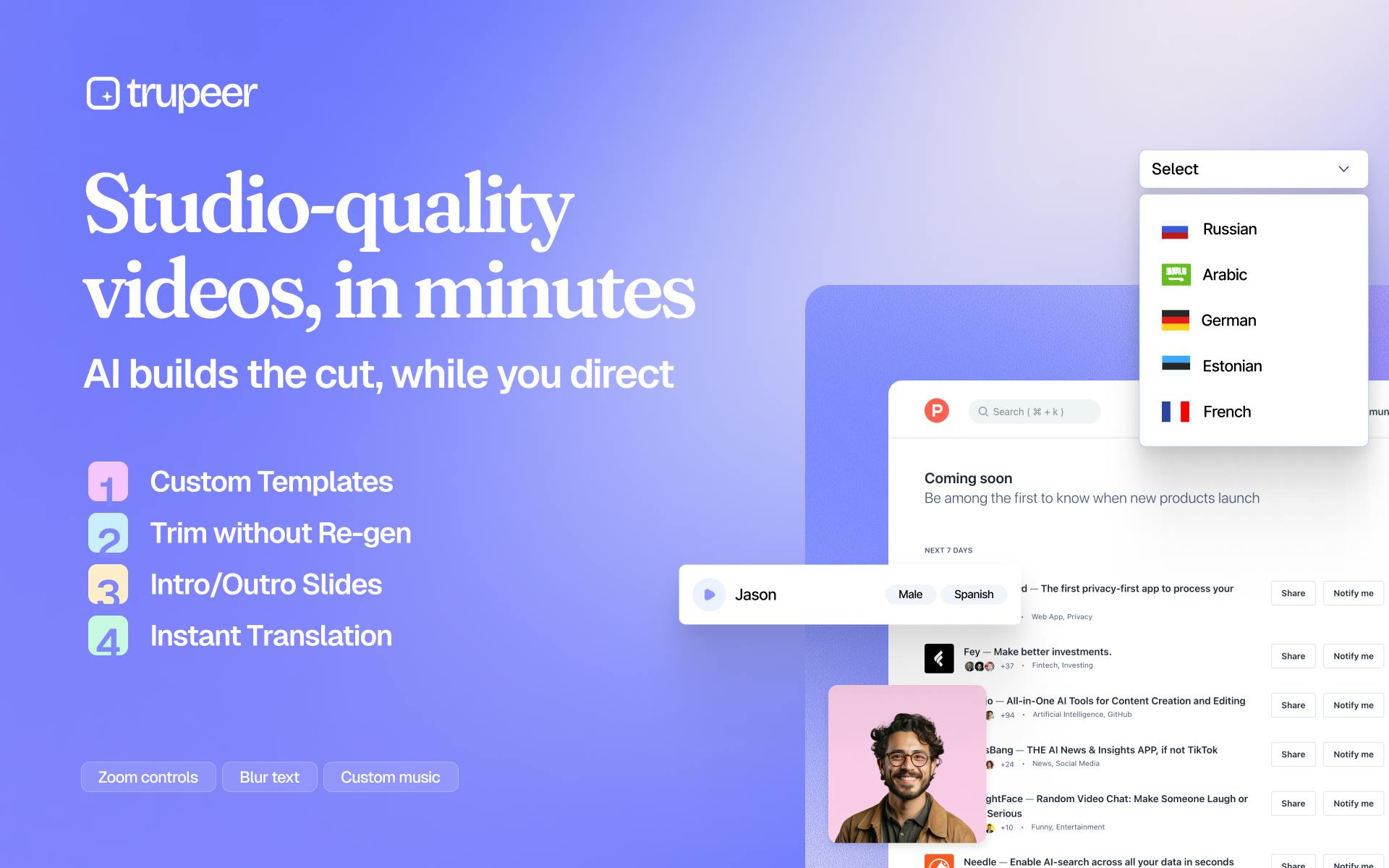
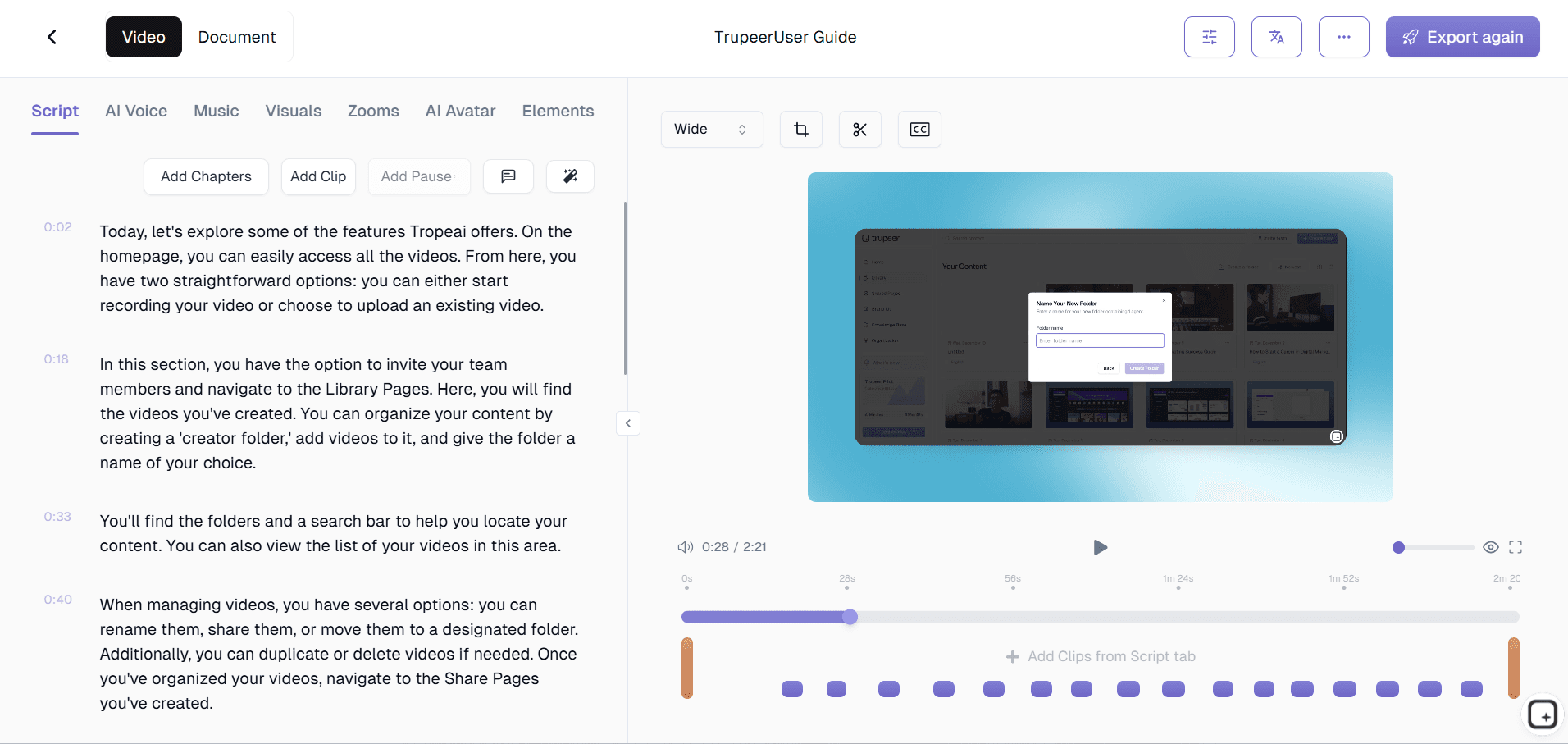
There is no desktop app to install. Trupeer runs in the browser, and you sign up at www.trupeer.ai. For most people, the Chrome extension does the actual work. You install it, press record, go through your process and stop. The AI takes over from there.
Logging in works the way you'd expect: email and password, or single sign-on for enterprise accounts. The one recurring complaint in user feedback concerns onboarding. Less technical first-time users say they would like more guidance at the start. It's not a dealbreaker, but it's worth knowing if you plan to roll the tool out to people who aren't comfortable with software.
The meter is always running
This is where the review gets less flattering. Trupeer charges by AI video minutes, and you notice those caps quickly. Here is how the plans compare, based on the figures in our original coverage. Prices can change, so check the Trupeer site before you buy.
- Free: $0. Includes 10 AI video minutes and 5 AI guides a month. Fine for a test drive, but not much more.
- Pro: roughly $40 to $49 a month. Includes 20 AI video minutes, unlimited guides, recordings up to 8 minutes per session, AI voiceover, script generation, automatic zoom effects and document generation.
- Scale: roughly $199 to $249 a month. Includes 100 AI video minutes, a shared team workspace, custom branding, collaboration tools and three seats.
- Enterprise: custom pricing, with dedicated support, stronger security controls and API access.
Paying annually takes about 20 percent off the paid plans. Even with that discount, Trupeer costs more than Scribe or Guidde. The free tier feels more like an extended trial than a plan you could stay on. Twenty AI minutes a month on Pro also isn't much if your team records regularly.
Where users are happy, and where they aren't
Feedback on G2, Product Hunt and tech review sites is mostly positive, but with some recurring reservations.
The case for it
The biggest praise is about time saved. Several reviewers from L&D teams, customer success and product marketing say documentation that used to take three to five hours now takes under 30 minutes. That's the whole promise of the product, and users say it delivers.
The script generator also gets strong reviews. You can stumble, restart and fill the recording with "um" and "so basically", and the AI still returns a clean script. The automatic zoom and voiceover features are frequently mentioned as well.
The case against it
Price is the most common complaint, usually tied to the minute caps. Some users find the voice library too limited. Others say the free plan is too restrictive to properly judge the product before paying. There are also comments about a learning curve: the tool isn't hard to use, but it's less instant than Loom, and getting the best results from the AI features takes some practice.
Why we landed on three stars
The core technology deserves credit. Turning a messy screen recording into a formatted guide is useful, and by most accounts Trupeer does it well. A company that produces a steady stream of SOPs, onboarding material or user manuals, and has the budget, will probably recover the cost in saved staff hours.
Everyone else will struggle with the price. Charging $40 or more a month for individual use and still limiting AI minutes is a tough offer for freelancers and small businesses. The gap between the free plan and Pro feels large, and well-established alternatives sit at lower price points. Trupeer has a better idea than many competitors. What it lacks is a plan in the middle that lets smaller users get comfortable before committing.
Our view: a good product, but not one that suits everyone yet. If it fits your workflow and your budget, try the free tier and see how far 10 minutes gets you. If you're spending carefully, compare Scribe and Guidde first. And if you have opinions on which online tools actually earn a place in your bookmarks, vote for the world's most useful websites.
Quick answers
Can you use AI Doc Writer for free?
Yes, but with limits. The free plan includes 10 AI video minutes and 5 AI guides a month. That's enough to evaluate the tool, but not enough for regular documentation work.
Does it work for teams?
Team features are on the Scale and Enterprise plans, which include shared workspaces, custom branding, collaboration tools and multiple seats. Pro is designed for individual users.
Which languages does it support?
Trupeer supports more than 65 languages for video and document output, and includes translation features so a guide written in one language can be shared with teams elsewhere.











