
Quick Verdict
Handshake is a career platform built mainly around students, recent graduates, universities, career centres and employers looking for early-career talent. It has a free mobile app, job listings, employer profiles, career fairs, school resources, application tools and a social-style feed. On paper, that is a strong package. In practice, our 2026 review found the experience too dependent on school affiliation, account status and employer setup to feel consistently simple for every job seeker.
ICON POLLS rates Handshake 1.0 out of 5. That score is intentionally strict. It does not mean the platform has no useful features. The app works, jobs can be searched and applied for, Quick Apply can reduce friction, and students at active partner schools may get genuine value from career-centre tools. The low rating reflects our view that access can feel fragmented, some applications still push users to outside websites, school approval can affect what a student sees, and the interface now mixes job search with feeds, events and career content in a way that can feel busy when the user simply wants to find and apply for work.
At a Glance: Icon Polls Ratings
Here is how Handshake scored across the areas we evaluated in 2026:
|
Category |
Stars |
Score |
|
Job Search Experience |
★★☆☆☆ |
1.5/5 |
|
Mobile App |
★★☆☆☆ |
1.8/5 |
|
Login and Sign Up |
★☆☆☆☆ |
1.2/5 |
|
Dashboard and Navigation |
★☆☆☆☆ |
1.0/5 |
|
Application Experience |
★☆☆☆☆ |
1.1/5 |
|
Access Without a Partner School |
★☆☆☆☆ |
0.8/5 |
|
Consistency Across Users |
★☆☆☆☆ |
0.7/5 |
|
Overall |
★☆☆☆☆ |
1.0/5 |
What Is Handshake?
Handshake is an online career network focused on students, alumni and early-career job seekers. Colleges and universities can use it as part of their career-services system, while employers can post jobs, attend career fairs, message candidates and review applicants. Students use the platform to search for internships and jobs, follow employers, attend events and, where their school participates, access career-centre services.
The experience is not identical for everyone. A student connected to a Handshake partner school can have access to school-specific jobs, appointments, career fairs, surveys and other services. Someone who creates an individual account without a school can still use parts of Handshake, but school-specific features are not available. That difference is one of the biggest reasons two users can describe the platform very differently.
Handshake App
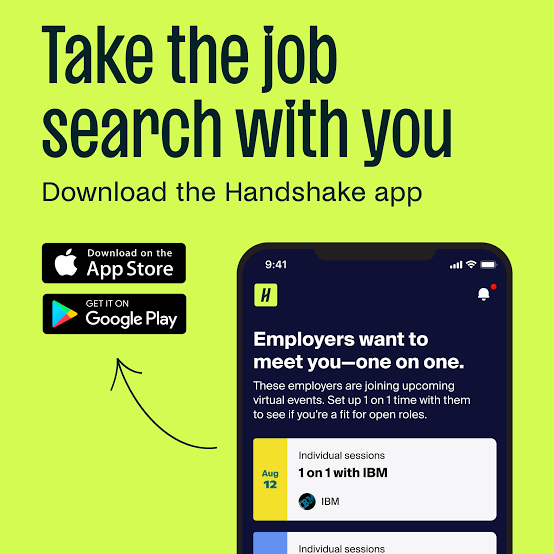
Handshake has a free mobile app for iOS and Android. The app lets users search for jobs, browse opportunities, apply to supported roles, view events and career fairs, follow activity in the Feed and manage parts of their profile. For students who use Handshake often, the mobile app is more convenient than trying to use the service through a phone browser.
The app is functional, but we found the product direction less focused than a straightforward job-search tool. Jobs compete for attention with posts, employer content, events and career-centre activity. That may be helpful for a student who wants a complete campus career network, but it can be frustrating for someone who opens the app with one goal: find a relevant vacancy and apply quickly.
Handshake itself recommends using the mobile app rather than a mobile browser because some features can be limited or less reliable in the browser. That is sensible, but it also means users who prefer not to install another app may get a weaker mobile experience.
Handshake Login
Handshake login depends partly on how the account was created. Students at partner schools may sign in through their school single sign-on system, with a school email, or through Handshake credentials. The general login flow also supports email-based access and newer account flows can offer Google authentication.
This flexibility sounds positive, but it can create confusion. A student may have a school-created account, a personal account, an alumni account or a separate employer account. Using the wrong email or login route can make it look as though data is missing. School connections can also remain pending until a career centre approves them.
For users who lose access to a university email after graduation, account recovery and alumni access are worth sorting out before creating a new profile. Keeping one account matters because saved jobs, documents, school connections and application history may be attached to the original account.
Handshake Dashboard
For students, the main experience is built around a home area, left-side navigation, jobs, events, profile activity and career-centre features when available. The page can also surface recommended opportunities, employer activity and social feed content. Employers have a different home dashboard with hiring actions, applicant review and recruiting tools.
Our main issue with the dashboard is focus. Handshake has grown beyond a job board, and the interface reflects that. The platform wants to be a career network, school services hub, employer discovery tool and social career feed at the same time. Users who like that wider ecosystem may enjoy it. Users who want a clean list of jobs, salary details and application status may find the extra layers distracting.
The dashboard also changes depending on school connection and account type. If a student is not connected to a partner school, the Career Center option may be missing and some services will not appear. That makes online tutorials less reliable because the screen shown in one guide may not match another user’s account.
Handshake Sign Up
Students at partner schools are often invited by their career centre and can claim an account using the school connection. If there is no invitation, users can search for their school during registration. Handshake also allows people to continue without a school in supported cases.
The problem is that sign-up is not one universal experience. A school connection may be approved automatically based on the email domain or may need manual approval. If the school is not partnered with Handshake, the user can have fewer school-specific features. Individual accounts also have different eligibility rules, including higher minimum-age requirements when there is no school affiliation.
For 2026, this feels more complicated than a modern job platform should be. The system makes sense from the perspective of university administration, but a job seeker may simply wonder why access depends so much on an institution when they are trying to search for work.
Handshake Jobs
The Jobs section allows users to browse internships and employment opportunities and use filters to narrow the results. Saved jobs are kept separately, and a job detail page shows the information supplied by the employer. Students can also encounter opportunities through recommendations and employer activity elsewhere in the platform.
The quality of the experience depends heavily on the employers recruiting in the user’s school network, location and field. Students connected to strong career centres can see relevant campus-targeted opportunities. Users outside that environment may have a less distinctive experience compared with larger general job platforms.
Handshake does have an advantage in early-career recruiting. Many listings are aimed specifically at students and recent graduates, which can reduce the problem of opening an “entry-level” role that quietly asks for years of experience. Still, our low rating reflects the full experience, not just the existence of student-focused listings.
How to Apply for Jobs on Handshake
Handshake uses several application paths. A listing can show Apply, Quick Apply or Apply Externally. Quick Apply is the smoothest option. It is available when the candidate meets the employer preferences and the application either needs no document or only one resume that is already uploaded or pending approval.
Regular Apply can require documents or additional steps inside Handshake. Apply Externally sends the user to another website because the employer collects applications elsewhere. That external handoff is one of our biggest complaints. It breaks the idea of Handshake being a complete application platform and can force the user to create another account, re-enter the same information and then return to Handshake to keep track of what happened.
Applied jobs can be checked through My Jobs. Handshake also has safeguards against extreme automated application behaviour, including a daily application limit. For a normal user this should not be an issue, but it shows that the platform is designed to manage both genuine applications and high-volume activity.
Handshake User Experience
Handshake is easiest to understand when a university actively uses it and the student follows the process the school expects. In that situation, jobs, career fairs, appointments and employer activity can all sit in one account. A student can discover a company, attend an event, save a role and apply without leaving the same career ecosystem.
Outside that ideal setup, the experience becomes inconsistent. A user without a school connection can see different features. A pending connection can hide career-centre services. Some jobs use Quick Apply, others require documents, and others send the applicant outside Handshake. The same platform can therefore feel smooth one minute and fragmented the next.
We also think the social feed makes the product less direct. Career advice, posts and employer content may be useful, but a student looking for work can easily spend time scrolling instead of applying. In our testing framework, a career platform should make the shortest path to a relevant job obvious. Handshake often adds more pathways instead.
The 1.0 rating is therefore about consistency and friction rather than a claim that every feature is poor. Students at active partner schools may rate it much higher. Our view is that a platform with this much reach should offer a simpler and more uniform experience regardless of school status.
Pros and Cons
What Works Well
Free mobile app for iOS and Android
Strong focus on internships, students and recent graduates
Quick Apply can make simple applications faster
Partner schools can connect jobs with career fairs, appointments and career services
Students can save jobs and review applications from one account
Employers can target early-career candidates and university communities
School-specific opportunities can be valuable when a career centre actively manages the platform
What Needs Improvement
Experience changes too much depending on school connection and account type
Some job applications still redirect users to external websites
Sign-up and login can become confusing across school, personal and alumni accounts
Dashboard mixes jobs with feed content, events and other career activity
Users without a partner school can lose access to school-specific features
Pending school approval can delay full access
Mobile browser experience is weaker than the dedicated app
The platform feels more complicated than a focused job-search service
Frequently Asked Questions About Handshake (2026)

Handshake is used by students, alumni, schools and employers for jobs, internships, career fairs, employer discovery, career-centre services and early-career recruiting.
2. Is the Handshake app free?Yes. The Handshake mobile app is free to download and use on iOS and Android.
3. How do I log in to Handshake?Students can log in through the Handshake login page, a school single sign-on system, Handshake credentials or other supported account methods. The correct route depends on how the account was created.
4. Can I sign up for Handshake without a school?Yes, eligible users can create an individual account without a school in supported regions. However, they do not receive all school-specific features available to students connected to partner institutions.
5. Why can I not see the Career Center on my Handshake dashboard?The Career Center can be missing if the account is not connected to a school, the school connection is still pending, or the school is not a Handshake partner.
6. How do I find jobs on Handshake?Open Jobs from the main navigation, browse the overview page and use search filters to narrow opportunities. Saved roles can be viewed from the Saved section.
7. How do I apply for a job on Handshake?Open the job detail page and use Apply, Quick Apply or Apply Externally depending on the employer setup. Quick Apply is the shortest route when the candidate meets the required conditions.
8. What does Apply Externally mean on Handshake?It means the employer collects applications on another website. You need to leave Handshake and complete the additional steps on that external site.
9. What is Quick Apply on Handshake?Quick Apply is a faster application option available when you meet the employer preferences and the job requires no document or only one resume that is already available in your account.
10. Can alumni use Handshake?Yes. Alumni can use student accounts, although access to some school-specific features can depend on the school and current account connection.
11. Why is my Handshake school connection pending?Some school connections require approval from the institution’s career centre. Until that approval is completed, school-specific services may remain unavailable.
12. Can I use Handshake without downloading the app?Yes. Handshake works in supported desktop browsers. On mobile, the company recommends the iOS or Android app because some mobile-browser features can be limited or less reliable.
13. Where can I see jobs I already applied for?Applied jobs can be reviewed from My Jobs in the account menu. The exact application status available depends on how the employer collected the application.
14. Is Handshake worth using in 2026?It can be useful for students at active partner schools and for people looking for internships or early-career roles. ICON POLLS rates it 1.0 out of 5 because we found the overall experience too inconsistent and dependent on school affiliation, account type and employer application setup.
Icon polls Verdict
Handshake earns 1.0 out of 5 in the ICON POLLS 2026 review. That score is much lower than the number of features might suggest, but our concern is not feature count. It is how consistently those features work together for the person actually trying to get a job.
The best version of Handshake is easy to understand: a student at a partner university opens the app, sees relevant employers, attends a career fair, saves a role and applies. The weaker version is a user dealing with school approval, missing career-centre access, a busy feed, an external application site and different login routes across student and alumni accounts. Both experiences exist on the same platform.
We would still tell students to check Handshake because some universities and employers use it heavily and certain opportunities may not be promoted elsewhere. We simply would not rely on it as the only job-search platform. Use it for school-connected opportunities and early-career recruiting, but keep a separate job-search routine for broader roles and direct employer applications.