Payoneer Review 2026: App, Sign-Up, Support, Account, Card, Help, Free, User Experience & FAQs

By ICON Team · Aug 14, 2026 · 13 min read
Payoneer Review 2026: App, Sign-Up, Support, Account, Card, Help, Free, User Experience & FAQs

Quick Verdict

Payoneer remains one of the more practical payment platforms for freelancers, online sellers, agencies, contractors, and small businesses that receive money across borders. The service is built around business payments rather than everyday personal banking. Users can receive money through supported receiving accounts, get paid by marketplaces and clients, hold balances in several currencies, withdraw to local bank accounts, and, where eligible, spend with a physical or virtual Payoneer card.

Our 4.2 out of 5 rating reflects a platform that solves a real problem well, especially for people working with overseas clients or international marketplaces. The app is useful, account management is straightforward once verification is complete, and the card can be convenient for business spending. The main drawback is pricing complexity. Payoneer is often free to open and some receiving methods are free, but it is not a completely free service. Withdrawal, card, currency conversion, receiving, registration, and annual account fees can apply depending on the country, account type, payment method, and level of activity.

At a Glance: Icon Polls Ratings

Here is how Payoneer scored across the main areas we evaluated in 2026:

Category

Stars

Score

International Payment Tools

★★★★☆

4.4/5

Mobile App

★★★★☆

4.3/5

Sign-Up and Account Setup

★★★★☆

4.0/5

Card and Spending Features

★★★★☆

4.2/5

Support and Help Centre

★★★★☆

4.0/5

Fee Transparency

★★★★☆

3.7/5

Business Usefulness

★★★★★

4.5/5

Overall

★★★★☆

4.2/5

What Is Payoneer?

Payoneer is a financial technology platform focused on cross-border business payments. It is commonly used by freelancers, digital businesses, marketplace sellers, agencies, remote professionals, and companies that need to receive or send business payments internationally.

A Payoneer account can provide access to receiving account details in supported currencies, client payment requests, marketplace payouts, local bank withdrawals, currency management, and business cards for eligible customers. The exact services available are not identical in every country, which is important to understand before signing up.

Payoneer App

The Payoneer mobile app is available for iOS and Android and is useful for users who do not want to manage every transaction from a laptop. The app can be used to check balances, view transactions, track incoming payments, manage account activity, send or receive supported payments, review notifications, and complete security steps.

The app feels most useful for monitoring an account rather than doing complicated setup work. A freelancer can check whether a client payment has arrived, confirm a withdrawal, or review a card transaction without opening the full web dashboard. Payoneer also uses its mobile app for added security features such as push-based verification.

For detailed reports, account settings, and some verification or fee checks, the web version can still be more convenient. The mobile experience is strong, but users should keep the app updated because financial apps rely heavily on current security features.

Payoneer Sign-Up

Payoneer sign-up starts by choosing the type of business or professional activity, entering personal or company details, and providing the information needed for identity and business verification. The platform may request identification documents, address information, banking details, business information, or supporting records depending on the account and country.

Registration is free in many countries, but it is not universally free. In some countries and territories, a one-time registration fee of $29.95 can apply after the account is approved. Users should therefore read the fee information shown during registration instead of assuming every account opens at no cost.

Approval time can vary. Straightforward accounts may move quickly, while applications that require extra documentation can take longer. The easiest way to avoid delays is to make sure the legal name, date of birth, company details, address, and bank information match the documents being submitted.

Payoneer Account

The Payoneer account dashboard is where users manage balances, receiving accounts, withdrawals, cards, payment requests, currency conversions, and account settings. For users receiving money from different countries, one of the main benefits is being able to keep supported currency balances and decide when to withdraw or convert.

Payoneer accounts are designed for business use. This matters because the platform may ask questions about the source of funds, business activity, clients, websites, marketplaces, or transaction patterns. Those checks can feel inconvenient, but they are part of the verification and compliance process around international payments.

Users should also pay attention to account activity. In many cases, an annual account fee of $29.95 can apply when less than $6,000 or the equivalent has been received during a qualifying 12-month period. The exact rule can vary by country and account type, so the Fees section inside the account is the best place to check the current rule that applies personally.

Payoneer Card

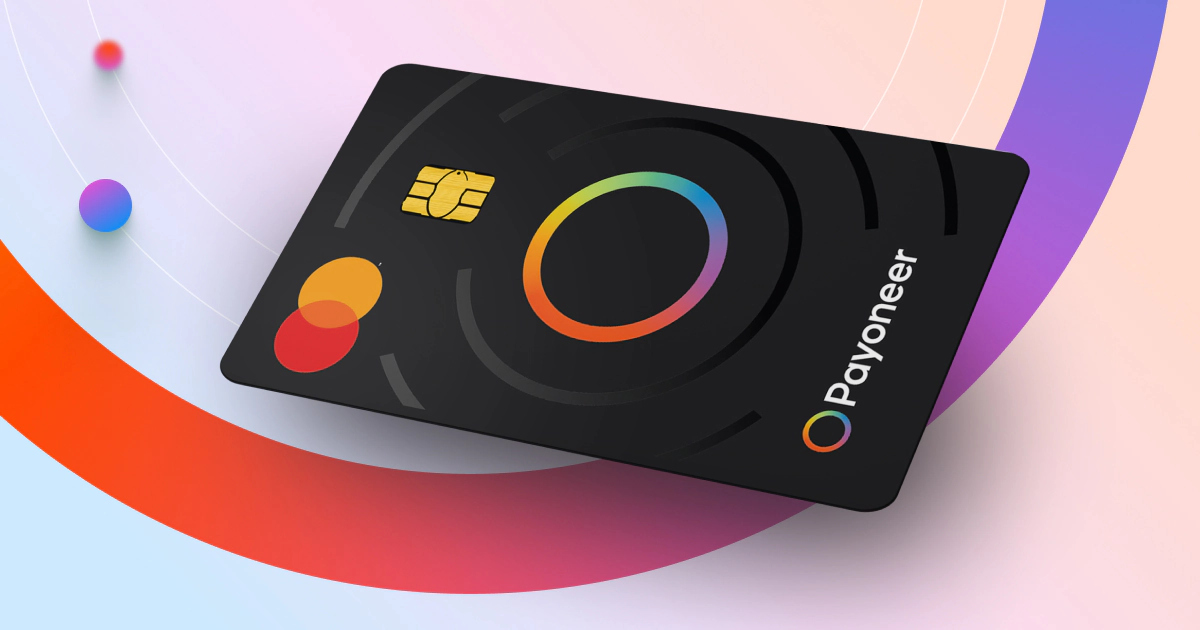
Eligible customers can use Payoneer physical or virtual Mastercard products connected to their Payoneer balance. The card is useful for online business expenses, software subscriptions, advertising, travel-related costs, and purchases where Mastercard is accepted.

The annual card fee is $29.95 under the standard pricing shown in 2026. Standard card delivery is listed as free, while card replacement can attract an additional charge. Purchases without currency conversion can be free in some situations, but other card purchases can carry fees of up to 1.8%. Transactions that require currency conversion can cost up to 3.5%.

ATM withdrawals are convenient but not cheap. A fixed withdrawal fee applies depending on the card currency, with additional percentage fees possible. For that reason, the Payoneer card makes more sense for direct business spending than for frequent small ATM withdrawals.

Card availability depends on eligibility, account activity, country, and the type of Payoneer account. Not every new user will see the same card option immediately after registration.

Payoneer Support

Payoneer provides a help centre, contact forms, live chat, and phone support. Live chat generally requires users to sign in, and phone options can differ by region and availability. The support centre is useful for common issues involving verification, cards, withdrawals, receiving accounts, fees, payment requests, and account access.

Our experience of the support structure is mixed but generally positive. There is a large amount of self-service material, which is good when the problem is simple. The frustration begins when an issue involves a review, blocked payment, missing document, or account restriction because those cases may not have an immediate answer.

Users contacting support should include the transaction ID, relevant dates, amount, currency, screenshots where appropriate, and a clear description of the issue. Sending the same vague message repeatedly can slow the process rather than speed it up.

Payoneer Help

The Payoneer Help Centre covers most routine account questions. Users can search for topics such as withdrawing money, ordering a card, receiving payments, changing account information, verification, fees, and troubleshooting.

When a question cannot be solved through an article, the contact area can route users to email, live chat, or phone options. For login problems, Payoneer also provides account access assistance without requiring the user to enter a functioning dashboard first.

Because payment problems can be time-sensitive, we recommend keeping records of client invoices, contracts, marketplace statements, proof of service, and bank details. If Payoneer requests more information about a transaction, having those documents ready makes the process easier.

Is Payoneer Free in 2026?

Payoneer is free in some situations, but describing the entire service as free would be misleading. Opening an account usually has no monthly subscription charge, and some methods of receiving money are free. For example, receiving a payment through a local receiving account in the same local currency can be free under standard pricing.

Other activities can cost money. Receiving money by credit card can cost up to 3.99% plus $0.49 or the local equivalent. ACH bank debit payments in the United States can cost 1%. Withdrawing to a bank account can carry a fixed fee or a percentage depending on the destination and currency. Moving funds between Payoneer currency balances is listed at 0.5%.

The annual account fee and card fee are separate. The standard annual account fee is $29.95 when the relevant account activity threshold is not met, while the standard annual card fee is also $29.95. A registration fee can apply in certain countries. This is why every user should check the fee page shown inside their own account.

Payoneer Fees at a Glance

Service

Typical 2026 Standard Fee

Account opening

Usually free, but $29.95 registration fee can apply in some countries

Annual account fee

$29.95 when applicable under account activity rules

Annual Payoneer card fee

$29.95

Receiving through local receiving account

Free in eligible local-currency cases

Receiving by credit card

Up to 3.99% + $0.49 or equivalent

US ACH bank debit

1%

Currency balance conversion

0.50%

Local bank withdrawal

From $1.50 in some supported same-country cases

Other bank withdrawals

Commonly 1.2% to 4%, depending on corridor

Card currency conversion

Up to 3.5%

These are general standard figures rather than a promise of what every customer will pay. Fees can differ by country, account type, currency, payment route, marketplace agreement, and registration channel.

Payoneer User Experience

Payoneer is at its best when a user has a clear international business use case. Someone receiving regular payments from overseas clients or marketplaces can keep the account as a central payment hub, withdraw when needed, and use the card for business expenses.

The dashboard and app are easier to understand than the fee structure. Most everyday actions are clearly labelled, but users need to pay attention to the cost displayed before confirming withdrawals or currency conversions. A small percentage difference can matter when moving large amounts.

Verification is the part of the experience most likely to frustrate new users. Financial platforms sometimes ask for more documents than people expect, especially when account activity changes. Users who keep business records and use the account for its intended purpose will generally have an easier time responding to those requests.

Overall, the experience is strong for business payments but less attractive for someone who only needs a simple local wallet. Payoneer's value comes from its cross-border tools, not from being the cheapest option for every single transaction.

Pros and Cons

What Works Well

Strong option for freelancers, agencies, sellers, and businesses receiving international payments

iOS and Android apps make it easy to monitor balances and transactions

Supports receiving accounts and withdrawals across multiple currencies and markets

Physical and virtual Payoneer cards are useful for eligible business customers

Can receive payments from clients and many major online marketplaces

Help centre, live chat, email, and phone support are available in supported cases

No standard monthly subscription is required for many account types

Good balance between business payment tools and everyday account management

What Needs Improvement

Fee structure can be difficult for new users to understand

Annual account fee can apply when activity requirements are not met

The Payoneer card has its own annual fee

Registration is not free in every country

ATM withdrawals and currency conversion can become expensive

Verification and compliance reviews can take time

Card and account features vary by country and eligibility

Support can feel slow when an issue requires manual account review

Frequently Asked Questions About Payoneer (2026)


1. What is Payoneer used for?

Payoneer is mainly used for international business payments. Freelancers, online sellers, agencies, contractors, and companies can receive money, hold supported currencies, withdraw to bank accounts, and use eligible Payoneer cards.

2. Is Payoneer free to sign up?

In many countries, sign-up is free. However, a one-time $29.95 registration fee can apply in certain countries or account types. The final registration screen shows whether a fee applies.

3. Does Payoneer charge a monthly fee?

Many standard accounts do not have a monthly subscription fee. Other charges can still apply, including transaction, withdrawal, card, currency conversion, registration, and annual account fees.

4. What is the Payoneer annual account fee in 2026?

The standard annual account fee is $29.95 when the applicable activity requirement is not met. In many cases, receiving at least $6,000 or the equivalent during the qualifying 12-month period avoids the fee, but rules can vary by country and account type.

5. Does Payoneer have a mobile app?

Yes. Payoneer has mobile apps for iOS and Android. The app can be used to review balances, transactions, payments, notifications, and account activity.

6. How do I open a Payoneer account?

Start the sign-up process, select the correct business or professional profile, enter your legal details, provide bank information, and complete any identity or business verification requested by Payoneer.

7. How do I contact Payoneer support?

Payoneer offers a Help Centre and contact options that can include email, live chat, and phone support. Some support channels require users to sign in and availability can depend on region and time.

8. How do I get a Payoneer card?

Eligible users can log in, open the Banks and Cards or Payoneer Cards area, and check whether the option to order a physical or virtual card is available. Eligibility depends on the account and region.

9. How much is the Payoneer card annual fee?

The standard annual card fee shown in 2026 is $29.95. Other card fees can apply for replacement, ATM withdrawals, currency conversion, and certain purchases.

10. Can I use a Payoneer card at an ATM?

Yes, eligible physical Payoneer cards can be used at supported ATMs. A fixed ATM withdrawal fee applies, and extra percentage or operator charges can apply, especially when currency conversion is involved.

11. Can I withdraw Payoneer money to my bank account?

Yes. Bank withdrawal is one of Payoneer's main features. The fee depends on the destination country, bank currency, account currency, and whether conversion is required.

12. Can clients pay directly into Payoneer?

Yes. Eligible users can receive client payments through supported receiving accounts or payment request methods. The available payment methods and fees depend on the client, currency, country, and account.

13. Is Payoneer safe to use?

Payoneer uses identity verification, security controls, two-step verification, and account monitoring. Users should still protect passwords, use official apps and websites, and never share verification codes with another person.

14. Is Payoneer worth using in 2026?

For people who regularly receive international business payments, Payoneer can be very useful. It is less attractive when the user only needs local payments or when frequent conversions and withdrawals make the fees higher than expected.

Icon polls Verdict

Payoneer earns 4.2 out of 5 in the ICON POLLS 2026 review. The platform remains especially useful for freelancers, agencies, marketplace sellers, and businesses that earn money internationally and need a practical way to receive, hold, withdraw, and spend those funds.

The app is solid, the card is useful for eligible customers, and the account gives users more flexibility than receiving every overseas payment directly into a local bank. Support options are broad enough for most routine issues, while the Help Centre answers many common questions without requiring an agent.

The biggest reason the score does not go higher is cost complexity. Payoneer can be inexpensive when used carefully, but it is not automatically free. A user who ignores annual fees, card fees, ATM costs, conversion charges, or withdrawal rates can spend more than expected.

Our practical recommendation is to open Payoneer when there is a clear business reason for it, check the exact fee schedule inside the account, and compare the cost before every large withdrawal or currency conversion. Used that way, Payoneer remains one of the better cross-border payment tools for online professionals and international businesses in 2026.