|
Product name |
Reloop - AI Transcribe & Speak |
|
Category |
Education and language learning |
|
Primary use |
Transcription, listening, shadowing and vocabulary practice |
|
AI features |
Audio and video transcription, language detection, explanations and speech tools |
|
Platforms |
iPhone and iPad |
|
Free plan |
Free download with in-app purchases |
|
Paid plans |
Basic and Pro subscription options |
|
Languages |
English plus 16 additional interface languages |
|
ICON POLLS rating |
3.9 out of 5 |
|
Best for |
Learners who improve through podcasts, videos and repeat listening |
Reloop Review in 2026
Reloop is an AI-assisted language learning app built around something many learners already do every day: listening to real content. Instead of handing users only prepared lessons, it can turn supported audio, video and text into material for transcription, subtitle-based study, shadowing and vocabulary review. That makes it feel less like a traditional course and more like a personal practice space for the podcasts, clips and recordings you already enjoy.
ICON POLLS gives Reloop a rating of 3.9 out of 5 in 2026. The app has a clear idea and a useful set of tools, especially for independent learners who learn best by hearing natural speech repeatedly. It also looks actively developed, with regular updates to playback, voice options, vocabulary review and the import process. The main limitation is that it is still a newer, mobile-first product with a small public review base, so its wider reliability and long-term support are not as easy to judge as older language platforms.
What Reloop Does
At its core, Reloop helps users bring content into a study loop. You can import eligible links or local audio and video, then use AI transcription to create text from speech. The app pairs this with synchronized subtitles, playback controls and repeat functions. If a learner wants to replay one sentence until the rhythm and pronunciation feel natural, the workflow is much more practical than dragging a video timeline back and forth.
The app also includes word collection and review tools. A word can be saved with its place in the original audio, so review is connected to the exact sentence where it appeared. This is a stronger approach than collecting random vocabulary without context. Reloop has also added options such as spaced review, subtitle export, text-to-speech voices and flashcard export support, which show that the app is trying to become more complete than a simple transcription tool.
Reloop AI Features
The AI side of Reloop is useful when it stays in the background. Its most important job is transcription: turning spoken language into study text, including content that does not already have subtitles. It also supports language-focused explanations, word analysis, pronunciation voices and text-to-speech. These tools can save time, especially when a learner is working through a long podcast or a difficult interview.
However, AI transcription is never perfect. Background noise, names, fast speakers, regional accents and mixed languages can all affect results. Reloop works best when users treat the generated transcript as a helpful starting point and use their own judgement, particularly when studying a new word or grammar pattern. That is not a weakness unique to Reloop, but it matters for anyone expecting every caption to be exact.
Reloop App, Free Plan and Pricing
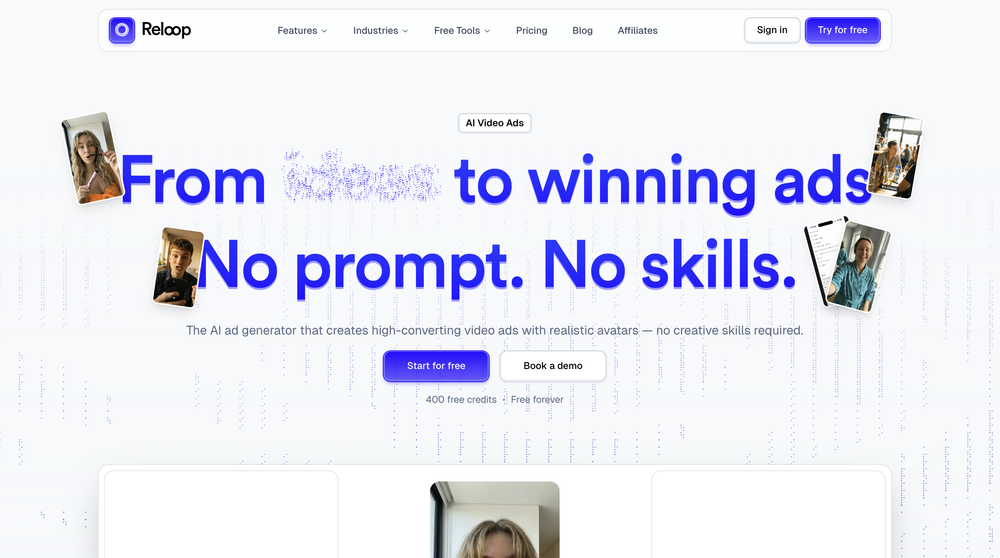
Reloop is free to download on iPhone and iPad, but it is not completely free for every feature. The app offers in-app subscriptions, including a lower-cost Basic tier and a Pro tier with broader AI transcription and review capabilities. In practical terms, the free download is good for testing whether the learning method suits you, while regular users who import a lot of material may eventually need a paid plan.
Our advice is simple: start with content you genuinely want to understand. Try one short podcast episode or video, use the loop and shadowing functions for a few days, then decide whether the subscription makes sense. An app like Reloop becomes valuable through a steady habit, not by being downloaded and forgotten after one session.
Touch Controls and User Experience
Reloop is designed for touch-based learning, and that is one of its better qualities. The player gives users direct control over subtitles, repeats, playback speed, word selection and saved content. Recent updates have focused on small interaction details, including a larger touch area for importing, smoother review-card playback, clearer repeat controls and improved display choices. These refinements matter because language practice involves many small taps.
The user experience is strongest once a piece of content has been imported successfully. From there, the study flow is logical: listen, read, repeat, save and review. The interface may take a little time to understand because it offers more tools than a basic flashcard app. Beginners who only want fixed lessons may find it busy at first, while self-directed learners will probably appreciate the control.
What We Liked
Reloop gives real content a clear learning purpose. It is particularly good for shadowing practice, repeated listening and saving vocabulary in context. The recurring updates are another positive sign, and the combination of subtitles, loops, speed control and review features can support serious everyday practice without making the experience feel overly academic.
What Could Be Better
The app needs more time to build a larger public reputation. A small number of store ratings does not tell a full story about performance across many devices and learning styles. It would also benefit from clearer public guidance around its free limits, supported import sources and which AI features need a subscription. Better onboarding for first-time users would make its many options feel less intimidating.
ICON POLLS Verdict
Reloop earns a 3.9 out of 5 rating from ICON POLLS in 2026. It is a promising AI learning app with a practical focus on listening, transcription and speaking practice. It is not the best choice for someone who wants a rigid, teacher-led course, but it can be very useful for learners who want to study English or another language through content they actually enjoy. Start free, test the workflow with short material and only pay if the repeat-and-review routine fits your day.
Frequently Asked Questions About Reloop
1. What is Reloop?
Reloop is an AI-assisted language learning app that helps users transcribe, replay, shadow and review audio, video and text content.
2. Is Reloop free?
Reloop is free to download, but it includes in-app purchases. Some advanced features and higher usage may require a Basic or Pro subscription.
3. Is Reloop an AI app?
Yes. Its AI tools include speech transcription, language support, word analysis and speech-related learning features.
4. What does Reloop AI transcription do?
It converts supported spoken content into text and subtitles that can be used for study, replay and vocabulary review.
5. Can I use Reloop to learn English?
Yes. The app is designed around listening, shadowing, vocabulary collection and repeated practice, which can support English learning.
6. Does Reloop work on iPhone and iPad?
Yes. Reloop is listed for iPhone and iPad. Device and operating-system requirements should be checked in the app store before installation.
7. What is shadowing in Reloop?
Shadowing is a speaking practice method where you listen to a sentence and repeat it closely after the speaker. Reloop supports this with looping and subtitle-based playback.
8. Can Reloop import videos and podcasts?
The app supports importing from selected online sources and local audio or video files. Availability may depend on the content source and current app version.
9. Are Reloop transcripts always accurate?
No AI transcript should be treated as perfect. Results can vary with audio quality, accents, speed, names and background noise.
10. Is Reloop worth paying for?
It can be worthwhile for learners who use transcription and repeat practice consistently. Casual users should try the free version first.
11. What is the ICON POLLS rating for Reloop?
ICON POLLS rates Reloop 3.9 out of 5 in 2026 for its focused AI learning tools, touch-friendly practice flow and ongoing improvements.
12. Who is Reloop best for?
It is best for self-directed learners who prefer learning through podcasts, videos, listening practice and real spoken language rather than only fixed lessons.











