Most productivity apps pick a lane. Taskade has spent the last couple of years refusing to. It started as a tidy collaborative task manager. Now it wants to hold your projects, your AI agents, your automations and your databases. Through Genesis, it also wants to build the small business apps you used to pay someone else to make. That ambition is the whole story of Taskade in 2026, and it cuts both ways.
The short version
Icon Polls rates Taskade 4.0 out of 5. The appeal is how much happens inside one workspace. Teams can plan, chat, build custom agents, automate repeat steps and turn a plain English idea into a working app. The free plan is genuinely usable, and the apps cover almost every device you own.
The drag is complexity. AI credits, plan limits and a fast growing feature list take real time to understand. If you only want a to-do list, you'll feel buried.
How the scores break down
| Area | Stars | Score |
|---|---|---|
| AI tools and agents | ★★★★☆ | 4.3/5 |
| Taskade Genesis | ★★★★☆ | 4.4/5 |
| Projects and tasks | ★★★★☆ | 4.1/5 |
| Free plan | ★★★★☆ | 3.9/5 |
| Apps and device support | ★★★★★ | 4.5/5 |
| Ease of use | ★★★★☆ | 3.8/5 |
| Pricing clarity | ★★★☆☆ | 3.5/5 |
| Overall | ★★★★☆ | 4.0/5 |
From checklist to control room
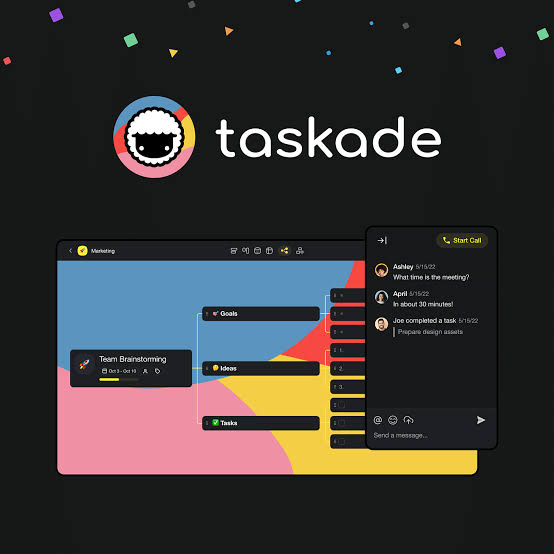
Taskade is a cloud based platform that combines task management, notes, team chat, AI assistants, automations and app building. A single workspace can contain lists, boards, mind maps, calendars, databases, agents and connected workflows.
For a small team, that might mean running a content calendar, assigning work, storing research and letting an agent draft or summarise. For a business owner, it could be a lead tracker, a client portal, an internal dashboard or a simple booking system. The pitch is consolidation. You get connected pieces instead of several subscriptions that never talk to each other.
Agents that remember the job
AI is no longer a side panel here. It runs through most of the product. You can chat with it, generate and summarise content, analyse files and build custom agents that hook into tools and automations.
Custom agents are the most practical part. Each gets its own instructions, knowledge, tools and role. One might handle customer support questions, another research, another internal operations. Because they can work with your project data, they don't start every conversation from zero. That is the difference between a chatbot and a colleague.
Taskade supports several major AI model families, though the exact lineup and credit costs shift. More advanced models and longer reasoning burn more credits. Casual users won't notice. Teams running frequent automations will, and credits quietly become part of the real price.
Genesis: describe it, get an app
Genesis is Taskade's AI app builder, and it's the reason the product feels different this year. You describe what you need in normal language and Taskade assembles a working app around it, with data, agents, automations, forms and dashboards.
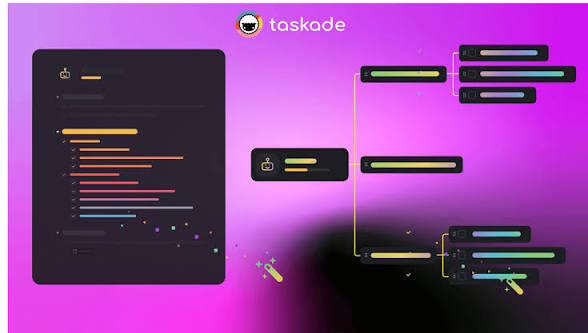
Taskade frames it as three linked parts. Projects and databases act as memory, agents supply the intelligence and automations handle execution. When those connect properly, an app can store information, make decisions and trigger actions rather than sitting there as a static mock-up. Think of a CRM that follows up on leads, an approval workflow or an inventory tracker.
The honest caveat: Genesis builds a first version, not a finished product. Advanced automations and generated apps still need careful testing before you trust them with clients. Even so, it earns the second highest score on our sheet, and it puts Taskade in the no-code and AI agent conversation, not just the task manager one.
The free plan is real, the credits are the catch
Taskade's free tier is not a disguised trial. There's no credit card required, and it includes projects, collaboration, basic AI, agents, automations and access to Genesis. The limit that matters is AI usage. Free accounts get a starter pool of credits rather than the monthly allowances on paid plans. That's plenty to learn the interface and build a first app. Daily AI users will hit the wall fast.
Pricing has also moved during 2026, so plan names and promotional prices may not match older reviews. Annual billing is usually cheaper than monthly. Check the final upgrade screen before you commit, not a screenshot from months ago.
Every screen you own
Device support is where Taskade is strongest, and it scores highest here. It runs in the browser, on iPhone and Android, as desktop apps for Mac, Windows and Linux, and as extensions for Chrome, Firefox and Edge. One subscription covers all of them, and everything syncs through the same account.
The phone apps suit quick check-ins, team chat and a bit of AI on the move. Bigger workspaces, Genesis builds and automation setup belong on a desktop, where you can see what's happening. Most people can start in the browser. Grab the desktop app once Taskade becomes daily routine. Download from the official downloads page or the proper app store, never from third party APK sites.
Signing in without losing your work
Logging in is simple: use the same sign-in method you registered with. If it fails, check the email, password, original sign-in method and your connection. The classic mistake is creating a second account on a new device, which makes projects look like they've vanished.
For business use, protect the email tied to the account, turn on stronger authentication where available, and give every team member their own login.
Where it gets crowded
Taskade feels quick when you know what you want. Creating projects, switching views and collaborating in real time are all smooth, and templates spare you a blank page. The hard part is choosing which corner of the product to use. New users meet projects, agents, automations, Genesis, integrations and credits all at once.
- Works well: one workspace for tasks, AI, automation and apps; strong real-time collaboration; multiple views of the same data; broad device support.
- Needs work: feature overload for beginners; credits complicate budgeting; free AI limits suit testing only; large workspaces get cluttered without a plan.
Our advice is to ignore most of it at first. Start with one project and one workflow, then try a single agent or Genesis app. Teams should agree on a structure before spinning up dozens of workspaces.
Who should bother
If you want tasks, AI, automation and lightweight app building in the same place, Taskade makes a lot of sense, especially for small teams trying to cut down on tools. If you need a checklist, a simpler app will be faster. Start free, move one real project in, and upgrade only if it actually saves you time. Got your own list of tools you can't work without? Make the case in our World's Most Useful Websites poll and cast your vote.
Three quick answers
Is Taskade free in 2026?
Yes. The free plan needs no credit card and includes projects, collaboration, basic AI, agents, automations and Genesis, with limits on AI credits and some advanced features.
Does Taskade work offline?
Partly. The desktop and mobile apps offer offline support for parts of the workspace, but AI generation, syncing, integrations and cloud automations need a connection.
Can it replace a project management app?
For many individuals and small teams, yes. It covers task lists, boards, calendars, mind maps, due dates, assignments and collaboration.











