|
TestSprite 2.1 Profile Overview |
|
|---|---|
|
Product Name |
TestSprite 2.1 |
|
Category |
AI Software Testing Platform |
|
Developer |
TestSprite, Inc. |
|
Founded |
2023 |
|
Headquarters |
Seattle, Washington, USA |
|
CEO / Co-Founder |
Yunhao Jiao |
|
CTO / Co-Founder |
Rui Li |
|
Co-Founder |
Xiangyi Shan |
|
Key Investors |
Techstars, Baidu Ventures, MiraclePlus, EdgeCase Capital Partners |
|
Seed Funding |
$6.7 Million |
|
Platform Users |
Nearly 100,000 teams (as of March 2026) |
|
Pricing (Free) |
150 credits/month |
|
Pricing (Starter) |
$19/month (400 credits) |
|
Pricing (Standard) |
$69/month (1,600 credits) |
|
Pricing (Enterprise) |
Custom (contact sales) |
|
Supported IDEs |
Cursor, VS Code, GitHub Copilot, Windsurf, Claude Code |
|
Key Integration |
GitHub App (automatic PR testing) |
|
Test Types |
Frontend UI, Backend API, End-to-End |
|
Test Frameworks |
Playwright, Cypress (Python) |
|
Website |
testsprite.com |
|
ICON POLLS Rating |
3.0 / 5.0 |
What Is TestSprite 2.1?
TestSprite is an AI-powered software testing platform built to automate the entire testing lifecycle. You give it your application URL, your API documentation, or even a plain-language product requirements document, and its AI agent takes over from there. It crawls your application, figures out what everything is supposed to do, generates test cases, runs them in its own cloud environment, and reports back with results and suggested fixes when something breaks.
Version 2.1, launched in March 2026, is the company's most significant update to date. The release focuses on four areas: a rebuilt AI testing engine that the company says runs four to five times faster than the previous version, broader test coverage, a visual Test Modification Interface that lets you edit test steps without touching code, and a native GitHub App integration that runs tests automatically on every pull request.
The platform supports both frontend UI testing and backend API testing, generating scripts in Python using the Playwright framework. It is designed primarily for developers and small teams who are shipping code written with AI tools such as Cursor, GitHub Copilot, Windsurf, and Claude Code.
The AI: What It Actually Does
![]()
The core selling point of TestSprite 2.1 is its AI engine. After you provide your app URL or documentation, the AI agent autonomously explores your application, maps out its features, and generates test cases without you having to write a single line of test code. In theory, this is the dream scenario for any developer who dreads the manual grind of QA work.
In practice, the experience is more mixed. For straightforward web applications with conventional login pages, form submissions, and navigation flows, the AI does a respectable job. It picks up on common patterns, generates reasonable test plans, and even structures its output so you can read and understand what each test is checking. TestSprite claims that its automated feedback loop pushes code accuracy from around 42 percent to 93 percent, which sounds impressive, though we could not independently verify that specific number.
Where the AI starts to show cracks is with more complex or unconventional applications. Custom UI components, non-standard authentication setups, and heavily dynamic single-page apps tend to confuse it. We noticed that test cases for these scenarios often needed manual correction, which somewhat defeats the purpose of fully autonomous testing. The auto-healing feature, which is supposed to fix broken tests on its own, works decently for minor DOM changes but struggles when the underlying app structure shifts in a meaningful way.
That said, version 2.1 is noticeably faster than its predecessor. What used to take around 20 minutes now wraps up in roughly five, at least for average-complexity projects. The speed improvement is real and welcome.
Login and Getting Started
Setting up a TestSprite account is straightforward. You go to the official website, create a free account, and land on a web dashboard. There is no desktop installer to deal with. The important step is generating an API key from the dashboard, because that key is what connects the cloud service to your local coding environment.
The login process itself is clean and quick. We had no issues with account creation, email verification, or password recovery. If you get locked out, the key management and account recovery options all live in the same dashboard, which keeps things simple.
One thing worth mentioning is that the dashboard got a visual overhaul with version 2.1.1. The team introduced a full light mode with automatic color scheme detection, refreshed icons, and redesigned data tables and navigation elements. It looks better than before, though some users in the community have noted that the UI can feel a bit cluttered when you have multiple projects running at once.
GitHub Integration
![]()
This is probably the most practically useful addition in TestSprite 2.1. The platform now offers a native GitHub App that connects to your repositories and runs tests automatically on every pull request. Once you install the app and configure your repository settings from the TestSprite dashboard, it quietly does its work in the background, enforcing quality checks before code gets merged.
We tested this across a few repositories and found the setup to be reasonably smooth. You pick which repos to connect, configure the test settings, and from that point on every PR triggers a test run. Results show up directly in the PR checks, so your team can see pass/fail status without leaving GitHub.
There are some rough edges. Disconnecting a repository sometimes requires more clicks than it should, and the unsaved changes warnings can be a bit aggressive. But on the whole, the GitHub integration works as advertised and fills a genuine gap. For teams already running CI/CD through GitHub Actions, this slots in naturally.
The company also introduced a GitHub Action test overview page and individual test result pages, which let you dig into what passed, what failed, and why.
Installation and IDE Integration
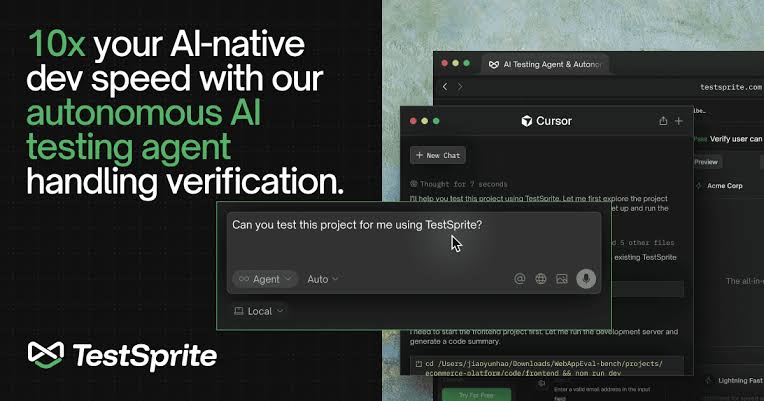
TestSprite does not require a traditional installation. The main product lives in the cloud and you interact with it through the web dashboard. However, the real power comes from the MCP (Model Context Protocol) server integration, which plugs TestSprite directly into AI-first development environments.
If you are using Cursor, VS Code with the appropriate extensions, Windsurf, or Claude Code, you can connect TestSprite via MCP so that testing happens inside your IDE rather than in a separate tab. This is a smart design choice, because it keeps verification within the same loop where code is being written.
Setting up the MCP connection is not difficult, but it is not entirely plug-and-play either. You need your API key handy, and there are a few configuration steps that could be better documented. Developers who are already comfortable with MCP servers will breeze through it. Newcomers might spend an extra 15 to 20 minutes figuring things out. The CLI tool available on GitHub is another option, though documentation for it is minimal.
User Experience
The day-to-day experience of using TestSprite 2.1 is a mixed bag, and that is worth being honest about.
On the positive side, the core workflow is genuinely useful. You point the AI at your project, it generates test cases, you review them, and it runs them. The new visual Test Modification Interface is a nice touch. It lets you edit individual test steps, re-run tests from any step, and see results in real time. For developers who want more control without writing raw code, this is a practical addition.
The credit system, on the other hand, is one of the platform's weaker points. Every test action consumes credits, and TestSprite does not publish a clear breakdown of how many credits each type of action costs. This makes it hard to predict monthly expenses, especially if you are running tests as part of a CI/CD pipeline where volume can spike quickly. The free tier gives you 150 credits per month, which is enough to kick the tires but not much more. Heavier use pushes you to the Starter plan at $19 per month or the Standard plan at $69 per month.
Another frustration we heard repeatedly from the developer community is that test case quality can be inconsistent. Some test runs produce well-structured, meaningful tests. Others generate cases that are either too shallow to catch real bugs or too tightly coupled to specific UI elements that break the moment anything changes. The auto-healing feature helps, but it is not a complete safety net.
Performance is solid when things are working. The 2.1 engine is notably quicker, and tests execute in the cloud so there is no load on your local machine. But when things go wrong, debugging can be frustrating. Error messages are not always clear, and tracing back from a failed test to the root cause sometimes requires more effort than it should.
Our Ratings
Here is how we scored TestSprite 2.1 across the categories that matter most to the developers and QA professionals who read ICON POLLS.
AI Testing Engine: ★★★☆☆ 3.5/5.0
Ease of Setup: ★★★☆☆ 3.0/5.0
GitHub Integration: ★★★☆☆ 3.5/5.0
User Interface: ★★★☆☆ 3.0/5.0
Documentation: ★★☆☆☆ 2.5/5.0
Pricing Transparency: ★★☆☆☆ 2.5/5.0
Test Accuracy: ★★★☆☆ 3.0/5.0
Customer Support: ★★★☆☆ 3.0/5.0
Overall ICON POLLS Rating: 3.0 / 5.0
What We Liked
The rebuilt AI engine is genuinely faster and the speed improvement translates directly into a better workflow. The GitHub integration fills a real need and works well for teams that are already running CI/CD pipelines. The visual Test Modification Interface is a thoughtful addition that gives non-technical team members a way to interact with test cases. The MCP server approach is smart, embedding testing where development actually happens.
What Needs Work
Credit-based pricing lacks transparency, and costs can escalate unpredictably for teams running frequent test cycles. Test quality is inconsistent, particularly for complex or non-standard applications. Documentation is thin in places, especially around MCP setup and the CLI tool. Error messages during failed test runs could be more helpful. The platform still feels like it is built primarily for simpler web applications and struggles with edge cases.
Frequently Asked Questions (FAQs)
1. Is TestSprite 2.1 free to use?
A: Yes, there is a free tier that gives you 150 credits per month. This is enough to explore the platform and run a small number of tests. For anything beyond basic evaluation, you will need a paid plan. The Starter plan costs $19 per month with 400 credits, and the Standard plan costs $69 per month with 1,600 credits. Enterprise pricing is available but requires a sales conversation.
2. Who founded TestSprite and where is the company based?
A: TestSprite was co-founded by Yunhao Jiao (CEO), Rui Li (CTO), and Xiangyi Shan. The company is headquartered in Seattle, Washington. Yunhao Jiao is a Yale graduate with a background in NLP and software engineering who previously worked at Amazon Web Services. The company was founded in 2023 and raised $6.7 million in seed funding from investors including Techstars, Baidu Ventures, MiraclePlus, and EdgeCase Capital Partners.
3. How do I log in to TestSprite?
A: You create a free account on the TestSprite website, which gives you access to the web dashboard. From the dashboard, you generate an API key that connects the cloud service to your coding environment. The login and key management all happen within the same dashboard. There is no separate desktop application to install for basic access.
4. Does TestSprite work with GitHub?
A: Yes, TestSprite 2.1 introduced a native GitHub App integration. Once you install the app and configure your repository settings, it runs tests automatically on every pull request. Test results appear directly in your PR checks. The platform also provides a GitHub Action test overview page where you can see detailed results for each test run.
5. What coding tools does TestSprite integrate with?
A: TestSprite connects to AI-first development environments through MCP (Model Context Protocol). It officially supports Cursor, VS Code, Windsurf, GitHub Copilot, and Claude Code. The MCP server integration means testing happens inside your IDE rather than in a separate browser tab, which keeps the workflow more efficient.
6. Is TestSprite good for testing AI-generated code?
A: That is its primary use case. TestSprite is designed specifically for the scenario where AI tools like Cursor or GitHub Copilot write the code and a human still needs to verify that it works. The platform tries to close the gap between how quickly AI can generate code and how confidently that code can be shipped. It works best on standard web applications and common development patterns.
7. How many people use TestSprite in 2026?
A: According to the company's own reporting as of March 2026, nearly 100,000 development and QA teams use TestSprite. The company also claims that its user base includes teams from major technology companies. The platform reported 483 percent user growth in a single quarter during its growth phase. The team itself is roughly 20 people as of mid-2026.
8. What are the main alternatives to TestSprite?
A: The most commonly mentioned alternatives include mabl, Opkey, Testim, Bug0, and Evinced. Each of these tools approaches testing differently. Mabl and Testim focus on codeless test automation. Bug0 offers a dedicated QA engineer model with flat-rate pricing. Opkey specializes in enterprise application testing. The right choice depends on your team size, budget, and the kind of applications you are building.
9. Does TestSprite offer customer support?
A: TestSprite provides support through its web dashboard and has a community presence on Product Hunt and developer forums. Enterprise plan users get access to dedicated support. For free and lower-tier users, support options are more limited and tend to rely on documentation and self-service resources. The documentation has improved over time but still has gaps, particularly around advanced configuration and the CLI tool.

10. Is TestSprite safe and legitimate?
A: Yes, TestSprite is a legitimate company. It is incorporated as TestSprite, Inc., backed by recognized investors such as Techstars and Baidu Ventures, and its CEO is a member of the Forbes Technology Council. The platform runs tests in its own cloud environment, so your application code does not leave your machine during the testing process. As with any tool that requires an API key, you should treat that key like a password and keep it private.