Next time you scroll on a train, count how many videos you actually unmute. Probably very few. The figure cited for years is that around 80 percent of TikTok and Instagram Reels are watched with the sound off. Whatever the exact number, the habit hasn't shifted. A talking video without captions is, for most of its audience, a silent clip of someone moving their mouth.
The good news is that the tools have caught up. Speech recognition that once needed pricey software and an afternoon of manual typing now runs on a phone. It syncs each word to the frame and styles the text however your feed demands. The bad news is money. Several apps creators relied on for free have moved their best caption features behind subscriptions this year. So the useful question isn't which app is best. It's which one fits the way you already make videos.
Ten apps, side by side
The prices below are starting prices as listed when this guide was first published in August 2026. Subscription pricing moves often, so confirm before you pay.
| App | Best suited to | Runs on | From | Free option | Languages |
|---|---|---|---|---|---|
| CapCut | All round editing | Mobile, desktop, web | $19.99/mo (Pro) | Limited | 20+ |
| Captions | Talking head videos | iOS, Android | $9.99/mo | Yes | 80+ |
| VEED | Browser editing | Web | $12/mo | Watermarked | 125+ |
| Descript | Editing by transcript | Desktop, web | $16/mo | Yes | 20+ |
| Kapwing | Teams | Web | $16/mo | Watermarked | 100+ |
| Filmora | Desktop creators | Desktop, mobile | $13.99/mo | Watermarked | 25+ |
| Zubtitle | Marketers | Web | $16/mo | Limited trial | 50+ |
| InShot | Quick phone edits | iOS, Android | $3.99/mo | Yes, with ads | 15+ |
| Subly | Translation | Web | $15/mo | Yes | 67+ |
| TikTok and Instagram | Posting fast | In app | Free | Yes | 10+ |
CapCut: still the default, no longer free
CapCut is made by ByteDance, the company behind TikTok, and it shows. The integration is smoother than any third party can manage. Transcription on clear English audio is strong, and word timing is tight enough that manual fixes are rare.
The story this year is the paywall. Auto captions now sit in the Pro tier at $19.99 a month or $179.99 a year. Free users keep manual captioning and a small allowance of AI credits, and that's it. Plenty of creators who built their whole routine on free CapCut are annoyed, and fairly so.
Still, if you already edit in CapCut, Pro bundles a lot: 4K export, a huge template library, background removal, voice cloning and the rest of the AI toolkit. Post three or more videos a week and the hours saved probably cover it. Nothing else here combines captioning with a full editor quite as well.
For people who talk to camera
Captions
Captions began as a pure subtitle app and has grown into teleprompter, eye contact correction and AI dubbing. Captioning is still the point, though. If your content is you, a phone and an opinion, this was more or less designed for you: fast transcription, trendy animated styles and support for over 80 languages. Plans start at $9.99 a month, with a free tier. The weakness is the flip side of the focus. Montages, b roll and music heavy edits aren't its strength.
Descript
Descript does something genuinely different. You edit the video by editing its transcript: delete a sentence and the clip goes with it. Captions come straight from that transcript, so once you've cleaned up the text, your subtitles are already right. Filler word removal, silence trimming and Studio Sound tidy the raw footage too. The caption styling is plainer than CapCut or VEED, so it suits people who value accuracy over flash. Plans start at $16 a month, with a limited free tier.
Browser tools for teams, marketers and translators
VEED

VEED runs in your browser and covers over 125 languages, the widest range in this group. Its presets copy the bold, word by word highlight look that dominates TikTok, and you can still adjust fonts, colours and placement. The Lite plan is $12 a month billed annually, with Pro at $29. Free exports carry a watermark and a 10 minute cap.
Kapwing
Kapwing's selling point is collaboration. Several people can work on one project at once, which matters for agencies with sign off chains. It also resizes one video for TikTok, Reels and Shorts in a click. The free plan is tight, with watermarked 720p exports and a one minute cap. Pro is $16 a month annually or $24 monthly. Solo creators will likely get more for their money elsewhere.
Zubtitle
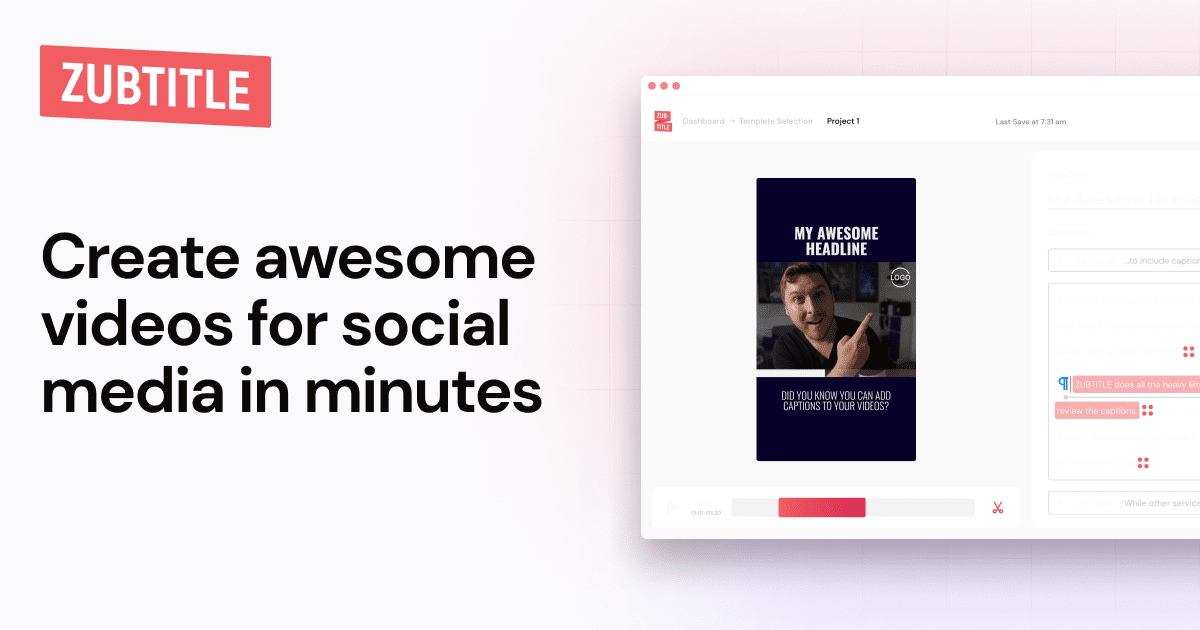
Zubtitle does social captions and little else, which is the appeal. Add headlines, progress bars and brand elements, export in any aspect ratio, done. It starts at $16 a month with only a limited trial, so it's for marketers who want focus rather than a bargain.
Subly
Subly is the quiet pick for anyone chasing audiences in other languages. One upload can produce subtitles in more than 67 languages, so an English video can reach Spanish, Portuguese, French or Arabic speakers without a separate workflow. It isn't a full editor and doesn't pretend to be. There's a free tier, and paid plans start around $15 a month.
A desktop editor and a pocket one
Filmora

Wondershare's Filmora is a long running beginner friendly editor whose captions have matured. It offers animated templates and around 25 languages. The desktop version adds batch editing, caption translation and scheduling. The mobile app also does auto captions. Free exports are watermarked, which rules them out for professional work, and paid plans start around $13.99 a month.
InShot

InShot has lived on phones for years. Its AI subtitles are less polished than the pricier tools here, and styling is basic. But trimming, music, filters and captions all sit in one light app. Premium starts at $3.99 a month, by far the cheapest paid option, and the ad supported free version covers most features.
The caption button you already have
TikTok and Instagram both generate captions for free inside the app. For casual posts, that's often enough. You get little control over font, colour or position, though. There's no animation, no word by word highlighting and no translation. Accuracy also drops with background music, strong accents or people talking over each other. Treat it as a starting point. Once you care how your captions look, you'll outgrow it.
So which one?
- You already edit in CapCut: pay for Pro, or accept manual captions.
- You mostly talk to camera: Captions on mobile, Descript on desktop.
- You work in a team: Kapwing.
- You want reach in other languages: Subly or VEED.
- You're on a tight budget: InShot, or the free in app tools.
Plenty of these began life as handy websites before they became subscriptions. If you have strong views on which sites earn a place in your bookmarks, add your pick to our vote for the world's most useful websites.